
 Login
Login

Explainer: AppKit and SwiftUI
Look across a range of third-party apps on your Mac and you’ll see how different their interfaces are. Casting aside those based on cross-platform frameworks like Electron, most of the best either use traditional AppKit, or its more recent successor SwiftUI. This article explains how those have come about, and how they differ.
AppKit is descended from the UI framework in NeXTSTEP, and has been at the core of Mac OS X from the start. For much of the last 26 years, it has provided the interface for the Finder and Apple’s own apps. When Apple designed iOS and iPadOS, they were given equivalents in UIKit, which isn’t as extensive, and hasn’t facilitated cross-platform development.
Although AppKit apps can construct their interface procedurally, most rely on Interface Builder, a GUI tool built into Xcode that separates the design of menus, windows, their views and controls from the largely procedural or imperative code used to drive them. You can often tell apart apps using AppKit by their use of Storyboard files in the Resources folder in their app bundle.
SwiftUI was announced at WWDC in June 2019, and first became available in macOS 10.15 Catalina. One of its primary goals is make it easier for apps to run across multiple Apple operating systems. It adopts a declarative approach, so rather than separating interface design into a graphical editor, its windows, their views and controls are built from data structures as in the example given in the Appendix below. Their code can then be previewed in real-time, but there’s no direct manipulation in those previews, which are developed iteratively in code.
For example, to increase the size of an AppKit text entry box in Interface Builder, the developer can either drag the box to its new size, or adjust its dimensions in a control, and see the result immediately. In SwiftUI, those dimensions are edited in the code defining that box within its view and window, which is then converted into a graphical preview. Although this difference may appear subtle, it’s fundamental. Apps that use SwiftUI without AppKit don’t have Storyboards in the Resources folder in their app bundle.
The two come from different eras in human interfaces.
AppKit presents a more static approach, where the contents of its views are their dynamic, as demonstrated in SilentKnight version 2 below.

SwiftUI is thoroughly dynamic, reconfiguring its look using animations and transitions in layouts that adapt to their purpose, as shown in a prototype for SilentKnight version 3 below. Although AppKit is thoroughly accessible from Swift code, it was developed for Objective-C, while as its name implies, SwiftUI is thoroughly Swift-oriented.
While there are still many fine apps that only use AppKit, SwiftUI remains work in progress, and it’s common for apps still to dip into AppKit to handle tasks that can’t be achieved in SwiftUI alone. Among many examples remaining is the display of PDF documents, which is still only achievable from an AppKit view. This is improving as SwiftUI evolves, but that in turn poses problems with macOS support.
For example, one of the most substantial changes in SwiftUI has been the move from its Observable Object protocol to the Observable macro, which affects the back end of apps. But the Observable macro is only available in apps written for macOS 14 or iOS 17 or later, which explains why so many apps using SwiftUI require a minimum of macOS 14.6, so they can take advantage of this architectural change. It’s not just the more obvious features in new versions of macOS that limit backward compatibility of apps.
Among the archipelago of delights brought in SwiftUI are its List View, and Swift Charts.
AppKit has excellent support for Attributed Strings that are essentially their underlying data for Rich Text. Log entries shown in my AppKit-based log browser Ulbow demonstrate how its NSTextView can handle tens of thousands of lines of Attributed String data representing log entries.

In LogUI, I have replaced that with a SwiftUI List View, which is far more versatile, but doesn’t use Attributed Strings.

Although in recent versions of macOS this readily copes with tens or even hundreds of thousands of lines, it’s still prone to displaying blank areas when scrolling.
Implementing charts in Logistician relies entirely on the capabilities of Swift Charts, but those are only available in macOS 13 and later.
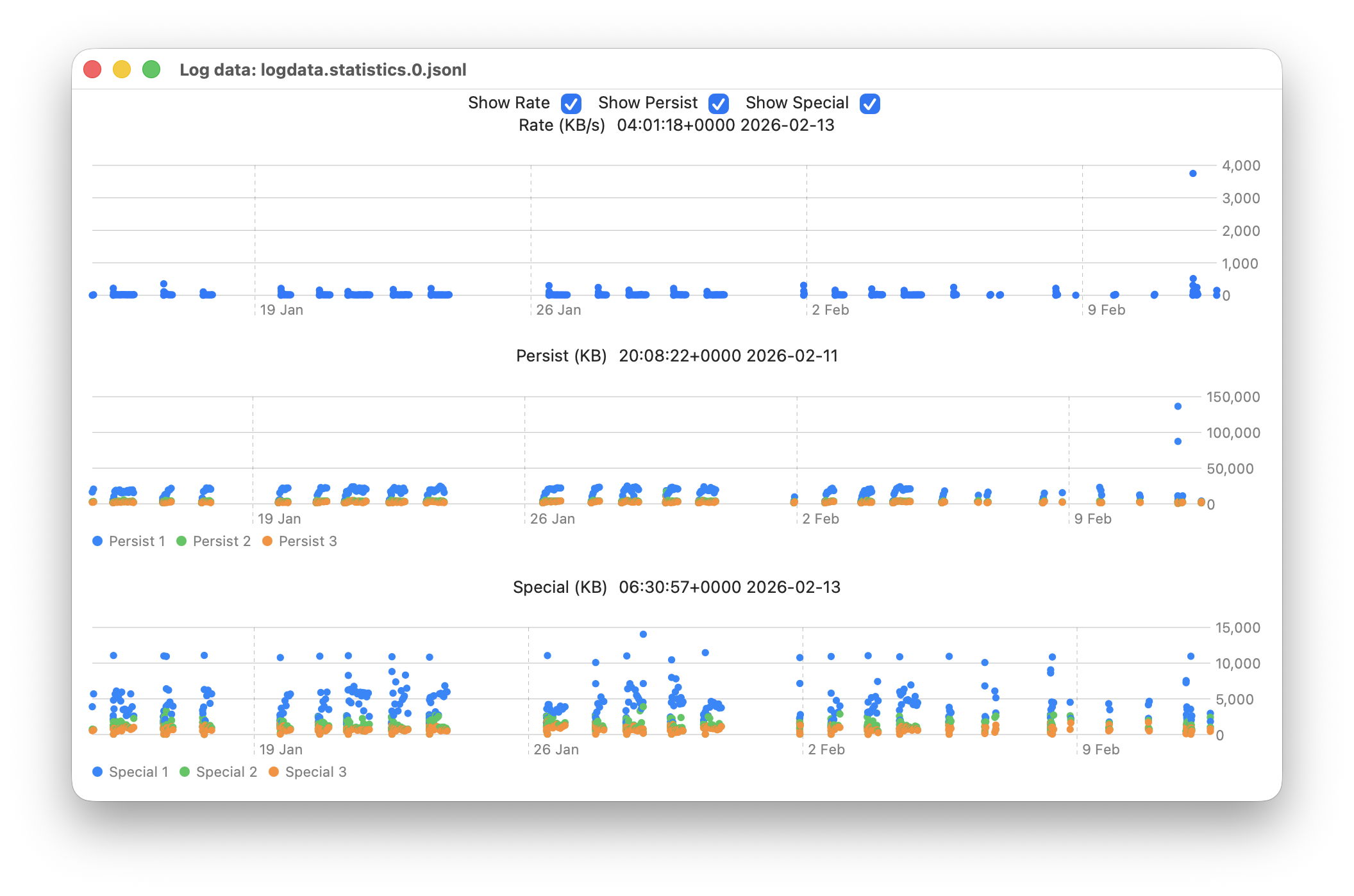
Although it might appear that Mac developers are now spoilt for choice between AppKit and SwiftUI, there are many occasions when they’d prefer taking the best bits of each and building something more coherent and comprehensive, and better tailored to the desktop rather than the device.
Appendix: Example SwiftUI code
struct ContentView: View {
    @State private var messageInfo = Logger()

    var body: some View {
        let _ = messageInfo.getMessages()
        if (self.messageInfo.logList.count > 0) {
            VStack {
                List(self.messageInfo.logList) { line in
                MessageRow(line: line)
                }
            }
            .frame(minWidth: 900, minHeight: 200, alignment: .center)
        } else {
            Text("No results returned from the log for your query.")
                .font(.largeTitle)
        }
    }
}

struct MessageRow: View {
    let line: LogEntry

    var body: some View {
        HStack {
            Text(line.date + "  ")
            if #available(macOS 14.0, *) {
                Text("\(line.type)")
                    .foregroundStyle(.red)
            } else {
                Text("\(line.type)")
                    .foregroundColor(.red)
            }
            if !line.activityIdentifier.isEmpty {
                Text(line.activityIdentifier)
            }
//          etc.
            Text(line.composedMessage)
            }
        }
    }
