Normal view

There are new articles available, click to refresh the page.
Before yesterdayMain stream

The Minimise Easter Egg lives on

By: hoakley
27 April 2026 at 14:30

One of the joys of writing here is when I’m wrong, and a feature I thought was lost is just hidden a bit deeper. When I wrote that the Minimise Easter egg was defunct in macOS Tahoe, I was delighted to be corrected, thank you, as it’s still alive and flourishing.

In fact this had been documented just over a year ago by John Gruber on his Daring Fireball blog. I’ve added information from the macOS defaults site, and played around with this in a macOS 26.4.1 virtual machine.

Settings

To enable the Minimise Easter Egg for the Dock, enter the following command in Terminal:
defaults write com.apple.dock slow-motion-allowed -bool YES
without that, it simply won’t happen in recent versions of macOS.

To disable it again, you can use either of
defaults write com.apple.dock slow-motion-allowed -bool NO
or
defaults delete com.apple.dock slow-motion-allowed

macOS Defaults recommends enabling Automatically hide and show the Dock, in Desktop & Dock settings, but that’s optional and not required.

Options

Three different effects are available, two of them offered in the Minimised window animation popup menu in Desktop & Dock settings.
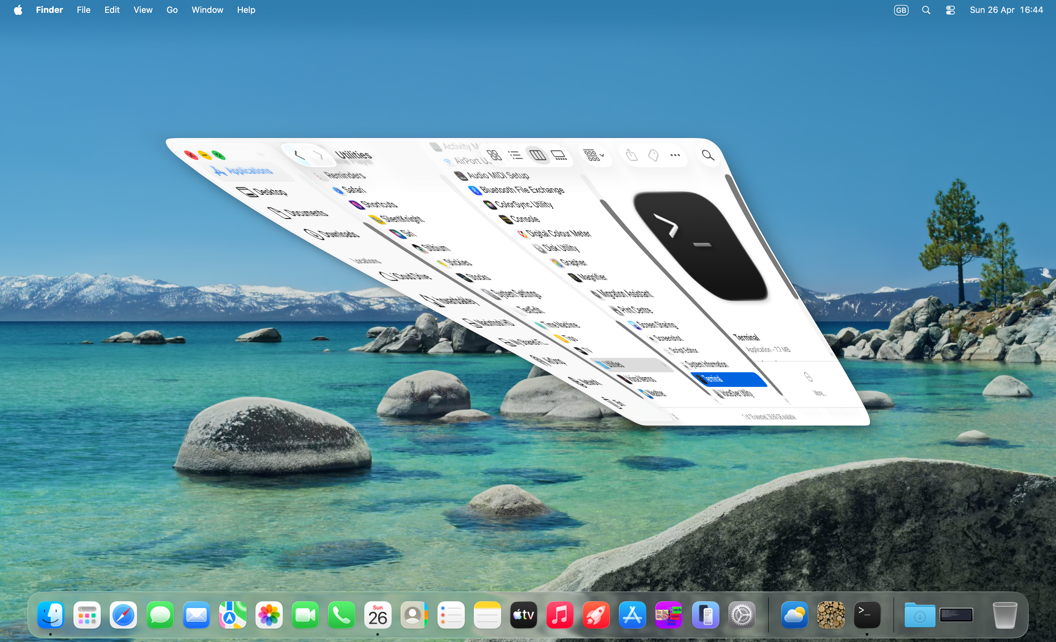
The default is genie, in which the window being minimised reverses the ‘genie’ effect commonly used in animations.
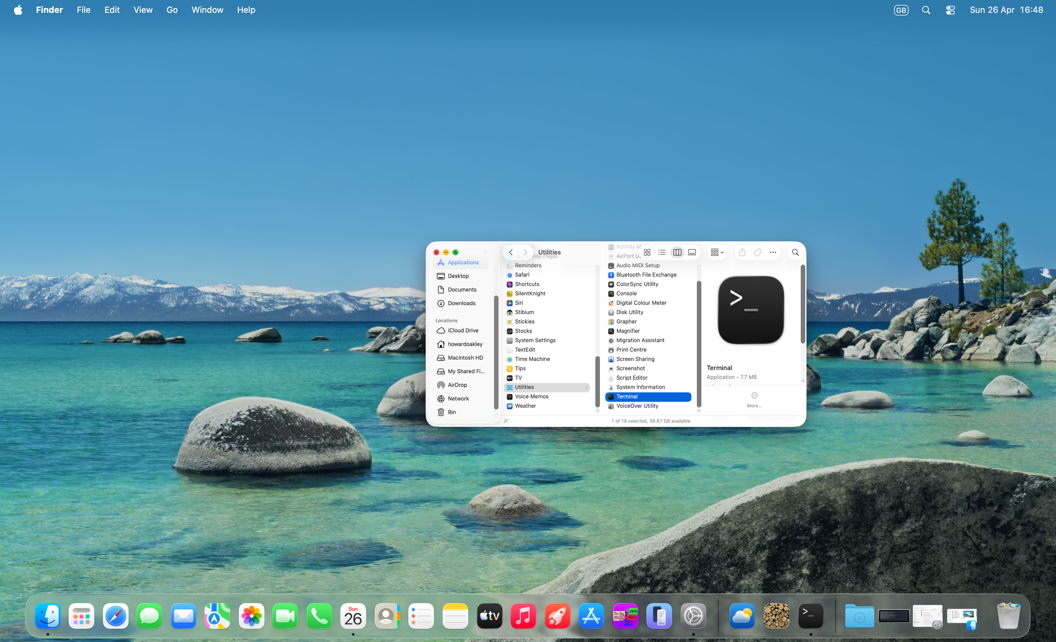
The other choice in Desktop & Dock settings, scale, shrinks the window uniformly as it moves down to the right end of the Dock.
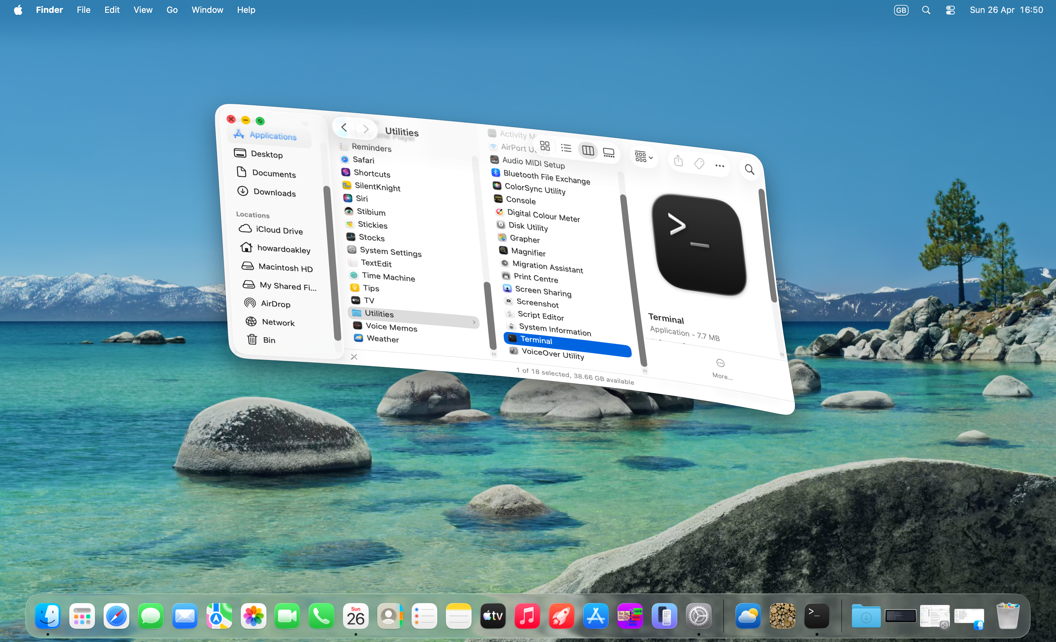
Hidden from there, and only available via Terminal, is the third option, suck, in which the lower right corner of the window is ‘sucked’ down to the right end of the Dock. To opt for that, enter the command
defaults write com.apple.dock "mineffect" -string "suck"
and you can use the same command with "genie" or "scale".

Applying settings

Changes made in Desktop & Dock settings are enforced automatically, without further action. Those using defaults in Terminal will only take effect after killing the Dock and allowing it to be restarted, with the command
killall Dock

Controls

To see the Minimise effect, use one of the following key combinations when clicking on the yellow Minimise traffic light button at the top left of a window:

  • no key – full speed
  • Control – slow
  • Shift – much slower
  • Control + Shift – slowest.

You can also use the Shift key for a slowed de-minimise effect when clicking on the minimised window in the Dock. As the Control key already has another meaning there, it won’t have the same effect.

History

Current effects are very different from those of a decade ago, as shown in the sequence of images below.

minimise1
minimise2
minimise3
minimise4
minimise5

Thanks to the Apple engineers who have not only preserved this Easter Egg, but made it even more fun. And fun is really important.

Mac Easter eggs

By: hoakley
3 April 2026 at 14:30

Easter eggs are part of the tradition of this time of year, and the term applied to concealed features in computer hardware or software. It seems to have originated in early video games, although the first record is in the command make love on DEC PDP-10 mainframes in 1967-68. Macs have had their fair share over the years, although Steve Jobs seems to have disliked them, and is reported to have banned them. Here are a few that I’ve come across in more recent years.

Clarus the Dogcow

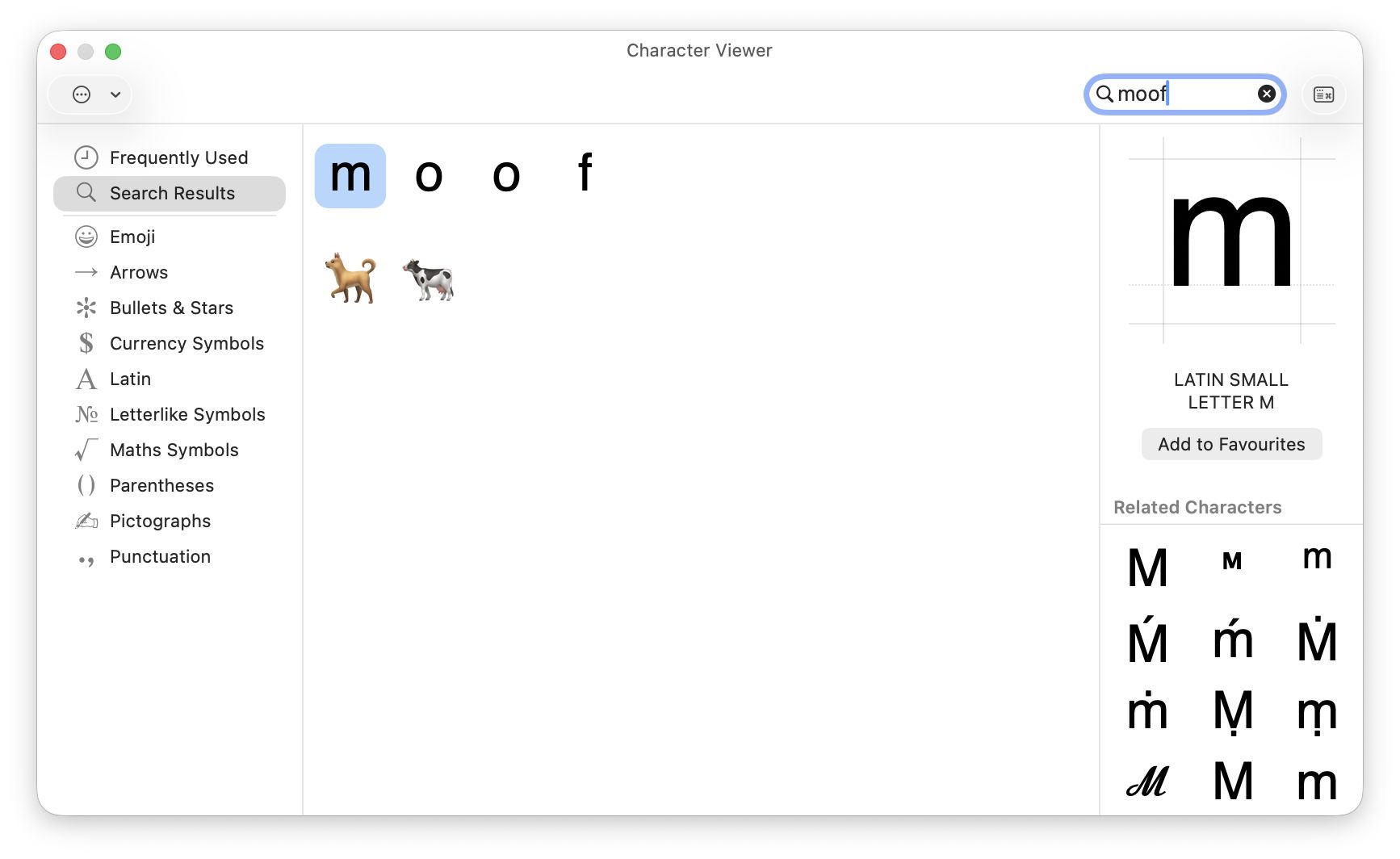
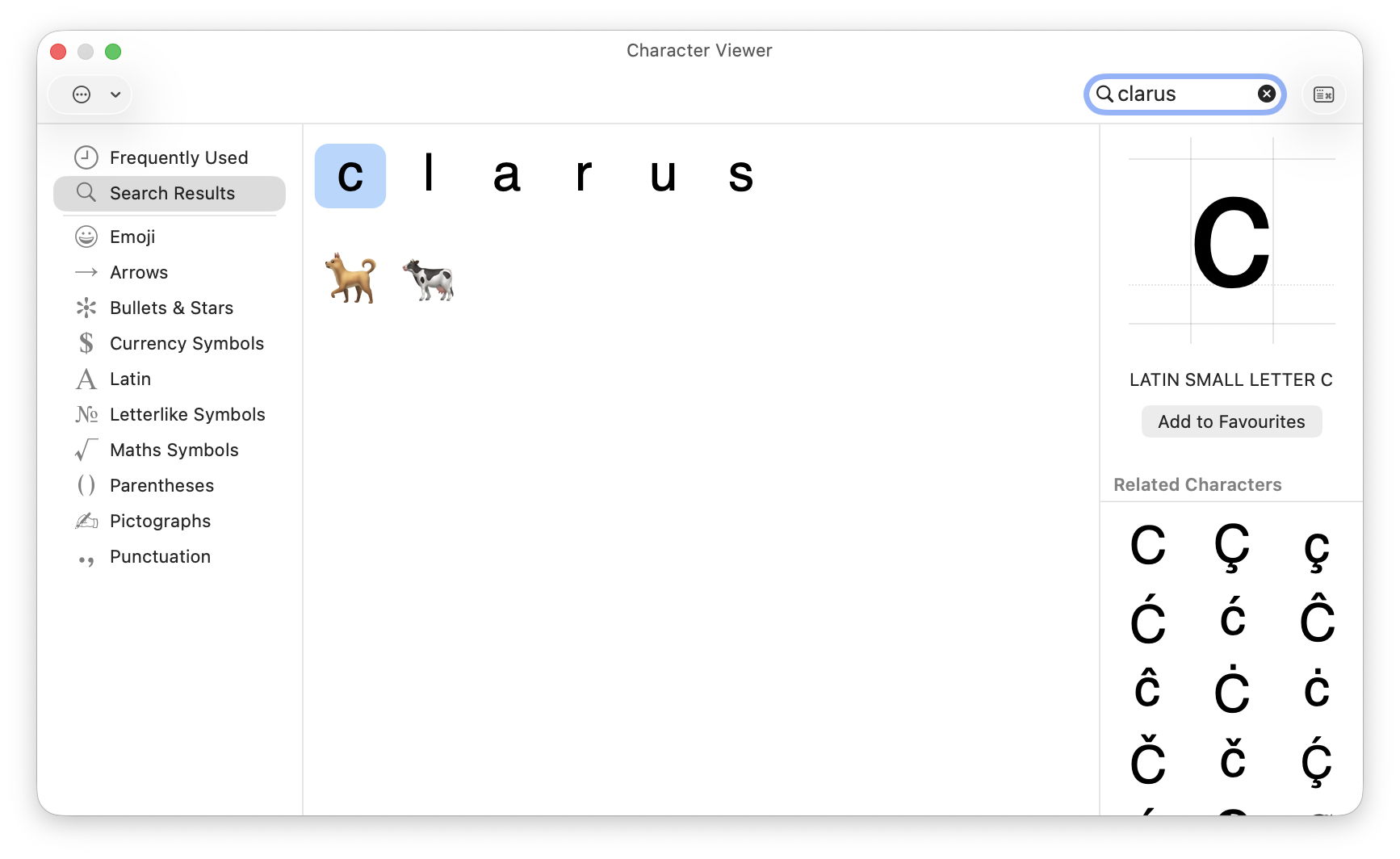
This mythical animal from the Mac bestiary has been tucked away as an Easter egg in the Emoji & Symbols viewer for many years. Type the letters clarus or moof (the sound it makes) into the search box of that viewer to see the two emoji figures of a dog and a cow, although neither of them resembles Clarus in appearance, as shown in the Page Setup window in recent macOS.

Marijuana leaves

More inaccessible, but apparently present for even longer, is a PNG image showing marijuana leaves embedded inside the Chess app. To see these, select Chess.app, and Show Package Contents. Work through the Contents, Resources and Styles folders and you’ll see two styles Fur and Grass, neither of which is offered in the app’s Settings. In the Grass folder, select Border.png to see a pattern of marijuana leaves.

I’ve been unable to find a way of accessing these as a style for the app, though. Chess also has a unique About window that not only contains the full GNU licence for the app, but offers a button to download the app’s source from Apple’s Open Source Releases page. Perhaps the intention is that you can build your own version of the app giving access to the Grass and Fur styles, making it the most convoluted Easter egg.

MAC wallpaper

According to a recent report in MacWorld, the colour-matched wallpapers provided for MacBook Neos spell out MAC.

Dont Steal Mac OS X

This is a kernel extension named Dont Steal Mac OS X.kext, found in /System/Library/Extensions, whose sole purpose is to contain Apple’s copyright statement, and in its own words “to protect Apple copyrighted materials from unauthorized copying and use.” Oddly, the current version claims copyright over the period 2006-2020 in its Info.plist, but 2006,2009 in its licence resource.

Minimise (defunct)

Until a few years ago, the yellow Minimise button in windows featured a set of Easter eggs that are claimed to have been a favourite of Steve Jobs. Clicking on that button with Control, Shift or Control and Shift keys held ran the animation at widely different speeds, and could be reversed when clicking on the minimised window in the Dock. These are described here, but have been removed since then.

RAM disk (defunct)

According to a relatively recent report in Tom’s Hardware, the ROM of Power Mac G3 models contains an Easter Egg of a hidden file when a RAM disk is created with the name secret ROM image.

I look forward to your sharing more.

Reference

Wikipedia

❌
❌