Reading view

There are new articles available, click to refresh the page.

下一个英伟达?苹果的 AI 布局可能藏在 iPhone Air 里|设以观复 vol.18

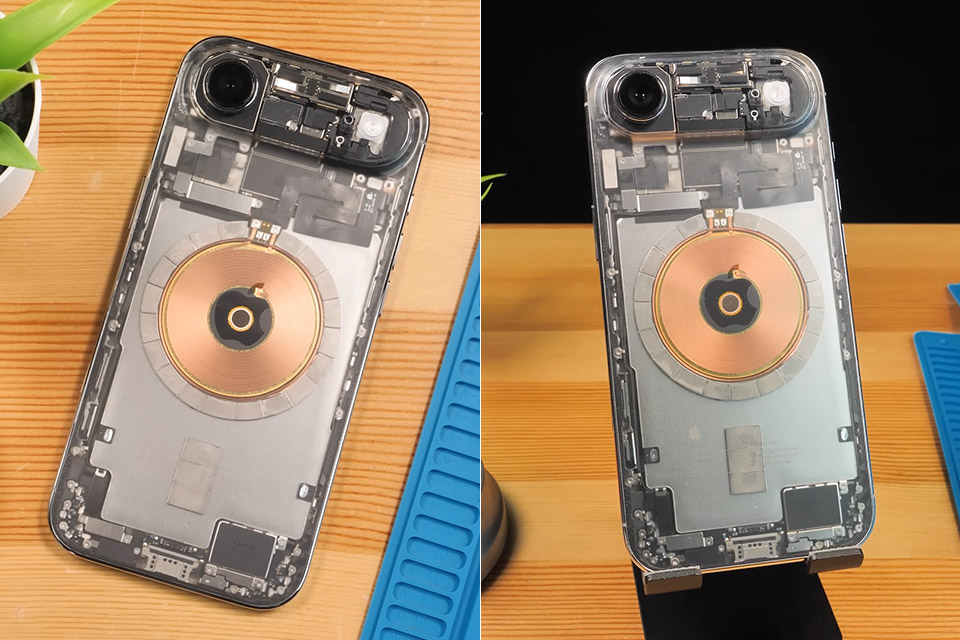
前段时间,一款改装的「透明版 iPhone Air」在网上引起了热议 。

但是,直接剥离背板油漆露出内部精密零件,真的是一种很酷的极客审美,还是对工业设计的一种糟糕误解 ?本期节目,我们将穿过这场透明风波,去扒一扒 iPhone Air 玻璃背板下真正隐藏的极端工程追求 。同时,我们也将借此一窥,在 AI 开始接管物理世界的今天,科技巨头们到底在暗中筹划着一个怎样的未来 ?

🎥 点击图片播放视频

在 YouTube 观看视频:https://youtu.be/tIDCztqm9I8

在 Bilibili 观看视频:https://suithink.me/2026/04/01/16ylog/

本期主要议题

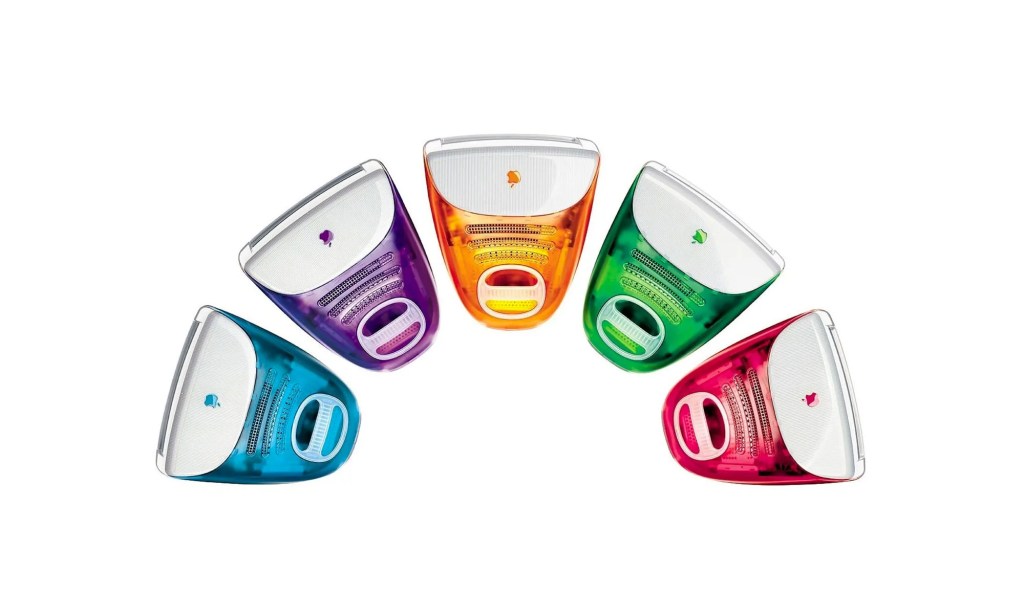
把精密零件裸露出来就是很酷的设计感吗 ?我们将重新审视历史上经典透明设计的真正语境,聊聊为什么「透明版 iPhone Air」本质上可能是一场审美误会 。

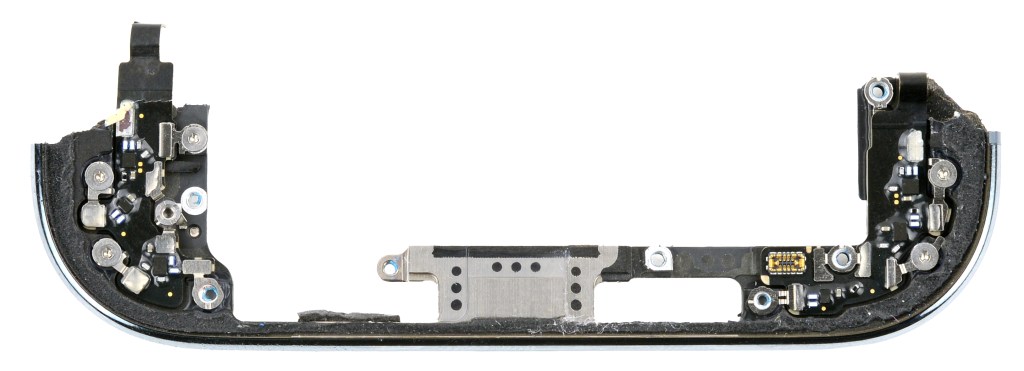
iPhone Air 让人惊叹的纤薄,并不仅仅是视觉和比例上的魔法,更源于对核心元器件集成度边界的疯狂压榨 。苹果全新的“高原”设计语言和 Apple Watch 有什么关联 ?

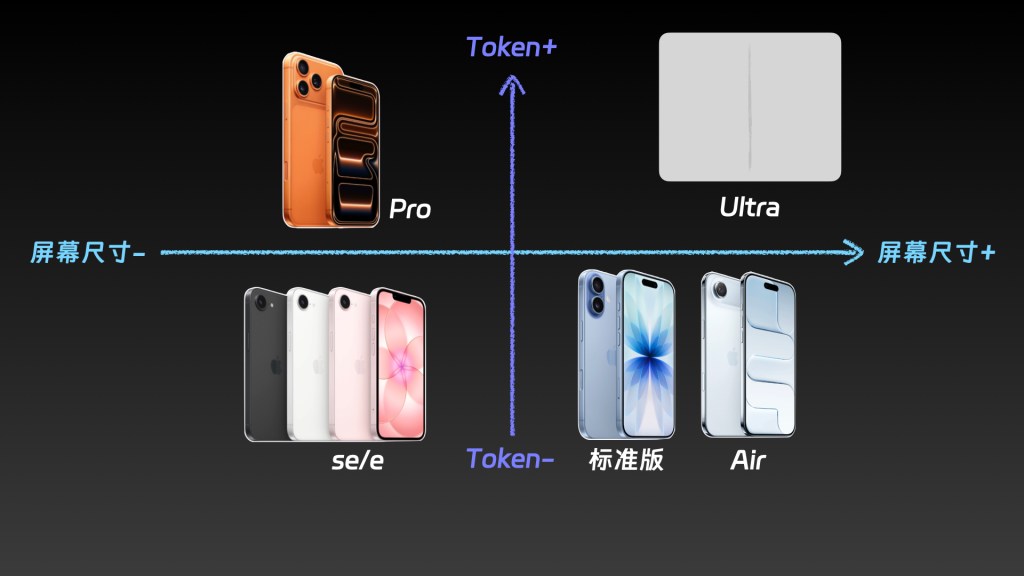
标准版 iPhone 面向当下,而 Air 却是一个指向未来的坐标 。当计算核心不再被强制绑定在一块大屏幕之下,我们身边的电子设备生态将迎来怎样的一场无声大洗牌 

AI 的颠覆绝不止于聊天、写代码或生成图片,它正在悄悄渗透进物理世界的技术栈里 。结合苹果近期低调收购的 AI 初创公司,以及 Air 机身上隐藏的全球最大消费级 3D 打印零件,AI 驱动的逆向工程将如何改变我们习以为常的几何美学 ?

作为极具前瞻性的工程探索,iPhone Air 遭遇了商业上的滑铁卢 。既然时机并未成熟,消费者也倾向于“既要又要”,为什么 Apple 仍然愿意掏出这笔极其昂贵的「学费」 ?

👇本期关联播客

https://suithink.me/2026/04/01/16ylog/

为什么说商业失利的 iPhone Air,藏着苹果 AI 进入物理世界的路径_16.ylog

节目简介

欢迎收听这期节目!前段时间,一款改装的「透明版 iPhone Air」在网上引起了热议 。但是,直接剥离背板油漆露出内部精密零件,真的是一种很酷的极客审美,还是对工业设计的一种糟糕误解 ?本期节目,我们将穿过这场透明风波,去扒一扒 iPhone Air 玻璃背板下真正隐藏的极端工程追求 。同时,我们也将借此一窥,在 AI 开始接管物理世界的今天,科技巨头们到底在暗中筹划着一个怎样的未来 ?

Show Notes

把精密零件裸露出来就是很酷的设计感吗 ?我们将重新审视历史上经典透明设计的真正语境,聊聊为什么「透明版 iPhone Air」本质上可能是一场审美误会 。

iPhone Air 让人惊叹的纤薄,并不仅仅是视觉和比例上的魔法,更源于对核心元器件集成度边界的疯狂压榨 。苹果全新的“高原”设计语言和 Apple Watch 有什么关联 ?

标准版 iPhone 面向当下,而 Air 却是一个指向未来的坐标 。当计算核心不再被强制绑定在一块大屏幕之下,我们身边的电子设备生态将迎来怎样的一场无声大洗牌 

AI 的颠覆绝不止于聊天、写代码或生成图片,它正在悄悄渗透进物理世界的技术栈里 。结合苹果近期低调收购的 AI 初创公司,以及 Air 机身上隐藏的全球最大消费级 3D 打印零件,AI 驱动的逆向工程将如何改变我们习以为常的几何美学 ?

作为极具前瞻性的工程探索,iPhone Air 遭遇了商业上的滑铁卢 。既然时机并未成熟,消费者也倾向于“既要又要”,为什么 Apple 仍然愿意掏出这笔极其昂贵的「学费」 ?

👇 本期互动问题:

如果未来的计算设备真的变成了一张看不见、摸不着的分布式网络,手机这个实体彻底消失,你觉得人类最难克服的「物理习惯」会是什么呢?欢迎在评论区留言,跟我们一起大开脑洞!

🎥本期关联视频

https://www.bilibili.com/video/BV1Qw9jBeESW/

|相关链接|

若你所使用的播客客户端未能完整显示插图,或遇网络问题未能正常播放,请访问:

荒野楼阁 WildloG 的地址:https://suithink.me/zlink/podcast/

阅读设计相关的各类文章:https://suithink.me/zlink/idea/

|其他社交网络媒体|

苏志斌 @ 知乎|SUiTHiNK @ 即刻 / 微博

苏志斌SUiTHiNK @ Bilibili / YouTube / 小红书

|联络邮箱|

suithink.su@gmail.com

欢迎在 小宇宙、Spotify、YouTube、Apple Podcast 收听本节目,期待你的留言。

💾

Apple has just released an update to XProtect for all macOS

Apple has just released its regular weekly update to XProtect, bringing it to version 5336. As usual it doesn’t release information about what security issues this update might address.

This version adds two new rules for MACOS.WANNABEWALLABY.IMA and MACOS.WANNABEWALLABY.STA, amends rules for MACOS.TIMELYTURTLE.DYHEOC, MACOS.SOMA.MAENA, and MACOS.SOMA.MAENB, and changes some rule UUIDs. In the Osascript rules in XPScripts.yr, it amends the rule for MACOS.OSASCRIPT.SYPR.

You can check whether this update has been installed by opening System Information via About This Mac, and selecting the Installations item under Software.

A full listing of security data file versions is given by SilentKnight and SystHist for El Capitan to Tahoe available from their product page. If your Mac hasn’t yet installed this update, you can force it using SilentKnight or at the command line.

If you want to install this as a named update in SilentKnight, its label is XProtectPlistConfigData_10_15-5336

Sequoia and Tahoe systems only

This update hasn’t yet been released for Sequoia and Tahoe via iCloud. If you want to check it manually, use the Terminal command
sudo xprotect check
then enter your admin password. If that returns version 5336 but your Mac still reports an older version is installed, you should be able to force the update using
sudo xprotect update

Apple has just released an update to XProtect for all macOS

Apple has just released its regular weekly update to XProtect, bringing it to version 5335. As usual it doesn’t release information about what security issues this update might address.

This version adds two new Yara rules for MACOS.TIMELYTURTLE.OBDR and MACOS.SOMA.MAENB, and amends the existing rule for MACOS.SOMA.BYTE.SEQUENCE.B. In the Osascript rules in XPScripts.yr, it relocates those for TABUPA, REBUPA, DUVAST, DUCUHA and DUSTCO.

You can check whether this update has been installed by opening System Information via About This Mac, and selecting the Installations item under Software.

A full listing of security data file versions is given by SilentKnight and SystHist for El Capitan to Tahoe available from their product page. If your Mac hasn’t yet installed this update, you can force it using SilentKnight or at the command line.

If you want to install this as a named update in SilentKnight, its label is XProtectPlistConfigData_10_15-5335

Sequoia and Tahoe systems only

This update has already been released for Sequoia and Tahoe via iCloud. If you want to check it manually, use the Terminal command
sudo xprotect check
then enter your admin password. If that returns version 5335 but your Mac still reports an older version is installed, you should be able to force the update using
sudo xprotect update

What has changed in macOS Tahoe 26.4?

The update to bring macOS Tahoe up to version 26.4 is hefty at around 7.15 GB (more than double that if you’re unlucky), and reflects a great deal of bug fixes and improvements in almost every subsystem. Apple provides three good sets of release notes:

  • General release notes include the addition of an option to use compact tabs in Safari, Freeform’s new Creator Studio enhancements, and a facility for Purchase Sharing in Family Sharing. Oh, and the requisite eight new emoji.
  • Enterprise release notes are extensive, but contain little for the non-enterprise user.
  • Security release notes list over 70 fixes, many of which are significant, but none are reported as being known to be exploited in the wild at present.

The new build number of 26.4 is 25E246. The Darwin Kernel version is 25.4.0, and XNU 12377.101.15~1.

Apple silicon firmware is updated to a completely different version numbering system, and is now reported as mBoot version 18000.101.7. If you’re running SilentKnight older than version 2.14 (71), then it’s likely that it will crash as a result of this change in firmware version. Please use version 2.14 from here.

Firmware in Intel Macs with T2 chips remains with the previous system, and is updated from 2094.80.5.0.0 (iBridge 23.16.13120.0.0,0) to 2103.100.6.0.0 (iBridge 23.16.14242.0.0,0).

Looking through the bundled apps and /System/Library, there are a great many increments in build numbers reflecting the extensive changes made. Here are a few of the more substantial changes found.

In bundled apps:

  • Books goes from version 8.1 to 8.4
  • Freeform, version 4.3 to 4.4
  • iPhone Mirroring, version 1.5 to 1.6
  • Music, version 1.6.3 to 1.6.4
  • Safari, version 26.3.1 (21623.2.7.111.2) in BSI (a) to 26.4 (21624.1.16.11.4)
  • TV, version 1.6.3 to 1.6.4
  • Audio MIDI Setup, version 3.7 to 3.8
  • Digital Color Meter, version 6.10 to 6.11
  • Screen Sharing, version 6.2 (758.1) to 6.1 (760.4), note the reduction in version number.

In /System/Library:

  • AGX kernel extensions all have build increments
  • AppleDiskImages2 kext has a build increment
  • AppleEmbeddedAudio kext and its plugin kexts have build increments
  • AppleIntel Graphics kexts have version increments
  • AppleStorageDrivers kext and its plugin kexts have build increments
  • APFS is updated from 2632.80.1 to 2811.101.1, suggesting a substantial change has been made
  • new private frameworks include ASMExclaveSupport, AccelerateOpt, AlwaysOnExclavesDaemon, AnteroAgent, AppRemoteAssets, AudioPasscodeDSP, BNNSOdieDelegate, CookingData, CoreTransparency, DynamicPrefetching, InAppFeedback, NanoPassKit, PartnerVisualSearch, a whole family of Unilog frameworks, and a group of iCloudWeb frameworks
  • mdimporters updated include those for Application, CoreMedia, Mail, Office, iWork but not RichText.

After seeing the new CookingData private framework, I looked out for RecipeKit, but was disappointed not to see it.

This is probably going to be the last such substantial update to macOS Tahoe, as much of Apple’s engineering effort is transferring to make macOS 27 ready for release as a beta at WWDC in early June.

Apple has released macOS Tahoe 26.4, and security updates 15.7.5 and 14.8.5

Apple has released the update to bring macOS Tahoe to version 26.4, and security updates for Sequoia and Sonoma to bring them to 15.7.5 and 14.8.5.

Download size for the 26.4 update on Apple silicon Mac is very large, at around 7.15 GB, but only about 4.14 GB on Intel Macs.

Release notes for 26.4 include:

  • support for new AirPods Max 2
  • compact tabs as an option in Safari
  • Freeform joins Creator Studio, with advanced tools and a premium content library
  • Purchase Sharing in Family Sharing

and eight new emoji.

Security release notes for 26.4 list over 70 fixes, those for Sequoia 15.7.5 list about 56, and those for Sonoma 14.8.5 list about 50. None are reported as being known to be exploited in the wild at present.

Enterprise release notes for 26.4 are here.

Firmware in Apple silicon Macs is updated to a new mBoot firmware version numbering system, with the current version given as 18000.101.7. The macOS build number is 25E246, and Safari is version 26.4 (21624.1.16.11.4). Firmware in Intel Macs with T2 chips is updated from 2094.80.5.0.0 (iBridge 23.16.13120.0.0,0) to 2103.100.6.0.0 (iBridge 23.16.14242.0.0,0).

If you’re running SilentKnight older than version 2.14 (71), then it’s likely that it will crash as a result of the change in firmware version. Please use version 2.14 from here.

I’ll be posting an analysis of what has changed later today.

Updated 09:15 25 March 2026 with firmware details for Intel Macs.

Last Week on My Mac: Brilliant engineering in a flawed interface

If there’s one thing I’ll remember macOS Tahoe for it’s brilliant engineering inside a shockingly flawed interface. Last week’s first Background Security Improvement was yet another example of that trend.

I had enthused about its predecessor the RSR three years ago, although it was sent to the naughty corner after an updated version of Safari told Facebook and other popular sites it wasn’t who they expected. After that trauma, most users shunned RSRs, and it seems engineers who dared mention them were strapped to the front of an F1 car and driven round until they recanted.

Thankfully, RSRs were only put on pause before being rebadged as Background Security Improvements or BSIs, an Orwellian turn of phrase that skilfully avoids the word update despite the fact that they’re still discovered, downloaded and installed by softwareupdated. Now I’ve had a chance to give a fair account of the first public BSI, I can consider what’s wrong with their current implementation.

Location

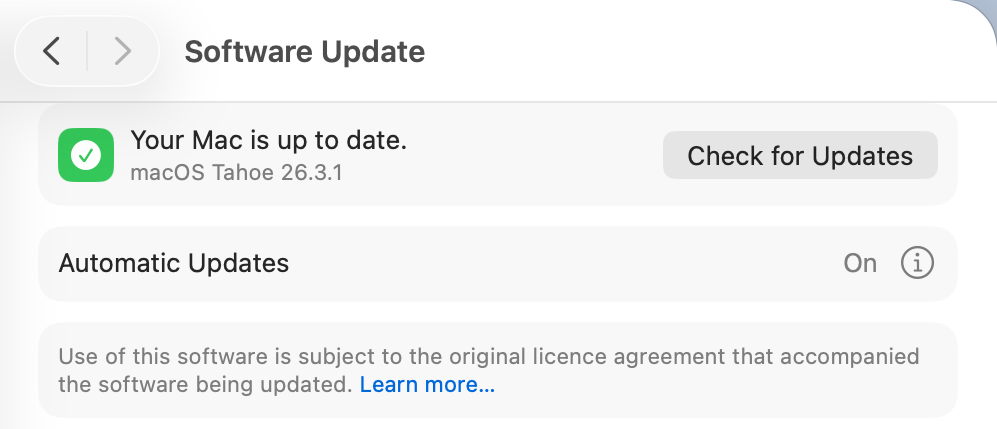
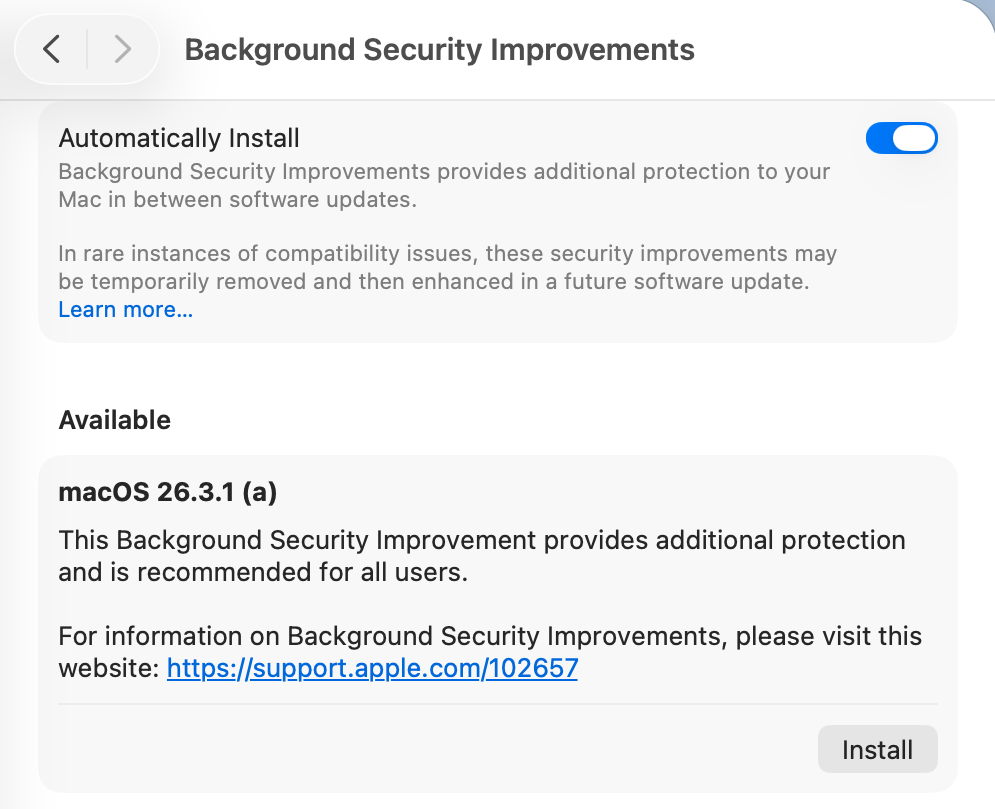
BSIs are controlled not in Software Update settings, but in their own section at the end of Privacy & Security. As such, they are the only macOS update there, and all others remain in Software Update where they belong. This misleads users, and Software Update reports that Your Mac is up to date when it isn’t, because there’s an outstanding BSI available.

Not only that, but users naturally assume that when Software Update settings have Install macOS updates disabled, no macOS updates will be installed automatically. Little do they realise they can still get a BSI without being asked.

BSIs are currently misplaced in System Settings, and their controls should be moved back to Software Update where RSRs were.

I fear the reasoning behind hiding BSIs among strangers in Privacy & Security was to ensure most Mac users would leave BSIs to be installed automatically. It’s no coincidence that, in addition to this hiding, the automatic installation of BSIs was enabled by default when upgrading to macOS Tahoe. This reeks of deliberate deception.

Control

There is a single on-off toggle provided, to Automatically Install BSIs. Apple explains that “if you choose to turn off this setting, your device will not receive these improvements until they’re included in a subsequent software update.” Thus the user is given a forced choice between macOS deciding when to install an available BSI, or not being notified about that BSI at all.

As with other macOS updates, the user must be given the option to be notified when a BSI is available, and to make their own choice whether and when to install it.

The alternative for users is to disable Automatically Install, watch for news of BSI releases, and, if they wish to receive one, to enable that setting, download and install the BSI, then disable the control again. For many Mac users, that appears to be the best option in the absence of better support.

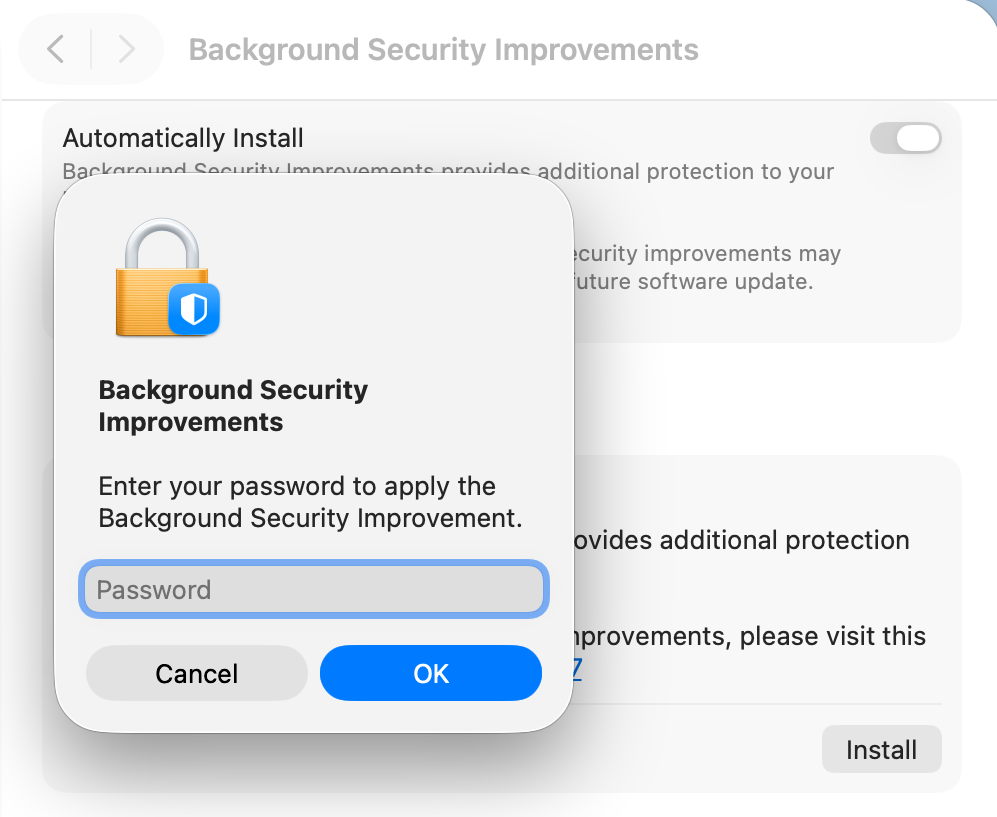
Although the control is titled Automatically Install, its behaviour is different. When a BSI is found to be available, macOS doesn’t automatically download and install it, but waits for the user to click on the Install button, then to authenticate.

However, if the user isn’t aware that BSI is available, or chooses to ignore it, automatic installation does appear to occur without the user being informed until the Mac is just about to restart, and no authentication seems necessary after all.

This behaviour is the greatest deterrent to users, as it effectively means that their Macs could restart unpredictably with almost no warning, resulting in data loss and disruption to their work. That’s completely unacceptable, and will ensure many will disable BSIs as a precaution to avoid the possibility of data loss. This aversion could be addressed simply by allowing the user full manual control over whether and when a BSI will be installed.

Progress

Despite softwareupdated monitoring progress through the download and preparation phases, the user is shown an indeterminate progress spinner, rather than a progress bar, which would at least give better warning of the restart that is coming. Although much briefer than a full macOS update, a progress bar should be displayed for the download and preparation phases of a BSI.

Restart warning

All previous RSRs, and this first BSI, have required restarts to complete the update. Yet at no time during this BSI was the user told that would be necessary. A notification was displayed a few seconds before the restart, but gave insufficient notice for the user to make any preparations.

It’s essential that information given about the BSI states clearly if a restart will be necessary, and the user is given the same one-minute countdown provided in macOS updates. Bizarrely, the one place that a restart was mentioned is in the dialog to remove a BSI.

Information

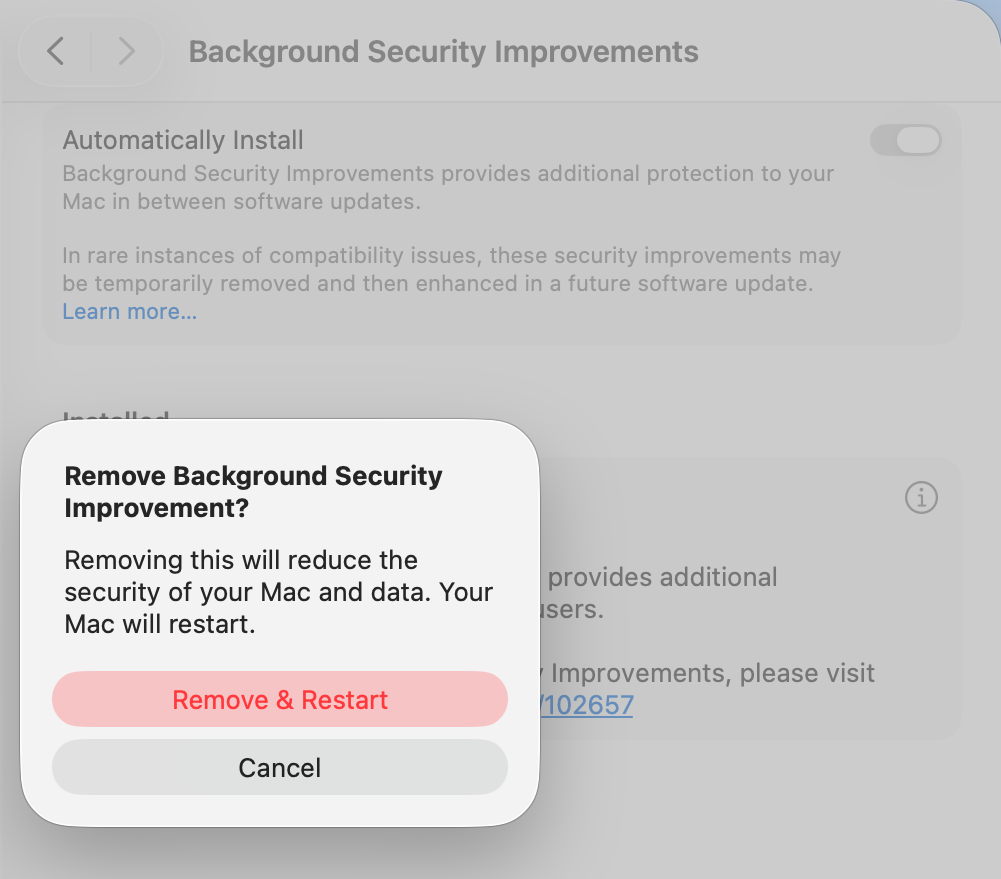
Apple’s current support note on BSIs is woefully inadequate, as is obvious by the content of this article. What would appear to be additional information in the BSI settings, marked with the ⓘ Info button, isn’t informative at all, but provides the means to remove a BSI, which is at least an improvement on RSRs, which unaccountably hid removal in the About settings. A more appropriate button should be provided.

BSIs are also only currently covered in the US English version of Apple’s Platform Security Guide. All other localised versions, including British and Canadian English, still contain the outdated section on RSRs. Fortunately, as their content is almost identical, this is revealing rather than misleading.

Version numbering

Ignoring RSR and BSI version numbering, macOS has in recent years achieved clean and systematic version (and build) numbering, without the excesses of the past. By adopting a parenthesised letter as the identifier of a BSI, comparison is clumsy and prone to error. ProcessInfo.processInfo.operatingSystemVersion doesn’t contain a field for the BSI identifier, which is only offered as part of the full string in ProcessInfo.processInfo.operatingSystemVersionString. Version numbers like 26.3.1 (a) and build numbers of 25D771280a are irregular and unnecessary.

Recommendations

  • BSI controls should be removed from their hiding place in Privacy & Security and put alongside all other macOS updates in Software Update settings.
  • An option should be provided so that users are informed of the availability of BSIs without any obligation for them to be installed automatically.
  • Behaviour of the Automatically Install button should be described explicitly to the user. Does it automatically install, and if so, in what circumstances will the user not be so informed?
  • BSI download and preparation should be accompanied by a progress bar similar to that for a macOS update.
  • When a BSI requires a restart to complete its installation, the user must be informed of that before they consent to the BSI being downloaded.
  • When a BSI install is ready to restart the Mac, one minute’s warning notification should be given, just as in macOS updates.
  • The BSI support note should provide full details, not a sketchy outline.
  • The button to remove a BSI shouldn’t use the ⓘ Info symbol, but something more appropriate to its purpose.
  • Apple’s Platform Security Guide should be updated in all its online versions. Is it really that hard to translate from US English to British English?
  • Version and build numbering should be redesigned to be more consistent and better accessible in the API.
  • Despite having over three years to get them right, BSIs are a worse mess than RSRs were in Ventura. This is a great shame as their technology is still brilliant, but their current interface is shockingly flawed in so many respects.

Reference

Support note about BSIs

Apple has just released the first Background Security Improvement for macOS Tahoe

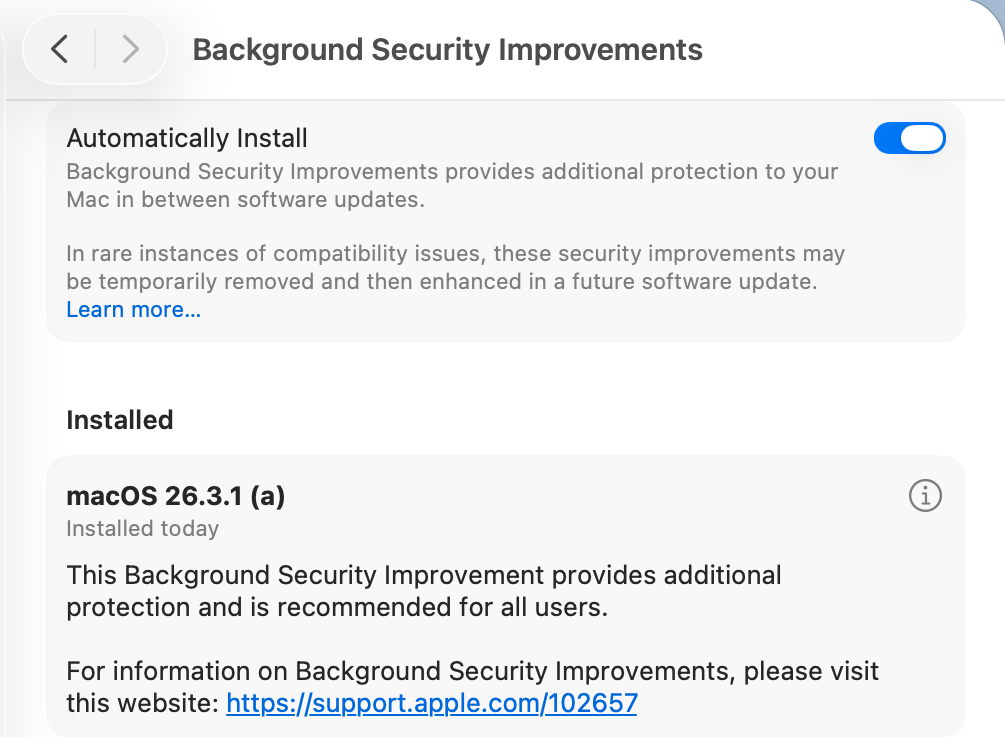
Apple has just released its first public Background Security Improvement (BSI) for macOS 26.3.1 Tahoe, labelled as BSI (a)-25D771280a. Once installed, macOS will identify itself as version 26.3.1 (a), with a build number of 25D771280a.

You can install this through Privacy & Security Settings, in the Background Security Improvements section. It doesn’t appear listed in Software Update, although SilentKnight will offer it. Please don’t try to use SilentKnight to install this, though, as it will download successfully but fail to install unless you then use the BSI section in Privacy & Security settings, which will finish the job off.

Apple has now released details of the single vulnerability that this fixes, in WebKit. As a result it updates Safari from 26.3.1 (21623.2.7.11.7) to 26.3.1 (21623.2.7.111.2).

Following installation, your Mac will need to restart for the BSI to be applied.

Apple has just released an update to XProtect for all macOS

Apple has just released its regular weekly update to XProtect, bringing it to version 5334. As usual it doesn’t release information about what security issues this update might address.

This version makes no changes to its main Yara rules. Changes to the OSASCRIPT rules in XPScripts.yr include amendments to more than a dozen of them, and two new rules are added for MACOS.OSASCRIPT.GEPEPA and MACOS.OSASCRIPT.TAPEPA. Several rules that previously added the property wide to their text now have wide ascii instead.

You can check whether this update has been installed by opening System Information via About This Mac, and selecting the Installations item under Software.

A full listing of security data file versions is given by SilentKnight and SystHist for El Capitan to Tahoe available from their product page. If your Mac hasn’t yet installed this update, you can force it using SilentKnight or at the command line.

If you want to install this as a named update in SilentKnight, its label is XProtectPlistConfigData_10_15-5334

Sequoia and Tahoe systems only

This update has now been released for Sequoia and Tahoe via iCloud. If you want to check it manually, use the Terminal command
sudo xprotect check
then enter your admin password. If that returns version 5334 but your Mac still reports an older version is installed, you should be able to force the update using
sudo xprotect update

Apple has just released an update to XProtect for all macOS

Apple has just released its regular weekly update to XProtect, bringing it to version 5333. As usual it doesn’t release information about what security issues this update might address.

This version changes the rules named InstallImitatorC to XProtect_MACOS_INSTALLIMITATOR_C, XProtect_snowdrift to XProtect_MACOS_SNOWDRIFT, and XProtect_MACOS_ADLOAD_INTRIN to XProtect_MACOS_ADLOAD_IN, and adds one new Yara rule for MACOS.SOMA.MAENA.

Changes to the OSASCRIPT rules in XPScripts.yr include the amendment of 9 existing rules by adding the property wide to their text, and the addition of one new rule for MACOS.OSASCRIPT.TABUPA.

You can check whether this update has been installed by opening System Information via About This Mac, and selecting the Installations item under Software.

A full listing of security data file versions is given by SilentKnight and SystHist for El Capitan to Tahoe available from their product page. If your Mac hasn’t yet installed this update, you can force it using SilentKnight or at the command line.

If you want to install this as a named update in SilentKnight, its label is XProtectPlistConfigData_10_15-5333

Sequoia and Tahoe systems only

This update has now been released for Sequoia and Tahoe via iCloud. If you want to check it manually, use the Terminal command
sudo xprotect check
then enter your admin password. If that returns version 5333 but your Mac still reports an older version is installed, you should be able to force the update using
sudo xprotect update

Last Week on My Mac: New and super

One of precious few pieces of good news last week was Apple’s MacBook Neo.

On the face of it, the Neo is the Apple silicon Mac with worse specifications than the first base M1 models of 2020, with a mere 2 Performance and 4 Efficiency CPU cores and a 5-core GPU, just 8 GB memory and 256 or 512 GB internal SSD. And it doesn’t have a single Thunderbolt port. But if you’re buying your Mac on its technical specifications, you’re not going to be a Neo user.

For consumers, the education sector, and the many others who want something lighter than Air, and who don’t want to pay for all the features they’ll never use, a Neo will be ideal. The only shortcoming I can see isn’t in the Neo itself, but in backing it up. As Time Machine doesn’t back up to iCloud, wouldn’t it be ideal if Apple were to offer a wireless backup system? Until eight years ago, it had what was then a perfect product in its Time Capsule.

If the Neo is as successful as it deserves to be, it’s likely to revitalise many independent software developers, who offer neat little apps rather than the heavyweights rented to us by large corporations, including Apple Creator Studio. Maybe we’ll even see the return of a compact office suite like AppleWorks.

I’m more cautious about the announcement of a third CPU core type in M5 chips, largely because of the current lack of detail. When it comes to evaluating the high end performance of M5 Pro and Max chips, the devil really is in those details.

For the M5 family, Apple has apparently switched to three types of CPU core, instead of the Performance and Efficiency types that have proved so successful in the M1 to M4 families. Now we have Super (S), Performance (P) and Efficiency (E) to juggle with instead.

Apple claims M5 S cores are the “world’s fastest CPU core for single-threaded performance”, with their increased front-end bandwidth, new cache hierarchy and enhanced branch prediction. From previous measurements, they’re expected to operate at frequencies ranging between 1,308-4,608 MHz, as the four in the M5 base chip do.

Next are regular P cores, claimed to be optimised for power-efficient multi-threaded workloads, and E cores for running all those background threads whose economy is more important than speed. Those E cores operate at frequencies between 972-3,048 MHz, and they have about half the processing capacity of regular P cores.

Ignoring binned versions, the M5 family now has three members:

  • M5 base 4S + 6E
  • M5 Pro 6S + 12P
  • M5 Max 6S + 12P

The biggest difference in processing between the Pro and Max are their GPUs: M5 Pro chips come with 16-20 GPU cores, while Max chips double those to 32-40. For a price difference of around $/€/£800, those GPU cores seem expensive. If you’re considering either chip, be sure to price up equivalent systems using each, and ask yourself whether the additional cost of the Max is worth it. I suspect that, as with its M1, Apple hasn’t put sufficient distance between the M5 Pro and Max for prospective purchasers.

What we don’t know yet is how macOS manages the frequencies of M5 S and P cores. One commonplace situation that merits close examination is the initial phase of 5-10 minutes background activities following user login. With a choice between P and E cores, macOS runs most of those, including Spotlight index maintenance, on the E cores. In their absence, those will have to run on P cores instead, where they may contend with user interactive threads.

Existing apps guide macOS in its choice of core type in which to run threads, using a Quality of Service (QoS) value assigned by the developer. macOS will then try to run threads with higher QoS on P cores, and those assigned a low QoS are normally constrained to run on E cores. That can work well in previous Pro and Max chips, where there are many more P than E cores, but a different interpretation of QoS is going to be necessary for the M5, where S cores are the limiting resource, and apparently best-suited to running single threads. Apple hasn’t yet released any information or guidance to developers.

This will require more detailed studies than merely comparing the usual benchmarks, and I suspect there may be some situations where the new M5 architecture won’t be as clearly beneficial.

Between the MacBook Neo and M5 Pro and Max chips, we have exciting times ahead.

Has Apple suffered a premature release?

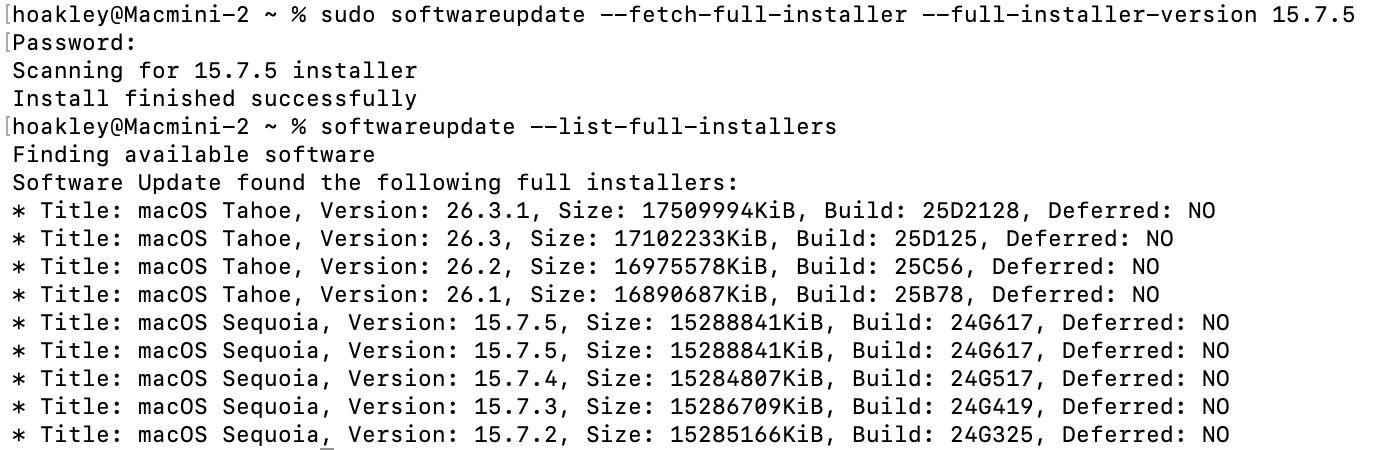
After reading today’s article here about fixing software update problems and the softwareupdate command tool, two eagle-eyed readers, Gurt and upstreamer, insisted that they were being offered two full installers for macOS Sequoia 15.7.5. Although for one of them this might have occurred because of previous membership in a beta-testing programme, that didn’t explain them both. I therefore checked again this evening, and was surprised to see the list of available updates does now offer two apparently identical full installers for macOS Sequoia 15.7.5 Build 24G617.

To find these yourself, simply enter the following in Terminal:
softwareupdate --list-full-installers

If you fancy downloading either of them, use the command
sudo softwareupdate --fetch-full-installer --full-installer-version 15.7.5

That should download the Installer app into your Applications folder.

Software Update doesn’t offer 15.7.5 as an update for Sequoia 15.7.4. There’s no mention of the release of 15.7.5 anywhere else, in particular Apple’s security release notes page, and I can’t see anyone else mentioning this as a newly released update. Has it been released prematurely by accident, perhaps? Or has someone forgotten to finish a job off?

Postscript

Apple has now rectified what had been an inadvertent public release of a release candidate for 15.7.5. Hopefully the next time it appears, it will be the final release.

Apple has released an update to XProtect for all macOS

Overnight, Apple released an update to XProtect, bringing it to version 5332. As usual, it doesn’t release information about what security issues this update might address.

This version adds one new Yara rule for MACOS.OSB and makes no changes to the OSASCRIPT rules in XPScripts.yr.

You can check whether this update has been installed by opening System Information via About This Mac, and selecting the Installations item under Software.

A full listing of security data file versions is given by SilentKnight and SystHist for El Capitan to Tahoe available from their product page. If your Mac hasn’t yet installed this update, you can force it using SilentKnight or at the command line.

If you want to install this as a named update in SilentKnight, its label is XProtectPlistConfigData_10_15-5332

Sequoia and Tahoe systems only

This update has already been released for Sequoia and Tahoe via iCloud. If you want to check it manually, use the Terminal command
sudo xprotect check
then enter your admin password. If that returns version 5332 but your Mac still reports an older version is installed, you should be able to force the update using
sudo xprotect update

熬夜 OUT!省流偷看苹果发布会新品

还有 48 小时,我们就将迎来 2026 年的首场苹果特别活动。

而这次活动,是字面意义上的「很特别」,因为它采取了一种苹果从未使用过的新形式。
▲ 图|Reddit

正如爱范儿之前的前瞻,本次发布会的主活动将于北京时间 3 月 4 日晚 10 点举行,届时蒂姆 · 库克会像常规发布会一样上场播片。
但这次活动的期限却不限于 4 号当天。

根据爱范儿收到的资讯:苹果会在今天(2 号)和明天晚上采用「官网上架」的形式,提前公布一部分新品,形成「一天一发布」的节奏,最后在 4 号的主活动上进行统一介绍。
同时,在经历过去年 iPhone 17 系列的强势销量,以及有史以来最好的一次财报之后,苹果对于本次活动同样信心满满。

彭博社的苹果专家马克 · 古尔曼透露:

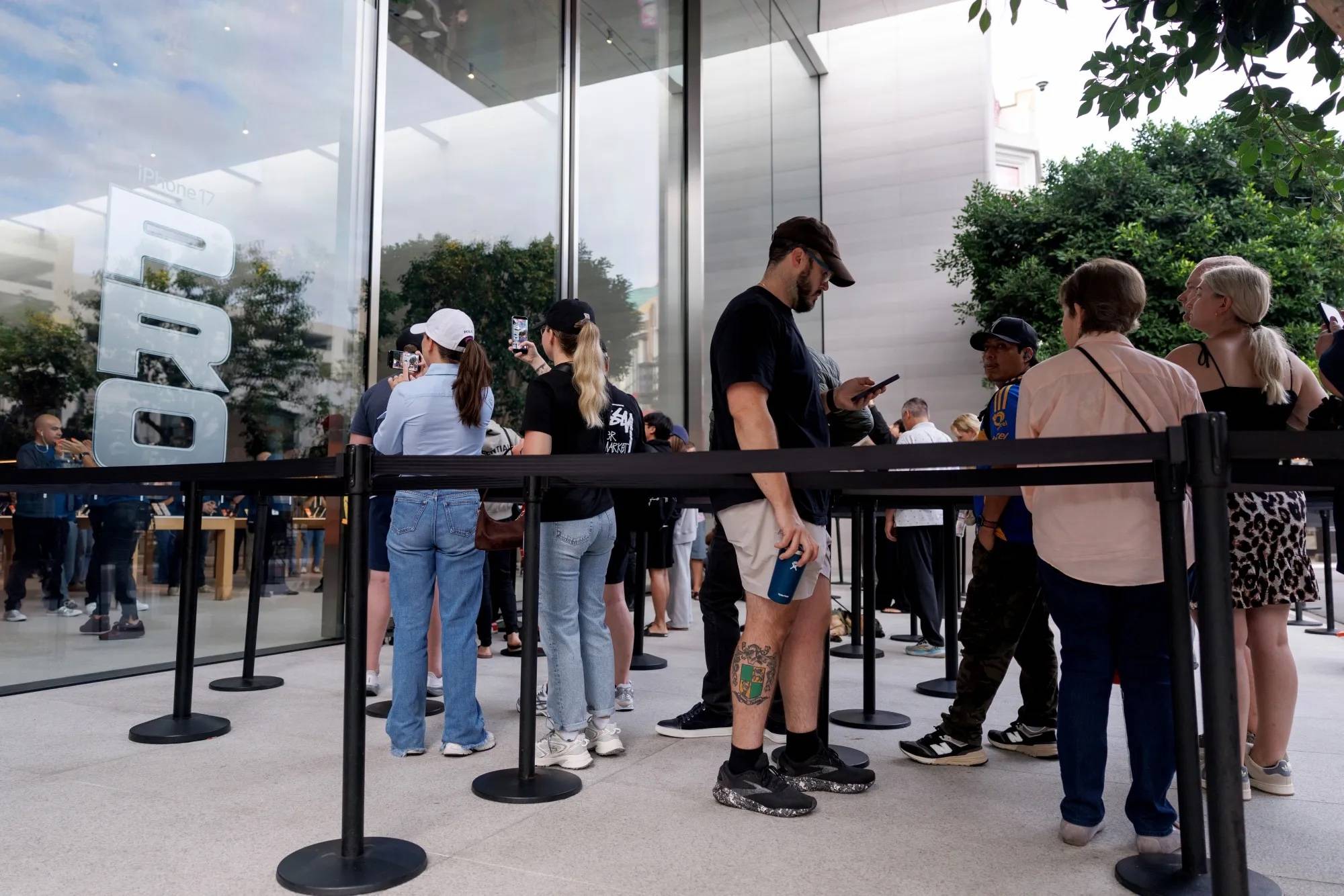
苹果零售店已经接到了上级通知,要求「在本周上新之后做好迎接大量客流的准备」。
▲ 图|彭博社

还有一些苹果店员工表示,前期的规模「堪比秋季 iPhone 发布会」前的准备工作。

这表明,苹果预计这次 3 月发布会新品上市后的需求会相当旺盛,且至少有一款产品将拥有极高的市场号召力。

至此,我们已经基本可以看出苹果在马年的第一场发布会的大概样貌了:

  • iPhone 17e
  • MacBook(A18 Pro)
  • MacBook Pro(M5 Pro/Max)
  • iPad(第 12 代)
  • iPad Air(M4)
  • 新 Studio Display
  • 新 HomePod 和 HomePod mini
  • 新 AppleTV
  • 其它零星硬件产品

iPhone 17e:便宜,但不一定值

作为苹果关注度最高的一款产品,iPhone 17e 无疑将会是本次发布会的讨论中心之一。
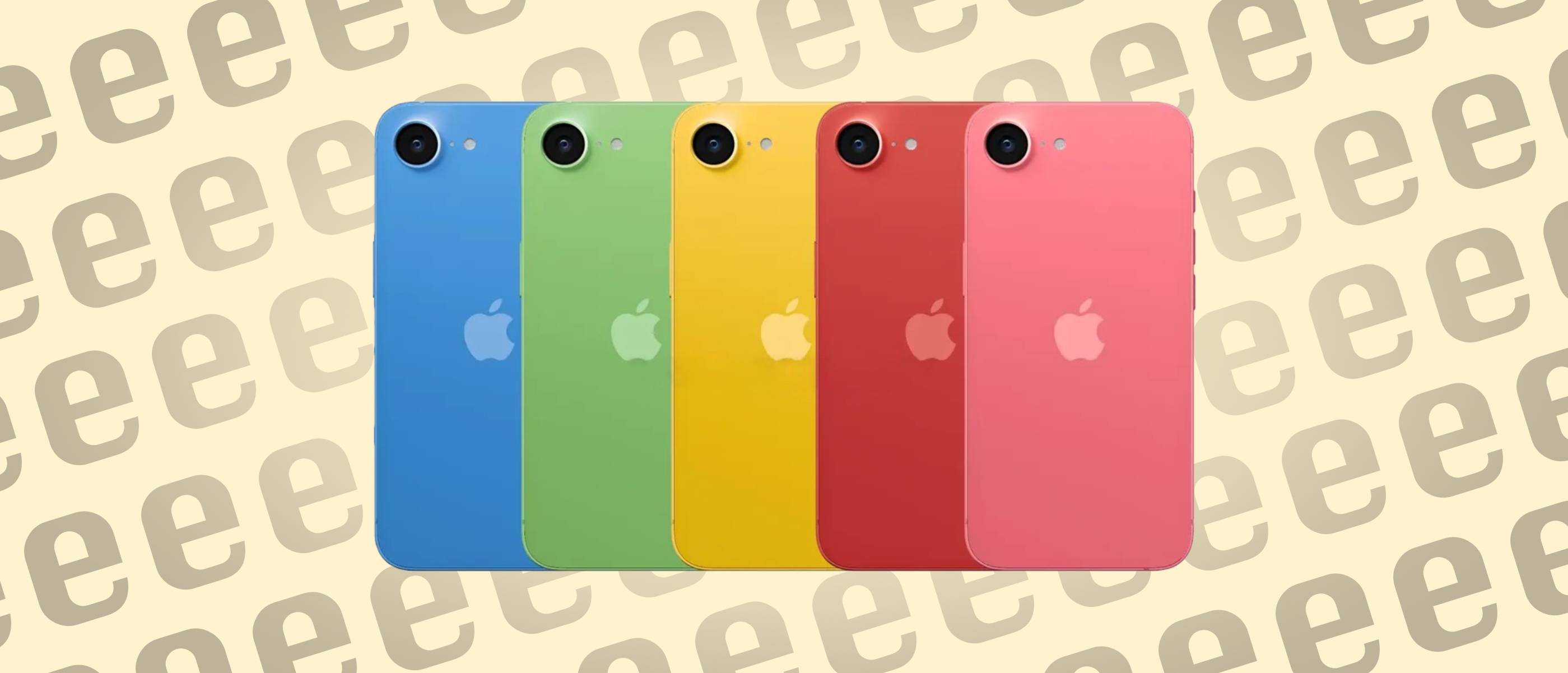
目前,大家对于 iPhone 17e 的期待主要集中在这几点上:有没有高刷屏,能不能用上灵动岛,以及是否支持 MagSafe。

从截至发布会前最后一分钟的爆料来看,今年的 iPhone 17e 在屏幕方面不会有什么明显进步,ProMotion 高刷屏大概率还是缺席。
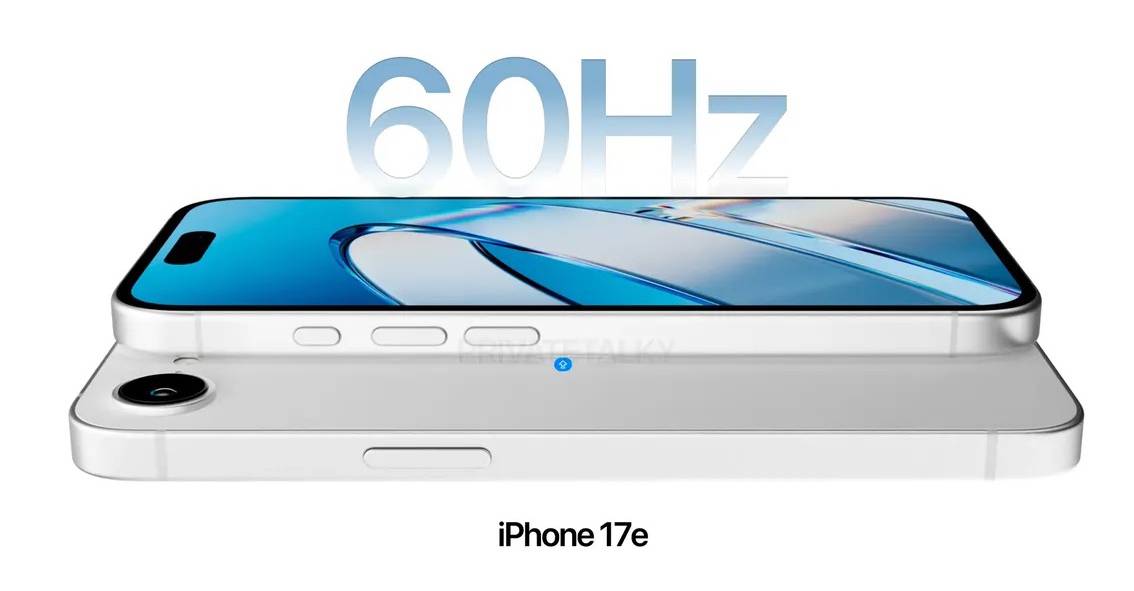
▲ 图|Threads @privatetalky

而爆料在 iPhone 17e 是否会采用灵动岛上产生了明显的分歧。

各方渠道能够获取的先行信息中,「灵动岛」派和「刘海」派几乎是对半分的——

这其中必然有苹果故意放出的烟幕弹。如果从现实角度考虑,iPhone 17e 继续采用 16e 同款的 6.06 寸60Hz 刘海屏的概率更大一些。
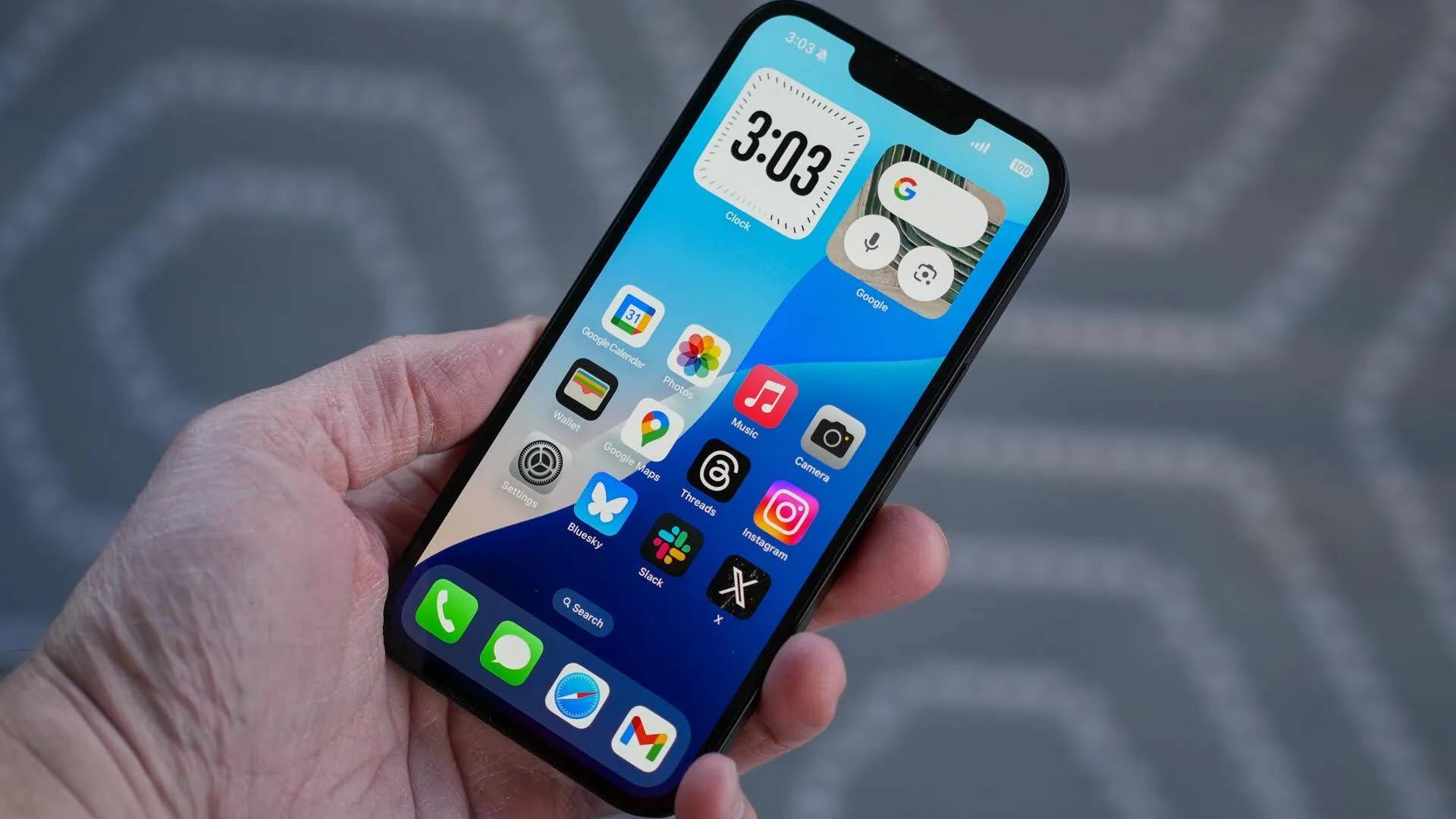
▲ 图|PCMag UK

不过在参数配置方面,iPhone 17e 相比 16e 的提升还是很大的,这也符合 e 系列「买处理器送手机」的传统。

目前基本可以确定的是,iPhone 17e 将会采用 iPhone 17 同款的 A19 处理器,以及当下最新的 C1X 自研基带和 N1 网络芯片。
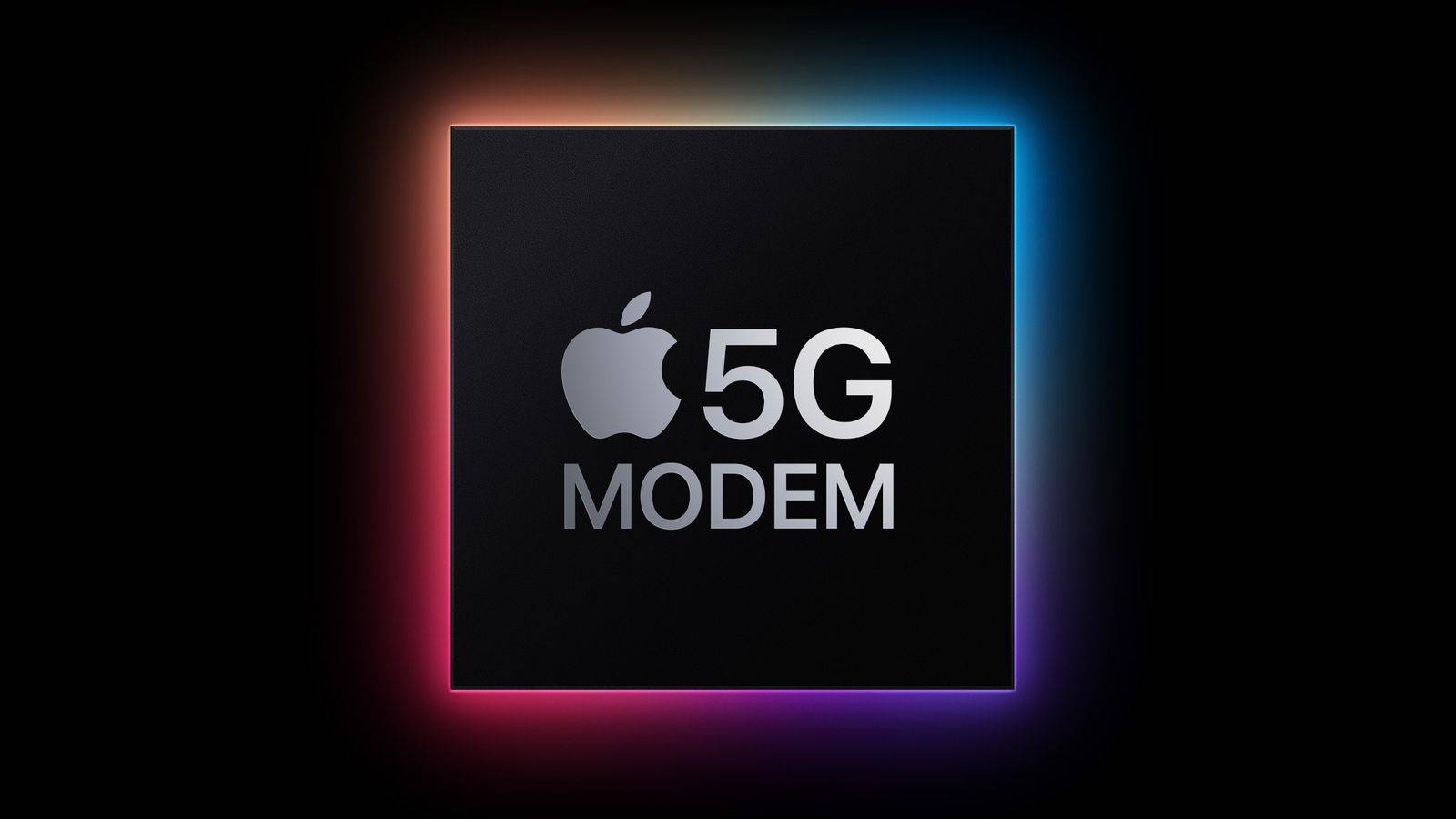
▲ 图|MacRumors

此外,为了促进竞争力,还有报道指出苹果可能会逆势而行,将 iPhone 17e 的起步容量提升至 256GB,并继续着重「优秀续航」这一核心卖点。

只不过 iPhone 17e 目前最大的对手,既不是疯狂涨价的内存,也不是同价位的安卓机型,而是自家大哥 iPhone 17。

根据最新消息,iPhone 17e 的起售价将会维持 599 美元不变,即国行 4499、国补 3999 元起。
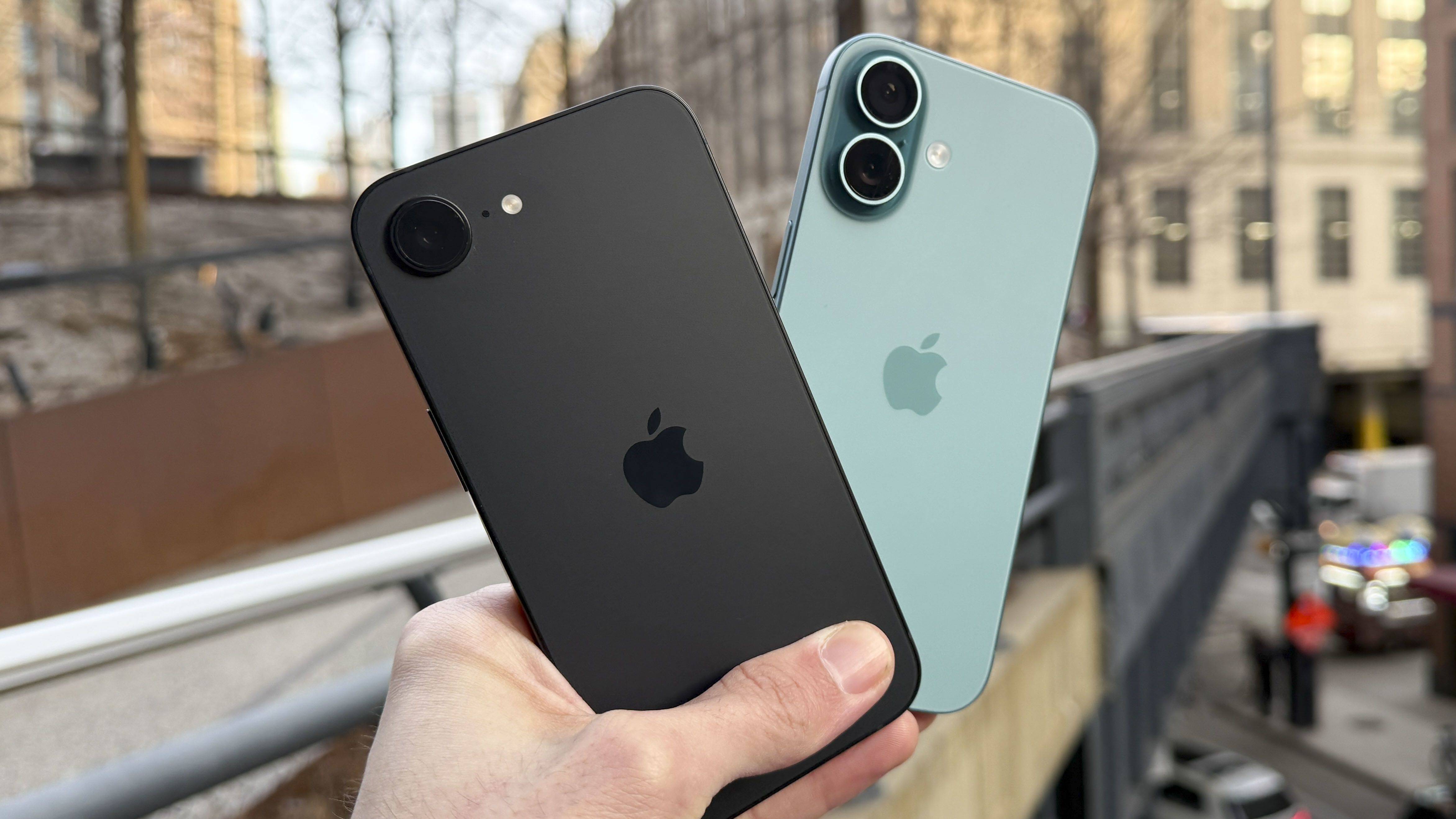
▲ 图|CNN

然而眼下 iPhone 17 和 iPhone Air 国补价格,也都是 5499 元。

前者有双摄、高刷等等升级,后者也有 A19 Pro 和钛合金机身,都是感知非常明显的提升。

因此,爱范儿对今年 iPhone 17e 的评价和购买建议保持不变:

iPhone 17e 属于一台「酱香型」手机,首发全价购买不太值得,更适合等到国补 + 渠道价格进一步下探到 3500 元左右再入手。

MacBook:上网本也有第二春

本次发布会的另一个话题中心就是用 iPhone 处理器的新 MacBook。

实际上,苹果做这一类无后缀名的 MacBook 行之有年了。

从最早的 iBook,到后来的聚碳酸酯 MacBook,苹果一直都有尝试把笔记本打入真正的平价价位。

最后的尝试要到十多年前的 12 寸 MacBook,受限于当时的英特尔 Core M 处理器实在太孱弱,一台「上网本」的定位,上网都不痛快。
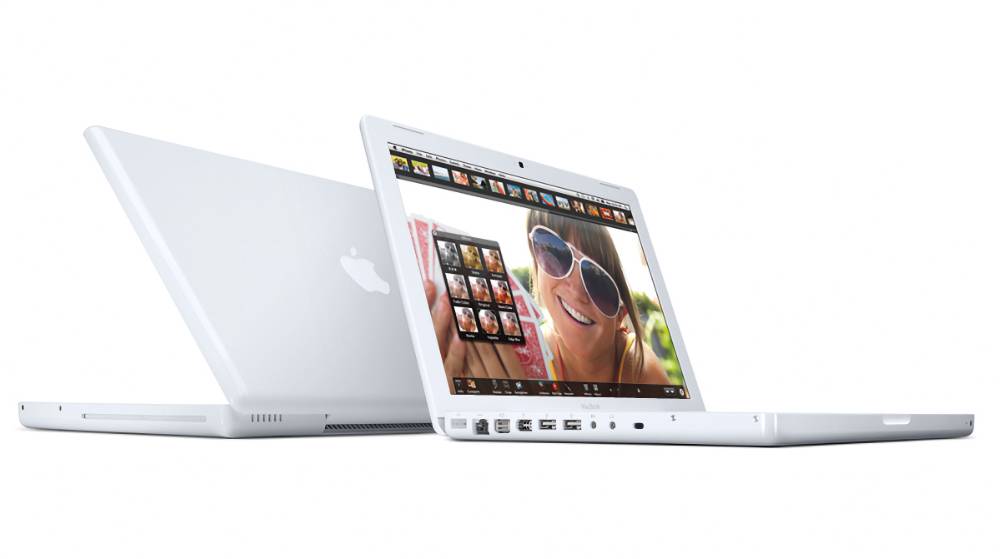
▲ 图|TechRadar

而这次的新无后缀 MacBook,作为一款主打极致性价比的型号,它会直接用上 iPhone 同款的 A18 Pro 处理器,所有周边配置也都采用货架库存,主打一个「多快好省」。

那新 MacBook 能实现多快好省吗?你别说,还真有可能。
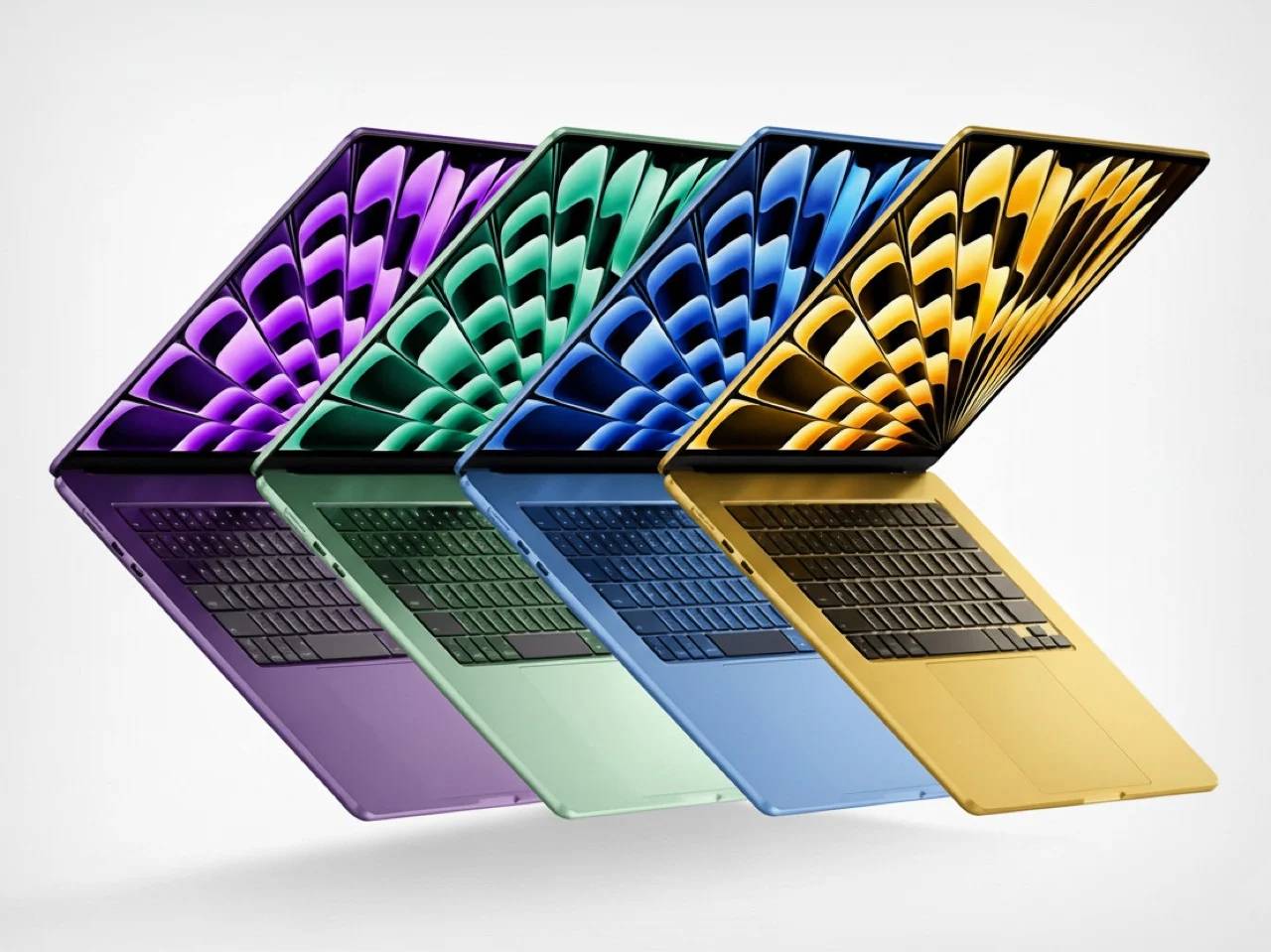
▲ 图|Yanko Design

苹果内部测试表明:虽然用着落后一代的 A 系列处理器,在更大的机身空间和 macOS 的加持下,新 MacBook 的性能强于 M1 处理器 Mac。

并且它运行着完整的 macOS ——

这意味着对于文档处理、浏览器办公、轻量设计修图而言来说,A18 Pro 的基础性能是完全足够的。
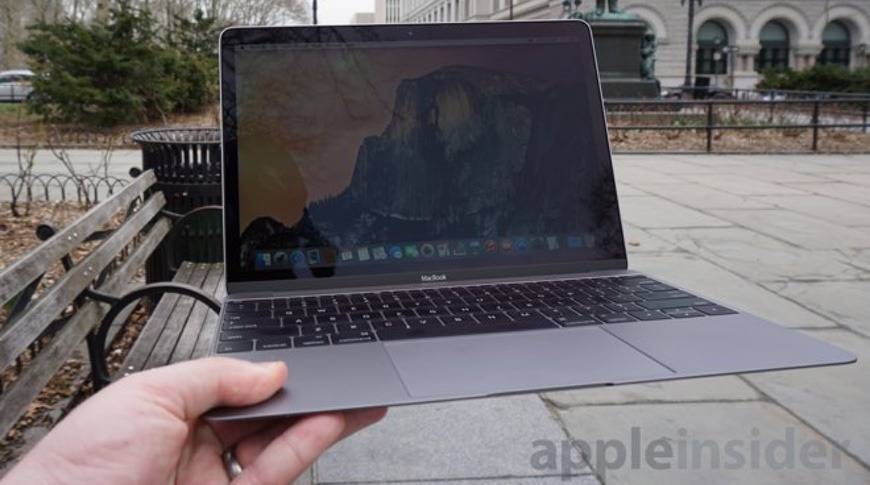
▲ 图|AppleInsider

实际上,这次的新 MacBook 可以看做苹果对于新时代电脑办公设想的一个小缩影:

对于很多「只需要一台笔记本上班」的工种来说,绝大部分的工作其实都是在办公三件套、聊天软件、浏览器/云端 AI 上解决的,并不需要那么强的 SoC 本地性能。

而 A18 Pro + macOS 的组合刚好完美卡进这个区间,并且还能获得标准的 MacBook 屏幕、键盘、扬声器和大电池。


▲ 图|MacDailyNews

考虑到 2026 年国补政策仍将延续,再加上教育优惠,新 MacBook 在国内的实际入手价格可能进一步下探至 3000 元档。

前几代销量已经证明,当 Mac 真正进入「买得起」的区间,潜在用户的转化率会迅速提升——

如果再加上之前发布的 Apple Creator Studio,一台轻薄 MacBook 加上一套准专业级工具,价格甚至不超过一台标准版 iPhone,夫复何求?

MacBook Pro:稳定升级,该买就买

时隔近半年,M5 芯片产品线终于迎来了 Pro 和 Max 两大升级,重点升级依然集中在 GPU 图形能力上。

目前我们看到,M4 Pro/Max 款 MacBook Pro 在苹果官网的发货时间已经推迟,这通常是配置更高的新品即将发布的前兆。
根据外媒 MacWorld 的估算,新款 MacBook Pro 的 Geekbench 6 GPU 跑分,极有可能会超过 80 颗 GPU 的 M3 Ultra。
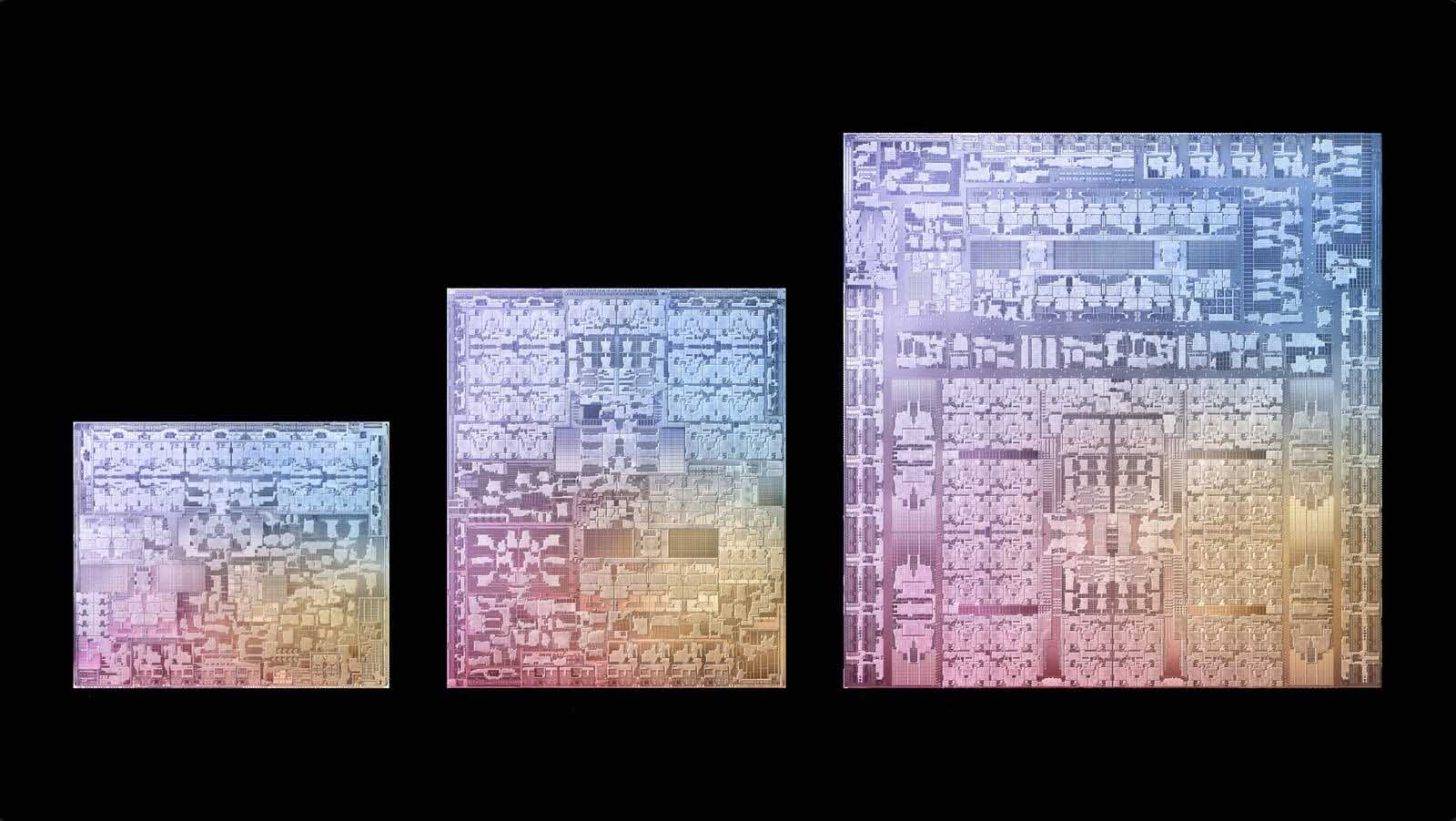
▲ 图|Wccftech

至于硬件外观方面,M5 Pro 和 M5 Max 版 MacBook Pro 不会有任何新变化,想要用上双层 OLED 的 MacBook Pro 起码要等到 2027 年后了。

新 iPad 和 iPad Air:评为 NPC

除了前面几款相对令人兴奋的新品,这次发布会上我们还会看到入门款 12 代 iPad 和换处理器的新 iPad Air。

目前来看,12 代 iPad 将会搭载标准版 A18 处理器,iPad Air 则是如期从现在的 M3 升级到 M4,其余参数基本保持不变。

预计新 iPad Air 的模具也不会有变化。这有点尴尬:iPad Air 的其实比 iPad Pro 还要厚,如果模具不更新的话,只能评为 NPC 了……
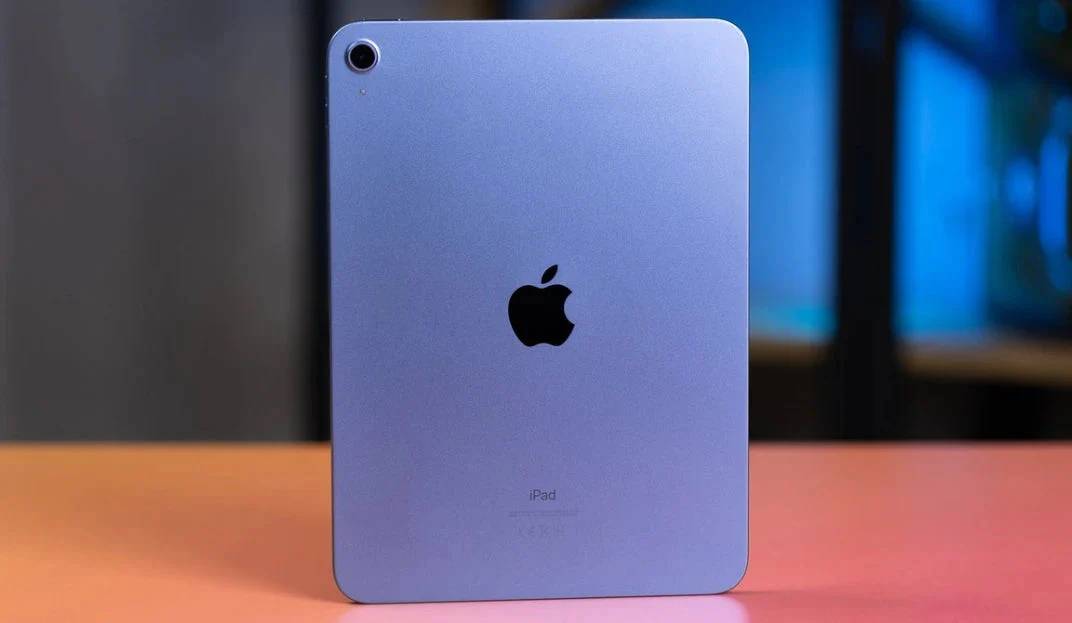
▲ iPad 11 代|ESR

不过至少,A18 芯片意味新款 iPad 终于补齐了 Apple Intelligence 的入门标准,可以「为 Apple 智能准备好」了。

这样一来,苹果算是补上了 AI 布局最后一块拼图,实现了自家 3C 产品线的全面 AI 化——

只是这个 AI 我们究竟什么时候能用上,依然是个悬而未决的问题。
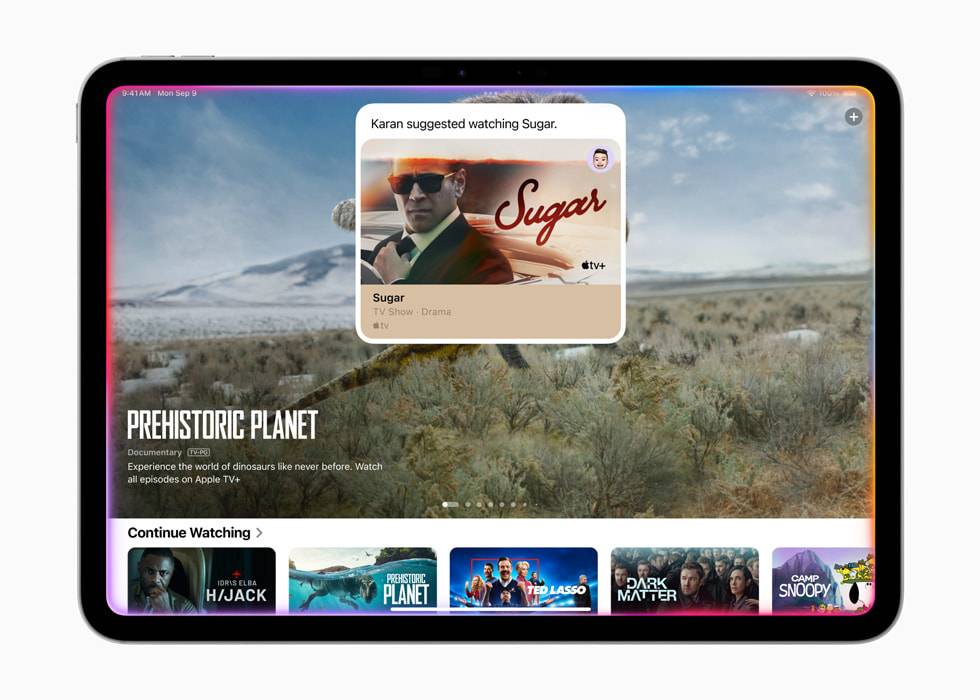
▲ 图|Apple

让人失望的是,传说中的 OLED iPad mini 大概无缘本次发布会,甚至有可能进一步被延期到 2027 年。

看隔壁「等等党」的遭遇,或许「游戏党」们可以不用再犹豫了,现在趁着补贴入手一个 iPad mini 7 或许就是最划算的选择。

其他硬件:周边大换代

实际上,本次春季发布会对于 Mac 用户来说是个难得的好日子。

除了前面几款光环下的产品之外,我们更有可能见到 M5 的大普及时代。

比如先后受到国补、教育优惠、OpenClaw 浪潮助推的 Mac mini,就有可能趁着本次发布会上架 M5/M5 Pro 款。

如果属实,这将会是最适合部署 OpenClaw 或其它本地 agent,以及面向本地模型推理用途的入门机型。
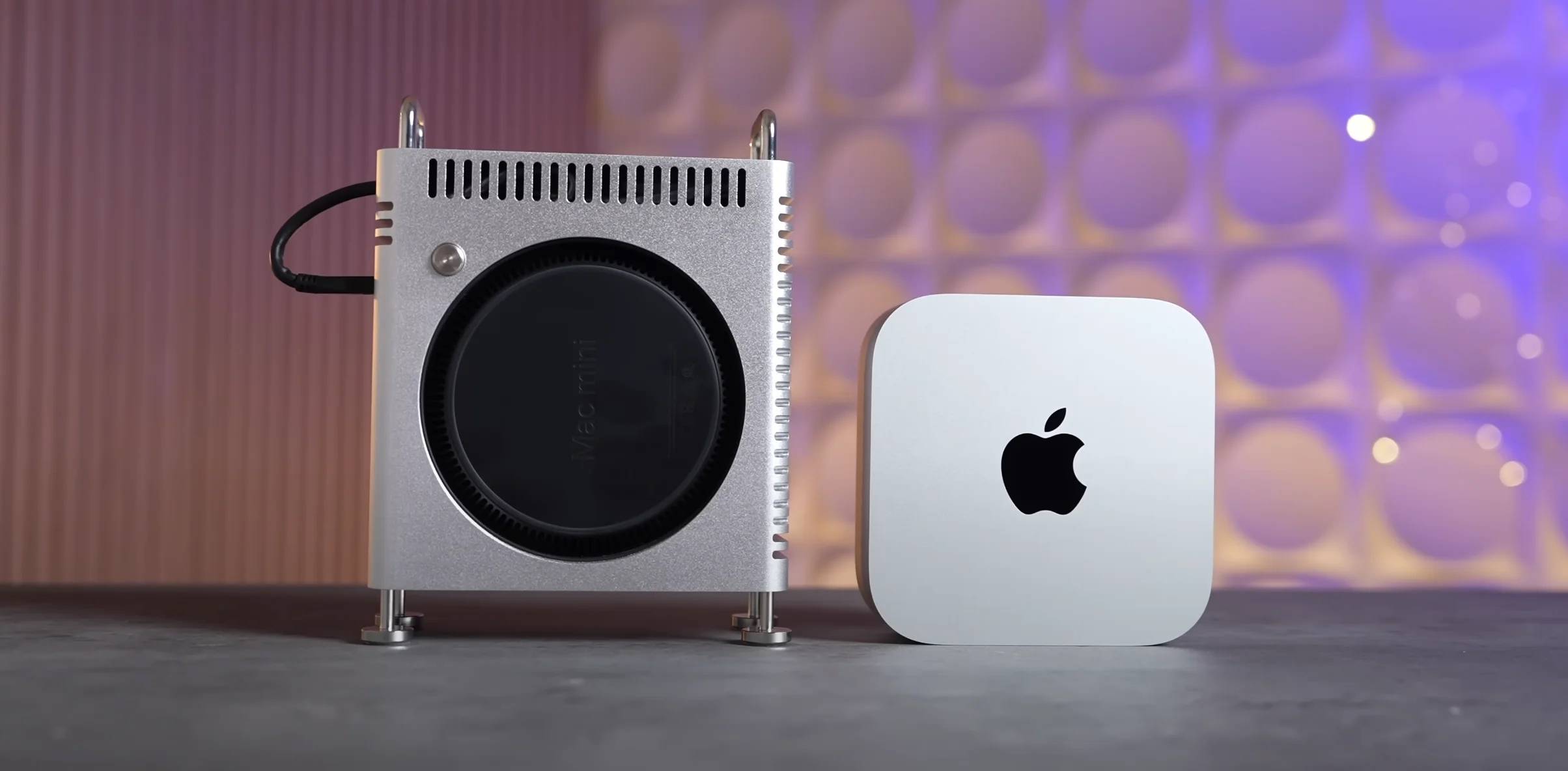
▲ 图|zeera wireless

而 Mac Studio 则会跟着 MacBook Pro 一起更新 M5 Pro/Max 处理器——但如果你需要 Ultra 级别的性能,苹果上一代的 Ultra 芯片只升级到了 M3,这次能有 M4 Ultra 就不错了。

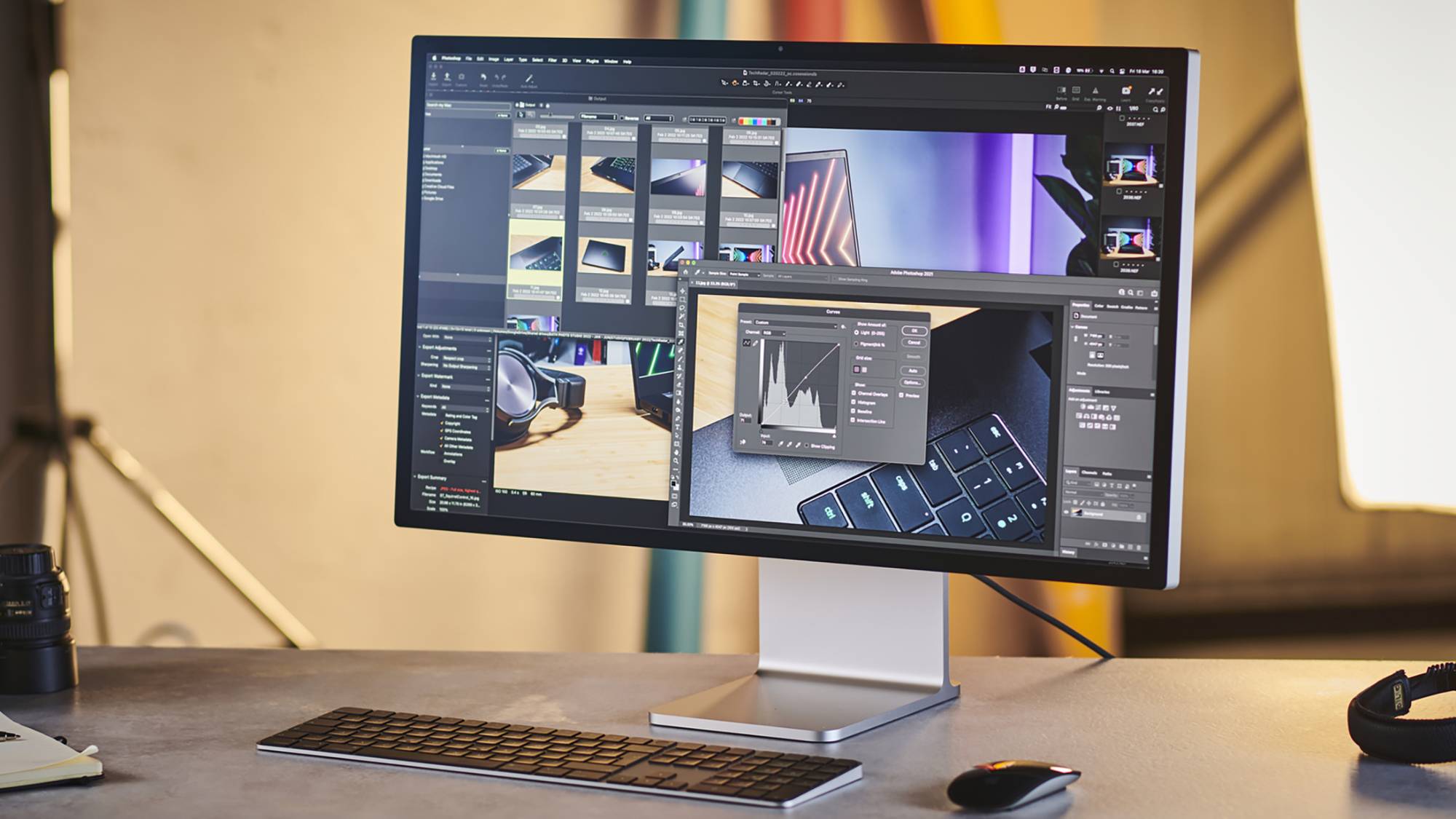
给专业创作者的好消息:搁置了许多年没更新的苹果显示器产品线,也有望在这个春天得到升级。
▲ 图|TechRadar

根据此前彭博社爆料,新款 Studio Display 将会和 M5 Pro/Max 款 Mac 共同推出。

而在一月份,我们的确在中国能效标识网上看到了「美国苹果公司高性能 LCD 显示器」:

参考今年 CES 上,LG 展示的 2304 分区 27 寸 5K 165Hz Mini LED 显示器,这次的 Studio Display 2(猜测名称)估计就会用上同款面板。

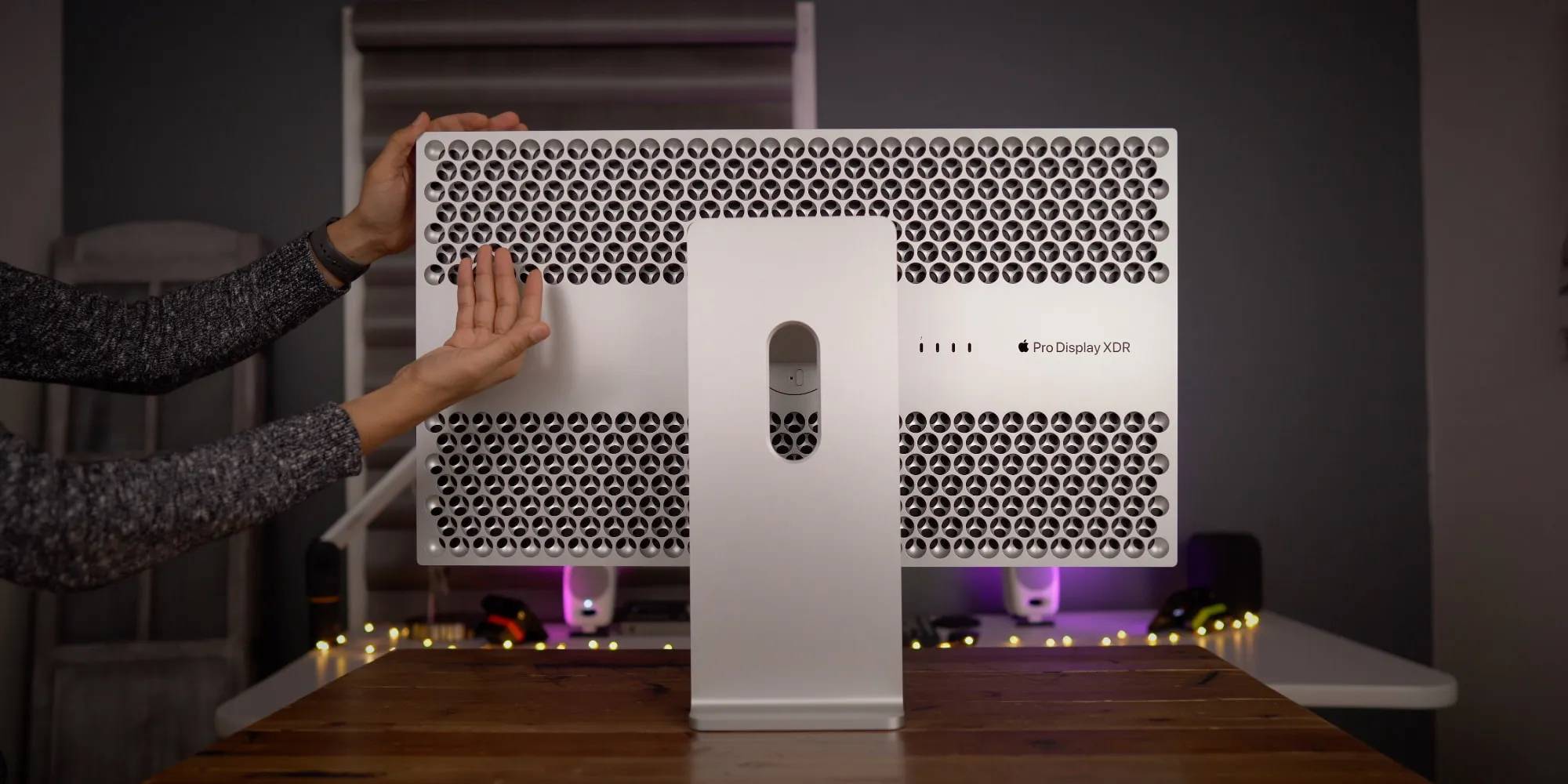
而根据 MacWorld 从 macOS 中挖掘到的代码,今年的新款显示屏都支持最高 120Hz ProMotion 可变刷新率。

属于 Studio Display 和 Pro Display XDR 的高刷时代终于来了。
▲ 图|9to5Mac

此外,新的 Studio Display 还会用上 iPhone 17 同款的 A19 处理器,主要用于给内容解码、摄像头 Central Stage、扬声器空间音频提供算力支持——

好么,一台手机的 SoC,放进显示器作为协处理器,真是倒反天罡!(开个玩笑)

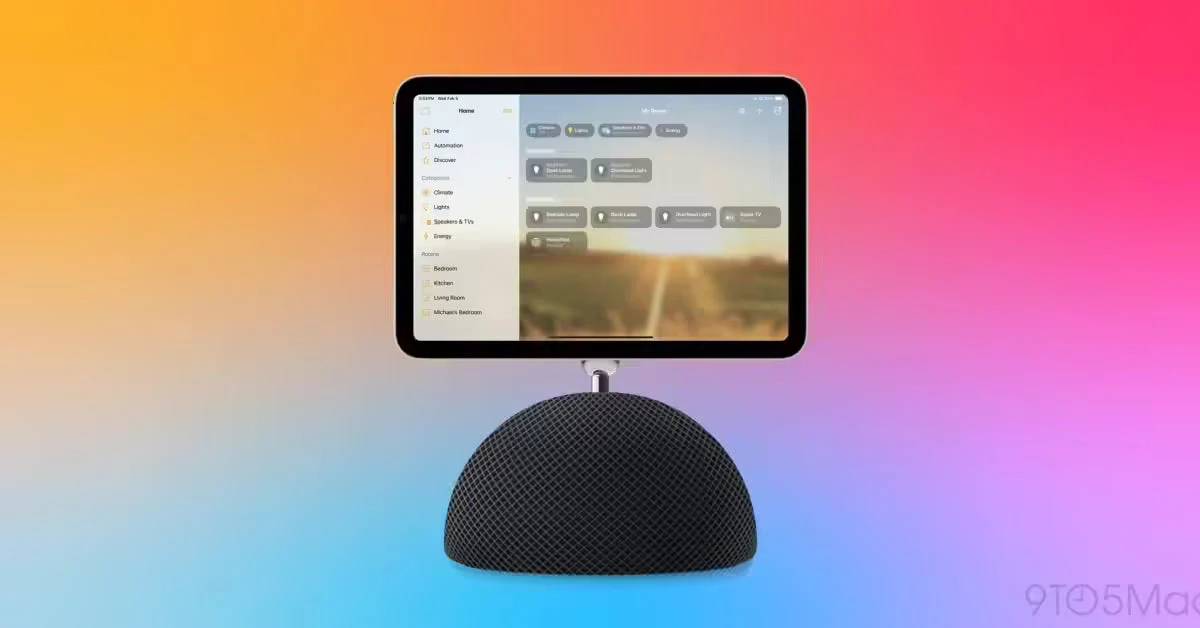
HomePod、HomePod mini 和 AppleTV 这「家居三剑客」预计也会在这次发布会上迎来升级。

坏消息是,传说中那个带屏幕的 HomeHub 以及智能家居操作系统 homeOS 大概率依然是传说,最新信源均表示苹果搁置或取消了这个智能家居中枢计划,选择继续将功能与现有产品集成。
▲ 图|zeera wireless

其中,新款 HomePod 和 HomePod mini 不出意外将会迎来几个新配色,以及手表同款的 S10 处理器,从而对更先进的空间音频、蓝牙 5.3 和第二代 UWB 芯片提供支持。

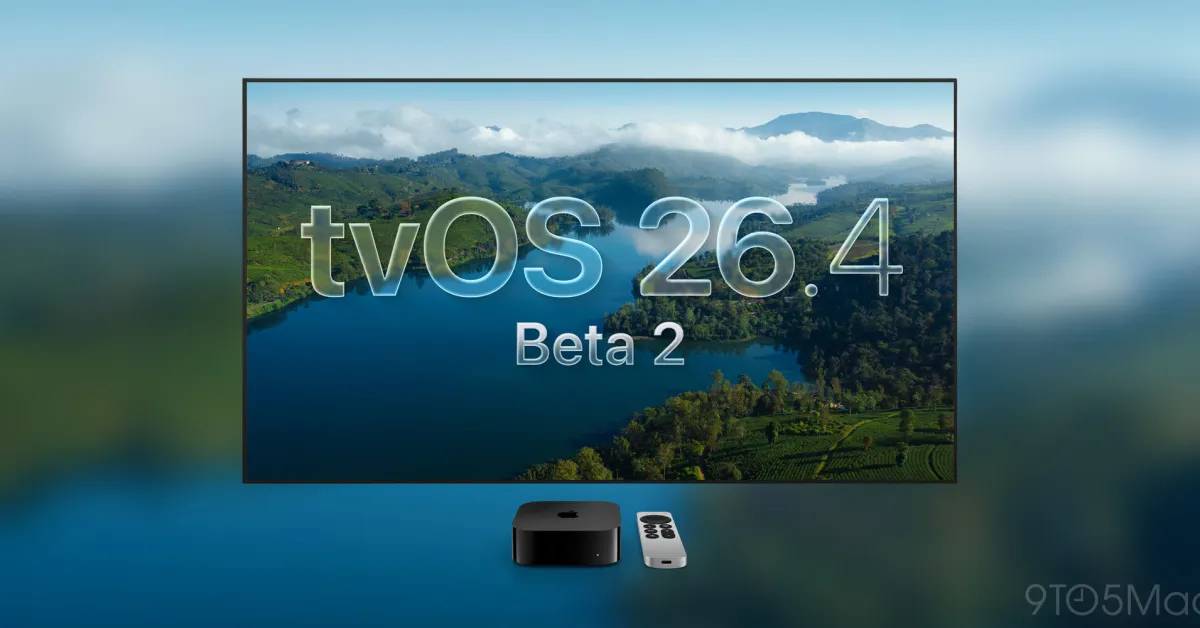
对于新款 Apple TV 来说,大部分升级都集中在 tvOS 上面。

根据 9to5Mac 的报道,tvOS 26.4 中,原本独立的 iTunes 和 Movies 应用将会合并,让用户购买音乐和影片的体验更加无感一些。
▲ 图|9to5Mac

另外,tvOS 26.4 还优化了更换 CC 字幕样式的操作。新增的「样式」菜单允许用户在数种字幕字体和风格之间快速切换,不需要退出正在播放的视频。

另有消息指出,今年的新 Apple TV 可能会分成 4K 和 4K Pro 两款。

区别在于 Apple TV 4K Pro 可能会提供把自己作为 Wi-Fi mesh 节点的功能,以及最高 4K 120Hz 的视频规格。

新的 Apple TV 预计会用上最新的 A19 处理器,8GB 内存,硬盘则从 128GB 起步进化到了 256GB 起步——说不定就是旁边 iPhone 17 的同款备料。
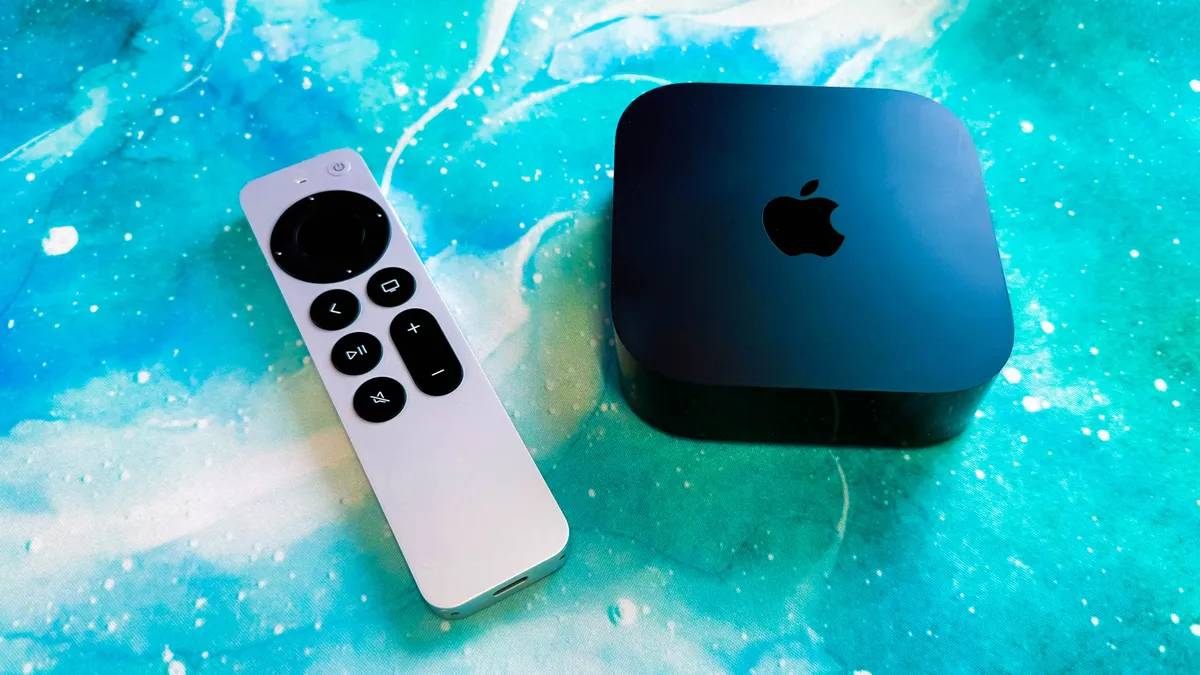
▲ 图|CNET

总的来说,2026 年的苹果春季发布会不仅是之前从未有过的新形式,更是最近几年里新品数量最多的一次。

对于其中 MacBook、MacBook Pro、新 iPad 和 Studio Display 等等,爱范儿的建议依然是相同的:

明确需求,该买就买,买新不买旧。

iPhone 17 系列乘上了 2025 年末内存涨价的最后一班车,能够在今天保持住相当的价格优势。
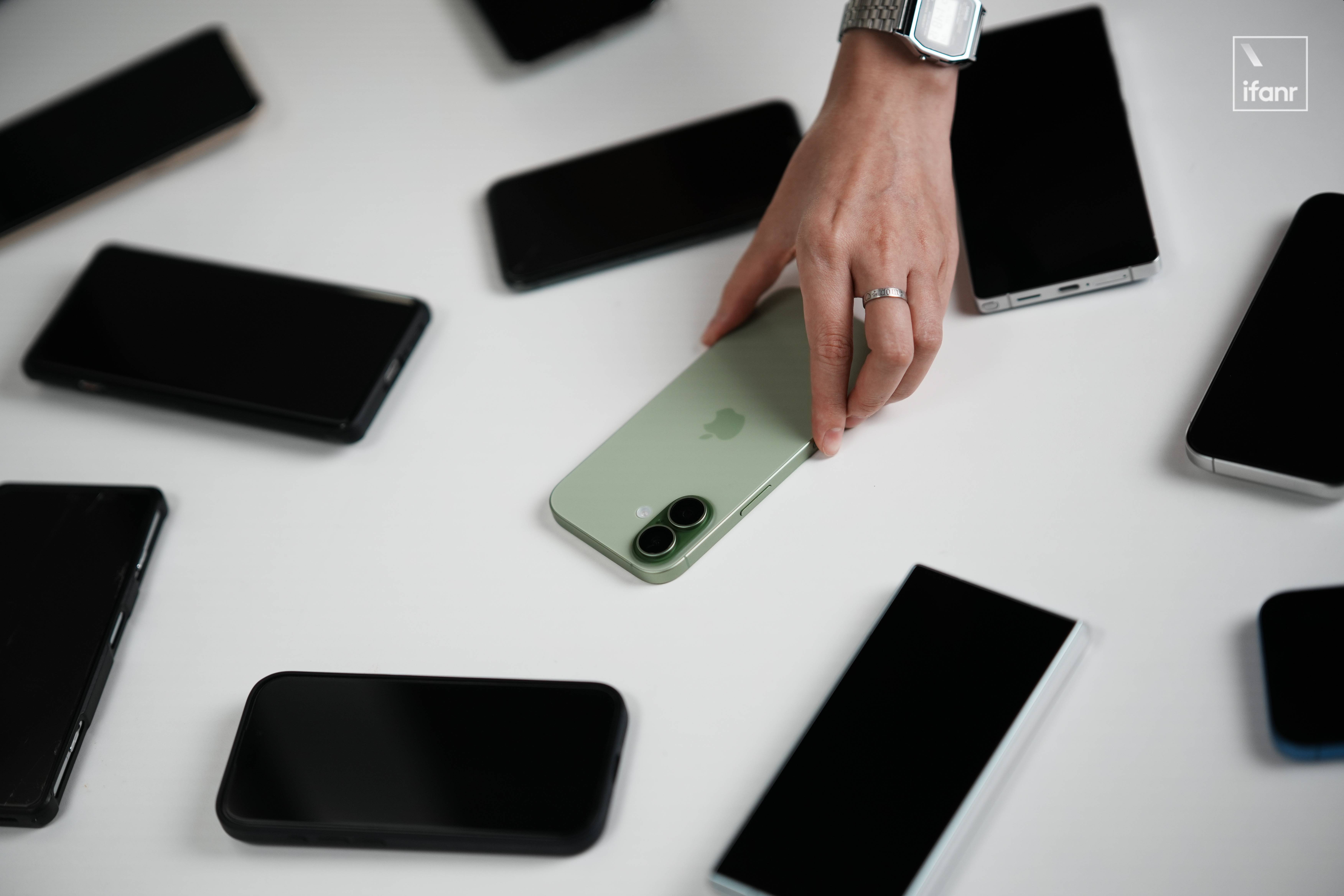
而今年春季的这一波新品,虽然其中几款的价格会迎来小波动,但整体受到内存涨价的冲击相对较小——

苹果体量大、利润空间高的特性,在这一刻变成了直接的商业优势。

因此,爱范儿觉得,如果上面的新品有契合到你的换新需求,那么现在入手会比 618 入手带来更大的价格优势。

#欢迎关注爱范儿官方微信公众号:爱范儿(微信号:ifanr),更多精彩内容第一时间为您奉上。

爱范儿 | 原文链接 · 查看评论 · 新浪微博


iOS 远程强制开网,自动化拍照和即时位置

DUN.IM BLOG

DUN.IM BLOG

我们还年轻,可不想看到这个世界处在毫无自由、隐私的边缘。

iOS 远程强制开网,自动化拍照和即时位置

简单通过 iOS 自带的快捷指令,建立一套量身定制的“主动触发”机制。比如从任何设备发送一条指定短信,即可获取设备实时定位及正面照片。

此方案无需第三方应用,完全基于系统自带功能。

在脚本中按序添加以下动作,以维持设备在线并降低窃贼警惕:

如果不设置,任何自动化都可能被绕过:

窃贼都知道下滑呼出控制中心来开启“飞行模式”。
操作:设置 > 面容 ID 与密码 > 锁定访问时允许:关闭“控制中心”

这是 iOS 17.3+ 引入的核心安全层,即使非本人掌握了开屏密码,也无法立即更改 Apple ID 或关闭“查找”。
操作:设置 > 面容 ID 与密码 > 开启“被盗设备保护”

在国内多为物理双卡的背景下,窃贼可以通过拔卡使设备断网,但为了不扩大损失,我们可以禁止其他设备使用。
操作:设置 > 蜂窝网络 > 选择主号 > SIM 卡 PIN 码
开启后,SIM 卡插入任何新设备均需密码,能有效防止短信验证码登录

第一次运行会弹出【定位】和【相机】的权限申请,请务必点击【始终允许】。
只有这样,以后在锁屏静默状态下,它才能全自动跑完流程。

Click to view this post.

Apple has released an update to XProtect for all macOS

Apple has just released an update to XProtect, bringing it to version 5331. As usual, it doesn’t release information about what security issues this update might address.

This version adds two new Yara rules for additional SOMA/AMOS variants, MACOS.SOMA.FEENA and MACOS.SOMA.FEENB, and adds two more OSASCRIPT rules to XPScripts.yr, bringing its total to 19.

You can check whether this update has been installed by opening System Information via About This Mac, and selecting the Installations item under Software.

A full listing of security data file versions is given by SilentKnight and SystHist for El Capitan to Tahoe available from their product page. If your Mac hasn’t yet installed this update, you can force it using SilentKnight or at the command line.

If you want to install this as a named update in SilentKnight, its label is XProtectPlistConfigData_10_15-5331

Sequoia and Tahoe systems only

This update has already been released for Sequoia and Tahoe via iCloud. If you want to check it manually, use the Terminal command
sudo xprotect check
then enter your admin password. If that returns version 5331 but your Mac still reports an older version is installed, you should be able to force the update using
sudo xprotect update

Finally, for those testing macOS 26.4 beta 2, I am aware that SilentKnight currently crashes on launch, thanks to several of you who have been kind enough to email me. I can’t find an explanation for this in my code, so am hoping it will resolve in beta 3.

Most recently, I have learned of a shocking error in the beta 2 build that may well account for this. If you’re running beta 2, try checking the iBoot version in System Information, and you may be in for a big surprise!

Apple has just released updates to XProtect and XProtect Remediator

Apple has just released updates to XProtect for all supported versions of macOS, bringing it to version 5330, and to XProtect Remediator for all macOS from Catalina onwards, to version 157. As usual, Apple doesn’t release information about what security issues these updates might add or change.

Yara definitions in this version of XProtect add two new detection rules for MACOS.BONZAI.RECO and MACOS.BONZAI.FAGOBNCO. The XPScripts.yr scripting rules make several amendments to the criteria for MACOS.OSASCRIPT.DUST.

XProtect Remediator doesn’t change the list of scanner modules.

The Bastion rules appear to correct a group of typos in the definition for bastion-common-system-binary, but don’t have any other changes.

You can check whether these updates have been installed by opening System Information via About This Mac, and selecting the Installations item under Software.

A full listing of security data file versions is given by SilentKnight and SystHist for El Capitan to Tahoe available from their product page. If your Mac hasn’t yet installed this update, you can force it using SilentKnight or at the command line.

If you want to install these as named updates in SilentKnight, their labels are XProtectPayloads_10_15-157 and XProtectPlistConfigData_10_15-5330.

Sequoia and Tahoe systems only

This XProtect update has now been released for Sequoia and Tahoe via iCloud. If you want to check it manually, use the Terminal command
sudo xprotect check
then enter your admin password. If that returns version 5330 but your Mac still reports an older version is installed, you should be able to force the update using
sudo xprotect update

What has changed in macOS Tahoe 26.3?

For once, Apple’s bland statement that “this update provides important bug fixes and security updates” may be the best overview of what has changed in macOS Tahoe 26.3. There are few version changes that stand out, but a lot of smallish build increments that suggest some bugs, at least, have been fixed.

Security is another matter, with around 52 vulnerabilities addressed and listed here. Those include one that Apple reports has been exploited in a sophisticated attack against an older version of iOS. For that alone, this update is compelling if you’ve already upgraded to Tahoe.

There are three entries in Apple’s release notes for enterprise, although none should affect those outside enterprise environments.

What Apple doesn’t reveal is that it has improved, if not fixed, the shortcomings in Accessibility’s Reduced Transparency setting. When that’s enabled, at least some of the visual mess resulting from Liquid Glass, for example in the Search box in System Settings, is now cleaned up, as the sidebar header is now opaque. It’s a small step, but does address one of the most glaring faults in 26.2.

The build number of the release version of 26.3 is 25D125. There are firmware updates all round, bringing iBoot to 13822.81.10, and Intel T2 firmware to 2094.80.5.0.0 with iBridge 23.16.13120.0.0,0.

Significant version increments in bundled applications include:

  • Freeform from 4.2 (630.61.2) to 4.3 (630.81.1)
  • Music from 1.6.2 to 1.6.3
  • Passwords from 2.2 (21623.1.14.11.9) to 2.3 (21623.2.7.11.6)
  • Safari from 26.2 (21623.1.14.11.9) to 26.3 (21623.2.7.11.6)
  • TV from 1.6.2 to 1.6.3.

Significant changes seen in /System/Library include:

  • PosterBoard app has been removed from CoreServices
  • Kernel extensions in the AGX family have substantial changes in build numbers
  • AppleT6022CLPCServer has been added as a new kext
  • There are two new kexts to support Thunderbolt, AppleThunderboltUSBType2DownAdapter and AppleThunderboltUSBType2UpAdapter, perhaps to support new hardware features in future M5 models?
  • APFS from version 2632.40.17 to 2632.80.1
  • MPSHost, a new framework for Metal performance shaders, has been added
  • New private frameworks include BinaryAssetTag
  • Spotlight mdimporters updated to new build numbers include Application, Automator, CoreMedia and Mail, but not RichText.

I look forward to hearing of any fixes or improvements you find.

Postscript:

I’m grateful to @Remo_Pr0 for drawing my attention to the fact that the updated version of OpenSSH included writes a scary warning about post-quantum key exchange algorithms when a connection is made to a system that doesn’t support post-quantum methods.

Apple has released macOS Tahoe 26.3, and security updates in Sequoia 15.7.4 & Sonoma 14.8.4

Apple has released updates to macOS, to bring Tahoe to version 26.3, and security updates for Sequoia to version 15.7.4, and Sonoma to 14.8.4.

The Tahoe update downloads in around 3.7 GB for an Apple silicon Mac, and 2.5 GB for an Intel Mac.

Apple seems to have forgotten what 26.3 fixes or improves, writing just “this update provides important bug fixes and security updates”.

Security release notes for Tahoe 26.3 are here, and list around 52 vulnerabilities addressed, including one that has been previously used in an attack on iOS. Sequoia 15.7.4 has about 30 fixes listed here, and Sonoma 14.8.4 has about 36 listed here.

The build number of 26.3 is 25D125, and iBoot firmware is updated to version 13822.81.10. Safari is version 26.3 (21623.2.7.11.6).

I’ll update this post with further information as I get it. and will later provide details of significant changes in version numbers.

Last updated at 1935 GMT 11 February 2026.

Apple has released an update to XProtect for all macOS

Apple has just released an update to XProtect, bringing it to version 5329, from the previous release of 5327. As usual, it doesn’t release information about what security issues this update might address.

This version adds one new Yara rule for MACOS.SOMA.CLBIFEA, yet another SOMA/AMOS variant, and adds three more OSASCRIPT rules to XPScripts.yr, bringing its total to 17.

You can check whether this update has been installed by opening System Information via About This Mac, and selecting the Installations item under Software.

A full listing of security data file versions is given by SilentKnight and SystHist for El Capitan to Tahoe available from their product page. If your Mac hasn’t yet installed this update, you can force it using SilentKnight or at the command line.

If you want to install this as a named update in SilentKnight, its label is XProtectPlistConfigData_10_15-5329

Sequoia and Tahoe systems only

This update has now been released for Sequoia and Tahoe via iCloud. If you want to check it manually, use the Terminal command
sudo xprotect check
then enter your admin password. If that returns version 5329 but your Mac still reports an older version is installed, you should be able to force the update using
sudo xprotect update

Apple has released an update to XProtect for all macOS

Apple has just released an update to XProtect, bringing it to version 5327. As usual, it doesn’t release information about what security issues this update might address.

This version makes no change to the main Yara rules. However, the recent XPScripts.yr file has been extensively revised, and appears to have come of age. This uses a new private rule OSACompiled, and adds 12 new OSASCRIPT rules to make a total of 14.

You can check whether this update has been installed by opening System Information via About This Mac, and selecting the Installations item under Software.

A full listing of security data file versions is given by SilentKnight and SystHist for El Capitan to Tahoe available from their product page. If your Mac hasn’t yet installed this update, you can force it using SilentKnight or at the command line.

If you want to install this as a named update in SilentKnight, its label is XProtectPlistConfigData_10_15-5327

Sequoia and Tahoe systems only

This update has now been released for Sequoia and Tahoe via iCloud. If you want to check it manually, use the Terminal command
sudo xprotect check
then enter your admin password. If that returns version 5327 but your Mac still reports an older version is installed, you should be able to force the update using
sudo xprotect update

Apple has just released security updates for Catalina and Big Sur

Apple has just released security updates for macOS Catalina and Big Sur. Yes, you saw that right, macOS 10.15 Catalina and 11 Big Sur.

These are formally macOS Big Sur 11.7.11 and Catalina Security Update 2026-001. Although billed as security updates, these extend the security certificates required by iMessage, FaceTime and Mac activation so they will continue working after January 2027. If you’re still running macOS 10.15 or 11, they’re essential. However, there are no published security fixes for either.

Apple has released an update to XProtect for all macOS

Apple has just released an update to XProtect, bringing it to version 5326. As usual, it doesn’t release information about what security issues this update might add or change.

This version adds 15 new Yara rules, for MACOS.ADLOAD.BL, MACOS.COMPLIANTPIRATE.A, MACOS.COMPLIANTPIRATE.B, MACOS.SOMA.DECLA, MACOS.SOMA.DECLB, MACOS.SOMA.BRLA, MACOS.SOMA.CROPA, MACOS.SOMA.PTRA, MACOS.SOMA.CSELA, MACOS.SOMA.CSELB, MACOS.SOMA.SCKA, MACOS.SOMA.JAENA, MACOS.SOMA.JAPEENA, MACOS.SOMA.JAPEENB, and MACOS.SOMA.GOBAJAA. Most of those are for variants of the SOMA/AMOS family of stealers. There are no changes to the recent Yara scripts file, though.

You can check whether this update has been installed by opening System Information via About This Mac, and selecting the Installations item under Software.

A full listing of security data file versions is given by SilentKnight and SystHist for El Capitan to Tahoe available from their product page. If your Mac hasn’t yet installed this update, you can force it using SilentKnight or at the command line.

If you want to install this as a named update in SilentKnight, its label is XProtectPlistConfigData_10_15-5326

Sequoia and Tahoe systems only

This update has already been released for Sequoia and Tahoe via iCloud, to replace version 5324 at last. If you want to check it manually, use the Terminal command
sudo xprotect check
then enter your admin password. If that returns version 5326 but your Mac still reports an older version is installed, you should be able to force the update using
sudo xprotect update

Is that signing certificate still valid?

The general rule with security certificates is that they’re only valid until their expiry date. When the certificate for a website expires, your browser should warn you if you try to connect to that site, and it will normally refuse to make the connection as a result. Thankfully, Apple’s signing certificates generally work differently.

When Apple adopted code signing using certificates that it issues, it recognised that applying that policy would result in apps having expiry dates enforced by their certificates, so applies a different rule. When a developer signs an app using their Developer ID Application certificate, a trusted timestamp is included to verify when that signing took place. Provided the certificate was valid at that time, and hasn’t been revoked since, the certificate is deemed valid by macOS.

The same principle applies to Developer ID Installer certificates used to sign install packages, only for several years they weren’t given trusted timestamps. As a result of that, those old installer certificates were only valid as long as the certificate.

Apple changed that several years ago, since when installer packages have normally been given trusted timestamps, so they now work the same as Developer ID Application certificates, and can still be run successfully after their certificate has expired, provided that it was valid at the time in their trusted timestamp, and hasn’t been revoked since. However, this has only recently been reflected in Apple’s guidance to developers, and is different from the account I gave here last week.

Check validity

Trying to open the app or installer package usually isn’t the best way to check whether its certificates are valid. Although you may sometimes be given an informative explanation, in most cases macOS will simply report the item is damaged and needs to be removed, leaving you in the dark as to what the problem might be.

The best way to check the validity of Apple’s certificates is using Apparency for apps, and Suspicious Package for installer packages. They will provide a detailed explanation of why the signature is valid or not.

Apps

Apps supplied from the App Store are signed not by the developer, but by Apple. According to Apple’s current account, their signatures will remain valid as long as the developer remains a member of its Developer Program.

Apps supplied independently are signed by their developer using their Developer ID certificate issued by Apple. Provided that the app’s certificate was valid at the time it was signed, and that certificate hasn’t been revoked by Apple, that will remain valid indefinitely. The same appears to apply to notarisation, which should remain valid unless Apple revokes it.

Although there’s nothing to stop developers using certificates from third party authorities, macOS doesn’t recognise those and will normally block the app from being run. If you ever come across one, contact its developer and tell them the certificate they’re using is wrong.

Installers

Older installers are likely to have been signed without a trusted timestamp. If that’s the case, they will cease being valid when their certificate expires.

More recent installers should have a trusted timestamp, in which case their signature will remain valid unless Apple revokes their certificate.

Complications

Some certificates, most notably those used by macOS installers and updaters, also rely on the intermediate Apple Worldwide Developer Relations certificate, which underwent a hiatus on 24 October 2019 when an old certificate expired and was replaced by a new one, which expires on 20 February 2030. That expiry will still limit the validity of some old signatures.

Some apps require restricted entitlements, issued by Apple to allow them to access features that are normally not allowed, such as making snapshots and bridge networking in macOS VMs. Although those should expire well into the future, they can rarely have their own expiry problems that could prevent an app from running.

Examples

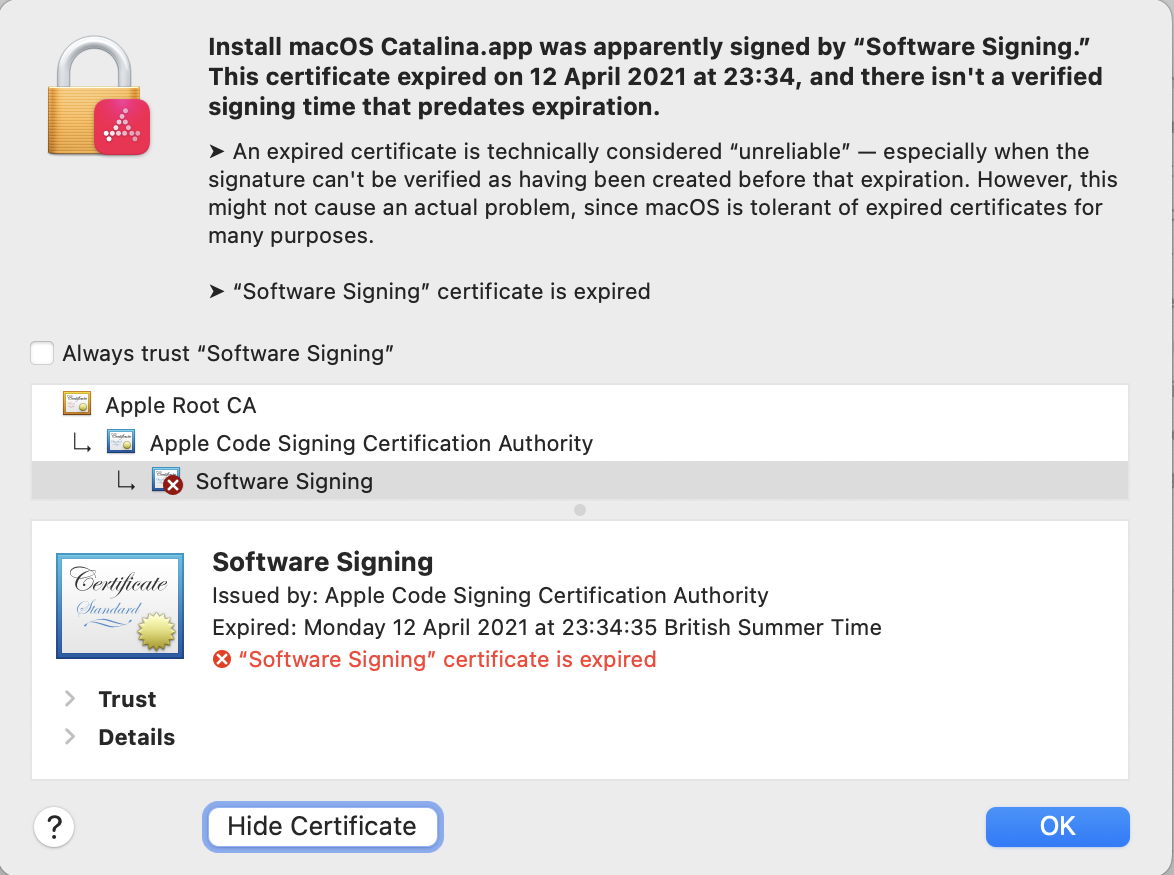
This old Catalina installer app was signed without a trusted timestamp. Now that its certificate has expired, it’s likely to be unusable.

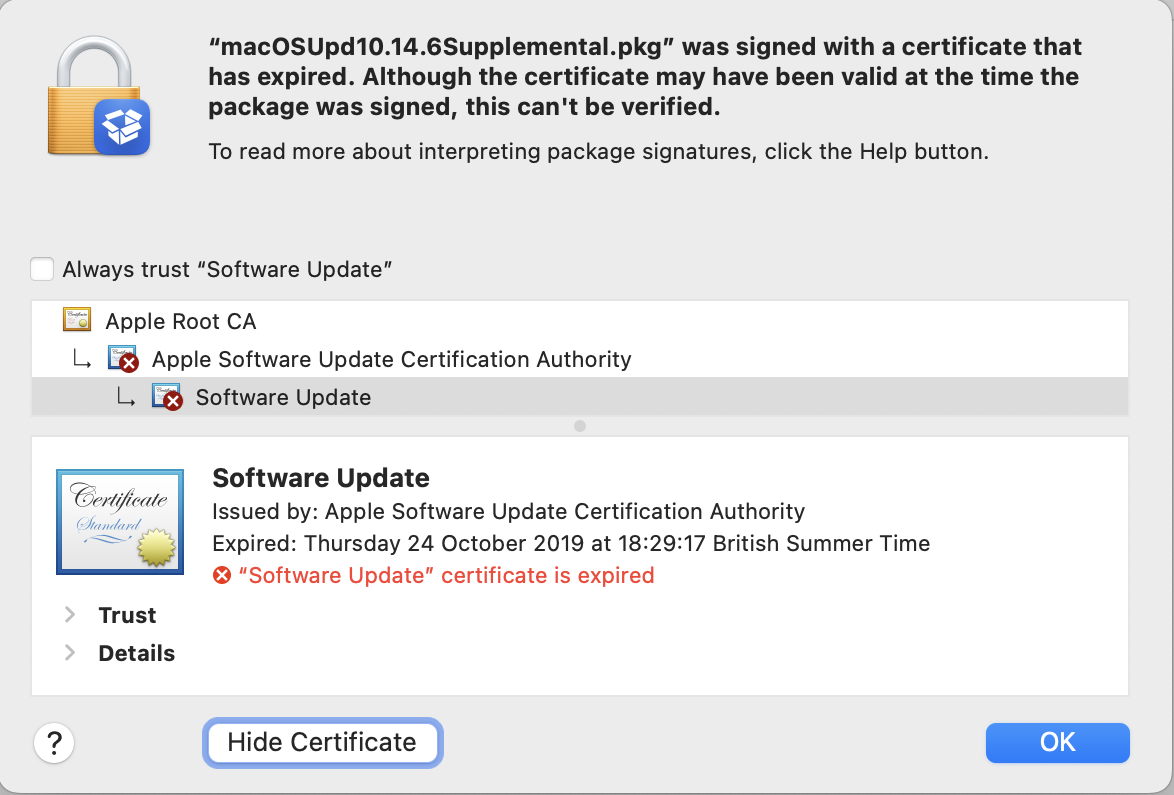
This macOS update installer package was also signed without a trusted timestamp, its certificate expired in the 2019 hiatus, and it’s now unusable.

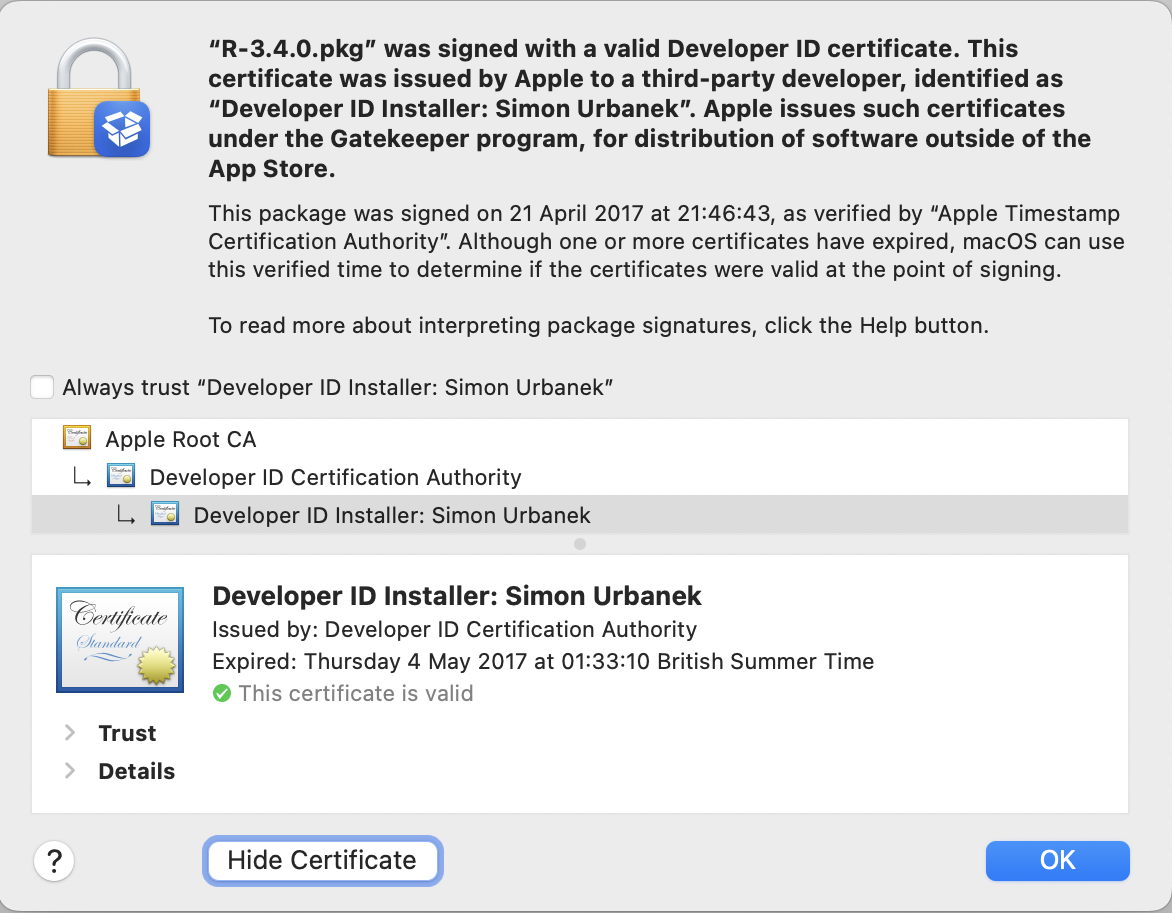
This third-party installer package was signed in 2017, but has a trusted timestamp. Even though its certificate expired in May 2017, because it was still valid at the time of the trusted timestamp it should still be deemed valid.

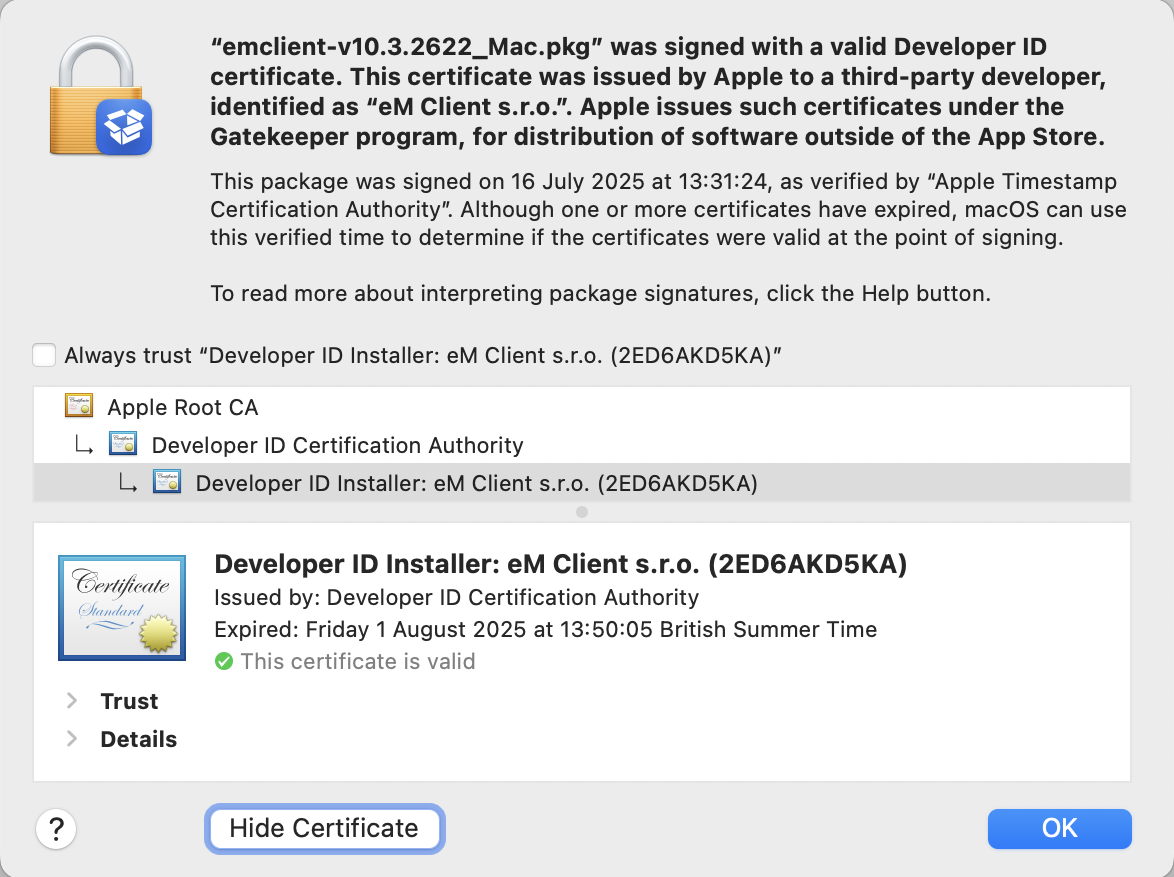
This third-party installer package was only signed last July, but its Developer ID Installer certificate expired the following month. Because its certificate was valid at the time of the trusted timestamp it’s still deemed valid.

Further reading

Signing certificates (Apple)
Developer ID and provisioning profiles (Apple)
Apple Intermediate Certificate Expiration (Apple)

I’m very grateful to Quinn for drawing my attention to this.

What’s happening with code signing and future macOS?

This year marks the twentieth anniversary of Apple’s announcement of the introduction of code signing, although it wasn’t unleashed until Mac OS X 10.5 Leopard the following year (2007). I doubt whether there’ll be crowds gathering to celebrate the occasion, but 2026 also marks the parting of the ways for Intel and Apple silicon Macs, as Tahoe is the last version of macOS to run on Intel processors. There have already been rumours that will bring changes to code signing and what code will run on Arm cores.

Apple had long maintained that users would remain able to run unsigned code in macOS, but that changed in November 2020 with the first Apple silicon models. Since then, all executable code run on those new Macs has to be signed. What hasn’t been mandatory is the use of a developer certificate for the signature. Instead, all build systems now sign code using an ad hoc signature by default, when no developer certificate is available. This enables ordinary users to build their own apps and command tools locally, and run them on their own Macs, as many continue to do. The same applies to codeless apps such as Web Apps introduced in Sonoma, which are automatically signed ad hoc by macOS.

Those who develop apps and command tools for distribution to others have been told to sign their code using their developer certificate, then to get it notarised by Apple. Although that’s by no means universal, and there are still a few apps that don’t fit the process well, the great majority of those distributed outside the App Store should now come signed with a developer certificate and notarised.

Unlike some other operating systems, the only developer certificates recognised by macOS are those issued by Apple, but they’re provided free as one of the benefits of its $99 annual subscription to be a registered developer, as are unlimited notarisations.

The next concern for many is what happens when a developer certificate expires. On other systems, certificate expiry can result in apps suddenly becoming unusable, but that isn’t the case with macOS. So long as the certificate was valid at the time it was signed, macOS will recognise it as being valid at any time in the future. This isn’t the case, though, with developer installer certificates, used to sign installer packages: those must be valid at the time of installation, and the same applies to Apple’s own macOS and other installers. That continues to catch out both developers and users.

So as far as Intel Macs are concerned, the arrival of macOS 27 this coming autumn/fall won’t affect their access to apps, provided they’re supplied in Universal format, with x86 code. Many major software vendors have aligned their support period with Apple’s, so those apps should remain fully supported on Intel Macs until Apple’s support for macOS 26 ends in the autumn/fall of 2028. The sting here is that depends on upgrading to Tahoe: stick with Sequoia and that support is likely to end a year earlier, in 2027.

If you’ve switched to Apple silicon, you may be concerned as to when macOS will cease providing Rosetta 2 support for the few remaining apps that aren’t already Universal. Apple has stated its intention that full Rosetta translation support will end with macOS 27, although it intends to retain “a subset of Rosetta functionality aimed at supporting older unmaintained gaming titles” beyond that. In practice, that means most x86 apps and command tools will stop working in macOS 28, in the autumn/fall of 2027.

From then on, if you want to be able to run x86 code using Rosetta 2 translation, that will have to be in a virtual machine running macOS 27 or earlier. For once, the continuing inability of macOS VMs to run most App Store apps should have little or no effect. For installers whose installer certificate has expired, this may be a blessing, as it’s easier and less disruptive to set the clock back in a VM.

Apple has given no warnings, yet, of any changes to requirements for developer certificates, notarisation, or ad hoc code signing to come in macOS 27 or beyond. Given the time required for the adoption of code signing and notarisation, those would appear unlikely in the foreseeable future.

Key dates

All events occur with the autumn/fall release of the new version of macOS.

2026 (this year)

Intel Macs: Tahoe enters security-only support; new versions of some 3rd party products may be Arm-only
Apple silicon Macs: first single architecture macOS.

2027

Intel Macs: Sequoia becomes unsupported
Apple silicon Macs: full Rosetta 2 support ends.

2028

Intel Macs: Tahoe becomes unsupported; major 3rd party products likely to lose support.

Further reading

A brief history of code signing on Macs

Apple’s Inside Code Signing series for developers:
TN3125 Provisioning Profiles
TN3126 Hashes
TN3127 Requirements
TN3161 Certificates

iPhone 修改 iOS 通话录音提示音指南

DUN.IM BLOG

DUN.IM BLOG

我们还年轻,可不想看到这个世界处在毫无自由、隐私的边缘。

iOS 26 中,Apple 终于引入了原生通话录音功能。出于隐私合规考虑,系统会在录音开始时强制播放 “This call is being recorded” 的语音提示。对于希望静默录音或自定义提示音的用户,目前唯一的解决方案是利用沙盒逃逸漏洞。

macOS

https://github.com/34306/bl_sbx

Windows

Use the bl_sbx exploit to hide the call-recording notification sound on iOS – YangJiiii/Disable-Call-Recording-BookRestore-

该方案并非传统的“越狱”,而是一种沙盒逃逸(Sandbox Escape)技术。它利用了 iOS 系统中两个守护进程之间的信任机制缺陷,实现对受限文件系统的写入。

在操作前,请务必备份数据,避免风险。

iPhone 修改/去除 iOS 通话录音提示音

由于目前自动化工具(如 Misaka26)尚未完全适配,使用 Python 脚本进行手动替换是较为稳妥的方式。

你需要一台电脑,并配置好 Python 3 环境。

你需要准备一个用于替换系统原声的音频文件。

iPhone 连接至电脑,并确保已点击“信任此电脑”。

操作完成后,请按照以下步骤验证是否成功:

Apple Pencil 能在 PC 上用吗

LxnChan:

也许大多数人对这个标题感到奇怪,那巧了,我也感觉蛮奇怪的。

今天手机、iPad 都玩没电了,于是开了电脑,想着 Pencil 也好久没充电了估计是也没电了(对,我就是那个为了省 200 块买 USB-C 版本笔的那个傻逼),于是把 Pencil 用 C 口线连到了电脑上。

考虑到 Apple 的德行,我还以为笔的 C 口只能用来充电,没想到插到电脑上居然响起了硬件插入声音,遂至设备管理器查看,发现还真有。

VID 为 05AC ,PID 为 0421 ,两个 USB 输入设备和一个 USB Composite Device ,于是我就寻思这玩意设备管理器都识别出来是 USB 输入设备了不会是能给 PC 用吧,不知道是不是能给 Mac 用

iTunes 里面也看不到 Pencil ,想必不能通过 iTunes 给 Pencil 恢复固件

❌