Reading view

There are new articles available, click to refresh the page.

Chinese whispers in PDF metadata

Chinese whispers is an old children’s game where everyone sits in a circle, and one child whispers into the ear of the next on their right a sentence like Send reinforcements, we’re going to advance. That child then whispers the message they heard to the child on their right, until it reaches the one who started it, who says out loud what they heard, classically Send three-and-fourpence, we’re going to a dance, as a demonstration of how messages can so easily become corrupted. What this has to do with China remains one of childhood’s mysteries. I should also explain that three-and-fourpence was idiomatic British English in the days before our currency was ‘decimalised’, and meant three shillings and four (old) pence, about 17 (new) pence, sufficient at one time to enjoy a good night out.

In this article I’m going to do much the same with metadata for a PDF document, tracing what gets indexed by Spotlight, so becoming discoverable by search, and what is displayed in the Finder. This relies on several of my utilities, most of which are available from this page.

Source PDF

I prepared a completely unrelated PDF using my favourite PDF editor, PDF Expert, by adding metadata to be saved in the file’s data. As you might expect, there are several ways that could be stored in the PDF format, including XMP metadata, but in this case for simplicity they were added in the document information dictionary.

I inspected that in a source view in Podofyllin, which found the following fields:
/Author (Author name in pdf)
/Creator (Pages)
/Keywords (keyword1 pdf)
/Subject (Subject in pdf)
/Title (0PDFtest1accessdefault)

When rendered in macOS, those are ‘flattened’ by its Quartz PDF engine, to
/Author (Author name in pdf)
/Creator (Pages)
/Keywords (keyword1 pdf)
/AAPL:Keywords [(keyword1 pdf)]
/Subject (Subject in pdf)
/Title (0PDFtest1accessdefault)

Note the copying of keywords into a new attribute AAPL:Keywords.

Extended attributes

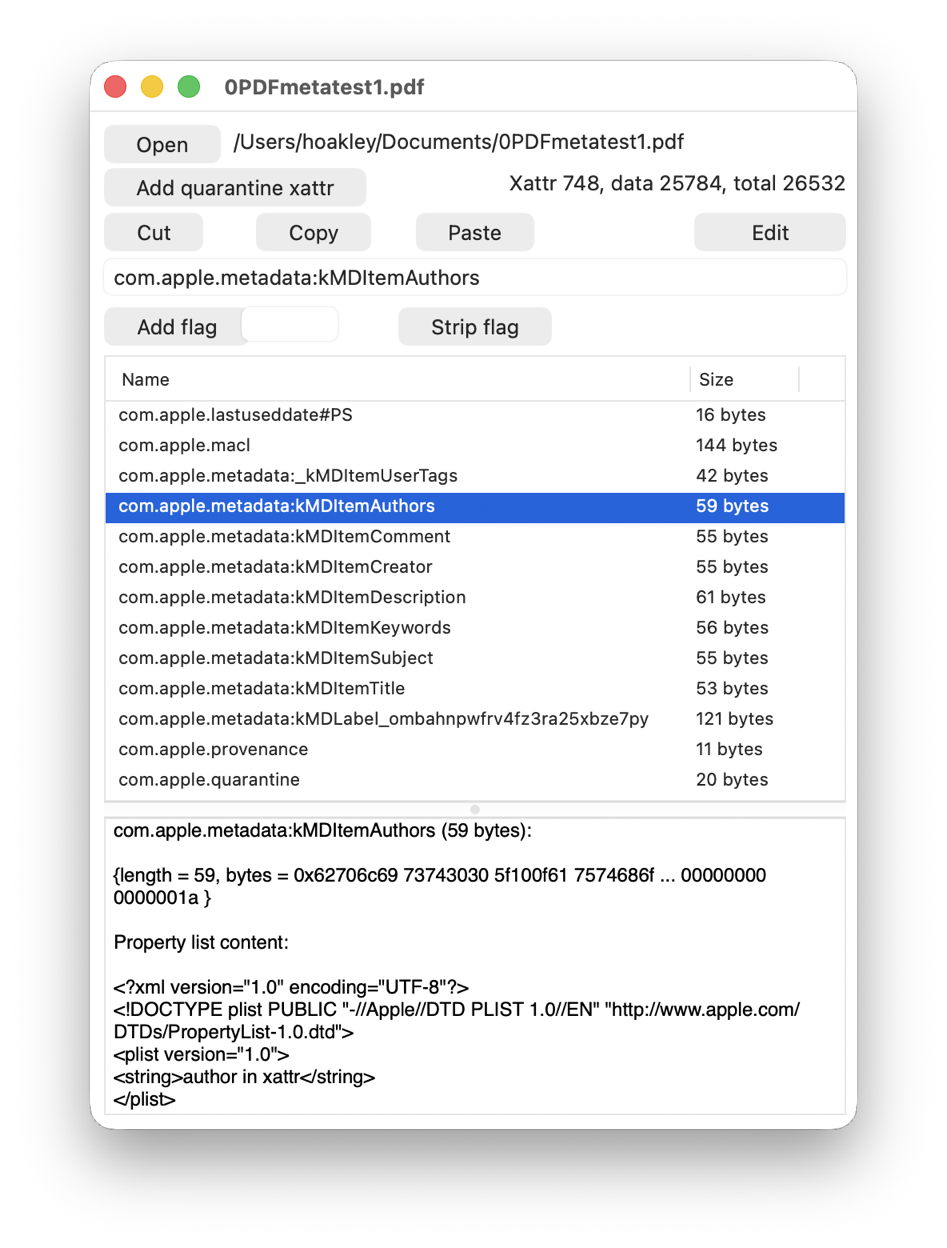
I then added seven extended attributes using Metamer, with names such as com.apple.metadata:kMDItemAuthors, as shown below in xattred.
Spotlight import

I then inspected the file in SpotTest’s new Drop Window, which reported the following attributes found by mdimport:
":EA:kMDItemAuthors" = "author in xattr";
":EA:kMDItemComment" = "xattr comment";
":EA:kMDItemCreator" = "xattr creator";
":EA:kMDItemDescription" = "xattr description";
":EA:kMDItemKeywords" = "keyword1,xattr";
":EA:kMDItemSubject" = "xattr subject";
":EA:kMDItemTitle" = "xattr title";

all from the extended attributes, while those derived from the PDF data were
kMDItemAuthors = (Pages);
kMDItemCreator = Pages;
kMDItemDescription = "Subject in pdf";
kMDItemKeywords = ("keyword1 pdf");
kMDItemTitle = 0PDFtest1accessdefault;

Those attributes have already changed, with PDF Subject becoming kMDItemDescription, Creator being duplicated into kMDItemAuthors, and the loss of PDF Author.

Spotlight indexes

Attributes reported by mdls changed again to
kMDItemAuthors = (Pages)
kMDItemComment = "xattr comment"
kMDItemCreator = "Pages"
kMDItemDescription = "Subject in pdf"
kMDItemKeywords = ("keyword1,xattr")
kMDItemSubject = "xattr subject"
kMDItemTitle = "0PDFtest1accessdefault"

This has lost the xattr attributes kMDItemAuthors, kMDItemCreator, kMDItemDescription and kMDItemTitle, and the PDF kMDItemKeywords. That list of 7 attributes should then be searchable using Spotlight.

The Finder

The final step was to discover which of those could be displayed in the Finder, either in its Get Info dialog, or in the Preview panel of a Finder window.
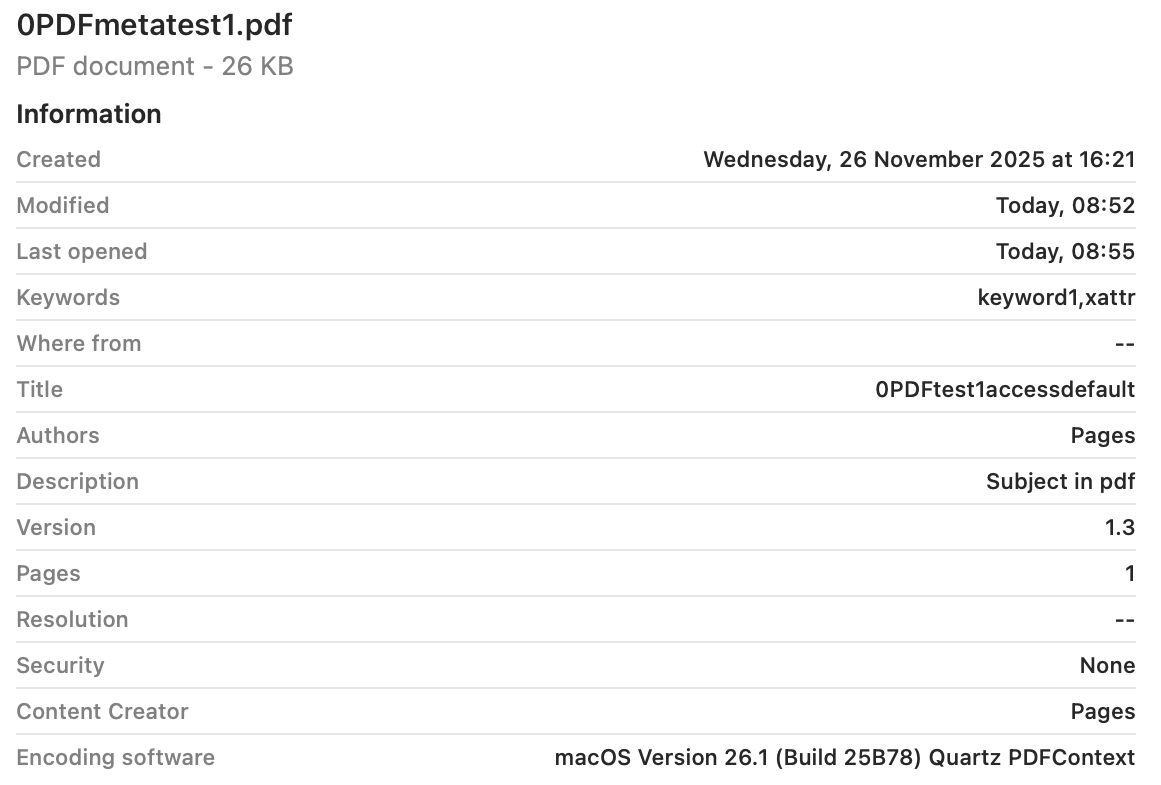
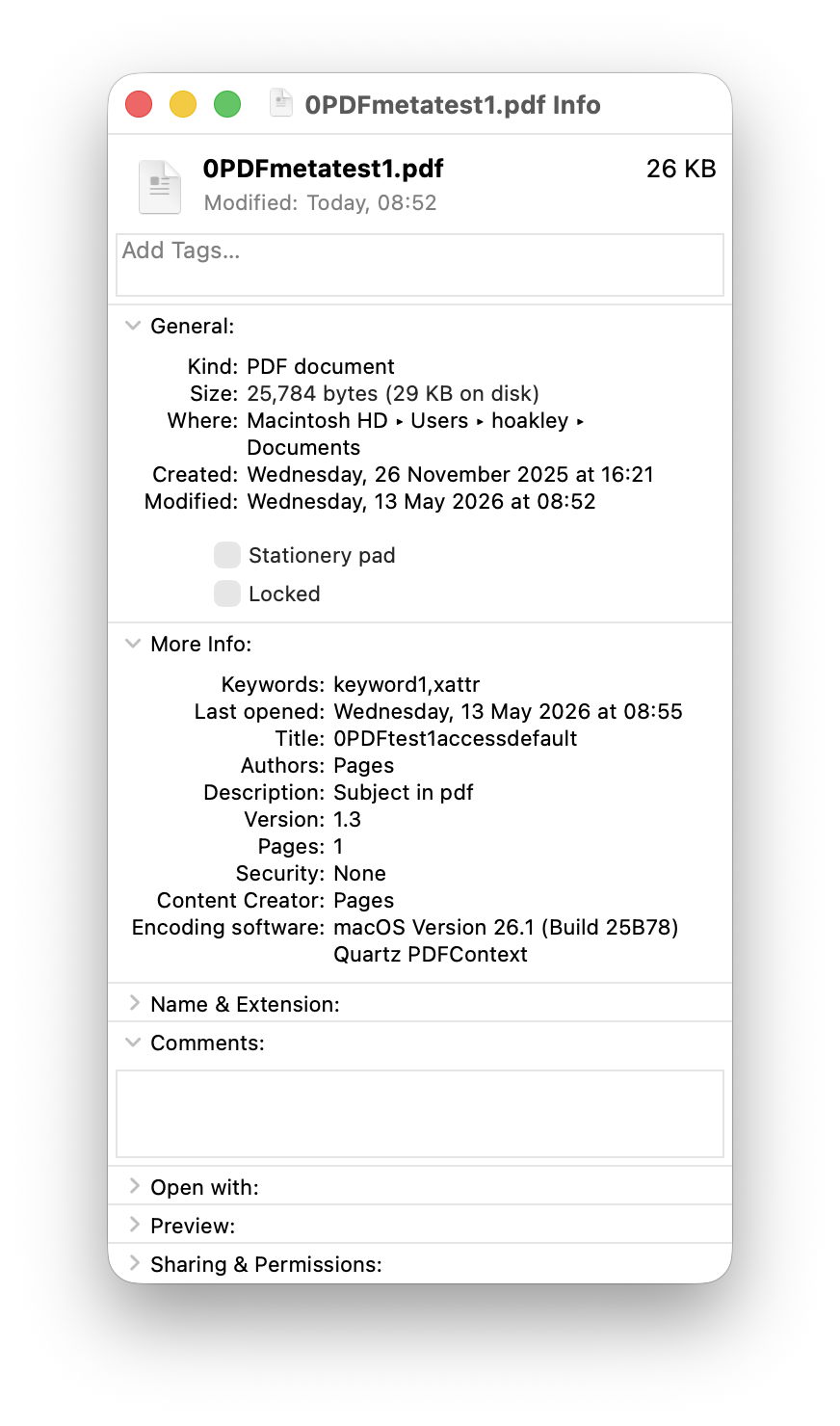
Only 5 of those attributes survived in the Finder, and were given as
Authors: Pages
Content Creator: Pages
Description: Subject in pdf
Keywords: keyword1,xattr
Title: 0PDFtest1accessdefault

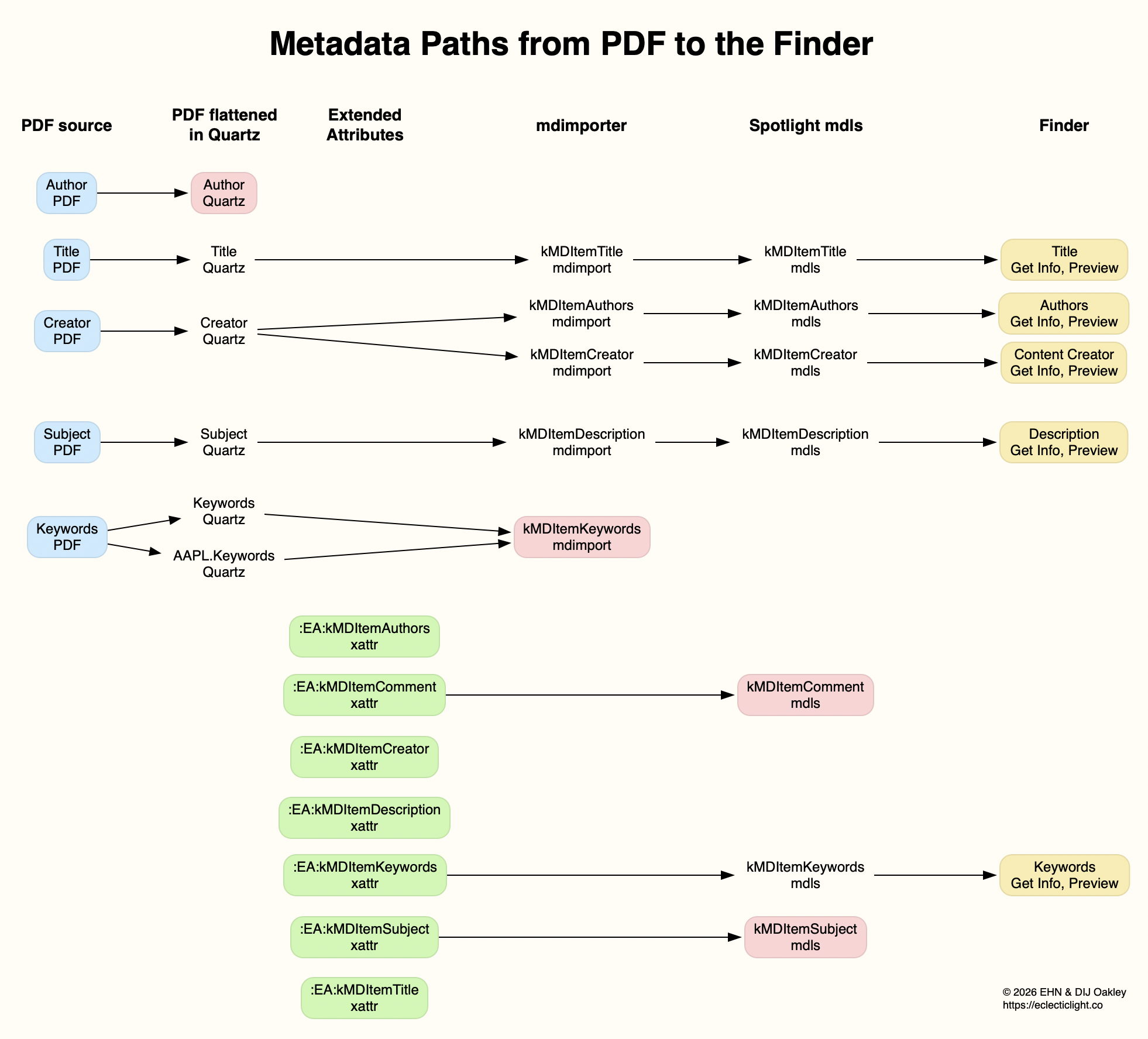
Of those, 4 are taken from the metadata in the PDF file, and only the Keywords were taken from its extended attribute. The attribute named as Authors contains a duplicate of what had originally been in the PDF Creator field, but neither of the PDF Author or xattr kMDItemAuthors fields. Those paths are traced in the diagram below.
Conclusions

Of the total of 12 distinct metadata attributes added in the PDF data and extended attributes, only 6 different items were indexed by Spotlight, and 4 were displayed in the Finder (allowing for the duplication of Authors and Content Creator).

Before relying on metadata for search and access in the Finder, it’s essential to verify that the attributes you intend using are successfully indexed and displayed. Choose the wrong attributes and you’ll never find anything.

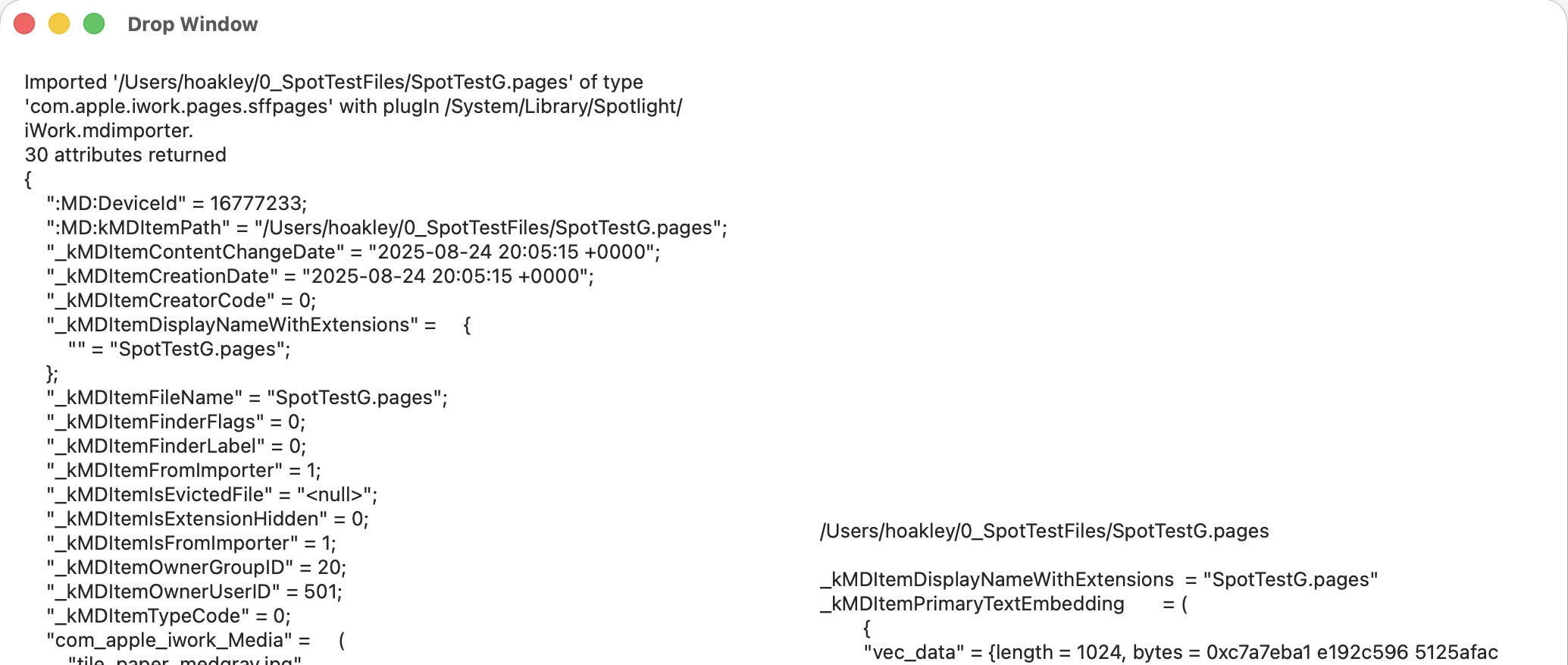
SpotTest 1.2 can display Spotlight metadata directly

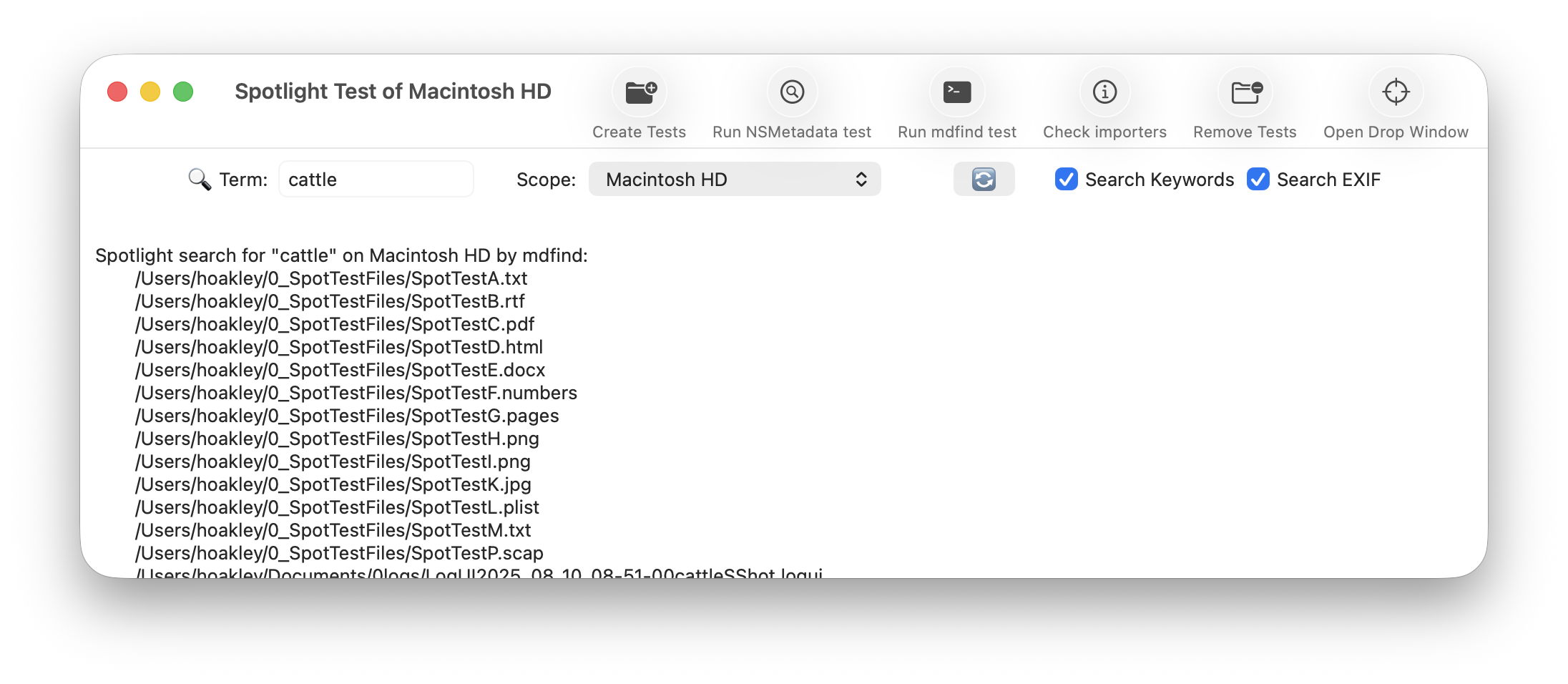
As promised, here is a new version of my free Spotlight test utility SpotTest, which will now display full information from two Spotlight command tools listing metadata for files.

To open its new Drop Window, either click on the new tool at the right end of the toolbar in its main window, or use the command in its Window menu. Then drag and drop files you want to inspect onto that window.

The app then runs two command tools on those files:
mdimport -t -d2 filename
to list all known metadata recognised by the mdimporter used, and
mdls filename
to list all indexed metadata.

That mdimport command currently crashes on most images, so won’t return any information about their metadata until Apple fixes the bug.

If you want to save the output in this Drop Window, select the file(s) output in its display, copy and paste it into a text editor or similar. You don’t have to keep the app main window open, and could use the Drop Window alone as a convenient way to inspect metadata.

As you’ll see, the length of mdimport output is significantly greater than that from mdls. Although there are matching entries, there’s no simple way to align those matches. Of all the possible layouts, I found this linked arrangement, where both outputs scroll alongside one another, the most effective for comparing their contents. It also allows you to view output for several files in the single window.

SpotTest version 1.2 is now available from here: spottest12
from Downloads above, and from its Product Page.

Tomorrow I’ll be using it to trace the paths of metadata from a source file to their display in the Finder.

How to check whether Spotlight is getting the right metadata

Spotlight can only search the metadata it has entered in its indexes. As I demonstrated a couple of days ago in two test cases, some metadata may be present in a file and available for indexing, but may not be added to those indexes. This normally occurs because of a problem or bug in the mdimporter responsible for extracting metadata and passing it for storage in the indexes. Fortunately, macOS provides a method of identifying that, using two command tools.

Commands

The first command
mdimport -t -d2 filename
lists all its known metadata recognised by the mdimporter used. Currently, that may crash persistently for some types of file such as images.

The second command
mdls filename
lists all indexed metadata for that file, and shouldn’t crash.

mdimport – aspirations

Output from mdimport is a long catalogue of all the metadata attached to and associated with that file. This starts with a statement of the file examined, tells you its type as a UTI, and reveals which mdimporter was used:
Imported '/Users/hoakley/Documents/0xattrtests/testtext1.text' of type 'public.plain-text' with plugIn /System/Library/Spotlight/RichText.mdimporter.

It then tells you how many metadata attributes it found
35 attributes returned

Those are listed, starting with those found in extended attributes, prefaced by :EA:
":EA:kMDItemLastUsedDate" = "2026-05-04 18:52:32 +0000";

Then come standard file metadata
":MD:kMDItemPath" = "/Users/hoakley/Documents/0xattrtests/testtext1.text";
"_kMDItemContentChangeDate" = "2026-05-04 11:34:50 +0000";

The main body lists all the rest with the prefix kMDItem common to metadata
kMDItemContentCreationDate = "2026-05-04 11:34:49 +0000";

Among those are the UTI of the file, and its more general types in the UTI tree. These can explain why a file appears to have been processed by the wrong mdimporter
kMDItemContentType = "public.plain-text";
kMDItemContentTypeTree = ("public.plain-text", "public.text", "public.data", "public.item", "public.content");

There’s a long series of entries giving the long form of the file type in multiple languages
kMDItemKind = {en = "Plain Text Document"; };

Text content that has been indexed isn’t given in this form of the command, but a summary is:
kMDItemTextContent = "<<< Text content of 4968 characters >>>";

Those are the metadata that should then be passed to Spotlight to be stored in its indexes, but not necessarily what does get stored. To discover that, we need the mdls output. Note that additional metadata obtained by mediaanalysisd and the CGPDF Service aren’t included in this, as they operate separately from mdimporters and normally after significant delay.

mdls – reality

This output is far shorter, and contains entries in Spotlight’s indexes for that file, except for indexed text content. The only way to assess that is by searching for text it should contain.

This should match metadata attributes seen in the mdimport output, such as
_kMDItemDisplayNameWithExtensions = "testtext1.text"
kMDItemContentCreationDate = 2026-05-04 11:34:49 +0000
kMDItemContentType = "public.plain-text"
kMDItemKind = "Plain Text Document"

Examples

Plain text file with extended attributes

mdimport:
“:EA:kMDItemAuthors” = “Andy Bill Charlie”;
“:EA:kMDItemComment” = “A. regular comment.”;
“:EA:kMDItemDescription” = “A description.”;
“:EA:kMDItemKeywords” = “keyword1,ketwird2,keyword3”;
“:EA:kMDItemSubject” = “The subject.”;

mdls:
kMDItemAuthors = (“Andy Bill Charlie”)
kMDItemComment = “A. regular comment.”
kMDItemDescription = “A description.”
kMDItemKeywords = (“keyword1,ketwird2,keyword3”)
kMDItemSubject = “The subject.”

Metadata attributes were faithfully added to Spotlight’s indexes.

RTF file with extended attributes

mdimport:
“:EA:kMDItemAuthors” = “Andy Bill Charlie”;
“:EA:kMDItemComment” = “A. regular comment.”;
“:EA:kMDItemDescription” = “A description.”;
“:EA:kMDItemKeywords” = “keyword1,ketwird2,keyword3”;
“:EA:kMDItemSubject” = “The subject.”;
kMDItemAuthors = “<null>”;
kMDItemComment = “<null>”;
kMDItemKeywords = “<null>”;
kMDItemSubject = “<null>”;

The last four are those obtained from the (absent) Info metadata embedded in the file data, and conflict with those from four of the extended attributes.

mdls:
kMDItemComment = “A. regular comment.”
kMDItemDescription = “A description.”
kMDItemKeywords = (“keyword1,ketwird2,keyword3”)
kMDItemSubject = “The subject.”

These reveal that Spotlight’s indexes captured four of the five extended attributes, and ignored the null values for the Info metadata. However, kMDItemAuthors is missing, presumably because of a bug in the mdimporter.

I’m considering whether it might be useful to add these to SpotTest, to help diagnose problems.

❌